3.3V to 5.5V DC


3.3V to 5.5V DC
10mA
0.1 lux to 100,000 lux
50ms
Digital (TTL) and Analog (0-5V)
-20C to 70C
-40C to 85C
5% to 95% RH (non-condensing)
Applications
| The Photo Control Automatic Light Based Sensor is ideal for various IoT applications, including |
Smart Lighting Systems
Energy-Efficient Buildings
Home Automation
Industrial Automation
Security Systems
Outdoor Lighting Control
Certifications and Compliance
| The Photo Control Automatic Light Based Sensor complies with relevant industry standards and regulations, including |
RoHS
REACH
CE
FCC
Warranty and Support
The component is backed by a 1-year limited warranty and dedicated technical support to ensure seamless integration and operation.
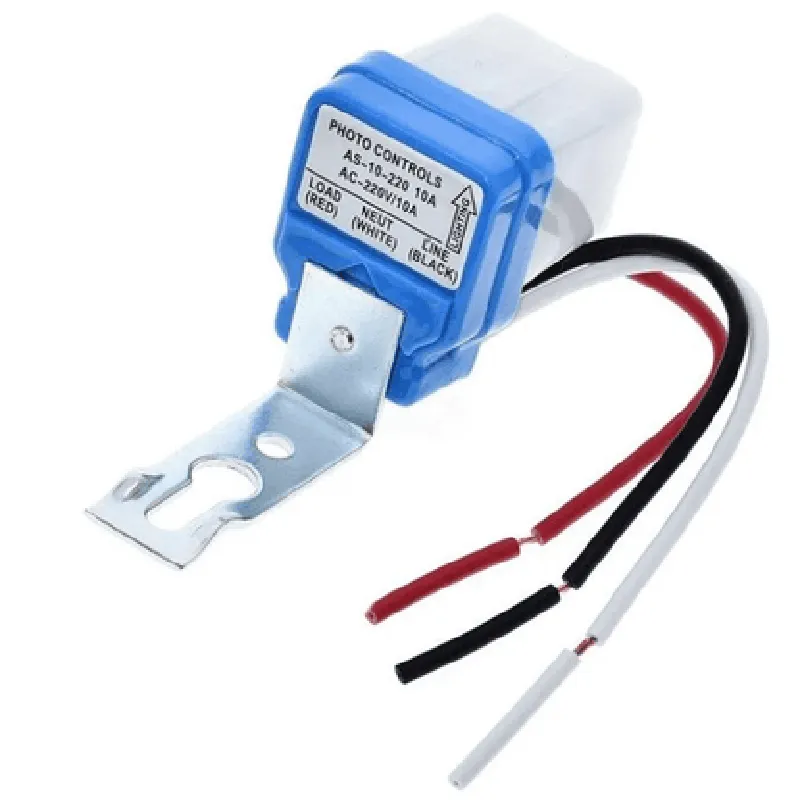
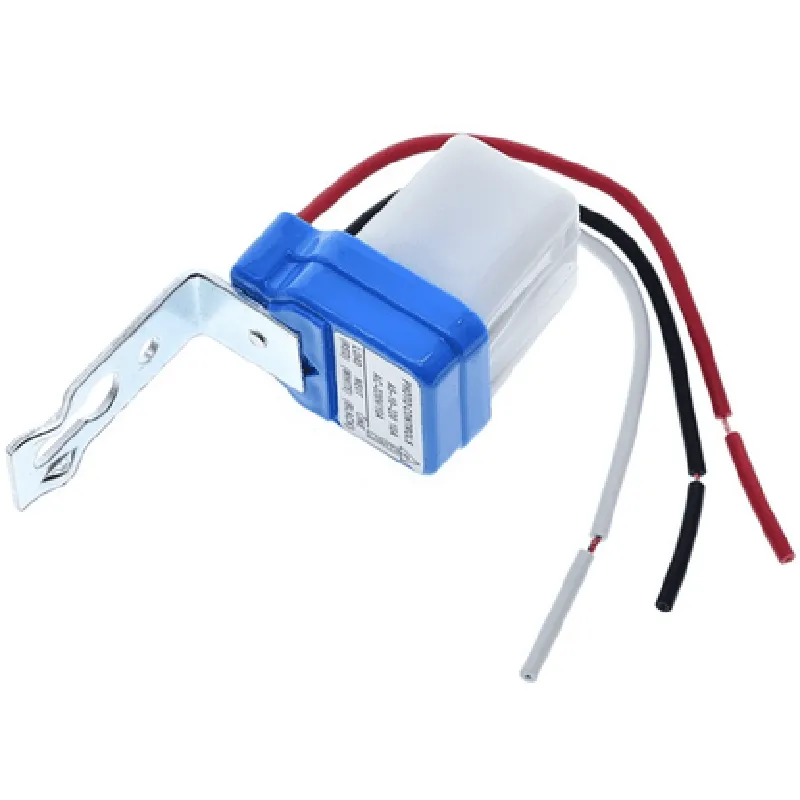
Photo Control Automatic Light Based Sensor DocumentationOverviewThe Photo Control Automatic Light Based Sensor is a digital sensor that detects the ambient light intensity and adjusts the brightness of a connected light source accordingly. This component is ideal for energy-efficient lighting systems, automated lighting control, and IoT-based smart home applications.Technical SpecificationsOperating Voltage: 3.3V - 5V
Current Draw: 10mA (typical)
Ambient Light Sensing Range: 0.1 lux to 100,000 lux
Output Signal: Digital (HIGH/LOW) or Analog (0-5V)
Interface: Digital I/O or I2C (optional)Code Examples### Example 1: Basic Automatic Lighting Control using ArduinoIn this example, we'll use the Photo Control Automatic Light Based Sensor to control a connected LED light source based on the ambient light intensity.Hardware RequirementsPhoto Control Automatic Light Based Sensor
Arduino Board (e.g., Arduino Uno)
LED Light Source
Resistor (1 k)
Breadboard and jumper wiresArduino Code
```c
const int sensorPin = A0; // Analog input pin for sensor
const int ledPin = 9; // Digital output pin for LEDvoid setup() {
pinMode(sensorPin, INPUT);
pinMode(ledPin, OUTPUT);
}void loop() {
int sensorValue = analogRead(sensorPin);
int brightness = map(sensorValue, 0, 1023, 0, 255);
analogWrite(ledPin, brightness);
delay(50);
}
```
ExplanationIn this example, we read the analog output from the Photo Control Automatic Light Based Sensor using the `analogRead()` function. We then map the sensor value to a brightness value between 0 and 255 using the `map()` function, and write the brightness value to the LED pin using the `analogWrite()` function.### Example 2: IoT-Based Smart Lighting System using Raspberry Pi and PythonIn this example, we'll use the Photo Control Automatic Light Based Sensor to control a connected LED light source based on the ambient light intensity, and integrate it with a web-based interface using Flask.Hardware RequirementsPhoto Control Automatic Light Based Sensor
Raspberry Pi (e.g., Raspberry Pi 3B+)
LED Light Source
Resistor (1 k)
Breadboard and jumper wiresSoftware RequirementsRaspbian OS
Python 3.x
Flask frameworkPython Code
```python
import RPi.GPIO as GPIO
from flask import Flask, jsonifyapp = Flask(__name__)# Set up GPIO pin for LED
GPIO.setmode(GPIO.BCM)
GPIO.setup(17, GPIO.OUT)# Set up Photo Control Automatic Light Based Sensor
sensor_pin = 18@app.route('/light', methods=['GET'])
def get_light_status():
sensor_value = read_sensor_value()
brightness = calculate_brightness(sensor_value)
GPIO.output(17, brightness)
return jsonify({'light_status': 'on' if brightness > 0 else 'off'})def read_sensor_value():
# Read analog output from sensor
sensor_value = GPIO.input(sensor_pin)
return sensor_valuedef calculate_brightness(sensor_value):
# Map sensor value to brightness value
brightness = int((sensor_value / 1023) 255)
return brightnessif __name__ == '__main__':
app.run(debug=True)
```
ExplanationIn this example, we use the RPi.GPIO library to control the LED light source, and the Flask framework to create a web-based interface. We read the analog output from the Photo Control Automatic Light Based Sensor using the `read_sensor_value()` function, and calculate the brightness value based on the sensor value using the `calculate_brightness()` function. The brightness value is then written to the LED pin using the `GPIO.output()` function.These examples demonstrate how to use the Photo Control Automatic Light Based Sensor to create energy-efficient and automated lighting control systems using popular microcontrollers and programming languages.