SCS12UU 12mm Slide Unit Block Bearing


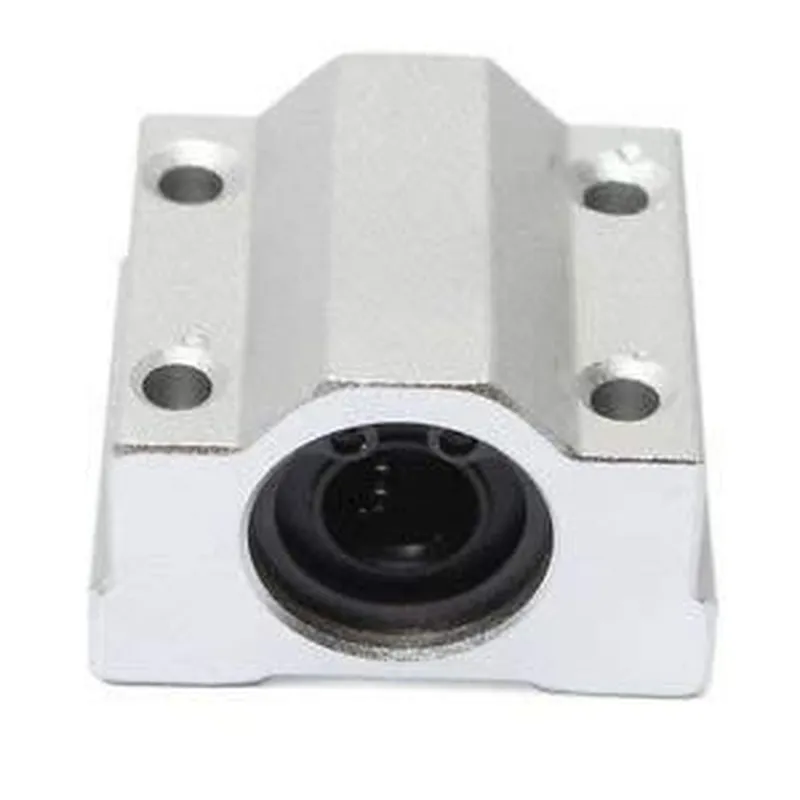
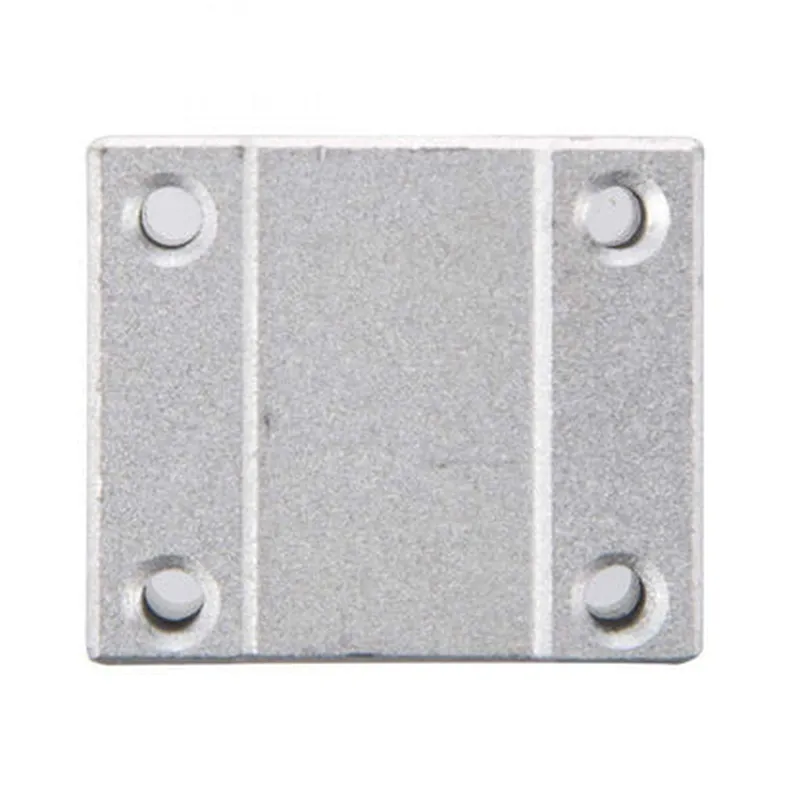
SCS12UU 12mm Slide Unit Block Bearing
The SCS12UU 12mm Slide Unit Block Bearing is a linear motion component designed for smooth and precise movement in various applications, including robotics, CNC machines, and automated systems. This bearing unit combines a linear shaft and a bearing block, enabling linear motion with minimal friction and vibration.
| The SCS12UU 12mm Slide Unit Block Bearing is designed to provide stable and consistent linear movement in one direction, allowing for precise positioning and motion control. It consists of a linear shaft and a bearing block, which work together to |
12mm
Aluminum Alloy
High-Quality Steel
Moderate to Heavy
Low
UU Type
High-Precision
-20C to 80C
(L x W x H) 40mm x 24mm x 12mm
| The SCS12UU 12mm Slide Unit Block Bearing is suitable for a wide range of applications, including |
Robotics
CNC Machines
Automated Systems
Linear Axis Systems
Medical Devices
Industrial Automation
The SCS12UU 12mm Slide Unit Block Bearing is a high-performance linear motion component designed for precision and stability. Its compact design, high load capacity, and low friction coefficient make it an ideal choice for demanding applications requiring smooth and consistent linear movement.
SCS12UU 12mm Slide Unit Block Bearing DocumentationOverviewThe SCS12UU 12mm Slide Unit Block Bearing is a linear motion component designed for precise and smooth movement in various applications, including robotics, CNC machines, and automation systems. This documentation provides a comprehensive overview of the component's features, specifications, and code examples to help users integrate it into their projects.Features and SpecificationsLinear movement with high accuracy and repeatability
Compact design with a 12mm diameter and 30mm length
High-precision ball bearing for smooth motion
Load capacity: 10 kg
Operating temperature range: -20C to 80C
Material: Aluminum alloy
Mounting options: M4 screw holes on both sidesCode Examples### Example 1: Arduino-based Linear Actuator ControlIn this example, we'll demonstrate how to use the SCS12UU 12mm Slide Unit Block Bearing with an Arduino board to control a linear actuator.Hardware RequirementsSCS12UU 12mm Slide Unit Block Bearing
Arduino Board (e.g., Arduino Uno)
Stepper motor driver (e.g., A4988)
Stepper motor (e.g., NEMA 17)
Power supply (e.g., 12V, 1A)Code
```c
#include <Stepper.h>// Define stepper motor pins
#define STEPPER_DIR 2
#define STEPPER_STEP 3
#define STEPPER_ENABLE 4// Define slide unit pins
#define SLIDE_UNIT_DIR 5
#define SLIDE_UNIT_STEP 6
#define SLIDE_UNIT_ENABLE 7Stepper stepper(STEPPER_DIR, STEPPER_STEP, STEPPER_ENABLE);
Stepper slideUnit(SLIDE_UNIT_DIR, SLIDE_UNIT_STEP, SLIDE_UNIT_ENABLE);void setup() {
stepper.setSpeed(100);
slideUnit.setSpeed(100);
}void loop() {
// Move the slide unit to a specific position
slideUnit.moveTo(100); // Move 100 steps forward
delay(1000);
// Move the stepper motor to a specific position
stepper.moveTo(50); // Move 50 steps forward
delay(1000);
}
```
### Example 2: Python-based CNC Machine Control using Raspberry PiIn this example, we'll demonstrate how to use the SCS12UU 12mm Slide Unit Block Bearing with a Raspberry Pi to control a CNC machine.Hardware RequirementsSCS12UU 12mm Slide Unit Block Bearing
Raspberry Pi (e.g., Raspberry Pi 4)
CNC machine controller board (e.g., GRBL)
Power supply (e.g., 12V, 1A)Code
```python
import time
import serial# Initialize serial communication with CNC machine controller
ser = serial.Serial('/dev/ttyUSB0', 115200)# Define commands for CNC machine movements
commands = [
"G21", # Set units to millimeters
"G00 F100", # Set fast movement speed
"G01 F50", # Set slow movement speed
"G00 X10", # Move X-axis to 10mm
"G01 Y20", # Move Y-axis to 20mm
"G00 Z-5", # Move Z-axis to -5mm
]# Send commands to CNC machine controller
for command in commands:
ser.write(command.encode() + b'
')
time.sleep(0.1)# Move the slide unit to a specific position using GRBL commands
ser.write(b'G00 X50
') # Move X-axis to 50mm
time.sleep(1)
ser.write(b'G00 X-20
') # Move X-axis to -20mm
time.sleep(1)
```
Note: These code examples are simplified and may require modifications to suit your specific project requirements. Ensure you follow proper safety precautions when working with electrical and mechanical components.