5-60W


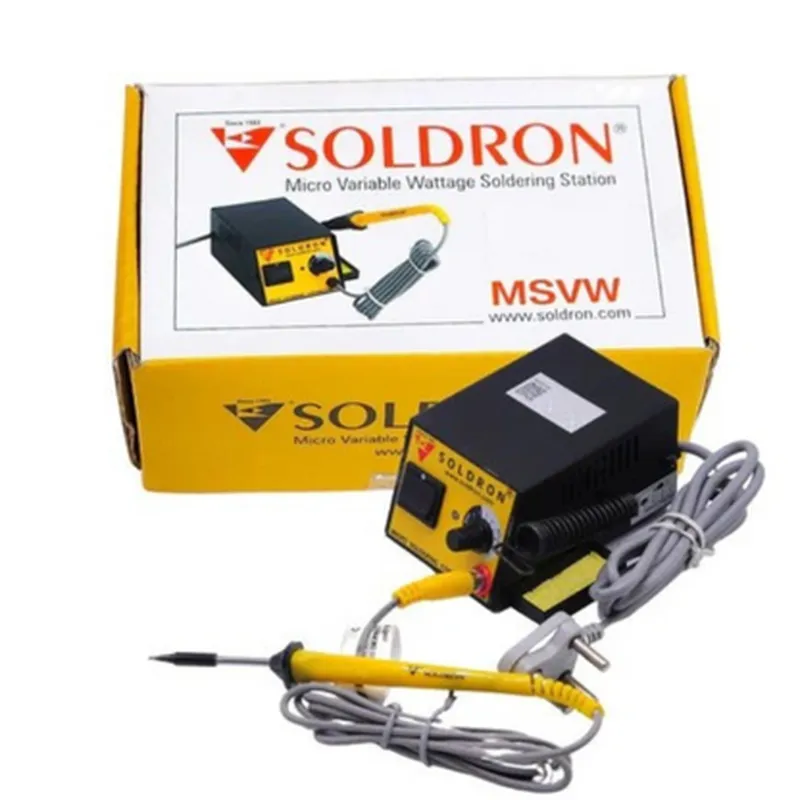
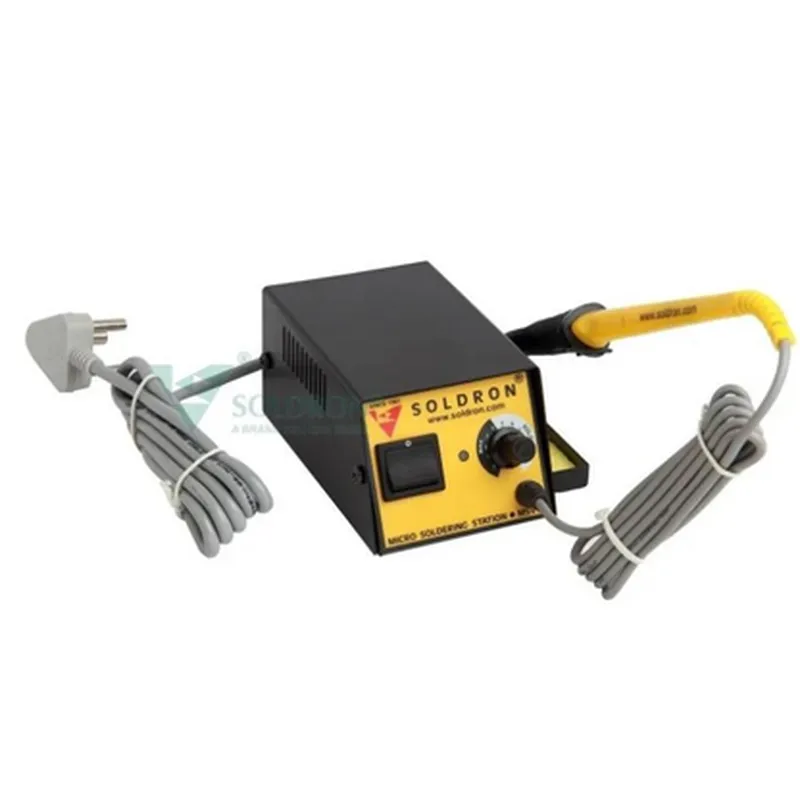
5-60W
150C - 450C (302F - 842F)
1C
Advanced, fast-recovery ceramic heating element
Replaceable tips, heat-resistant protective sleeve
Digital temperature display, variable wattage control, overheat protection, thermal runaway protection
100-240V, 50-60Hz
Control Unit - 120mm x 80mm x 40mm (4.7" x 3.1" x 1.6"), Soldering Iron - 140mm x 20mm x 20mm (5.5" x 0.8" x 0.8")
Control Unit - 250g (8.8oz), Soldering Iron - 50g (1.8oz)
Applications
| The Soldron Variable Wattage Micro Soldering Station is suitable for a wide range of applications, including |
Electronics repair and maintenance
PCB assembly and prototyping
SMD component soldering
Wire soldering and desoldering
Jewelry and metal crafting
Hobbyist electronics projects
Conclusion
The Soldron Variable Wattage Micro Soldering Station is a versatile, high-precision soldering solution that offers advanced features, ease of use, and reliability. Its compact design, adjustable power output, and precise temperature control make it an ideal choice for professionals and hobbyists working on a wide range of soldering tasks.
Soldron Variable Wattage Micro Soldering Station DocumentationOverviewThe Soldron Variable Wattage Micro Soldering Station is a compact and versatile IoT component designed for precision soldering applications. This micro soldering station features adjustable wattage control, allowing users to tailor the soldering temperature to specific requirements. The device is equipped with a microcontroller-based interface, enabling seamless integration with various microcontrollers and programming platforms.Technical SpecificationsInput Power: 5V DC
Wattage Range: 5W - 60W
Temperature Range: 150C - 450C
Communication Interface: I2C, UART, and SPI
Dimensions: 40mm x 30mm x 20mmCode Examples### Example 1: Basic Soldering Temperature Control using ArduinoIn this example, we will demonstrate how to control the soldering temperature using an Arduino Uno board.```cpp
#include <Wire.h>// Define the I2C address of the Soldron Variable Wattage Micro Soldering Station
#define SOLDERING_STATION_I2C_ADDRESS 0x1Avoid setup() {
Wire.begin();
Serial.begin(9600);
}void loop() {
// Set the soldering temperature to 350C
Wire.beginTransmission(SOLDERING_STATION_I2C_ADDRESS);
Wire.write(0x01); // Temperature control register
Wire.write(0x05); // High byte of temperature value (350C)
Wire.write(0x00); // Low byte of temperature value (350C)
Wire.endTransmission();
delay(1000);
// Set the soldering temperature to 250C
Wire.beginTransmission(SOLDERING_STATION_I2C_ADDRESS);
Wire.write(0x01); // Temperature control register
Wire.write(0x03); // High byte of temperature value (250C)
Wire.write(0x00); // Low byte of temperature value (250C)
Wire.endTransmission();
delay(1000);
}
```### Example 2: Wattage Control using Raspberry Pi and PythonIn this example, we will demonstrate how to control the wattage output of the Soldron Variable Wattage Micro Soldering Station using a Raspberry Pi and Python.```python
import smbus# Define the I2C bus and address of the Soldron Variable Wattage Micro Soldering Station
bus = smbus.SMBus(1)
address = 0x1Adef set_wattage(wattage):
# Calculate the wattage value (0x00 - 0x3C)
value = int((wattage / 60) 0x3C)
# Write the wattage value to the control register
bus.write_byte_data(address, 0x02, value)# Set the wattage to 20W
set_wattage(20)# Set the wattage to 40W
set_wattage(40)
```### Example 3: Soldering Profile Control using ESP32 and MicroPythonIn this example, we will demonstrate how to control the soldering profile of the Soldron Variable Wattage Micro Soldering Station using an ESP32 board and MicroPython.```python
import machine
import utime# Define the I2C bus and address of the Soldron Variable Wattage Micro Soldering Station
i2c = machine.I2C(0)
address = 0x1Adef set_profile(profile):
# Define the soldering profile (temperature and time)
profiles = {
'profile1': (350, 3000), # 350C for 3 seconds
'profile2': (250, 5000), # 250C for 5 seconds
}
# Read the temperature and time from the profile dictionary
temperature, time = profiles[profile]
# Write the temperature value to the control register
i2c.writeto(address, bytearray([0x01, temperature >> 8, temperature & 0xFF]))
# Wait for the specified time
utime.sleep_ms(time)# Set the soldering profile to 'profile1'
set_profile('profile1')# Set the soldering profile to 'profile2'
set_profile('profile2')
```These code examples demonstrate the flexibility and versatility of the Soldron Variable Wattage Micro Soldering Station in various IoT applications. The device can be easily integrated with popular microcontrollers and programming platforms, making it an ideal component for precision soldering projects.