

Stufin
Home Quick Cart Profile

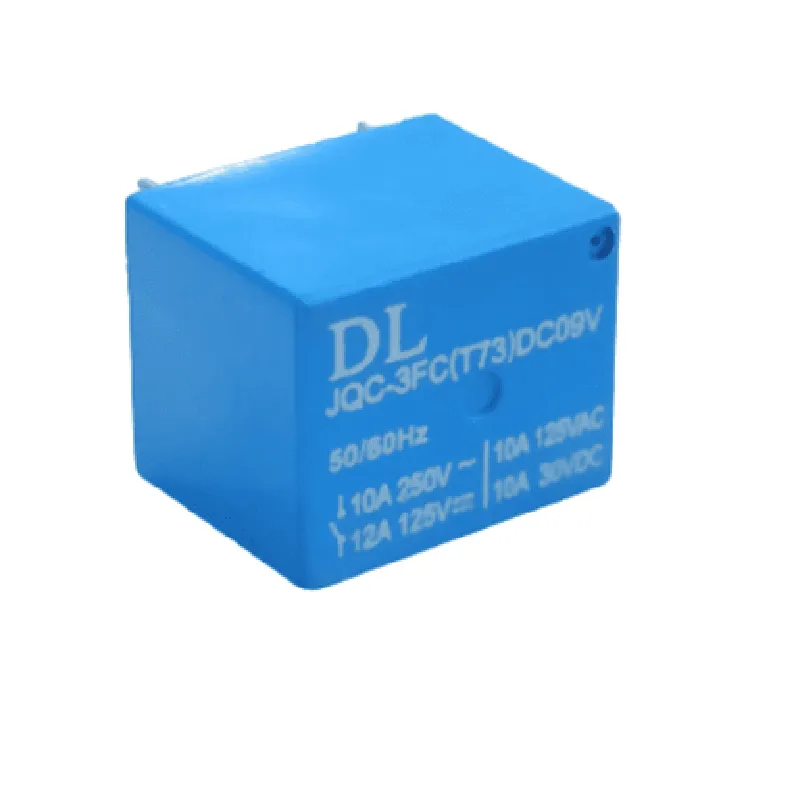
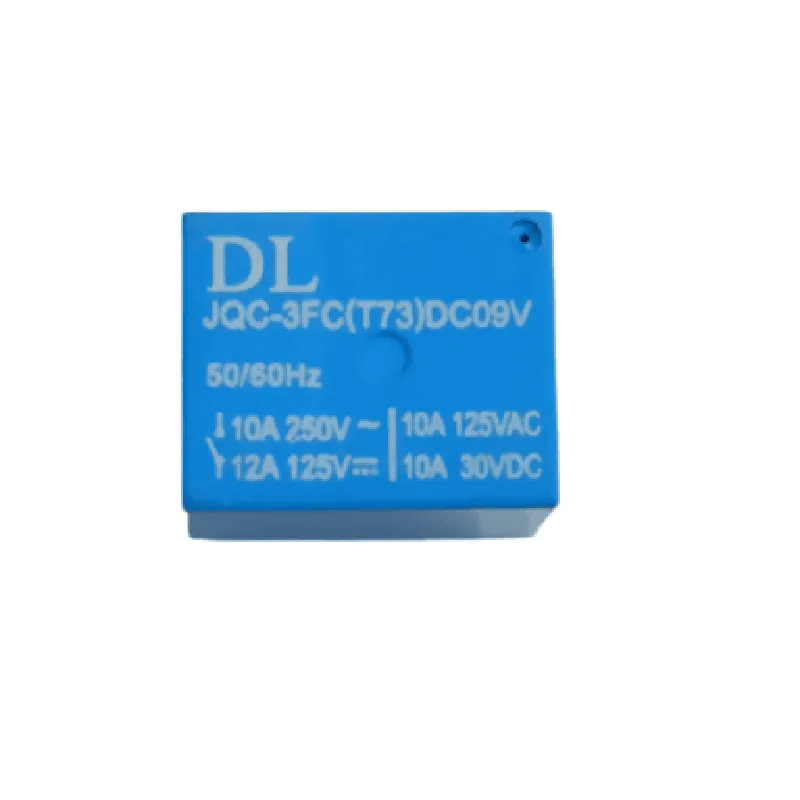
9V Relay Cube

Buy Now on Stufin

Operating Voltage

9V

Relay Type

Single-Pole Double-Throw (SPDT)

Maximum Current

10A

Input Type

Digital

Indicator LEDs

2 (Relay Status, Power Supply)

Dimensions

25mm x 25mm x 25mm

Weight

20g

Operating Temperature

-40C to 85C

Storage Temperature

-40C to 125C

Applications

The 9V Relay Cube is suitable for a wide range of IoT projects, including

Home automation systems

Industrial control systems

Robotics and machine automation

Smart lighting systems

Security systems

Note

The relay module should be used with a suitable power supply and in accordance with the manufacturer's recommendations to ensure safe and reliable operation.

Pin Configuration

  • 9V Relay Cube Component Documentation
  • Overview
  • The 9V Relay Cube is a commonly used IoT component that allows low-voltage logic circuits to control high-voltage circuits. It is a compact, cube-shaped relay module that can be easily integrated into various IoT projects.
  • Pinouts
  • The 9V Relay Cube has a total of 6 pins, which are arranged on two sides of the module. The pins are labeled as follows:
  • Side 1 (Input Side):
  • 1. VCC:
  • Function: Power supply pin for the relay module
  • Voltage: 9V DC (nominal)
  • Description: Connect this pin to a 9V DC power source to power the relay module
  • 2. GND:
  • Function: Ground pin for the relay module
  • Voltage: 0V (Ground)
  • Description: Connect this pin to the ground of your power supply or circuit
  • 3. IN:
  • Function: Input pin for controlling the relay
  • Voltage: Logic level (0V or 5V)
  • Description: Connect this pin to a logic-level output from a microcontroller or other digital circuit to control the relay
  • Side 2 (Output Side):
  • 1. NC (Normally Closed):
  • Function: Normally closed output terminal
  • Voltage: Depends on the relay's output circuit
  • Description: This pin is connected to the common terminal (COM) when the relay is in the de-energized state
  • 2. COM (Common):
  • Function: Common output terminal
  • Voltage: Depends on the relay's output circuit
  • Description: This pin is connected to either the NC or NO terminal depending on the relay state
  • 3. NO (Normally Open):
  • Function: Normally open output terminal
  • Voltage: Depends on the relay's output circuit
  • Description: This pin is connected to the common terminal (COM) when the relay is in the energized state
  • Connection Structure:
  • To connect the 9V Relay Cube to your IoT project, follow these steps:
  • 1. Connect the VCC pin to a 9V DC power source.
  • 2. Connect the GND pin to the ground of your power supply or circuit.
  • 3. Connect the IN pin to a logic-level output from a microcontroller or other digital circuit.
  • 4. Connect the NC, COM, and NO pins to the output circuit you want to control with the relay.
  • Example Connection:
  • VCC: Connect to a 9V battery or wall adapter
  • GND: Connect to the ground of the power supply or circuit
  • IN: Connect to a digital output pin of an Arduino or Raspberry Pi
  • NC: Connect to one terminal of a load (e.g., a light bulb)
  • COM: Connect to the other terminal of the load
  • NO: Leave unconnected or connect to a voltage source if you want to switch it on when the relay is energized
  • Important Notes:
  • The relay module requires a 9V DC power supply to operate.
  • The input pin (IN) is sensitive to voltage levels, so ensure you provide a clean logic-level signal.
  • When the relay is energized, the NO terminal is connected to the COM terminal, and when it's de-energized, the NC terminal is connected to the COM terminal.
  • Always ensure the load connected to the relay is within the relay's rated current and voltage specifications.

Code Examples

9V Relay Cube Documentation
Overview
The 9V Relay Cube is a compact, modular relay module designed for use in IoT projects. It features a single pole double throw (SPDT) relay that can be controlled by a digital signal from a microcontroller or other digital device. The relay is powered by a 9V DC power supply and has a maximum switching capacity of 10A/250VAC.
Pinout
The 9V Relay Cube has the following pins:
VCC: 9V DC power supply
 GND: Ground
 IN: Digital input signal (HIGH/LOW) to control the relay
 NO (Normally Open): Relay output (connected to COM when relay is ON)
 NC (Normally Closed): Relay output (connected to COM when relay is OFF)
 COM: Common relay output
Code Examples
### Example 1: Basic Relay Control using Arduino
In this example, we'll use an Arduino board to control the 9V Relay Cube to turn an LED on and off.
```c
const int relayPin = 2;  // Choose a digital pin on the Arduino board
void setup() {
  pinMode(relayPin, OUTPUT);
}
void loop() {
  digitalWrite(relayPin, HIGH);  // Turn the relay ON
  delay(1000);
  digitalWrite(relayPin, LOW);  // Turn the relay OFF
  delay(1000);
}
```
Connect the relay module to the Arduino board as follows:
VCC to Arduino 5V
 GND to Arduino GND
 IN to digital pin 2 on the Arduino board
 NO to LED positive leg
 COM to LED negative leg
 NC not connected in this example
### Example 2: Home Automation using ESP8266 and Blynk
In this example, we'll use an ESP8266 board to control the 9V Relay Cube using the Blynk mobile app.
```c
#include <BlynkSimpleEsp8266.h>
char auth[] = "YourAuthCode";  // Replace with your Blynk auth code
char ssid[] = "YourWiFiSSID";  // Replace with your WiFi SSID
char pass[] = "YourWiFiPass";  // Replace with your WiFi password
#define RELAY_PIN 2  // Choose a digital pin on the ESP8266 board
void setup() {
  Serial.begin(9600);
  Blynk.begin(auth, ssid, pass);
  pinMode(RELAY_PIN, OUTPUT);
}
void loop() {
  Blynk.run();
}
BLYNK_WRITE(V0) {  // Assign a digital pin to a Blynk virtual pin
  int state = param.asInt();
  digitalWrite(RELAY_PIN, state);
}
```
Connect the relay module to the ESP8266 board as follows:
VCC to ESP8266 3.3V
 GND to ESP8266 GND
 IN to digital pin 2 on the ESP8266 board
 NO to a connected device (e.g., a light bulb)
 COM to the power source of the connected device
 NC not connected in this example
Note: Make sure to replace the auth code, WiFi SSID, and WiFi password with your own credentials.
These examples demonstrate the basic control of the 9V Relay Cube using digital signals from a microcontroller or IoT board. You can use this component in various IoT projects, such as home automation, robotics, or industrial control systems.