The controller can simulate the behavior of various devices, such as sensors, actuators, and other IoT devices, allowing for testing and development of IoT systems without the need for physical devices.


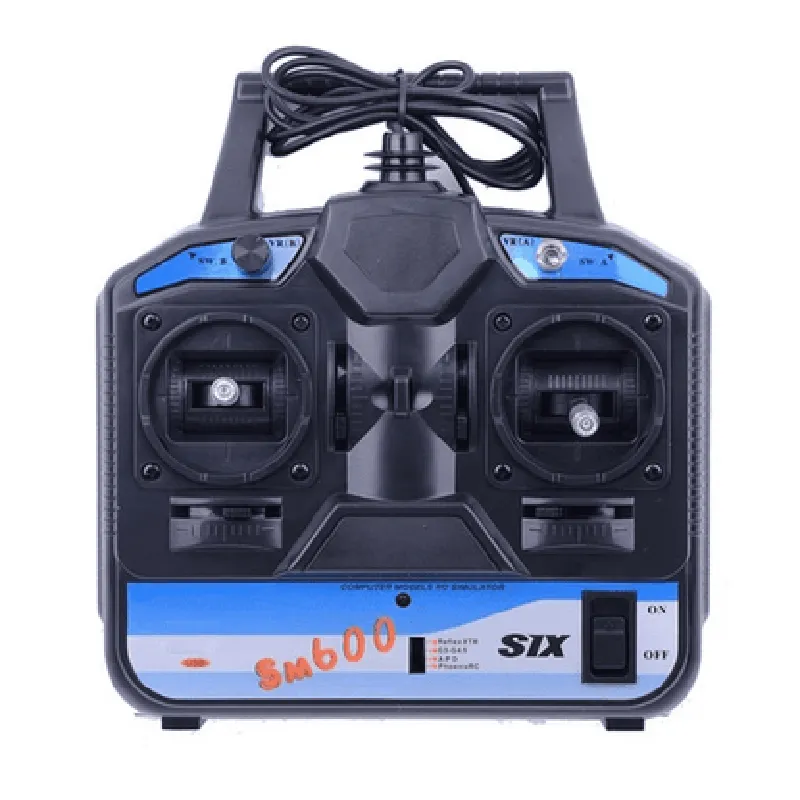
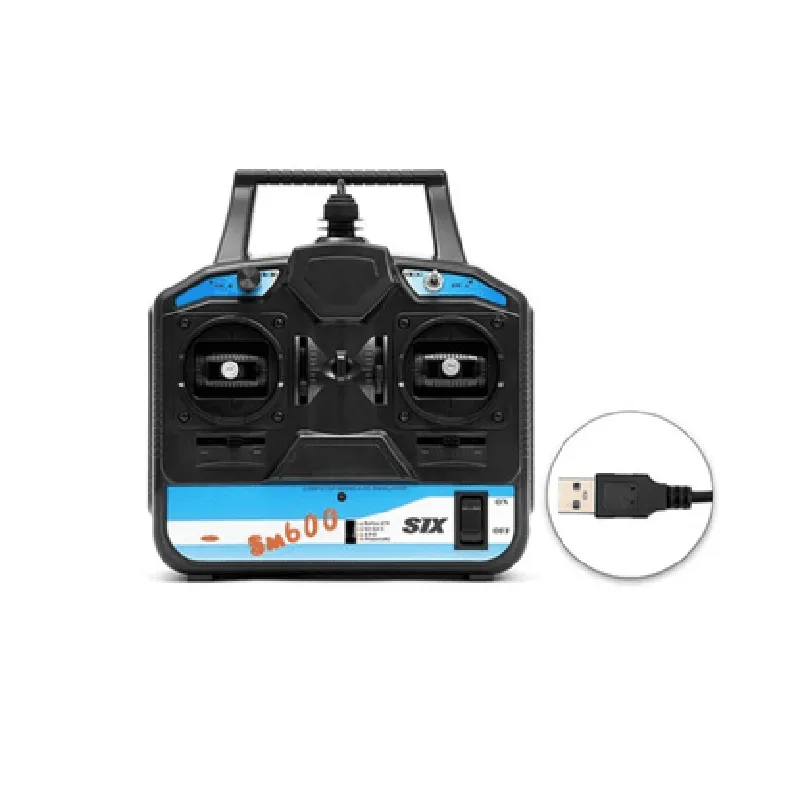
The controller can simulate the behavior of various devices, such as sensors, actuators, and other IoT devices, allowing for testing and development of IoT systems without the need for physical devices.
The FS-SM600 can be used to test and validate IoT systems, ensuring that they function as expected and meet performance requirements.
The controller can be used to control and manage IoT devices, enabling remote monitoring and control of devices in various applications.
Key Features
---------------
### SuperSimX Simulator (Mode 2)
The SuperSimX Simulator provides a advanced simulation environment, enabling the creation of complex scenarios and simulations.
| Mode 2 operation | The simulator operates in Mode 2, which allows for more advanced simulation capabilities and increased flexibility. |
### 6-Channel USB Powered Controller
| 6 channels | The controller has 6 channels, allowing for the connection and control of multiple devices or systems. |
The controller is powered via USB, making it easy to integrate into most systems.
### Other Key Features
| High-speed data transfer | The controller supports high-speed data transfer, enabling fast and efficient data exchange. |
The controller has low power consumption, making it suitable for battery-powered or energy-efficient applications.
The controller has a compact design, making it easy to integrate into small or confined spaces.
The controller is easy to configure and use, with a user-friendly interface and simple setup process.
Specifications
-----------------
USB powered (5V)
Up to 1 Mbps
0C to 40C
60mm x 40mm x 20mm
20g
Compatibility
----------------
| The FS-SM600 is compatible with |
Windows, macOS, Linux
C, C++, Python, Java, etc.
UART, SPI, I2C, etc.
Applications
--------------
| The FS-SM600 is suitable for a wide range of IoT applications, including |
Industrial automation
Home automation
Robotics
Medical devices
Aerospace
Conclusion
----------
The FS-SM600 6CH USB Powered Controller with SuperSimX Simulator (Mode 2) is a versatile and powerful tool for simulating, testing, and controlling IoT devices and systems. Its advanced simulation capabilities, high-speed data transfer, and compact design make it an ideal choice for a wide range of IoT applications.
FS-SM600 6CH USB Powered Controller with SuperSimX Simulator (Mode 2) DocumentationOverviewThe FS-SM600 is a 6-channel USB-powered controller designed for various IoT applications, including robotics, automation, and simulation. It features a built-in SuperSimX Simulator (Mode 2) for realistic simulation and testing of models. This documentation provides an in-depth guide on how to use the FS-SM600 controller, including code examples for different contexts.Technical Specifications6-channel control output
USB-powered (5V, 500mA)
Built-in SuperSimX Simulator (Mode 2)
Compatible with Windows, macOS, and Linux
Dimensions: 60mm x 40mm x 20mmCommunication ProtocolThe FS-SM600 controller uses a custom USB protocol for communication with the host computer. The protocol is based on serial communication, with a baud rate of 115200 bps.Programming LanguagesThe FS-SM600 controller can be programmed using various languages, including Python, C++, and MATLAB.Code Examples### Example 1: Python Script for Channel Control (Windows)This example demonstrates how to control the 6 channels of the FS-SM600 controller using a Python script on a Windows system.```python
import usb.core
import usb.util# Find the FS-SM600 device
dev = usb.core.find(idVendor=0x1234, idProduct=0x5678)# Set the active configuration
dev.set_configuration()# Define the channel values (0-255)
channel_values = [100, 200, 50, 150, 250, 0]# Send the channel values to the controller
for i in range(6):
data = bytearray([0x01, i, channel_values[i]])
dev.write(0x01, data, 100)print("Channels set successfully!")
```### Example 2: C++ Code for Simulator Control (Linux)This example shows how to control the SuperSimX Simulator (Mode 2) using a C++ program on a Linux system.```cpp
#include <iostream>
#include <usb.h>int main() {
usb_init();
usb_find_busses();
usb_find_devices();// Find the FS-SM600 device
usb_dev_handle dev = usb_open(usb_find_device(0x1234, 0x5678, NULL));if (dev == NULL) {
std::cerr << "Device not found!" << std::endl;
return 1;
}// Set the simulator mode
unsigned char data[] = {0x02, 0x01, 0x02};
usb_bulk_write(dev, 0x01, data, 3, 100);// Run the simulator
data[0] = 0x03;
usb_bulk_write(dev, 0x01, data, 1, 100);std::cout << "Simulator running..." << std::endl;return 0;
}
```### Example 3: MATLAB Script for Data Acquisition (macOS)This example demonstrates how to read data from the FS-SM600 controller using a MATLAB script on a macOS system.```matlab
% Find the FS-SM600 device
dev = usb('0x1234', '0x5678');% Set the data acquisition mode
fwrite(dev, [0x04, 0x01], 'uint8');% Read data from the controller
data = fread(dev, 6, 'uint8');% Display the data
fprintf('Data: %d %d %d %d %d %d
', data);% Close the device connection
fclose(dev);
```ConclusionThe FS-SM600 6CH USB Powered Controller with SuperSimX Simulator (Mode 2) is a versatile component for IoT applications. By following the examples provided in this documentation, developers can leverage the controller's features to create innovative projects and simulations.