Environmental monitoring, smart home automation, and industrial automation


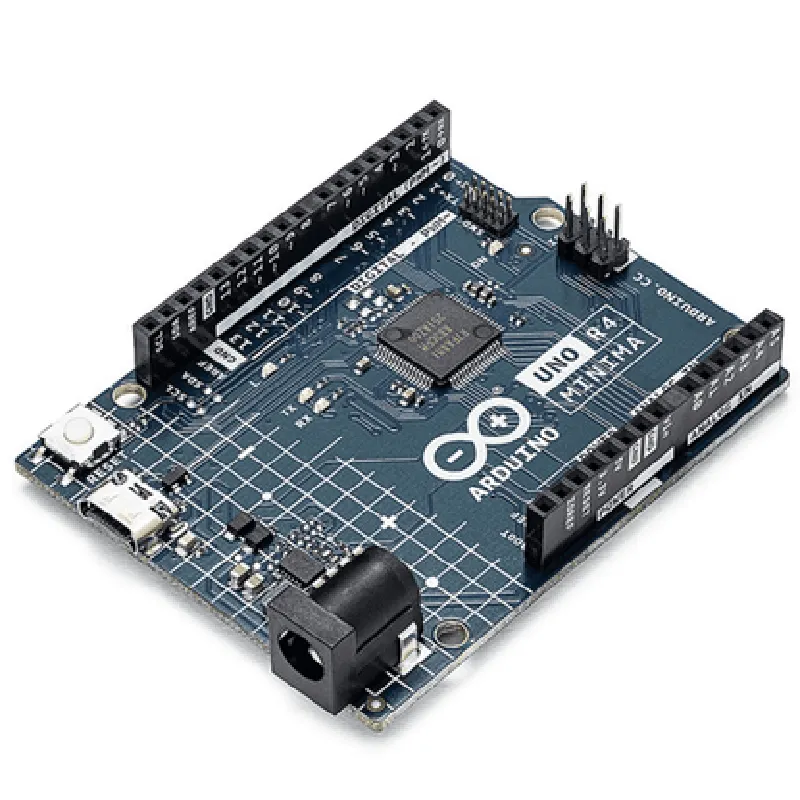
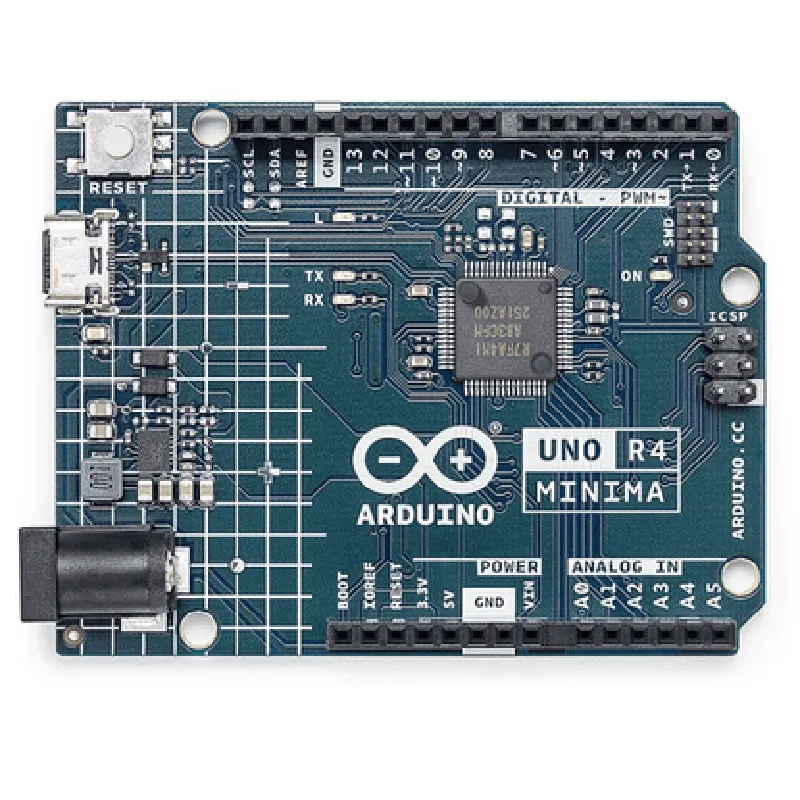
Environmental monitoring, smart home automation, and industrial automation
Robot control, sensing, and actuation
Home automation, industrial control, and process automation
Rapid prototyping and development of custom applications
Key Features
Technical Specifications
| Parameter | Value |
| --- | --- |
| Microcontroller | ATmega328P |
| Flash Memory | 32 KB |
| SRAM | 2 KB |
| EEPROM | 1 KB |
| Input/Output Pins | 14 digital, 6 analog |
| Communication | UART, SPI, I2C, USB |
| Power Supply | 6-20V (external), USB (via computer) |
| Dimensions | 48mm x 26mm |
| Weight | 12g |
| Operating Temperature | -20C to 85C |
Conclusion
The Arduino UNO R4 Minima is a compact, cost-effective, and feature-rich microcontroller board ideal for IoT projects, robotics, and automation applications. Its small form factor, ease of use, and compatibility with the Arduino IDE make it an excellent choice for both technical professionals and informed hobbyists.
Arduino UNO R4 Minima DocumentationOverviewThe Arduino UNO R4 Minima is a microcontroller board based on the ATmega328P microchip. It's a compact and cost-effective version of the popular Arduino UNO board, retaining the same functionality and pinout. The Minima version is ideal for IoT projects that require a small form factor and low power consumption.FeaturesMicrocontroller: ATmega328P
Operating Voltage: 5V
Input Voltage: 7-12V
Digital I/O Pins: 14
Analog Input Pins: 6
Flash Memory: 32KB
SRAM: 2KB
EEPROM: 1KBCode Examples### Example 1: Blinking LEDThis example demonstrates how to use the Arduino UNO R4 Minima to blink an LED connected to digital pin 13.```c
const int ledPin = 13; // choose the pin for the LEDvoid setup() {
pinMode(ledPin, OUTPUT); // set the LED pin as an output
}void loop() {
digitalWrite(ledPin, HIGH); // turn the LED on
delay(1000); // wait for 1 second
digitalWrite(ledPin, LOW); // turn the LED off
delay(1000); // wait for 1 second
}
```### Example 2: Reading Analog Sensor ValuesThis example demonstrates how to use the Arduino UNO R4 Minima to read analog values from a sensor connected to analog input pin A0.```c
const int sensorPin = A0; // choose the pin for the sensorvoid setup() {
Serial.begin(9600); // initialize serial communication at 9600bps
}void loop() {
int sensorValue = analogRead(sensorPin); // read the sensor value
Serial.print("Sensor value: ");
Serial.println(sensorValue); // print the sensor value to the serial monitor
delay(500); // wait for 0.5 seconds before taking the next reading
}
```### Example 3: Controlling a Servo MotorThis example demonstrates how to use the Arduino UNO R4 Minima to control a servo motor connected to digital pins 9 and 10.```c
#include <Servo.h>const int servoPin = 9; // choose the pin for the servo signal
const int vccPin = 10; // choose the pin for the servo VCC
Servo myServo; // create a servo objectvoid setup() {
myServo.attach(servoPin); // attach the servo to the pin
pinMode(vccPin, OUTPUT); // set the VCC pin as an output
digitalWrite(vccPin, HIGH); // power the servo
}void loop() {
myServo.write(0); // set the servo to 0 degrees
delay(1000); // wait for 1 second
myServo.write(90); // set the servo to 90 degrees
delay(1000); // wait for 1 second
myServo.write(180); // set the servo to 180 degrees
delay(1000); // wait for 1 second
}
```Note: In the above examples, make sure to connect the components according to the code and adjust the pin numbers and variables as needed for your specific project.