200 RPM + 10X4cm WHEEL - SET OF 2


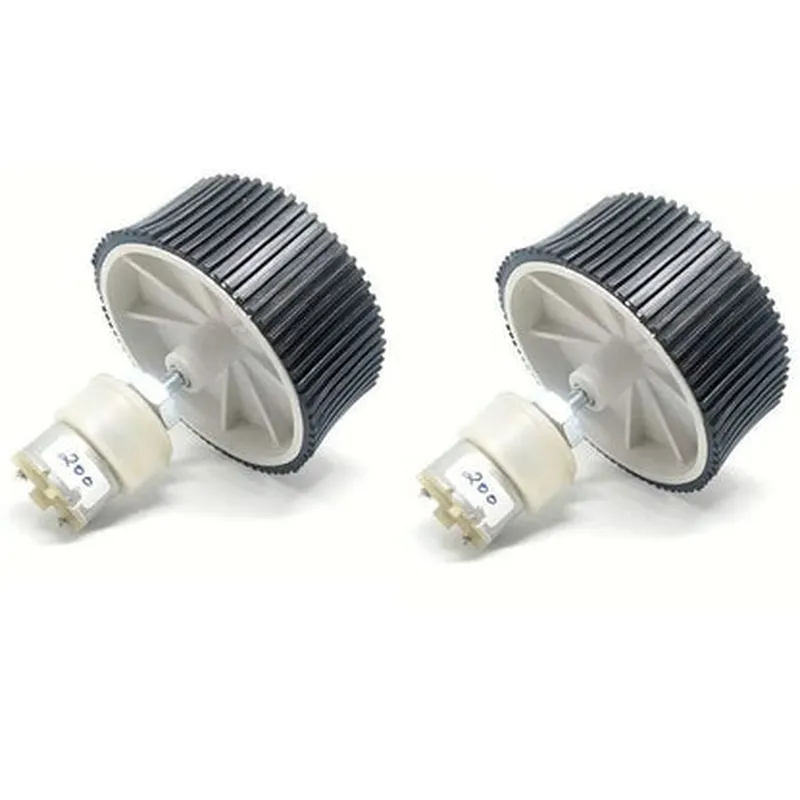
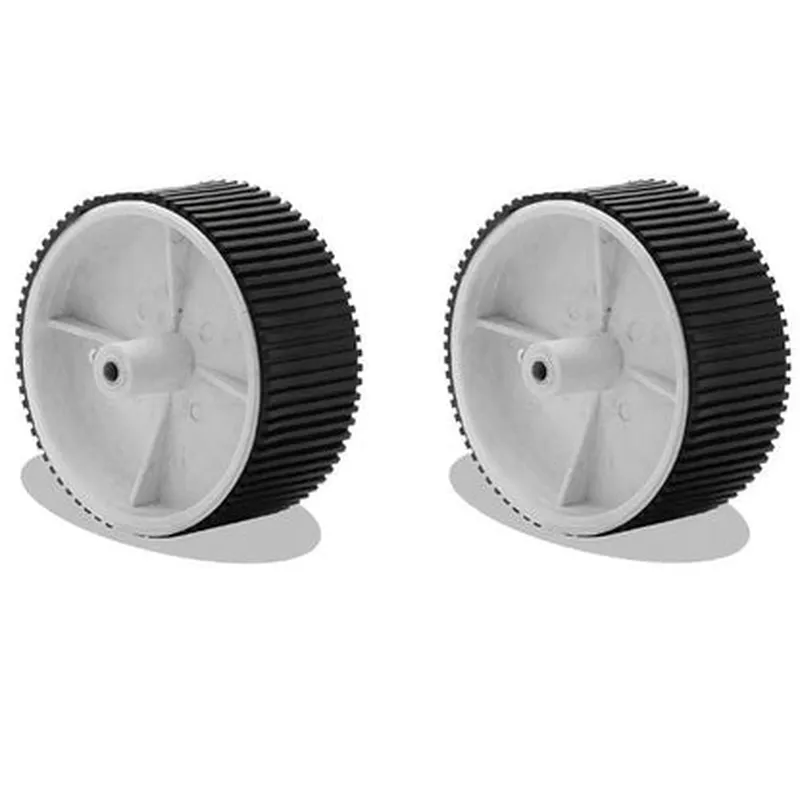
200 RPM + 10X4cm WHEEL - SET OF 2
The 200 RPM + 10X4cm WHEEL - SET OF 2 is a pair of DC gearmotor wheels designed for robotics, automation, and IoT projects. This component is a crucial part of robotic systems, providing the mobility and movement required for navigating various terrains and environments.
The primary function of these wheels is to facilitate movement and traction in robotic systems. Each wheel is paired with a DC gearmotor that provides a rotational speed of 200 RPM, enabling the robot to move efficiently and accurately. The wheels are designed to work in tandem, allowing the robot to move in a straight line, turn, and change direction with ease.
200
10cm
4cm
High-quality, durable materials
Compact, efficient, and integrated
[Insert power consumption specifications]
[Insert operating voltage specifications]
[Insert weight specifications]
| The 200 RPM + 10X4cm WHEEL - SET OF 2 is suitable for a wide range of applications, including |
Robotics
Automation
IoT projects
Obstacle avoidance systems
Navigation systems
Surveillance systems
Robotics competitions and challenges
The 200 RPM + 10X4cm WHEEL - SET OF 2 is a high-quality, versatile component designed for robotics and IoT applications. With its moderate speed, compact design, and durable construction, this component is an ideal choice for developers and hobbyists looking to build efficient and reliable robotic systems.
Component Documentation: 200 RPM + 10X4cm WHEEL - SET OF 2OverviewThe 200 RPM + 10X4cm WHEEL - SET OF 2 is a pair of high-performance wheels designed for use in robotics, robotics, and other IoT applications. The wheels feature a compact design with a diameter of 10cm and a width of 4cm, making them ideal for small to medium-sized robots and devices. The wheels are capable of rotating at a speed of 200 RPM, providing reliable and efficient movement.Technical SpecificationsDiameter: 10cm
Width: 4cm
Rotation Speed: 200 RPM
Material: Durable plastic
Set of 2 wheels
Compatible with various motor types (e.g., DC, stepper, servo)Code Examples### Example 1: Arduino Robot using L298N Motor DriverIn this example, we'll demonstrate how to use the 200 RPM + 10X4cm WHEEL - SET OF 2 with an Arduino board and an L298N motor driver to create a basic robot.Hardware RequirementsArduino Board (e.g., Arduino Uno)
L298N Motor Driver
2 x 200 RPM + 10X4cm WHEEL - SET OF 2
2 x DC Motors (compatible with L298N)
Breadboard and jumper wiresSoftware RequirementsArduino IDECode
```c
const int leftMotorForward = 2;
const int leftMotorBackward = 3;
const int rightMotorForward = 4;
const int rightMotorBackward = 5;void setup() {
pinMode(leftMotorForward, OUTPUT);
pinMode(leftMotorBackward, OUTPUT);
pinMode(rightMotorForward, OUTPUT);
pinMode(rightMotorBackward, OUTPUT);
}void loop() {
// Move forward
digitalWrite(leftMotorForward, HIGH);
digitalWrite(rightMotorForward, HIGH);
delay(1000);
// Move backward
digitalWrite(leftMotorBackward, HIGH);
digitalWrite(rightMotorBackward, HIGH);
delay(1000);
// Stop
digitalWrite(leftMotorForward, LOW);
digitalWrite(rightMotorForward, LOW);
digitalWrite(leftMotorBackward, LOW);
digitalWrite(rightMotorBackward, LOW);
delay(500);
}
```
### Example 2: Raspberry Pi Robot using PythonIn this example, we'll demonstrate how to use the 200 RPM + 10X4cm WHEEL - SET OF 2 with a Raspberry Pi board and Python to create a robot that can be controlled remotely using a wireless keyboard.Hardware RequirementsRaspberry Pi Board (e.g., Raspberry Pi 4)
2 x 200 RPM + 10X4cm WHEEL - SET OF 2
2 x DC Motors (compatible with Raspberry Pi)
Breadboard and jumper wires
Wireless keyboardSoftware RequirementsRaspbian OS
Python 3.xCode
```python
import RPi.GPIO as GPIO
import time# Set up GPIO pins
GPIO.setmode(GPIO.BCM)
left_motor_forward = 17
left_motor_backward = 23
right_motor_forward = 24
right_motor_backward = 25GPIO.setup(left_motor_forward, GPIO.OUT)
GPIO.setup(left_motor_backward, GPIO.OUT)
GPIO.setup(right_motor_forward, GPIO.OUT)
GPIO.setup(right_motor_backward, GPIO.OUT)def move_forward():
GPIO.output(left_motor_forward, GPIO.HIGH)
GPIO.output(right_motor_forward, GPIO.HIGH)
time.sleep(1)def move_backward():
GPIO.output(left_motor_backward, GPIO.HIGH)
GPIO.output(right_motor_backward, GPIO.HIGH)
time.sleep(1)def stop():
GPIO.output(left_motor_forward, GPIO.LOW)
GPIO.output(right_motor_forward, GPIO.LOW)
GPIO.output(left_motor_backward, GPIO.LOW)
GPIO.output(right_motor_backward, GPIO.LOW)while True:
# Read keyboard input
key = input("Enter 'w' to move forward, 's' to move backward, or 'q' to quit: ")
if key == 'w':
move_forward()
elif key == 's':
move_backward()
elif key == 'q':
stop()
break
else:
print("Invalid input. Try again!")
```
Note: These code examples are for illustrative purposes only and may require modifications to work with your specific setup and requirements.