| BBC Micro | Bit Silicone Soft Cover Protective Case (Orange) for Micro:Bit V1 & V2 |


| BBC Micro | Bit Silicone Soft Cover Protective Case (Orange) for Micro:Bit V1 & V2 |
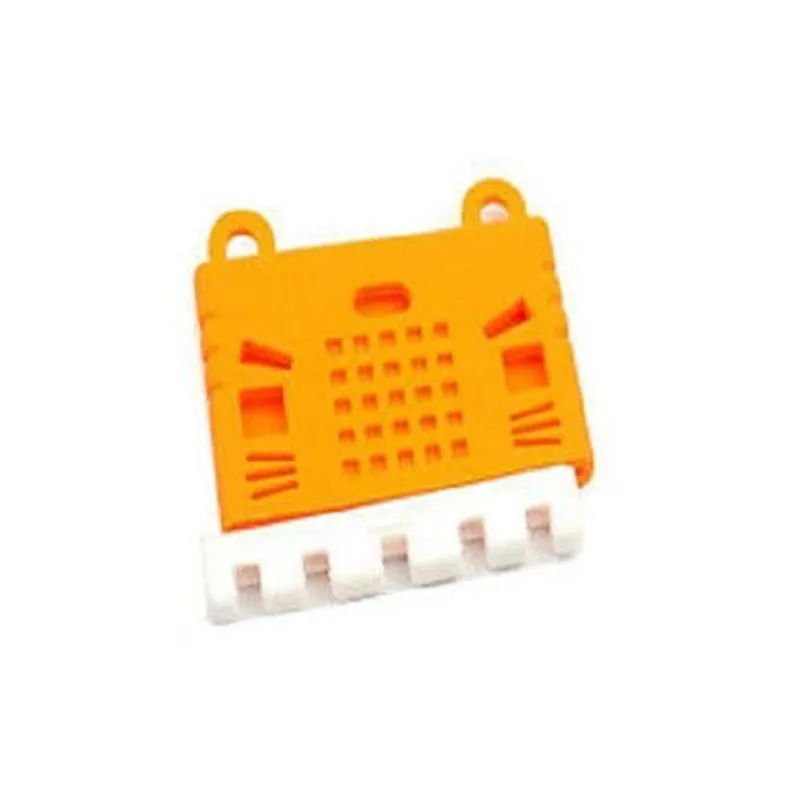
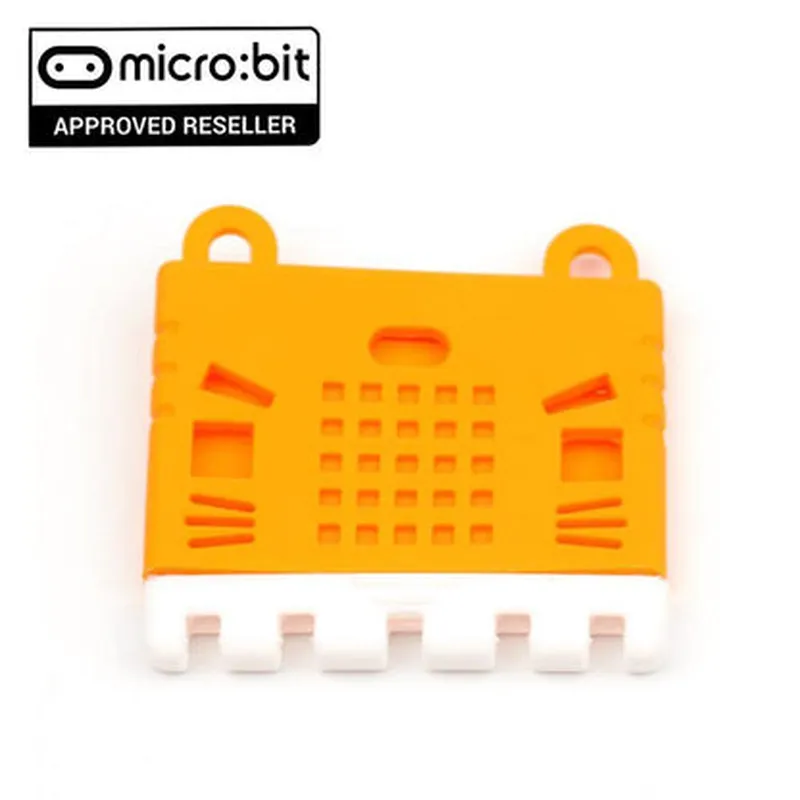
| Bit Silicone Soft Cover Protective Case (Orange) is an essential accessory for anyone looking to protect their Micro | Bit V1 or V2 board from damage. Its soft, flexible design and vibrant orange color make it an attractive addition to any IoT project. With its protective features and easy installation, this case is a must-have for ensuring the longevity and performance of your Micro:Bit board. |
| Bit board from damage, ensuring its continued performance and longevity. The case achieves this by |
Providing a barrier against dust, dirt, and other environmental contaminants that could potentially harm the board
Cushioning the board against minor impacts and shocks, reducing the risk of mechanical damage
Protecting the board's pins and connections from bending or corrosion
Soft, flexible silicone
Orange
| Designed for Micro | Bit V1 and V2 boards |
Simple snap-on design for effortless installation and removal
Raised edges and cushioned interior provide added protection against scratches and impacts
Access to all ports, buttons, and pins remains unhindered, ensuring uninterrupted functionality
| The vibrant orange color adds a pop of personality to the Micro | Bit board, making it stand out in a crowd |
[Insert dimension]
[Insert dimension]
[Insert dimension]
[Insert weight]
[Insert operating temperature range]
Soft, flexible, and resistant to scratches and cracks
Meets relevant safety standards for electrical components
[Insert relevant certifications, such as CE, RoHS, and REACH]
[Insert warranty information, if applicable]
[Insert support information, including contact details and resources]
BBC Micro:Bit Silicone Soft Cover Protective Case (Orange) for Micro:Bit V1 & V2OverviewThe BBC Micro:Bit Silicone Soft Cover Protective Case (Orange) is a durable and flexible protective case designed specifically for the Micro:Bit V1 and V2 boards. Made of high-quality silicone material, this case provides excellent protection against scratches, bumps, and drops, while maintaining access to all ports and connectors. The orange color adds a vibrant touch to the Micro:Bit, making it more visible and identifiable.FeaturesCompatible with Micro:Bit V1 and V2 boards
Durable and flexible silicone material
Provides excellent protection against scratches, bumps, and drops
Maintains access to all ports and connectors
Vibrant orange colorCode Examples### Example 1: Basic Blinking LED using Micro:Bit with Protective CaseIn this example, we will demonstrate how to use the Micro:Bit with the protective case to create a basic blinking LED project.HardwareBBC Micro:Bit V1 or V2 board
BBC Micro:Bit Silicone Soft Cover Protective Case (Orange)
USB cable
Computer with Micro:Bit software installedSoftwareMicro:Bit Python Editor or MakeCode EditorCode
```python
import microbitwhile True:
microbit.pin0.write_digital(1) # Set pin 0 to high (LED on)
microbit.sleep(500) # Wait for 500ms
microbit.pin0.write_digital(0) # Set pin 0 to low (LED off)
microbit.sleep(500) # Wait for 500ms
```
ExplanationThis code uses the Micro:Bit's built-in LED on pin 0 to create a simple blinking effect. The `while` loop continuously sets the LED on and off with a 500ms delay between each state.### Example 2: Accelerometer-based Gesture Recognition using Micro:Bit with Protective CaseIn this example, we will demonstrate how to use the Micro:Bit with the protective case to create a basic gesture recognition system using the built-in accelerometer.HardwareBBC Micro:Bit V1 or V2 board
BBC Micro:Bit Silicone Soft Cover Protective Case (Orange)
USB cable
Computer with Micro:Bit software installedSoftwareMicro:Bit Python Editor or MakeCode EditorCode
```python
import microbitwhile True:
x, y, z = microbit.accelerometer.get_values()
if x > 500: # Detect right tilt gesture
microbit.display.show(microbit.Image.ARROW_N)
elif x < -500: # Detect left tilt gesture
microbit.display.show(microbit.Image.ARROW_S)
else:
microbit.display.show(microbit.Image.HEART)
microbit.sleep(50) # Wait for 50ms
```
ExplanationThis code uses the Micro:Bit's built-in accelerometer to detect tilt gestures. The `while` loop continuously reads the accelerometer values and checks for specific gestures (right tilt, left tilt, or no gesture). Based on the detected gesture, the Micro:Bit displays a corresponding icon on its screen.Note: The code examples provided are basic demonstrations of the Micro:Bit's capabilities and can be modified or extended to suit specific project requirements.