

Stufin
Home Quick Cart Profile

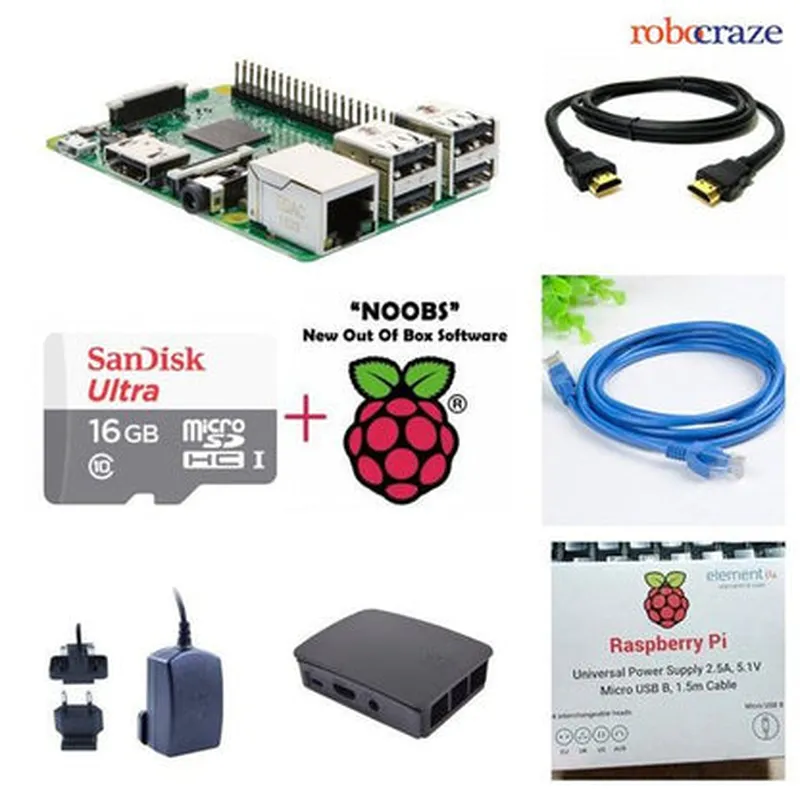
Raspberry Pi 3B Complete Kit

Buy Now on Stufin

Memory

1 GB LPDDR2 RAM

Storage

MicroSD card slot for OS and data storage

Networking

+ Dual-band 802.11b/g/n/ac Wi-Fi

+ Bluetooth 4.2

+ Ethernet (RJ45)

GPIO

40-pin expanded GPIO header with 26-pin compatible mode

Multimedia

+ HDMI 1.4 output

+ Composite video output

+ 3.5 mm audio jack

Power Management

+ Power-over-Ethernet (PoE) support

+ MicroUSB port for power input

### Complete Kit Components

Power Supply

5V, 2.5A microUSB power adapter

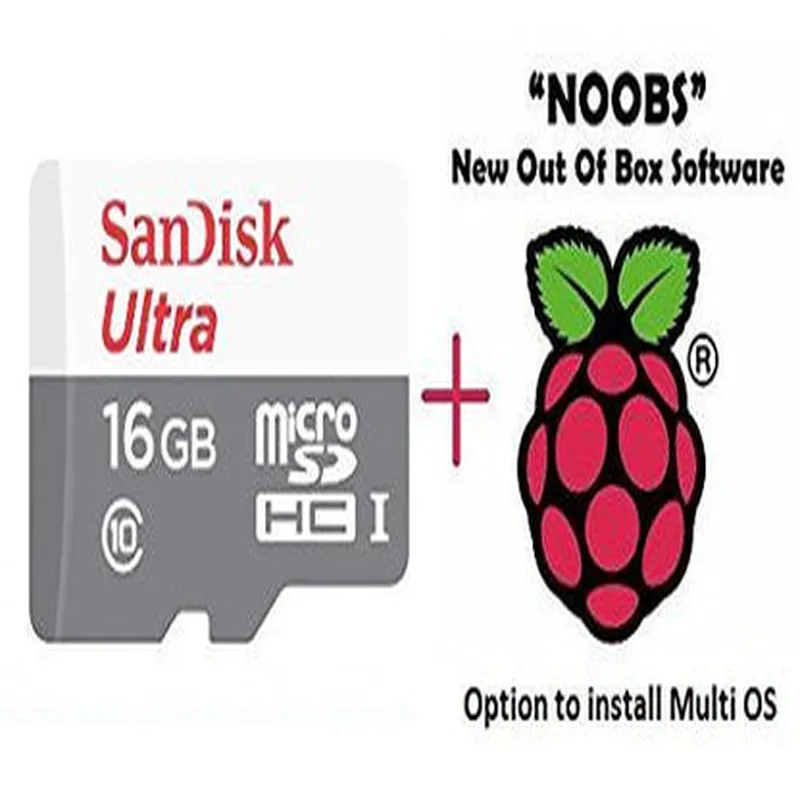
MicroSD Card

8GB or 16GB (dependent on kit configuration) pre-loaded with Raspbian OS

HDMI Cable

1-meter long HDMI-A to HDMI-A cable

USB Cable

1-meter long microUSB to USB-A cable

GPIO Header Pins

40-pin GPIO header pins for easy connectivity

Heat Sink

Aluminum heat sink for the CPU and RAM

Enclosure

Optional plastic or aluminum case for protecting the board (dependent on kit configuration)

### Functionalities

Linux-based OSSupports various Linux distributions, including Raspbian, Ubuntu, and more

Programming

Supports programming languages like Python, Java, C++, and more

Prototyping

Develop and test IoT projects, proof-of-concepts, and prototypes

Technical Specifications

Learning

Suitable for educational purposes, teaching programming, and computer science concepts

### Applications

Home Automation

Control and automate home appliances, lighting, and security systems

Industrial Automation

Monitor and control industrial equipment, sensors, and machines

Robotics

Build and program robots for various tasks, such as navigation, sensing, and manipulation

Media Centers

Create media centers for streaming, video playback, and audio processing

Dimensions

85 mm x 56 mm x 17 mm (Raspberry Pi 3B board)

Weight

45 grams (Raspberry Pi 3B board)

Operating Temperature

0C to 50C

Certifications

CE, FCC, and ROHS compliant

Documentation and Resources

Official Documentation

https//www.raspberrypi.org/documentation/

Community Forum

https//www.raspberrypi.org/forums/

GitHub Repository

https//github.com/raspberrypi

Warranty and Support

Warranty

1-year limited warranty

Support

Online documentation, community forum, and GitHub repository for technical support and assistance

Pin Configuration

  • Raspberry Pi 3B Complete Kit Pinout Guide
  • The Raspberry Pi 3B is a popular single-board computer used in various IoT projects. The board has a 40-pin GPIO (General Purpose Input/Output) header, which provides access to various interfaces and peripherals. Here's a detailed explanation of each pin, along with a point-by-point guide on how to connect them:
  • GPIO Pins (1-26)
  • 1. 3V3 Power (Pin 1): Provides 3.3V power supply to external devices.
  • 2. 5V Power (Pin 2): Provides 5V power supply to external devices.
  • 3. GPIO 2 (Pin 3): General-purpose input/output pin, can be used as an input or output.
  • 4. GPIO 3 (Pin 4): General-purpose input/output pin, can be used as an input or output.
  • 5. GPIO 4 (Pin 5): General-purpose input/output pin, can be used as an input or output.
  • 6. Ground (Pin 6): Ground reference point for the board.
  • 7. GPIO 7 (Pin 7): General-purpose input/output pin, can be used as an input or output.
  • 8. TXD (Pin 8): Serial transmit data pin, used for serial communication.
  • 9. GPIO 10 (Pin 9): General-purpose input/output pin, can be used as an input or output.
  • 10. RXD (Pin 10): Serial receive data pin, used for serial communication.
  • 11. GPIO 11 (Pin 11): General-purpose input/output pin, can be used as an input or output.
  • 12. GPIO 12 (Pin 12): General-purpose input/output pin, can be used as an input or output.
  • 13. GPIO 13 (Pin 13): General-purpose input/output pin, can be used as an input or output.
  • 14. Ground (Pin 14): Ground reference point for the board.
  • 15. GPIO 15 (Pin 15): General-purpose input/output pin, can be used as an input or output.
  • 16. GPIO 16 (Pin 16): General-purpose input/output pin, can be used as an input or output.
  • 17. 3V3 Power (Pin 17): Provides 3.3V power supply to external devices.
  • 18. GPIO 18 (Pin 18): General-purpose input/output pin, can be used as an input or output.
  • 19. GPIO 19 (Pin 19): General-purpose input/output pin, can be used as an input or output.
  • 20. Ground (Pin 20): Ground reference point for the board.
  • 21. GPIO 21 (Pin 21): General-purpose input/output pin, can be used as an input or output.
  • 22. GPIO 22 (Pin 22): General-purpose input/output pin, can be used as an input or output.
  • 23. GPIO 23 (Pin 23): General-purpose input/output pin, can be used as an input or output.
  • 24. GPIO 24 (Pin 24): General-purpose input/output pin, can be used as an input or output.
  • 25. Ground (Pin 25): Ground reference point for the board.
  • 26. GPIO 26 (Pin 26): General-purpose input/output pin, can be used as an input or output.
  • Power and Reset Pins (27-40)
  • 27. ID_SD (Pin 27): Used for identification and SD card detection.
  • 28. ID_SC (Pin 28): Used for identification and SD card clock.
  • 29. GPIO 5 (Pin 29): General-purpose input/output pin, can be used as an input or output.
  • 30. GPIO 6 (Pin 30): General-purpose input/output pin, can be used as an input or output.
  • 31. Run (Pin 31): Run header, used to reset the board.
  • 32. GPIO 12 (Pin 32): General-purpose input/output pin, can be used as an input or output.
  • 33. GPIO 13 (Pin 33): General-purpose input/output pin, can be used as an input or output.
  • 34. GPIO 19 (Pin 34): General-purpose input/output pin, can be used as an input or output.
  • 35. GPIO 16 (Pin 35): General-purpose input/output pin, can be used as an input or output.
  • 36. GPIO 26 (Pin 36): General-purpose input/output pin, can be used as an input or output.
  • 37. GPIO 20 (Pin 37): General-purpose input/output pin, can be used as an input or output.
  • 38. GPIO 21 (Pin 38): General-purpose input/output pin, can be used as an input or output.
  • 39. Ground (Pin 39): Ground reference point for the board.
  • 40. GPIO 18 (Pin 40): General-purpose input/output pin, can be used as an input or output.
  • Connecting the Pins
  • When connecting external devices to the Raspberry Pi 3B, ensure that you follow these guidelines:
  • Use a breadboard or a PCB to connect external devices, and connect the Raspberry Pi to the breadboard or PCB using jumper wires.
  • Use the correct voltage levels for power supply pins (3.3V or 5V).
  • Use a level shifter or voltage divider if your device requires a different voltage level.
  • Ensure that the GPIO pins are not connected to each other or to a voltage source while the Raspberry Pi is powered off.
  • Use a pull-up or pull-down resistor for GPIO pins used as inputs to prevent floating states.
  • Follow proper safety precautions when working with electricity, and avoid short-circuiting the pins.
  • Remember to consult the Raspberry Pi 3B datasheet and the official documentation for more information on using the GPIO pins and other peripherals on the board.

Code Examples

Raspberry Pi 3B Complete Kit Documentation
Overview
The Raspberry Pi 3B Complete Kit is a comprehensive bundle that includes the Raspberry Pi 3B single-board computer, a power supply, and other essential accessories. The Raspberry Pi 3B is a popular choice for IoT projects due to its affordability, flexibility, and extensive community support.
Technical Specifications
Processor: Quad-Core Cortex-A53 CPU (ARMv8)
 RAM: 1GB
 Storage: MicroSD card slot
 Networking: Dual-band 802.11ac wireless LAN, Bluetooth 4.2, and Gigabit Ethernet
 Operating System: Raspbian (official OS), compatible with various Linux distributions and Windows 10 IoT
Code Examples
### Example 1: Blinking LED using Python
This example demonstrates how to use the Raspberry Pi 3B's GPIO pins to control an LED.
Hardware Requirements
Raspberry Pi 3B
 LED
 1k resistor
 Breadboard and jumper wires
Code
```python
import RPi.GPIO as GPIO
import time
# Set up GPIO mode
GPIO.setmode(GPIO.BCM)
# Define LED pin
LED_PIN = 17
# Set up LED pin as output
GPIO.setup(LED_PIN, GPIO.OUT)
while True:
    # Turn LED on
    GPIO.output(LED_PIN, GPIO.HIGH)
    time.sleep(1)
    
    # Turn LED off
    GPIO.output(LED_PIN, GPIO.LOW)
    time.sleep(1)
```
Example 2: Web Interface for Temperature and Humidity Monitoring
This example demonstrates how to create a web interface using Flask to monitor temperature and humidity values from a sensor connected to the Raspberry Pi 3B.
Hardware Requirements
Raspberry Pi 3B
 DHT11 temperature and humidity sensor
 Breadboard and jumper wires
Code
```python
from flask import Flask, render_template
import Adafruit_DHT
app = Flask(__name__)
# Set up DHT11 sensor
dht_sensor = Adafruit_DHT.DHT11
@app.route("/")
def index():
    # Read temperature and humidity values
    humidity, temperature = Adafruit_DHT.read(dht_sensor, 4)
    
    # Return HTML template with sensor values
    return render_template("index.html", temperature=temperature, humidity=humidity)
if __name__ == "__main__":
    app.run(host="0.0.0.0", port=80)
```
index.html ( template file)
```html
<!DOCTYPE html>
<html>
  <head>
    <title>Temperature and Humidity Monitoring</title>
  </head>
  <body>
    <h1>Temperature: {{ temperature }}C</h1>
    <h1>Humidity: {{ humidity }}%</h1>
  </body>
</html>
```
In this example, the Raspberry Pi 3B serves a web interface that displays the current temperature and humidity values read from the DHT11 sensor. The Flask web framework is used to create the web interface, and the Adafruit_DHT library is used to communicate with the sensor.
These examples demonstrate the versatility of the Raspberry Pi 3B Complete Kit in various IoT contexts, from simple GPIO control to web-based sensor monitoring.