Stufin
Home Quick Cart Profile

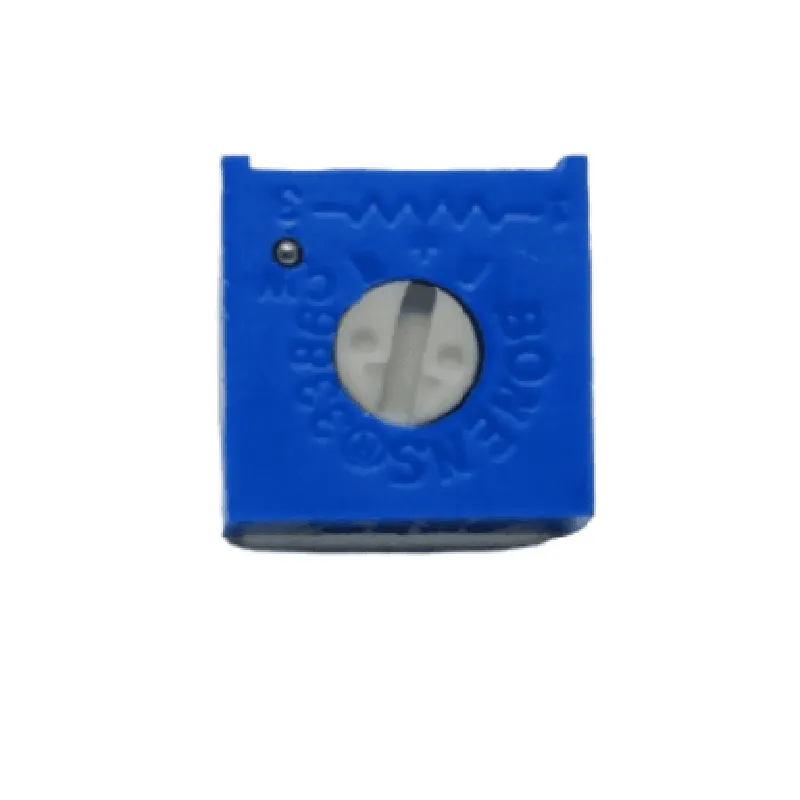
5K 3386P Trimpot(Pack of 5)

Buy Now on Stufin

Name

5K 3386P Trimpot (Pack of 5)


Type

Trimmer Potentiometer (Trimpot)

Functionality

A 5K 3386P Trimpot is a type of precision potentiometer designed for circuit boards and electronic devices. Its primary function is to allow for precise adjustments of electrical resistance within a circuit. This trimmer potentiometer is a variable resistor that enables users to accurately set and fine-tune the resistance values in their designs.

Key Features

  • Resistance Range: 5 k (ohms)
  • Tolerance: 20% (industry standard)
  • Power Rating: 0.5 W (watts)
  • Adjustment Method: Rotational ( clockwise or counter-clockwise)
  • Operating Temperature: -40C to +125C
  • Insulation Resistance: 100 M (megohm) at 500 V (volts) DC
  • Contact Resistance: 20 m (milliohm)
  • Mechanical Life: 1000 cycles (minimum)

Physical Characteristics

  • Package Type: Through-Hole (THT)
  • Body Size: 6.35 mm x 3.18 mm x 2.54 mm (L x W x H)
  • Pin Spacing: 2.54 mm
  • Lead Material: Tin-plated copper alloy
  • Body Material: Plastic

Electrical Characteristics

  • Linearity: 1% (industry standard)
  • Resolution: Infinite (due to continuous adjustment)
  • Noise Reduction: Low noise and hum

Applications

  • Analog Circuit Design: Trimpots are ideal for fine-tuning analog circuits, such as amplifiers, filters, and voltage regulators.
  • Audio Equipment: Used in audio applications, such as volume controls, tone controls, and impedance matching.
  • Industrial Control: Employed in industrial automation, process control, and measurement systems.
  • Prototyping and Development: Perfect for testing and refining electronic designs during the development stage.

Packaging Information

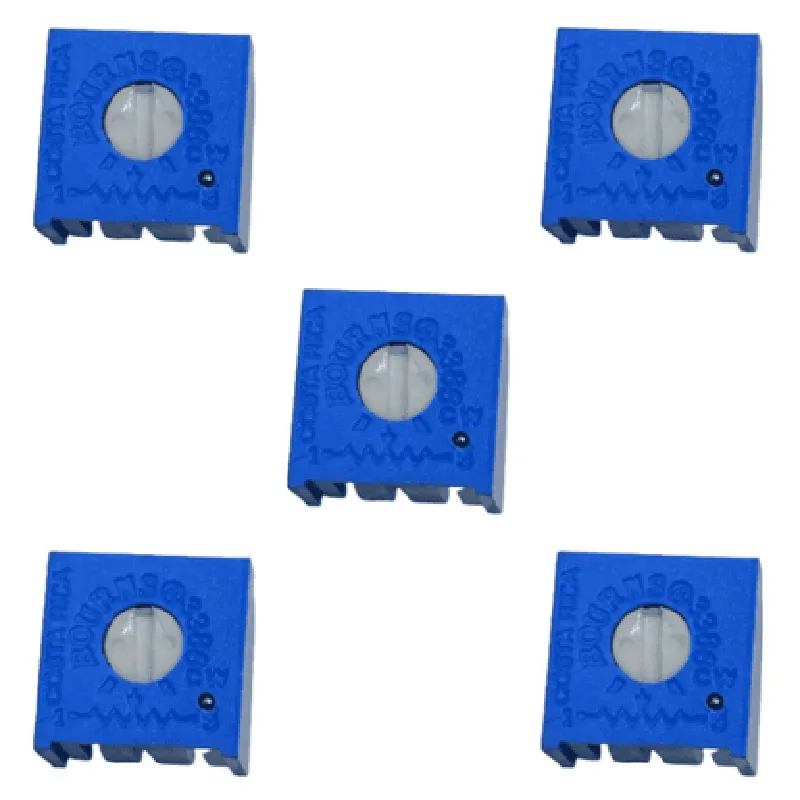
This product is sold in a pack of 5 pieces, making it an economical option for designers and developers who require multiple trimmer potentiometers for their projects.

Notes

Before using the trimpot, ensure the circuit is powered down to avoid any damage or electrical shock.

Cleanliness and handling precautions should be taken to maintain the component's performance and longevity.

Soldering should be done in accordance with the manufacturer's recommended guidelines.

Pin Configuration

  • Component Overview:
  • The 5K 3386P Trimpot is a type of potentiometer, a variable resistor used to adjust electronic circuits. It's a 5K (5 kilohm) trimmer potentiometer, which means it has a maximum resistance of 5 kilohms. This component is commonly used in various electronic projects, including IoT devices, to provide adjustable voltage or resistance.
  • Pinout Explanation:
  • The 5K 3386P Trimpot has three pins, labeled as follows:
  • Pin 1: CCW (Counter-ClockWise) Terminal
  • Function: This pin is connected to the counter-clockwise end of the potentiometer's resistive track.
  • Description: When the potentiometer shaft is turned fully counter-clockwise, this pin will be at the highest resistance point (5K) relative to the wiper terminal (pin 3).
  • Pin 2: CW (ClockWise) Terminal
  • Function: This pin is connected to the clockwise end of the potentiometer's resistive track.
  • Description: When the potentiometer shaft is turned fully clockwise, this pin will be at the lowest resistance point (0) relative to the wiper terminal (pin 3).
  • Pin 3: Wiper Terminal
  • Function: This pin is connected to the movable wiper contact that slides along the resistive track.
  • Description: The wiper terminal is the output of the potentiometer, which varies in resistance as the shaft is turned. It's typically connected to the circuit being controlled, such as a voltage divider or amplifier.
  • Connection Structure:
  • Here's a step-by-step guide to connecting the pins:
  • 1. CCW Terminal (Pin 1):
  • Connect to the positive voltage supply (VCC) or a fixed resistance point in the circuit.
  • Ensure the connection is secure and won't come loose during operation.
  • 2. CW Terminal (Pin 2):
  • Connect to the negative voltage supply (GND) or a fixed resistance point in the circuit.
  • Ensure the connection is secure and won't come loose during operation.
  • 3. Wiper Terminal (Pin 3):
  • Connect to the output of the circuit, such as a voltage divider, amplifier, or microcontroller analog input.
  • Ensure the connection is secure and won't come loose during operation.
  • Example Circuit:
  • Here's a simple example circuit using the 5K 3386P Trimpot as a voltage divider:
  • Connect Pin 1 (CCW) to VCC (e.g., 5V).
  • Connect Pin 2 (CW) to GND.
  • Connect Pin 3 (Wiper) to a microcontroller analog input or an LED circuit.
  • By turning the potentiometer shaft, the resistance between Pin 3 (Wiper) and Pin 1 (CCW) or Pin 2 (CW) will change, adjusting the output voltage or current in the circuit.
  • Caution:
  • Ensure the potentiometer shaft is not over-rotated, as this can cause mechanical damage or electrical noise.
  • Use a suitable screwdriver or trimmer tool to adjust the potentiometer to avoid damaging the component.
  • Follow proper electrical safety practices when working with circuits and voltage sources.

Code Examples

Component Documentation: 5K 3386P Trimpot (Pack of 5)
Overview
The 5K 3386P Trimpot is a 5k, 3386P-style, rotary trimpotentiometer designed for precision adjustment of circuit voltage. This component is ideal for laboratory, prototype, and production applications where accurate voltage division is necessary. The trimpot is supplied in a pack of 5 units.
Pinout and Package
The 5K 3386P Trimpot has a standard 3-pin package with the following pinout:
Pin 1: Counter-clockwise terminal (CCW)
 Pin 2: Wiper terminal (W)
 Pin 3: Clockwise terminal (CW)
Key Specifications
Resistance: 5k
 Tolerance: 10%
 Power rating: 0.5W
 Operating temperature range: -20C to +70C
 Rotary travel: 330
Code Examples
### Example 1: Voltage Divider Circuit with Arduino
In this example, we'll use the 5K 3386P Trimpot to create a voltage divider circuit with an Arduino board.
Circuit Diagram
Connect Pin 1 (CCW) to GND
 Connect Pin 2 (W) to analog input A0 on the Arduino board
 Connect Pin 3 (CW) to VCC (e.g., 5V)
Code
```c
const int potPin = A0;  // Pin connected to trimpot wiper
int potentValue = 0;
void setup() {
  Serial.begin(9600);
}
void loop() {
  potentValue = analogRead(potPin);
  Serial.print("Trimpot value: ");
  Serial.println(potentValue);
  delay(50);
}
```
In this example, the trimpot is used to divide the voltage between GND and VCC, and the wiper terminal is connected to an analog input on the Arduino board. The Arduino code reads the analog value from the trimpot and prints it to the serial monitor.
### Example 2: Adjustable Brightness Control for an LED with Raspberry Pi
In this example, we'll use the 5K 3386P Trimpot to control the brightness of an LED connected to a Raspberry Pi.
Circuit Diagram
Connect Pin 1 (CCW) to GND
 Connect Pin 2 (W) to the PWM pin (e.g., GPIO 18) on the Raspberry Pi
 Connect Pin 3 (CW) to VCC (e.g., 3.3V)
 Connect the LED between the PWM pin and GND, with a 220 resistor in series
Code
```python
import RPi.GPIO as GPIO
import time
GPIO.setmode(GPIO.BCM)
GPIO.setup(18, GPIO.OUT)  # PWM pin
pwm = GPIO.PWM(18, 50)  # 50 Hz PWM frequency
try:
    while True:
        for dc in range(0, 101, 1):  # 0 to 100 duty cycle
            pwm.ChangeDutyCycle(dc)
            time.sleep(0.01)  # 10 ms delay between duty cycle changes
            trimpot_value = int(input("Enter trimpot value (0-100): "))
            if trimpot_value >= 0 and trimpot_value <= 100:
                pwm.ChangeDutyCycle(trimpot_value)
            else:
                print("Invalid trimpot value. Please enter a value between 0 and 100.")
        pwm.stop()
except KeyboardInterrupt:
    pwm.stop()
    GPIO.cleanup()
```
In this example, the trimpot is used to adjust the duty cycle of the PWM signal generated by the Raspberry Pi, which in turn controls the brightness of the LED. The user can input the desired trimpot value (0-100) to set the LED brightness.
Please note that these examples are for illustrative purposes only and may require additional circuitry or modifications to suit specific application requirements.