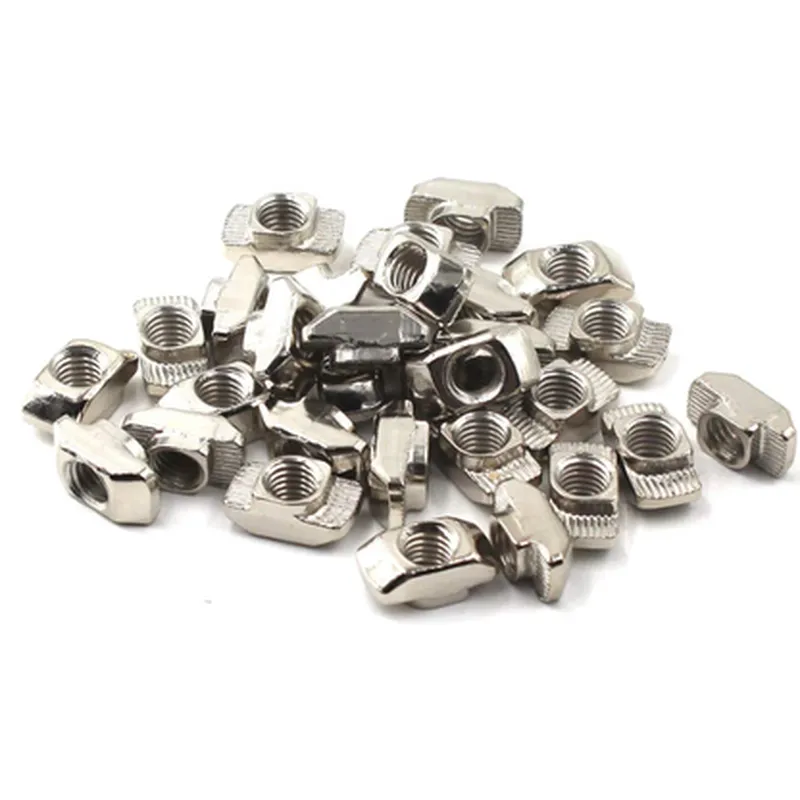
Hammer Drop-In T Nut (M3106 T) Documentation
The Hammer Drop-In T Nut (M3106 T) is a type of fastening component designed for secure and convenient mounting of IoT devices, sensors, and other modules on a variety of surfaces. This T nut features a M3 thread, 10mm length, and 6mm thickness, making it suitable for a range of applications. This documentation provides an overview of the component's features, specifications, and code examples for its use in various contexts.
Features and Specifications
Thread: M3
 Length: 10mm
 Thickness: 6mm
 Material: Durable steel or brass (depending on the manufacturer)
 Finish: Zinc-plated or nickel-plated for corrosion resistance
 Packaging: Pack of 10 pieces
### Example 1: Mounting an Arduino Board on a Wooden Surface
In this example, we will demonstrate how to use the Hammer Drop-In T Nut to mount an Arduino board on a wooden surface. We will assume that the wooden surface has a pre-drilled hole for the T nut.
Arduino board (e.g., Arduino Uno)
 Hammer Drop-In T Nut (M3106 T)
 Wooden surface with pre-drilled hole
 M3 screw
 screwdriver
```c++
// No code is required for this example, as it is a mechanical assembly process.
```
1. Insert the T nut into the pre-drilled hole on the wooden surface.
2. Place the Arduino board on the wooden surface, ensuring the mounting hole aligns with the T nut.
3. Screw the M3 screw into the T nut to secure the Arduino board in place.
### Example 2: Securing a Sensor Module on a Metal Enclosure
In this example, we will demonstrate how to use the Hammer Drop-In T Nut to secure a sensor module on a metal enclosure. We will assume that the metal enclosure has a pre-tapped hole for the T nut.
Sensor module (e.g., temperature sensor)
 Hammer Drop-In T Nut (M3106 T)
 Metal enclosure with pre-tapped hole
 M3 screw
 screwdriver
```c++
// Assuming you are using an Arduino board to read sensor data
const int sensorPin = A0;  // Analog input pin for the sensor
void setup() {
  Serial.begin(9600);
}
void loop() {
  int sensorValue = analogRead(sensorPin);
  Serial.print("Sensor value: ");
  Serial.println(sensorValue);
  delay(1000);
}
```
1. Insert the T nut into the pre-tapped hole on the metal enclosure.
2. Place the sensor module on the metal enclosure, ensuring the mounting hole aligns with the T nut.
3. Screw the M3 screw into the T nut to secure the sensor module in place.
These examples demonstrate the versatility of the Hammer Drop-In T Nut (M3106 T) in various IoT applications. By following these steps, you can securely mount your IoT devices, sensors, and modules on a range of surfaces, ensuring reliable performance and easy maintenance.