Stufin
Home Quick Cart Profile

Bluetooth 2.0 USB Dongle For Laptop and PC


Buy Now on Stufin

Component Name

Bluetooth 2.0 USB Dongle For Laptop and PC
Description

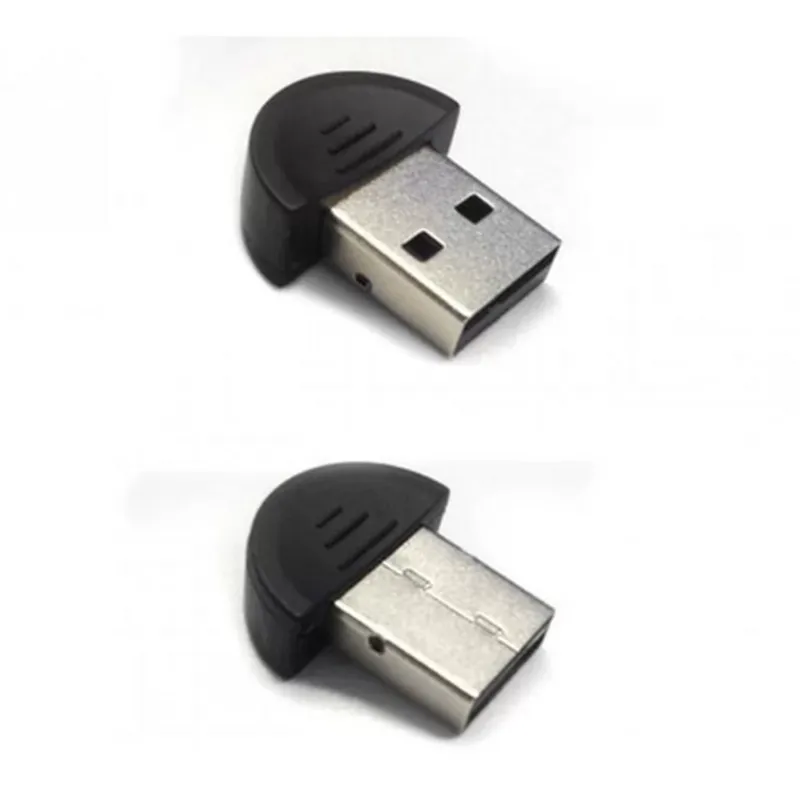
The Bluetooth 2.0 USB Dongle is a compact, plug-and-play device that enables Bluetooth connectivity on laptop and PC devices. This dongle allows users to connect to various Bluetooth-enabled devices, such as headphones, speakers, keyboards, and phones, without the need for built-in Bluetooth capabilities.

Functionality

The Bluetooth 2.0 USB Dongle provides a simple and convenient way to enable Bluetooth connectivity on devices that lack built-in Bluetooth capabilities. Once plugged into a USB port, the dongle establishes a Bluetooth connection with compatible devices, allowing for wireless data transfer, audio streaming, and device control.

Key Features

  • Bluetooth 2.0 Compliance: The dongle supports Bluetooth 2.0 + EDR (Enhanced Data Rate) technology, ensuring reliable and high-speed data transfer rates of up to 3 Mbps.
  • USB Interface: The dongle features a standard USB 2.0 interface, making it compatible with most laptop and PC devices.
  • Plug-and-Play: The device is hot-swappable, allowing for easy installation and removal without the need to restart the computer.
  • Compact Design: The dongle's compact size makes it portable and convenient for use on-the-go.
  • Low Power Consumption: The device operates at low power consumption, minimizing the drain on the host device's battery life.
  • Wireless Range: The dongle supports a wireless range of up to 10 meters (33 feet), providing a reliable connection within a reasonable distance.
  • Device Compatibility: The Bluetooth 2.0 USB Dongle is compatible with a wide range of Bluetooth-enabled devices, including:

Headphones and speakers

Keyboards and mice

Smartphones and tablets

Printers and scanners

Gaming controllers

  • Operating System Support: The dongle is compatible with various operating systems, including Windows (XP, Vista, 7, 8, 10) and macOS (10.6 or later).
  • Driver Support: The device comes with a accompanying driver software, ensuring easy installation and configuration on supported operating systems.

Bluetooth Version

2.0 + EDR

Frequency Band

2.4 GHz

Data Transfer Rate

Up to 3 Mbps

Wireless Range

Up to 10 meters (33 feet)

USB Interface

USB 2.0

Power Consumption

Low power consumption (<100 mA)

Operating Temperature

0C to 40C (32F to 104F)

Storage Temperature

-20C to 70C (-4F to 158F)

Dimensions

45 mm x 18 mm x 10 mm (1.77 in x 0.71 in x 0.39 in)

Weight

Approximately 10 grams (0.35 oz)

Package Contents

Bluetooth 2.0 USB Dongle

Driver software CD

User manual

Warranty and Support

The Bluetooth 2.0 USB Dongle comes with a 1-year limited warranty and dedicated customer support for troubleshooting and technical assistance.

Pin Configuration

  • Bluetooth 2.0 USB Dongle For Laptop and PC - Pinout Description
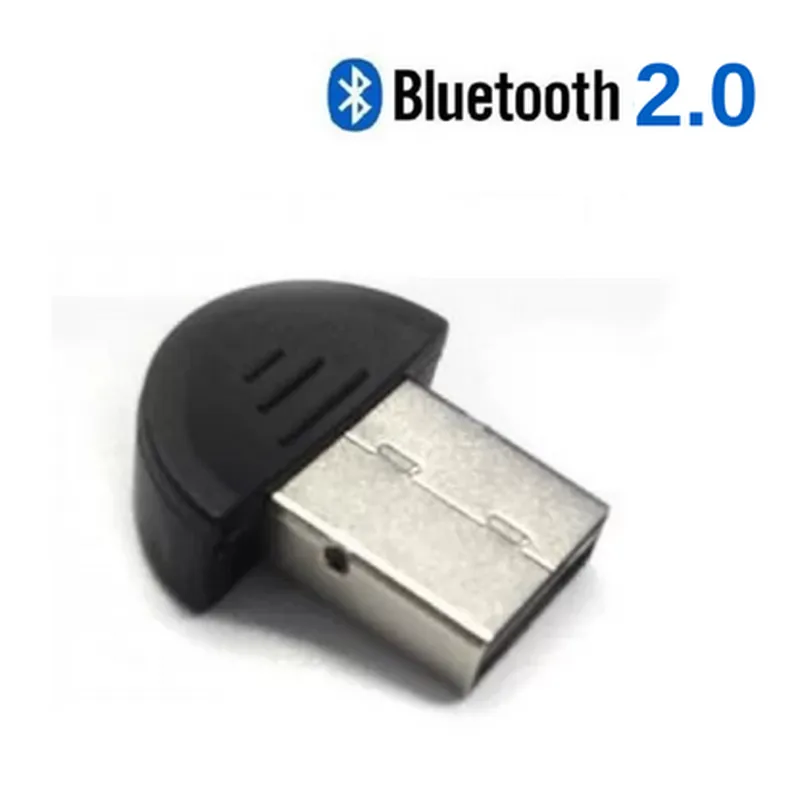
  • The Bluetooth 2.0 USB Dongle is a compact device that enables Bluetooth connectivity for laptops and PCs. The dongle features a standard USB interface and a compact design, making it easy to use and integrate into various applications. This documentation provides a detailed description of the pins on the Bluetooth 2.0 USB Dongle.
  • USB Connector Pinout:
  • The Bluetooth 2.0 USB Dongle features a standard Type-A USB connector with 4 pins. The pinout is as follows:
  • 1. Pin 1: VCC (5V Power)
  • Description: This pin provides the power supply to the Bluetooth module.
  • Voltage: 5V DC
  • Current: Up to 500mA (depending on the device's power requirements)
  • 2. Pin 2: D- (Data-)
  • Description: This pin is used for data transmission and reception.
  • Signal: Differential data signal (USB data transfer)
  • 3. Pin 3: D+ (Data+)
  • Description: This pin is used for data transmission and reception.
  • Signal: Differential data signal (USB data transfer)
  • 4. Pin 4: GND (Ground)
  • Description: This pin provides a ground reference for the device.
  • Signal: Ground
  • Internal Components:
  • The Bluetooth 2.0 USB Dongle contains internal components that enable Bluetooth functionality. These components are not directly accessible on the exterior of the device but are crucial for its operation.
  • 1. Bluetooth Module:
  • Description: This module contains the Bluetooth 2.0 radio and controller.
  • Functionality: Enables Bluetooth communication with other devices.
  • 2. Crystal Oscillator:
  • Description: This component provides a stable clock signal for the Bluetooth module.
  • Frequency: Typically 26 MHz or 32 kHz
  • 3. Firmware Storage:
  • Description: This component stores the firmware that controls the Bluetooth module.
  • Storage Capacity: Varies depending on the device (typically 1-16 MB)
  • Connecting the Pins:
  • When connecting the Bluetooth 2.0 USB Dongle to a laptop or PC, ensure that the USB connector is inserted correctly into the USB port. The device is designed for plug-and-play operation, and the operating system will automatically detect and install the necessary drivers.
  • Connection Structure:
  • Here is a step-by-step guide to connecting the Bluetooth 2.0 USB Dongle:
  • 1. Insert the USB connector into a free USB port on the laptop or PC.
  • 2. Ensure the device is securely seated in the USB port.
  • 3. The operating system will automatically detect the device and prompt for driver installation (if necessary).
  • 4. Follow the on-screen instructions to complete the driver installation.
  • 5. Once the driver installation is complete, the Bluetooth 2.0 USB Dongle is ready for use.
  • Note: The device may require additional software or configuration to enable Bluetooth functionality. Consult the manufacturer's documentation or online resources for specific instructions.

Code Examples

Bluetooth 2.0 USB Dongle For Laptop and PC Documentation
Overview
The Bluetooth 2.0 USB Dongle is a compact, plug-and-play device that enables Bluetooth connectivity on laptops and PCs. It supports data transfer rates of up to 3 Mbps and is compatible with Windows and Linux operating systems.
Technical Specifications
Bluetooth Version: 2.0 + EDR
 Operating Frequency: 2.4 GHz
 Data Transfer Rate: Up to 3 Mbps
 Range: Up to 10 meters (33 feet)
 Power Consumption: 100 mA (average)
 Dimensions: 45 mm x 17 mm x 9 mm (1.77 in x 0.67 in x 0.35 in)
 Weight: 10 grams (0.35 oz)
Programming and Development
The Bluetooth 2.0 USB Dongle can be used in various programming languages and development environments. Here are a few examples:
Example 1: Python on Windows
In this example, we will use the PyBluez library to connect to a Bluetooth device using the Bluetooth 2.0 USB Dongle.
```
import bluetooth
# Search for nearby Bluetooth devices
print("Scanning for devices...")
devices = bluetooth.discover_devices(lookup_names=True, duration=5)
# Select the first device found
device_addr = devices[0][0]
device_name = devices[0][1]
print("Connecting to device:", device_name)
# Create a socket and connect to the device
sock = bluetooth.BluetoothSocket(bluetooth.RFCOMM)
sock.connect((device_addr, 1))
# Send a message to the device
sock.send("Hello from Python!")
# Receive a message from the device
msg = sock.recv(1024)
print("Received message:", msg)
# Close the socket
sock.close()
```
Example 2: C++ on Linux
In this example, we will use the BlueZ library to create a Bluetooth server that accepts incoming connections using the Bluetooth 2.0 USB Dongle.
```
#include <iostream>
#include <bluetooth/rfcomm.h>
int main() {
    // Create a Bluetooth socket
    int sock = socket(AF_BLUETOOTH, SOCK_STREAM, BTPROTO_RFCOMM);
// Bind the socket to a local address
    struct sockaddr_rc loc_addr = { 0 };
    loc_addr.rc_family = AF_BLUETOOTH;
    loc_addr.rc_bdaddr = BDADDR_ANY;
    loc_addr.rc_channel = 1;
    bind(sock, (struct sockaddr )&loc_addr, sizeof(loc_addr));
// Listen for incoming connections
    listen(sock, 1);
std::cout << "Bluetooth server started. Waiting for incoming connections..." << std::endl;
// Accept an incoming connection
    struct sockaddr_rc rem_addr = { 0 };
    socklen_t opt = sizeof(rem_addr);
    int client_sock = accept(sock, (struct sockaddr )&rem_addr, &opt);
std::cout << "Connected to device: " << ba2str(&rem_addr.rc_bdaddr, NULL) << std::endl;
// Communicate with the connected device
    char msg[1024];
    read(client_sock, msg, 1024);
    std::cout << "Received message: " << msg << std::endl;
// Close the sockets
    close(client_sock);
    close(sock);
return 0;
}
```
Troubleshooting and Support
For troubleshooting and support, please refer to the manufacturer's documentation and online resources. Common issues include:
Driver installation errors
 Device pairing failures
 Data transfer rate limitations
 Interference with other Bluetooth devices
Conclusion
The Bluetooth 2.0 USB Dongle is a versatile and easy-to-use device that enables Bluetooth connectivity on laptops and PCs. With its compact design and plug-and-play functionality, it's an ideal solution for a wide range of applications, from wireless file transfer to IoT device development.