Stufin
Home Quick Cart Profile

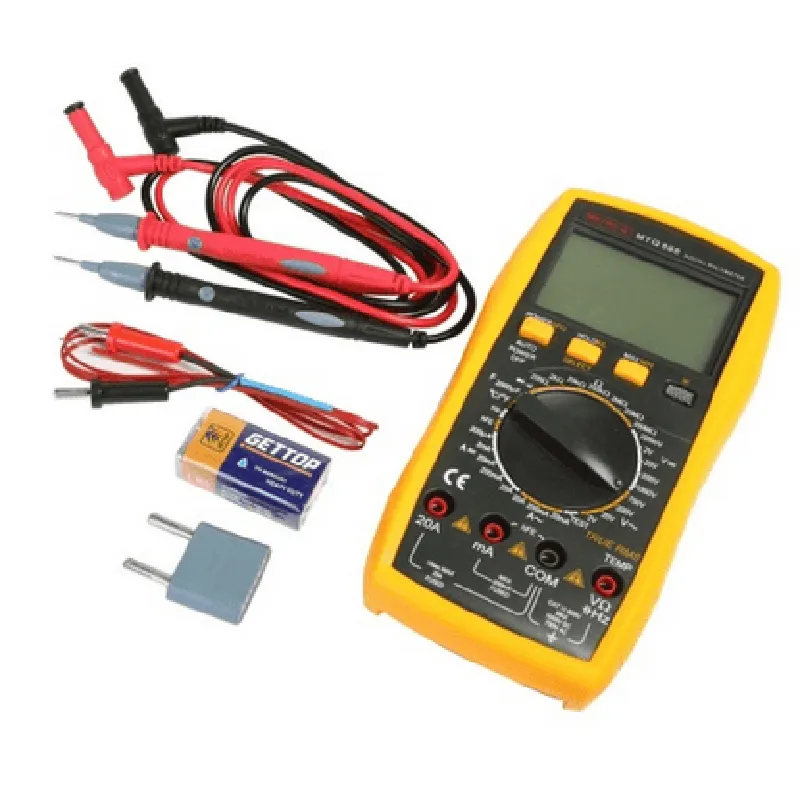
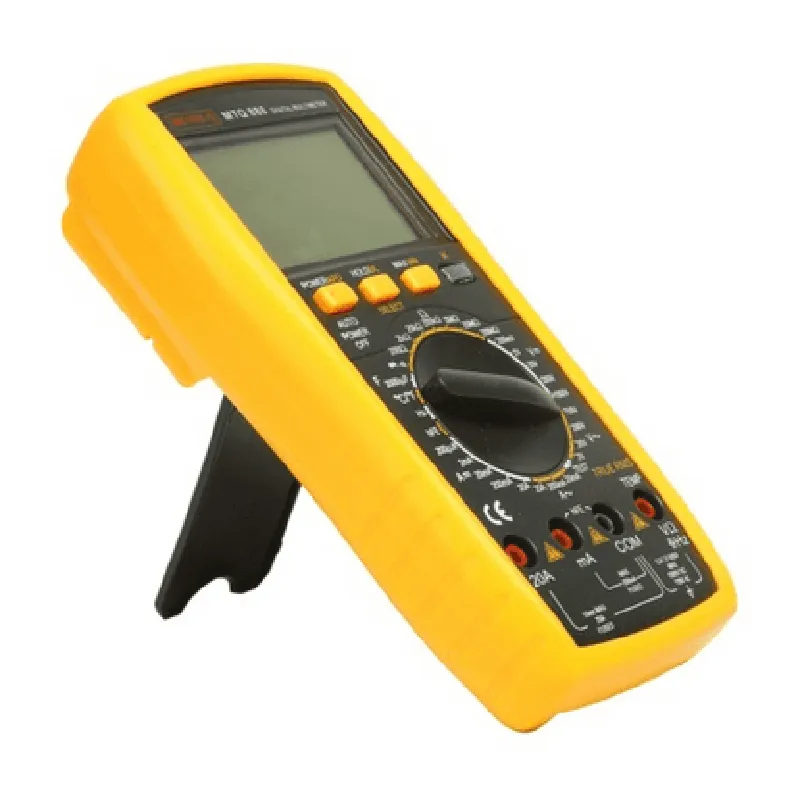
MetroQ MTQ-888 Digital Multimeter

Buy Now on Stufin

Voltage

AC/DC voltage measurement with a range of 0-1000V


Current

AC/DC current measurement with a range of 0-10A

Resistance

Measurement of resistance with a range of 0-20M

Continuity

Continuity testing with audible buzzer

Diode Test

Diode testing with voltage measurement

Capacitance

Capacitance measurement with a range of 0-2000F

Frequency

Frequency measurement with a range of 0-100kHz

Key Features

  • High-Resolution Display: The MTQ-888 features a large, clear LCD display with 3.5 digits, providing accurate and easy-to-read measurements.
  • Auto-Ranging: The device automatically selects the appropriate measurement range, eliminating the need for manual range selection.
  • Data Hold: The MTQ-888 has a data hold function, allowing users to freeze measurements on the display for easy analysis.
  • Maximum/Minimum Value: The device can record and display maximum and minimum values, providing valuable insights into measurement trends.
  • Relative Measurement: The MTQ-888 allows for relative measurements, enabling users to measure the difference between two values.
  • Battery Life: The device has a long battery life, with an operating time of up to 200 hours on a single set of batteries.
  • Compact Design: The MTQ-888 is designed for portability, with a compact and lightweight body that fits comfortably in the hand.
  • Safety Features: The device is built with safety in mind, featuring overload protection, short-circuit protection, and meets relevant safety standards (CAT II 1000V, CAT III 600V).
  • Multiple Measurement Modes: The MTQ-888 offers various measurement modes, including V/mA, V/, A/, and more, making it suitable for a wide range of applications.

Technical Specifications

Measurement Accuracy

0.5% (DC Voltage), 1.0% (AC Voltage), 1.5% (Current)

Resolution

0.1mV (Voltage), 0.01mA (Current), 0.1 (Resistance)

Sampling Rate

3 times per second

Operating Temperature

0C to 40C (32F to 104F)

Storage Temperature

-20C to 60C (-4F to 140F)

Power Supply

1.5V x 2 (UM-2, AA)

Weight

approximately 230g (8.1 oz)

Dimensions

185 x 90 x 45 mm (7.3 x 3.5 x 1.8 in)

Applications

The MetroQ MTQ-888 Digital Multimeter is suitable for a wide range of applications, including

Electronics repair and maintenance

Electrical engineering and design

Industrial automation and process control

Education and training

Hobbyist projects and DIY electronics

Overall, the MetroQ MTQ-888 is a versatile and accurate digital multimeter that is an essential tool for anyone working with electricity and electronics.

Pin Configuration

  • MetroQ MTQ-888 Digital Multimeter Pinout Guide
  • The MetroQ MTQ-888 Digital Multimeter is a compact, feature-rich multimeter designed for IoT applications. This documentation provides a detailed explanation of the pins and their connections.
  • Pinout Structure:
  • The MTQ-888 has a 20-pin interface, with pins arranged in two rows of 10 pins each. The pinout structure is as follows:
  • Row 1 (Top Row):
  • 1. VCC (Pin 1): Power supply pin, connects to a 3.3V or 5V power source.
  • Function: Provides power to the multimeter.
  • Connection: Connect to a 3.3V or 5V power source (e.g., battery or voltage regulator output).
  • 2. GND (Pin 2): Ground pin, connects to the system ground.
  • Function: Provides a reference ground for the multimeter.
  • Connection: Connect to the system ground (e.g., battery negative terminal or ground plane).
  • 3. RX (Pin 3): Serial reception pin, used for UART communication.
  • Function: Receives serial data from the host microcontroller or device.
  • Connection: Connect to the TX pin of the host microcontroller or device.
  • 4. TX (Pin 4): Serial transmission pin, used for UART communication.
  • Function: Transmits serial data to the host microcontroller or device.
  • Connection: Connect to the RX pin of the host microcontroller or device.
  • 5. DIO (Pin 5): Digital input/output pin, used for digital communication.
  • Function: Can be configured as an input or output for digital signals.
  • Connection: Connect to a digital input/output pin on the host microcontroller or device.
  • 6. SCK (Pin 6): SPI clock pin, used for SPI communication.
  • Function: Provides the clock signal for SPI communication.
  • Connection: Connect to the SCK pin of the host microcontroller or device.
  • 7. MISO (Pin 7): SPI Master In Slave Out pin, used for SPI communication.
  • Function: Receives data from the host microcontroller or device during SPI communication.
  • Connection: Connect to the MISO pin of the host microcontroller or device.
  • 8. MOSI (Pin 8): SPI Master Out Slave In pin, used for SPI communication.
  • Function: Transmits data to the host microcontroller or device during SPI communication.
  • Connection: Connect to the MOSI pin of the host microcontroller or device.
  • 9. CS (Pin 9): SPI Chip Select pin, used for SPI communication.
  • Function: Selects the MTQ-888 as the active SPI device.
  • Connection: Connect to a digital output pin on the host microcontroller or device.
  • 10. NC (Pin 10): No Connection, reserved for future use.
  • Row 2 (Bottom Row):
  • 11. AIN0 (Pin 11): Analog input channel 0, connects to an analog signal source.
  • Function: Measures analog voltage levels.
  • Connection: Connect to an analog signal source (e.g., sensor output or voltage divider).
  • 12. AIN1 (Pin 12): Analog input channel 1, connects to an analog signal source.
  • Function: Measures analog voltage levels.
  • Connection: Connect to an analog signal source (e.g., sensor output or voltage divider).
  • 13. AIN2 (Pin 13): Analog input channel 2, connects to an analog signal source.
  • Function: Measures analog voltage levels.
  • Connection: Connect to an analog signal source (e.g., sensor output or voltage divider).
  • 14. AIN3 (Pin 14): Analog input channel 3, connects to an analog signal source.
  • Function: Measures analog voltage levels.
  • Connection: Connect to an analog signal source (e.g., sensor output or voltage divider).
  • 15. VREF (Pin 15): Voltage reference pin, connects to an external voltage reference.
  • Function: Provides an external voltage reference for the multimeter.
  • Connection: Connect to an external voltage reference (e.g., voltage regulator output).
  • 16. CURR (Pin 16): Current measurement pin, connects to a current measurement circuit.
  • Function: Measures current levels.
  • Connection: Connect to a current measurement circuit (e.g., shunt resistor and op-amp).
  • 17. FREQ (Pin 17): Frequency measurement pin, connects to a frequency measurement circuit.
  • Function: Measures frequency levels.
  • Connection: Connect to a frequency measurement circuit (e.g., oscillator and counter).
  • 18. TEMP (Pin 18): Temperature measurement pin, connects to a temperature sensor.
  • Function: Measures temperature levels.
  • Connection: Connect to a temperature sensor (e.g., thermistor or thermocouple).
  • 19. NC (Pin 19): No Connection, reserved for future use.
  • 20. NC (Pin 20): No Connection, reserved for future use.
  • When connecting the pins, ensure proper polarity and voltage ratings are observed to avoid damaging the MTQ-888 or other components in the system. Consult the MTQ-888 datasheet and relevant documentation for specific connection guidelines and precautions.

Code Examples

MetroQ MTQ-888 Digital Multimeter Documentation
Overview
The MetroQ MTQ-888 Digital Multimeter is a highly accurate and versatile measurement tool designed for use in various Internet of Things (IoT) applications. This multimeter measures voltage, current, resistance, continuity, and frequency, making it an ideal component for a wide range of projects.
Technical Specifications
Measurement ranges:
	+ Voltage: 0-1000V AC/DC
	+ Current: 0-10A AC/DC
	+ Resistance: 0-20M
	+ Continuity: Audible beep for resistance < 50
	+ Frequency: 0-100kHz
 Accuracy: 0.5% for voltage and current, 1% for resistance
 Resolution: 0.001V, 0.001A, 0.01
Connectivity and Communication
The MetroQ MTQ-888 Digital Multimeter communicates via a serial interface (UART) at a baud rate of 9600. It can be connected to a microcontroller or a single-board computer using a serial communication protocol.
Code Examples
### Example 1: Measuring Voltage using Arduino
In this example, we will use an Arduino Uno board to read voltage measurements from the MetroQ MTQ-888 Digital Multimeter.
```
#include <SoftwareSerial.h>
#define multimeter_rx 2  // Connect multimeter TX to Arduino RX
#define multimeter_tx 3  // Connect multimeter RX to Arduino TX
SoftwareSerial multimeter(multimeter_rx, multimeter_tx);
void setup() {
  Serial.begin(9600);
  multimeter.begin(9600);
}
void loop() {
  // Send command to read voltage
  multimeter.print("VOLT?
");
  
  // Read response from multimeter
  String response = multimeter.readStringUntil('
');
  
  // Extract voltage value from response
  float voltage = response.toFloat();
  
  Serial.print("Voltage: ");
  Serial.println(voltage, 2);
  
  delay(1000);
}
```
### Example 2: Measuring Frequency using Raspberry Pi (Python)
In this example, we will use a Raspberry Pi single-board computer to read frequency measurements from the MetroQ MTQ-888 Digital Multimeter using Python.
```
import serial
import time
# Open serial connection to multimeter
multimeter = serial.Serial('/dev/ttyUSB0', 9600, timeout=1)
while True:
  # Send command to read frequency
  multimeter.write(b"FREQ?
")
  
  # Read response from multimeter
  response = multimeter.readline().decode().strip()
  
  # Extract frequency value from response
  frequency = float(response.split(':')[1].strip())
  
  print("Frequency:", frequency)
  
  time.sleep(1)
```
### Example 3: Measuring Resistance using ESP32 (MicroPython)
In this example, we will use an ESP32 board to read resistance measurements from the MetroQ MTQ-888 Digital Multimeter using MicroPython.
```
import uart
# Initialize UART connection to multimeter
uart.init(9600, timeout=1000)
while True:
  # Send command to read resistance
  uart.write("OHMS?
")
  
  # Read response from multimeter
  response = uart.read(20)
  
  # Extract resistance value from response
  resistance = float(response.decode().split(':')[1].strip())
  
  print("Resistance:", resistance)
  
  time.sleep(1)
```
Note: In each example, the multimeter must be set to the corresponding measurement mode (e.g., voltage, frequency, resistance) using the built-in buttons and display. Consult the MetroQ MTQ-888 Digital Multimeter user manual for instructions on setting the measurement mode.