Stufin
Home Quick Cart Profile

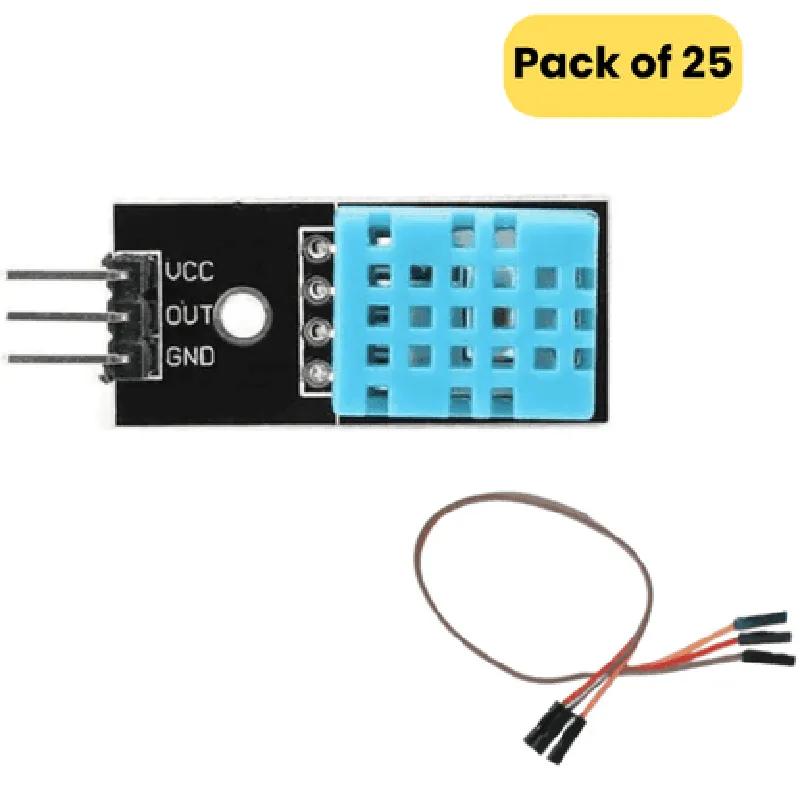
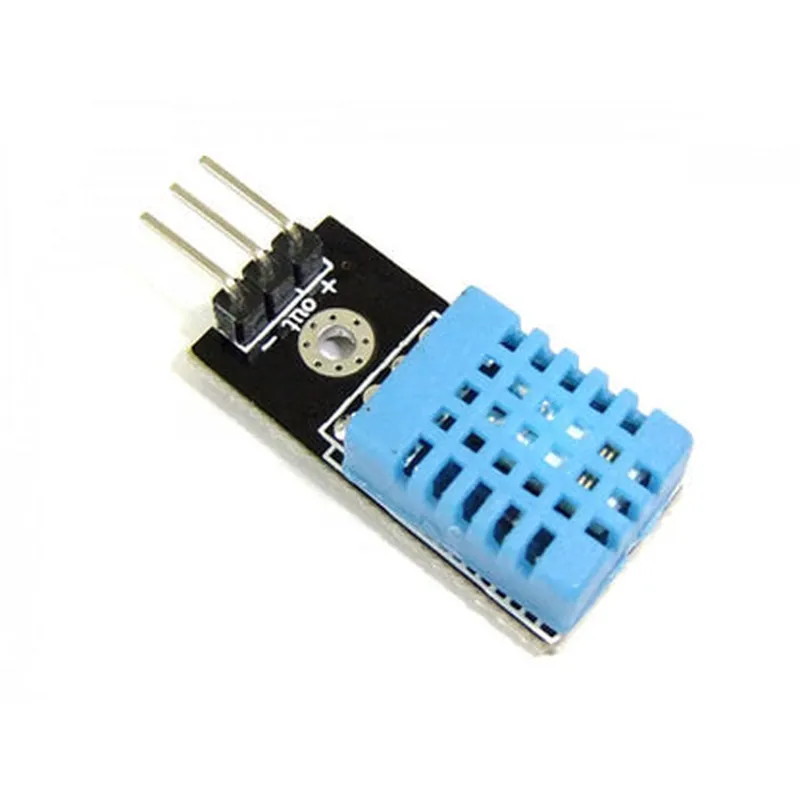
DHT11 Humidity and Temperature Sensor Module (Pack of 25)

Buy Now on Stufin

Temperature

0C to 50C (32F to 122F)


Humidity

20% RH to 80% RH

  • Fast Response Time: The sensor module has a fast response time, allowing it to quickly respond to changes in temperature and humidity.
  • Low Cost: The DHT11 sensor module is an affordable solution for temperature and humidity measurement, making it an ideal choice for prototyping and development.
  • Easy to Use: The module is easy to use and requires minimal setup, making it suitable for hobbyists and professionals alike.
  • Pack of 25: This package includes 25 individual DHT11 sensor modules, making it an excellent value for projects that require multiple sensors.
  • Compact Design: The module has a compact design, making it easy to integrate into small spaces and designs.
  • RoHS Compliant: The DHT11 sensor module is RoHS compliant, ensuring it meets the environmental standards for safe and responsible production.

Technical Specifications

Operating Voltage

3.3V to 5.5V

Power Consumption

<5mA

Communication Protocol

Digital signal

Output Data

Temperature (C) and Humidity (%RH)

Response Time

1 second

Accuracy

+ Temperature2C
+ Humidity5% RH

Operating Temperature

-20C to 80C (-4F to 176F)

Humidity Range

20% RH to 80% RH

Applications

  • Environmental monitoring
  • Weather stations
  • Automation systems
  • HVAC systems
  • Industrial control systems
  • Robotics
  • IoT projects
  • Prototyping and development

Conclusion

The DHT11 Humidity and Temperature Sensor Module is a reliable and accurate solution for measuring temperature and humidity levels. Its compact design, low power consumption, and easy-to-use interface make it an ideal choice for a wide range of applications.

Pin Configuration

  • DHT11 Humidity and Temperature Sensor Module (Pack of 25) Pinout Explanation
  • The DHT11 Humidity and Temperature Sensor Module is a popular IoT component used for measuring temperature and humidity in various applications. It has a simple and compact design, making it ideal for prototyping and development. The module has a total of 3 pins, which are explained in detail below:
  • Pin 1: VCC (Power Supply)
  • Pin Function: Power Supply
  • Pin Type: Input
  • Voltage Range: 3.3V to 5V
  • Description: This pin is used to connect the power supply to the module. A stable DC voltage between 3.3V and 5V should be applied to this pin.
  • Pin 2: DATA (Signal Output)
  • Pin Function: Signal Output
  • Pin Type: Output
  • Description: This pin outputs the temperature and humidity data in a digital format. The output is a serial data stream that can be read by a microcontroller or other devices.
  • Pin 3: GND (Ground)
  • Pin Function: Ground
  • Pin Type: Input
  • Description: This pin is used to connect the ground of the module to the ground of the power supply or the microcontroller.
  • Connection Structure:
  • To connect the DHT11 module to a microcontroller or other devices, follow the below structure:
  • Connect Pin 1 (VCC) to the power supply (3.3V or 5V) using a jumper wire or a breadboard.
  • Connect Pin 2 (DATA) to a digital input pin on the microcontroller or other devices using a jumper wire or a breadboard.
  • Connect Pin 3 (GND) to the ground of the power supply or the microcontroller using a jumper wire or a breadboard.
  • Example Connection Diagram:
  • Here's an example connection diagram for Arduino:
  • DHT11 Module | Arduino Board
  • ----------------|----------------
  • VCC (Pin 1) | 5V (Pin)
  • DATA (Pin 2) | Digital Pin 2 (D2)
  • GND (Pin 3) | GND (Pin)
  • Note: Make sure to use a pull-up resistor (typically 10k) between the DATA pin and VCC pin to ensure stable communication.
  • By following the above pinout explanation and connection structure, you should be able to successfully connect and use the DHT11 Humidity and Temperature Sensor Module in your IoT projects.

Code Examples

DHT11 Humidity and Temperature Sensor Module Documentation
Overview
The DHT11 Humidity and Temperature Sensor Module is a popular, low-cost, and highly accurate sensor module used to measure relative humidity and temperature in various IoT applications. This module is suitable for a wide range of projects, from weather stations to home automation systems.
Key Features
Measures relative humidity (RH) and temperature
 High accuracy: 2% RH, 0.5C temperature
 Operating voltage: 3.3V to 5V
 Digital output: Single-bus, 1-wire communication
 Small form factor: 15x15x5mm
Pinout
The DHT11 module has four pins:
VCC: Power supply (3.3V to 5V)
 GND: Ground
 DATA: Digital output (1-wire bus)
 NC: Not connected ( reserve pin)
Code Examples
### Example 1: Basic Temperature and Humidity Reading using Arduino
This example demonstrates how to read temperature and humidity values using an Arduino board.
```cpp
#include <dht.h>
#define DHTPIN 2 // Digital pin for DHT11
DHT dht(DHTPIN, DHT11);
void setup() {
  Serial.begin(9600);
  dht.begin();
}
void loop() {
  int h = dht.readHumidity();
  int t = dht.readTemperature();
if (isnan(h) || isnan(t)) {
    Serial.println("Failed to read from DHT sensor!");
    return;
  }
Serial.print("Humidity: ");
  Serial.print(h);
  Serial.println(" %");
  Serial.print("Temperature: ");
  Serial.print(t);
  Serial.println(" C");
delay(2000);
}
```
### Example 2: IoT Weather Station using Raspberry Pi and Python
This example demonstrates how to read temperature and humidity values using a Raspberry Pi and Python, and send the data to a cloud-based IoT platform.
```python
import RPi.GPIO as GPIO
import dht11
import time
import requests
# Define GPIO pin for DHT11
GPIO_PIN = 17
# Initialize GPIO
GPIO.setmode(GPIO.BCM)
GPIO.setup(GPIO_PIN, GPIO.IN)
# Create a DHT11 instance
dht11_sensor = dht11.DHT11(pin=GPIO_PIN)
while True:
    result = dht11_sensor.read()
if result.is_valid():
        humidity = result.humidity
        temperature = result.temperature
# Send data to cloud-based IoT platform
        data = {'temperature': temperature, 'humidity': humidity}
        response = requests.post('https://example.com/iot/data', json=data)
print(f"Temperature: {temperature}C, Humidity: {humidity}%")
        print(f"Response: {response.status_code}")
    else:
        print("Error reading from DHT11 sensor!")
time.sleep(10)
```
Additional Resources
Datasheet: [DHT11 Technical Datasheet](https://www.mouser.com/ds/2/758/DHT11-1020-186817.pdf)
 Library: [DHT11 Arduino Library](https://github.com/adafruit/DHT-sensor-library)
 Tutorial: [Raspberry Pi Weather Station with DHT11](https://www.raspberrypi.org/learning/weather-station-with-python/worksheet/)