5V


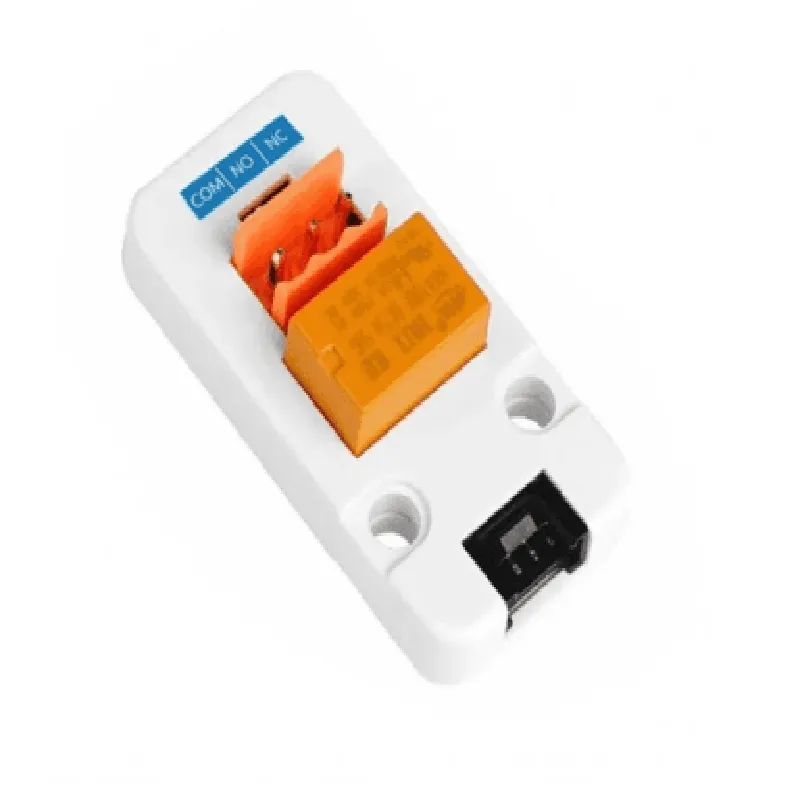
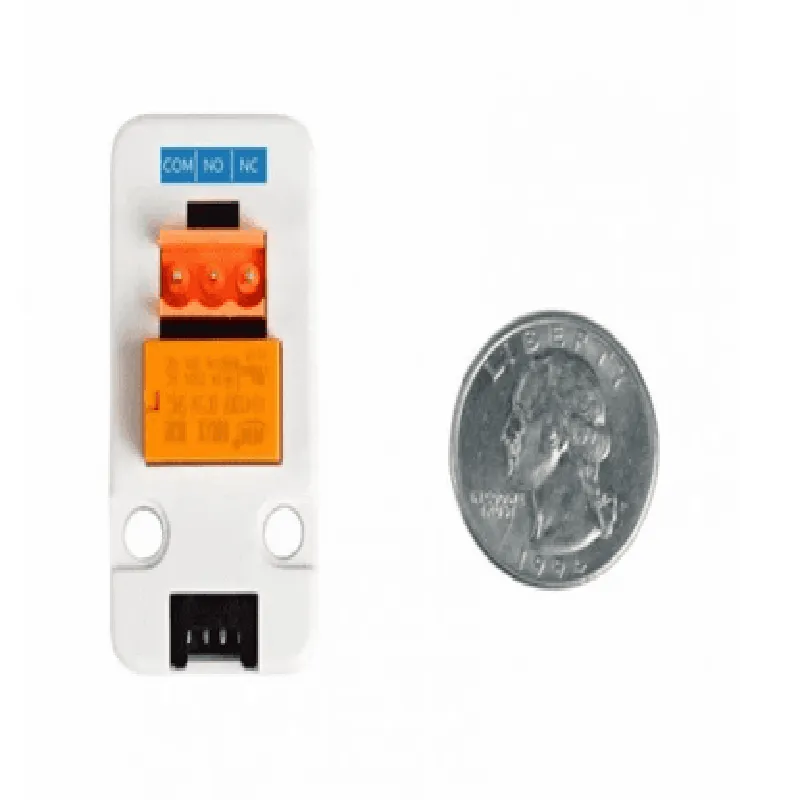
5V
3x SPDT (Single Pole Double Throw)
3A per relay
5V
20mA
50/60Hz
24mm x 24mm x 12mm
10g
-20C to 70C
Applications
| The M5 Stack Mini 3A Relay Unit is suitable for a wide range of IoT applications, including |
Home automation systems
Industrial control systems
Remote monitoring and control systems
Smart energy management systems
IoT prototyping and development projects
Conclusion
The M5 Stack Mini 3A Relay Unit is a versatile and reliable relay module that provides a compact and efficient solution for controlling high-power devices or loads in IoT applications. Its low power consumption, easy integration, and simple wiring layout make it an ideal choice for a wide range of projects and applications.
M5 Stack Mini 3A Relay Unit DocumentationOverviewThe M5 Stack Mini 3A Relay Unit is a compact and versatile relay module designed for use with the M5 Stack ecosystem. This module features three SPDT (Single Pole Double Throw) relays, each capable of handling up to 3A of current. The relays are controlled by the M5 Stack's GPIO pins, allowing for easy integration into a wide range of IoT projects.PinoutThe M5 Stack Mini 3A Relay Unit has the following pinout:| Pin | Function |
| --- | --- |
| VCC | Power supply (3.3V or 5V) |
| GND | Ground |
| S1, S2, S3 | Relay control pins (connected to M5 Stack GPIO) |
| COM1, COM2, COM3 | Relay common pins |
| NO1, NO2, NO3 | Relay normally open pins |
| NC1, NC2, NC3 | Relay normally closed pins |ConnectionsTo use the M5 Stack Mini 3A Relay Unit, connect the VCC pin to the power supply (3.3V or 5V) and the GND pin to ground. Connect the relay control pins (S1, S2, S3) to the corresponding GPIO pins on the M5 Stack. The COM, NO, and NC pins connect to the load being controlled.Code Examples### Example 1: Basic Relay ControlThis example demonstrates how to control a single relay using the M5 Stack Mini 3A Relay Unit.
```c
#include <M5Stack.h>// Define relay control pins
const int relayPin = 2; // Replace with the desired GPIO pinvoid setup() {
// Initialize relay pin as output
pinMode(relayPin, OUTPUT);
}void loop() {
// Turn relay on
digitalWrite(relayPin, HIGH);
delay(1000);// Turn relay off
digitalWrite(relayPin, LOW);
delay(1000);
}
```
### Example 2: Relay Control with Button PressThis example demonstrates how to control a relay using the M5 Stack Mini 3A Relay Unit and a button press.
```c
#include <M5Stack.h>// Define relay control pins and button pin
const int relayPin = 2; // Replace with the desired GPIO pin
const int buttonPin = 21; // Replace with the desired GPIO pinvoid setup() {
// Initialize relay pin as output and button pin as input
pinMode(relayPin, OUTPUT);
pinMode(buttonPin, INPUT);
}void loop() {
// Read button state
int buttonState = digitalRead(buttonPin);// If button is pressed, toggle relay state
if (buttonState == HIGH) {
static bool relayState = false;
relayState = !relayState;
digitalWrite(relayPin, relayState ? HIGH : LOW);
}
delay(50);
}
```
### Example 3: Relay Control with Wi-Fi using M5 StackThis example demonstrates how to control a relay using the M5 Stack Mini 3A Relay Unit and Wi-Fi connectivity using the M5 Stack.
```c
#include <M5Stack.h>
#include <WiFi.h>// Define relay control pins and Wi-Fi credentials
const int relayPin = 2; // Replace with the desired GPIO pin
const char ssid = "your_ssid";
const char password = "your_password";WiFiServer server(80);void setup() {
// Initialize relay pin as output
pinMode(relayPin, OUTPUT);// Connect to Wi-Fi
WiFi.begin(ssid, password);
while (WiFi.status() != WL_CONNECTED) {
delay(1000);
Serial.println("Connecting to WiFi...");
}
Serial.println("Connected to WiFi");
server.begin();
}void loop() {
// Listen for HTTP requests
WiFiClient client = server.available();
if (client) {
String request = client.readStringUntil('
');
if (request.indexOf("relay=on") != -1) {
digitalWrite(relayPin, HIGH);
} else if (request.indexOf("relay=off") != -1) {
digitalWrite(relayPin, LOW);
}
client.stop();
}
delay(50);
}
```
Note: These examples assume you have the M5 Stack and M5 Stack Mini 3A Relay Unit properly connected and configured. Make sure to adjust the pin numbers and Wi-Fi credentials according to your specific setup.