12V - 48V


12V - 48V
10A - 30A
120W - 360W
10,000 RPM - 30,000 RPM
0.5 Nm - 2.5 Nm
85%
39mm x 39mm x 60mm (LxWxH)
220g - 350g
Applications
| The 930 KV BLDC Motor is suitable for a wide range of IoT applications, including |
Robotics and autonomous systems
Drone and UAV systems
IoT-enabled appliances and devices
Industrial automation and control systems
Medical devices and equipment
HVAC systems and ventilation systems
Conclusion
The 930 KV BLDC Motor is a high-performance, reliable, and efficient motor designed for a wide range of IoT applications. Its advanced design, high KV rating, and customizable features make it an ideal choice for developers and manufacturers seeking to integrate high-quality motor solutions into their IoT devices and systems.
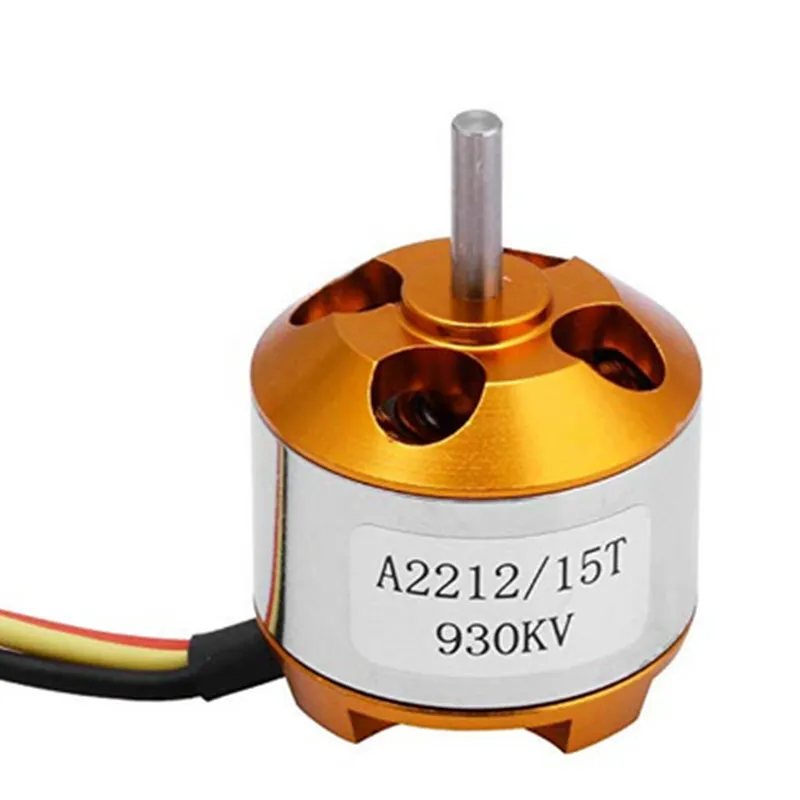
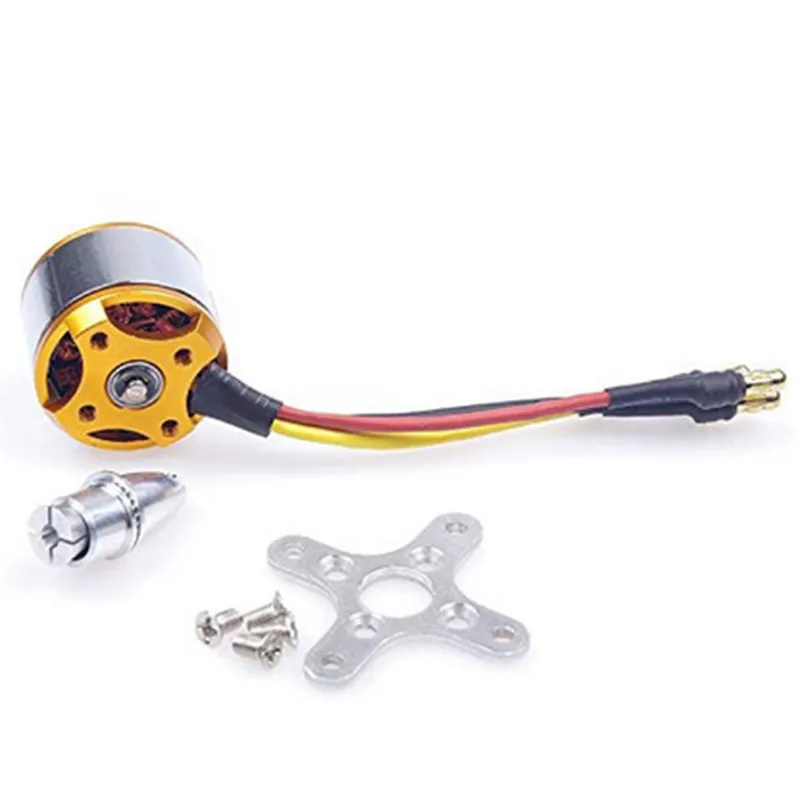
930 KV BLDC Motor DocumentationOverviewThe 930 KV BLDC Motor is a high-performance brushless DC motor designed for applications requiring high speed and torque. Its compact design and lightweight construction make it ideal for use in drones, robots, and other unmanned aerial vehicles (UAVs).Technical SpecificationsVoltage: 12-24V
Current: 10-20A
Power: 300W
Speed: 930 KV (RPM/V)
Torque: 1.3 Nm
Weight: 120g
Dimensions: 36mm x 24mm x 18mmConnection DiagramThe 930 KV BLDC Motor has the following connections:3-phase motor windings (A, B, C)
Hall effect sensor wires (H1, H2, H3)
Ground wire (GND)Code Examples### Example 1: Arduino Brushless Motor Control using ESP32This example demonstrates how to control the 930 KV BLDC Motor using an ESP32 board and the Arduino IDE.```cpp
#include <ESP32_BRUSHLESS_MOTOR.h>// Define the motor pins
#define MOTOR_A 18
#define MOTOR_B 19
#define MOTOR_C 20
#define HALL_A 32
#define HALL_B 33
#define HALL_C 34// Create a brushless motor object
BrushlessMotor motor(MOTOR_A, MOTOR_B, MOTOR_C, HALL_A, HALL_B, HALL_C);void setup() {
// Initialize the motor
motor.begin();
}void loop() {
// Set the motor speed to 50%
motor.setSpeed(50);
delay(1000);
// Set the motor speed to -50% (reverse direction)
motor.setSpeed(-50);
delay(1000);
}
```### Example 2: Raspberry Pi Brushless Motor Control using PythonThis example demonstrates how to control the 930 KV BLDC Motor using a Raspberry Pi and Python.```python
import RPi.GPIO as GPIO
import time# Define the motor pins
MOTOR_A = 17
MOTOR_B = 23
MOTOR_C = 24
HALL_A = 25
HALL_B = 8
HALL_C = 7# Set up the GPIO pins
GPIO.setmode(GPIO.BCM)
GPIO.setup(MOTOR_A, GPIO.OUT)
GPIO.setup(MOTOR_B, GPIO.OUT)
GPIO.setup(MOTOR_C, GPIO.OUT)
GPIO.setup(HALL_A, GPIO.IN)
GPIO.setup(HALL_B, GPIO.IN)
GPIO.setup(HALL_C, GPIO.IN)def set_motor_speed(speed):
# Implement the brushless motor control algorithm here
# For simplicity, this example only sets the motor speed to 50% or -50%
if speed > 0:
GPIO.output(MOTOR_A, GPIO.HIGH)
GPIO.output(MOTOR_B, GPIO.LOW)
GPIO.output(MOTOR_C, GPIO.LOW)
elif speed < 0:
GPIO.output(MOTOR_A, GPIO.LOW)
GPIO.output(MOTOR_B, GPIO.HIGH)
GPIO.output(MOTOR_C, GPIO.LOW)
else:
GPIO.output(MOTOR_A, GPIO.LOW)
GPIO.output(MOTOR_B, GPIO.LOW)
GPIO.output(MOTOR_C, GPIO.LOW)try:
while True:
# Set the motor speed to 50%
set_motor_speed(50)
time.sleep(1)
# Set the motor speed to -50% (reverse direction)
set_motor_speed(-50)
time.sleep(1)
except KeyboardInterrupt:
GPIO.cleanup()
```Note: These code examples are simplified and intended to demonstrate the basic concept of controlling the 930 KV BLDC Motor. In a real-world application, you should implement a more sophisticated brushless motor control algorithm to ensure efficient and reliable motor operation.