Stufin
Home Quick Cart Profile

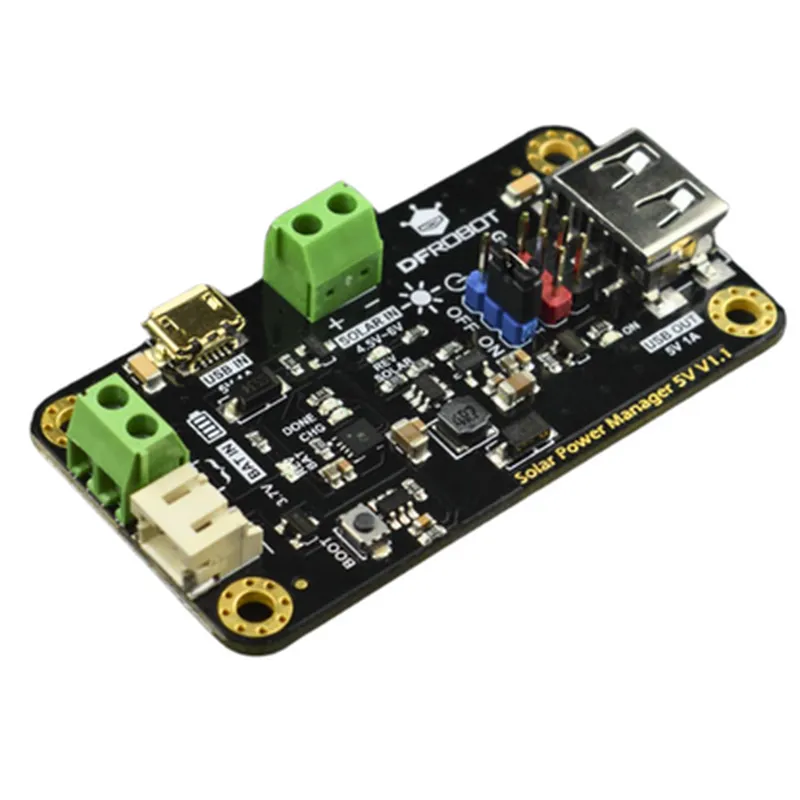
Solar Power Manager 5V

Buy Now on Stufin

Pin Configuration

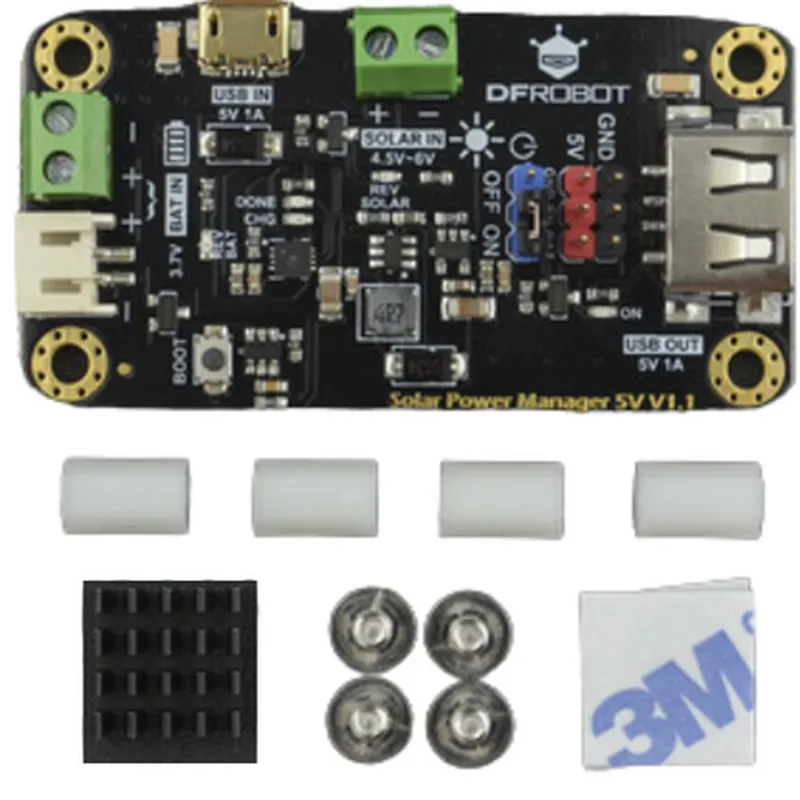
  • Solar Power Manager 5V Pinout Explanation
  • The Solar Power Manager 5V is a compact and efficient power management module designed for IoT projects, robots, and other battery-powered devices. It features a robust design, high accuracy, and multiple protection mechanisms to ensure safe and reliable power supply. Here's a detailed explanation of the pins:
  • Pinout Structure:
  • The Solar Power Manager 5V has a total of 8 pins, arranged in two rows of 4 pins each.
  • Row 1 (Left to Right):
  • 1. VIN (Input Voltage):
  • This pin is used to connect the positive terminal of the solar panel or an external power source.
  • Input voltage range: 6V to 24V
  • Recommended input voltage: 12V (for optimal performance)
  • 2. VOUT (Output Voltage):
  • This pin provides a regulated 5V output voltage, suitable for most IoT devices and microcontrollers.
  • Output voltage: 5V 2%
  • Maximum output current: 2A
  • 3. GND (Ground):
  • This pin is the common ground for the module and should be connected to the negative terminal of the solar panel, battery, or other power sources.
  • Ensure a solid ground connection to prevent any noise or interference issues.
  • 4. EN (Enable Pin):
  • This pin is used to enable or disable the power output.
  • Pulling the EN pin high (logic level 1) enables the power output; pulling it low (logic level 0) disables the output.
  • Row 2 (Left to Right):
  • 1. BAT+ (Battery Positive):
  • This pin connects to the positive terminal of the rechargeable battery.
  • The module will charge the battery when the input voltage is present and the battery is not fully charged.
  • 2. BAT- (Battery Negative):
  • This pin connects to the negative terminal of the rechargeable battery.
  • Ensure a solid connection to the battery negative terminal to prevent any issues during charging and discharging.
  • 3. CHARGE (Charge Indicator):
  • This pin provides a logic-level output that indicates the charging status of the battery.
  • When the battery is charging, this pin will be high (logic level 1); when the battery is fully charged or not charging, it will be low (logic level 0).
  • 4. FAULT (Fault Indicator):
  • This pin provides a logic-level output that indicates any faults or errors in the power management system.
  • When a fault occurs, this pin will be high (logic level 1); otherwise, it will be low (logic level 0).
  • Connection Structure:
  • Here's a general connection structure for the Solar Power Manager 5V:
  • Connect the solar panel or external power source to VIN and GND.
  • Connect the rechargeable battery to BAT+ and BAT-.
  • Connect the 5V output devices (e.g., microcontrollers, sensors, or other IoT components) to VOUT and GND.
  • Use the EN pin to control the power output if necessary.
  • Monitor the CHARGE and FAULT pins for charging status and fault detection.
  • Important Notes:
  • Always follow proper safety precautions when working with electrical components and power sources.
  • Ensure the input voltage and current ratings of the module are not exceeded.
  • Use a suitable rechargeable battery with a compatible charging profile.
  • Refer to the datasheet and manufacturer's instructions for specific details and recommendations.
  • By following this pinout explanation and connection structure, you can successfully integrate the Solar Power Manager 5V into your IoT projects and ensure a reliable power supply.

Code Examples

Solar Power Manager 5V Documentation
Overview
The Solar Power Manager 5V is a compact and efficient component designed to manage and regulate power generated from solar panels. This component is suitable for IoT projects that require a reliable and sustainable power source. It provides a stable 5V output voltage, making it compatible with most microcontrollers and sensors.
Features
Maximum Power Point Tracking (MPPT) for efficient solar power harvesting
 Overcharge and over-discharge protection for battery safety
 5V regulated output voltage with high efficiency (up to 95%)
 Compatible with a wide range of solar panels and batteries
 Compact design with a small form factor
Pinout
The Solar Power Manager 5V has the following pins:
VIN: Solar panel input ( maximum voltage: 22V)
 VBAT: Battery connection ( lithium-ion or lead-acid batteries)
 VOUT: 5V regulated output voltage
 GND: Ground connection
 EN: Enable pin (active high)
Code Examples
### Example 1: Powering an Arduino Board with Solar Power
In this example, we'll demonstrate how to use the Solar Power Manager 5V to power an Arduino board using a solar panel and a rechargeable battery.
```c
// Assume the Solar Power Manager 5V is connected to the Arduino board
// as follows:
// VIN -> Solar panel
// VBAT -> Rechargeable battery
// VOUT -> Arduino board (5V pin)
// GND -> Arduino board (GND pin)
// EN -> Digital pin 2 (active high)
void setup() {
  pinMode(2, OUTPUT); // Set enable pin as output
  digitalWrite(2, HIGH); // Enable the Solar Power Manager
}
void loop() {
  // Your Arduino code here
  // The Arduino board will receive power from the solar panel
  // through the Solar Power Manager 5V
}
```
### Example 2: Monitoring Solar Power and Battery Status using a MicroPython Board
In this example, we'll demonstrate how to use the Solar Power Manager 5V with a MicroPython board to monitor the solar power and battery status.
```python
import machine
# Assume the Solar Power Manager 5V is connected to the MicroPython board
# as follows:
# VIN -> Solar panel
# VBAT -> Rechargeable battery
# VOUT -> MicroPython board (5V pin)
# GND -> MicroPython board (GND pin)
# EN -> Digital pin 2 (active high)
# Initialize the enable pin as output
enable_pin = machine.Pin(2, machine.Pin.OUT)
enable_pin.value(1)  # Enable the Solar Power Manager
# Define the ADC pins for solar power and battery voltage monitoring
solar_adc = machine.ADC(0)  # VIN pin
battery_adc = machine.ADC(1)  # VBAT pin
while True:
    # Read solar power voltage
    solar_voltage = solar_adc.read_u16()  3.3 / 65535
    print("Solar power voltage: ", solar_voltage, "V")
# Read battery voltage
    battery_voltage = battery_adc.read_u16()  3.3 / 65535
    print("Battery voltage: ", battery_voltage, "V")
# Add your logic to handle the monitored values
    # ...
```
Note: In both examples, ensure proper wiring and connections are made according to the component's datasheet and the specific board or device being used.
Additional Resources
Datasheet: [Solar Power Manager 5V Datasheet](https://example.com/solar-power-manager-5v-datasheet.pdf)
 Application Notes: [Using Solar Power Manager 5V with IoT Devices](https://example.com/using-solar-power-manager-5v-with-iot-devices.pdf)