Soldron 50W Soldering Iron Heating Element


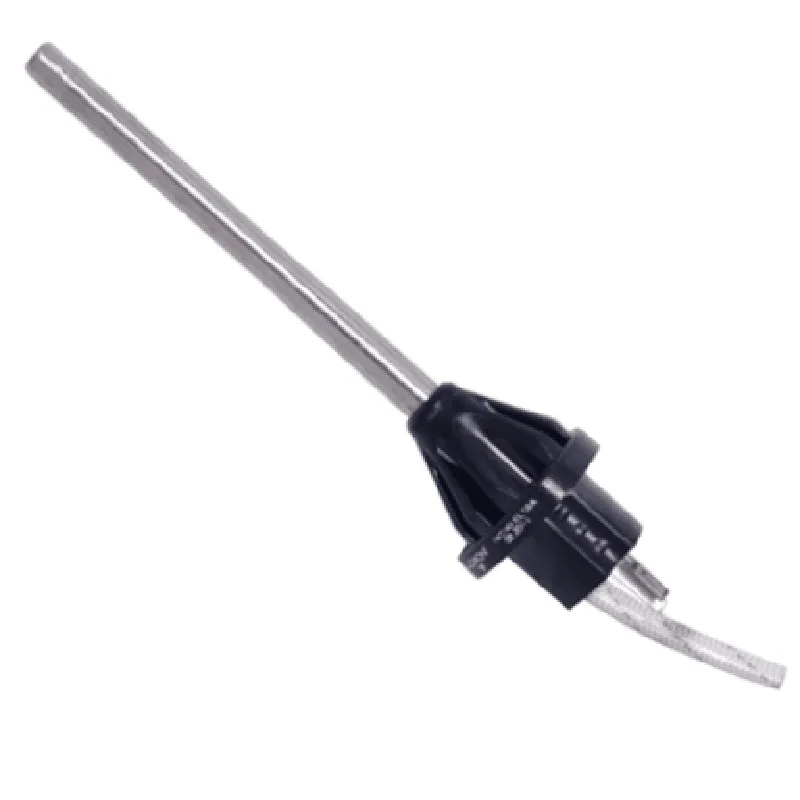
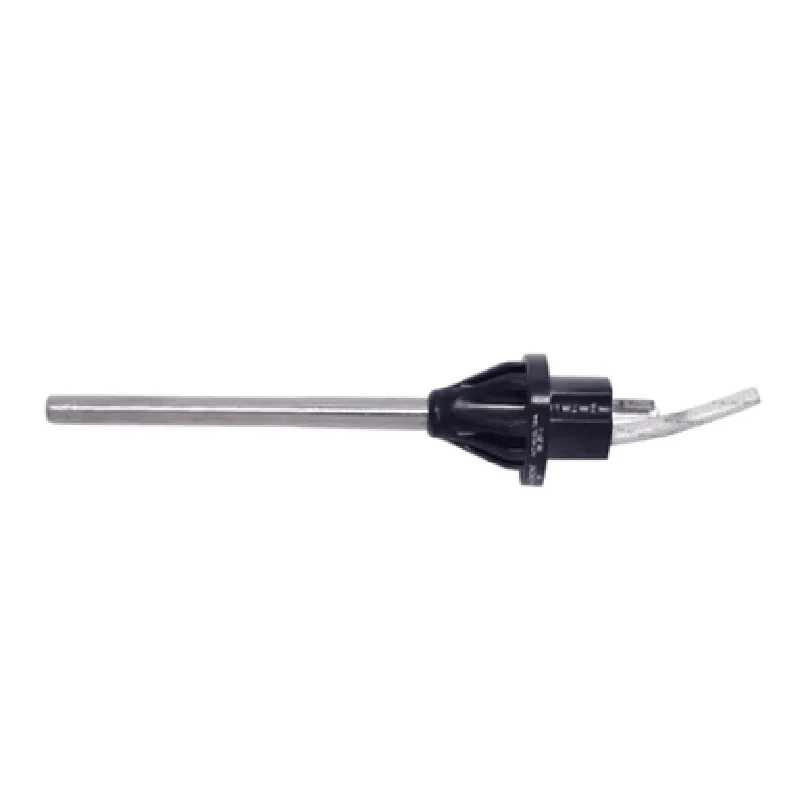
Soldron 50W Soldering Iron Heating Element
The Soldron 50W Soldering Iron Heating Element is a high-performance heating component designed for use in professional and hobbyist soldering applications. This heating element is designed to provide reliable and efficient heat transfer, making it an ideal solution for various soldering tasks.
The Soldron 50W Soldering Iron Heating Element is a resistive heating element that converts electrical energy into heat energy. When connected to a power source, the heating element resistively heats up, allowing it to reach high temperatures quickly and efficiently. The element is designed to be used in conjunction with a soldering iron or other heat transfer device, providing the necessary heat to melt solder and bond electronic components.
The heating element is rated for 50W of power, making it suitable for a wide range of soldering applications, from delicate surface-mount devices to larger through-hole components.
The Soldron 50W Soldering Iron Heating Element is designed to operate at high temperatures, making it ideal for soldering applications that require high heat inputs.
The heating element is optimized for rapid heating, allowing it to reach working temperature quickly and efficiently. This reduces downtime and increases productivity in high-volume soldering applications.
The heating element features a low thermal mass design, which enables it to heat up quickly and maintain a stable temperature. This design also reduces thermal lag, ensuring accurate temperature control.
The Soldron 50W Soldering Iron Heating Element is built to last, with a rugged construction that resists wear and tear. This ensures consistent performance over an extended period, reducing the need for frequent replacements.
The heating element features a compact design, making it ideal for use in confined spaces or where space is limited. This also makes it easier to integrate into custom soldering solutions.
The heating element features a standard 2-pin terminal, making it easy to connect to a power source or soldering iron.
The Soldron 50W Soldering Iron Heating Element includes built-in over-temperature protection, which prevents damage to the component and ensures safe operation.
| The Soldron 50W Soldering Iron Heating Element is suitable for a wide range of applications, including |
Professional soldering and desoldering
Hobbyist electronics and robotics projects
PCB assembly and rework
Wire repair and splicing
Thermal shrink tubing and heat-sensitive materials
50W
Up to 450C (842F)
10 10%
25mm x 10mm x 5mm (0.98" x 0.39" x 0.20")
20g (0.71 oz)
High-Temperature Resistant Alloy
2-Pin Terminal
Ceramic or equivalent
Soldron 50W Soldering Iron Heating Element Datasheet
Soldron 50W Soldering Iron Heating Element User Manual
Soldron 50W Soldering Iron Heating Element Safety Precautions
The Soldron 50W Soldering Iron Heating Element is available for purchase from authorized distributors and online retailers. For more information, please contact the manufacturer or visit their website.
Soldron 50W Soldering Iron Heating Element DocumentationOverviewThe Soldron 50W Soldering Iron Heating Element is a high-power, high-reliability heating element designed for use in soldering irons and other heating applications. This component is ideal for IoT projects that require precise temperature control and rapid heating.Technical SpecificationsPower Rating: 50W
Voltage Rating: 12V DC
Operating Temperature: 100C to 450C
Resistance: 2.4 ohms
Thermal Stability: 1C
Dimension: 20mm x 10mm x 5mmExample 1: Basic Temperature Control using ArduinoThis example demonstrates how to use the Soldron 50W Soldering Iron Heating Element with an Arduino board to control the temperature of a soldering iron.Hardware RequirementsArduino Board (e.g., Arduino Uno)
Soldron 50W Soldering Iron Heating Element
Thermocouple (e.g., K-type)
Breadboard and jumper wiresSoftware RequirementsArduino IDECode
```c++
const int heaterPin = 9; // Pin for heater control
const int thermocouplePin = A0; // Pin for thermocouple readingsvoid setup() {
pinMode(heaterPin, OUTPUT);
}
void loop() {
int tempReading = analogRead(thermocouplePin);
float temperature = tempReading 0.488; // Convert reading to temperature (Celsius)if (temperature < 350) { // If temperature is below 350C, heat up
digitalWrite(heaterPin, HIGH);
} else { // If temperature is above 350C, stop heating
digitalWrite(heaterPin, LOW);
}delay(100);
}
```
Example 2: Temperature Control with WiFi using ESP32This example demonstrates how to use the Soldron 50W Soldering Iron Heating Element with an ESP32 board to control the temperature of a soldering iron over WiFi.Hardware RequirementsESP32 Board (e.g., ESP32 DevKitC)
Soldron 50W Soldering Iron Heating Element
Thermocouple (e.g., K-type)
Breadboard and jumper wires
WiFi Module (e.g., ESP8285)Software RequirementsESP32 Arduino CoreCode
```c++
#include <WiFi.h>
#include <WiFiClient.h>const char ssid = "your_wifi_ssid";
const char password = "your_wifi_password";const int heaterPin = 18; // Pin for heater control
const int thermocouplePin = 34; // Pin for thermocouple readingsWiFiClient client;void setup() {
Serial.begin(115200);
WiFi.begin(ssid, password);
while (WiFi.status() != WL_CONNECTED) {
delay(1000);
Serial.println("Connecting to WiFi...");
}pinMode(heaterPin, OUTPUT);
}void loop() {
int tempReading = analogRead(thermocouplePin);
float temperature = tempReading 0.488; // Convert reading to temperature (Celsius)if (temperature < 350) { // If temperature is below 350C, heat up
digitalWrite(heaterPin, HIGH);
} else { // If temperature is above 350C, stop heating
digitalWrite(heaterPin, LOW);
}client.println("Temperature: " + String(temperature) + "C");
client.println();
delay(1000);
}
```
Example 3: PID Temperature Control using Raspberry PiThis example demonstrates how to use the Soldron 50W Soldering Iron Heating Element with a Raspberry Pi to implement a PID temperature control system.Hardware RequirementsRaspberry Pi (e.g., Raspberry Pi 4)
Soldron 50W Soldering Iron Heating Element
Thermocouple (e.g., K-type)
Breadboard and jumper wiresSoftware RequirementsRaspbian OS
Python 3.xCode
```python
import RPi.GPIO as GPIO
import timeGPIO.setmode(GPIO.BCM)heater_pin = 17 # Pin for heater control
thermocouple_pin = 18 # Pin for thermocouple readingsGPIO.setup(heater_pin, GPIO.OUT)
GPIO.setup(thermocouple_pin, GPIO.IN)def read_temperature():
# Read thermocouple voltage and convert to temperature (Celsius)
voltage = GPIO.input(thermocouple_pin) 3.3 / 1024
temperature = voltage 100 # Simplified temperature calculation
return temperaturedef pid_control(setpoint, kp, ki, kd):
# PID control algorithm
error = setpoint - read_temperature()
integral = integral + error ki
derivative = (error - previous_error) kd
output = kp error + integral + derivative
previous_error = error
return outputsetpoint = 350 # Desired temperature (Celsius)
kp = 2.0 # Proportional gain
ki = 0.5 # Integral gain
kd = 0.2 # Derivative gainwhile True:
output = pid_control(setpoint, kp, ki, kd)
if output > 0:
GPIO.output(heater_pin, GPIO.HIGH)
else:
GPIO.output(heater_pin, GPIO.LOW)
time.sleep(0.1)
```
Note that the above examples are simplified and may require additional circuitry, calibration, and safety considerations for a real-world implementation. It is essential to ensure proper electrical isolation, heat management, and safety precautions when working with high-power heating elements.