Elecrow ESP32-A1S Wi-Fi+BT Audio Development Kit


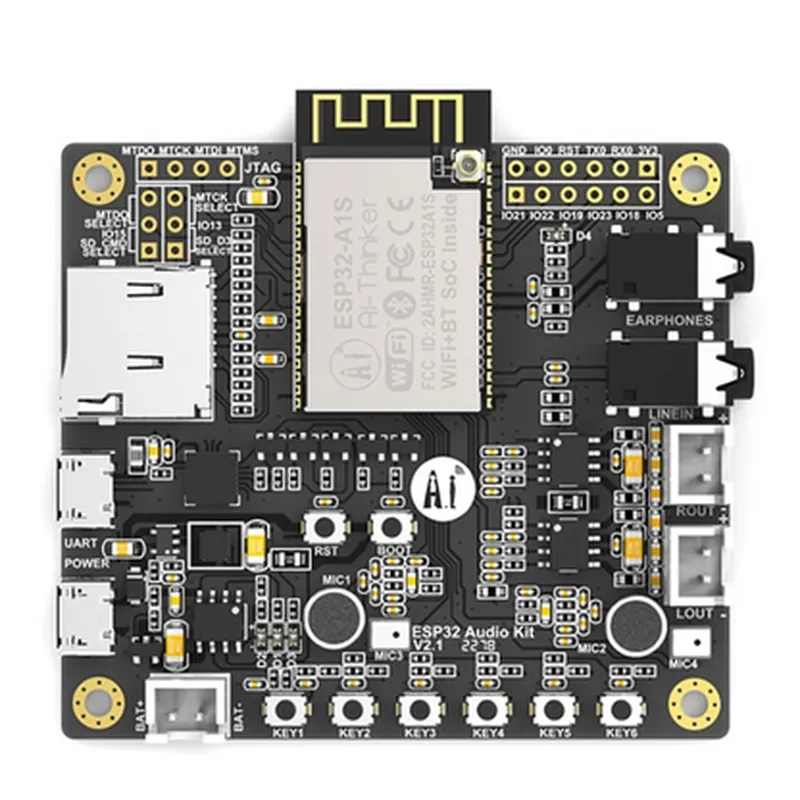
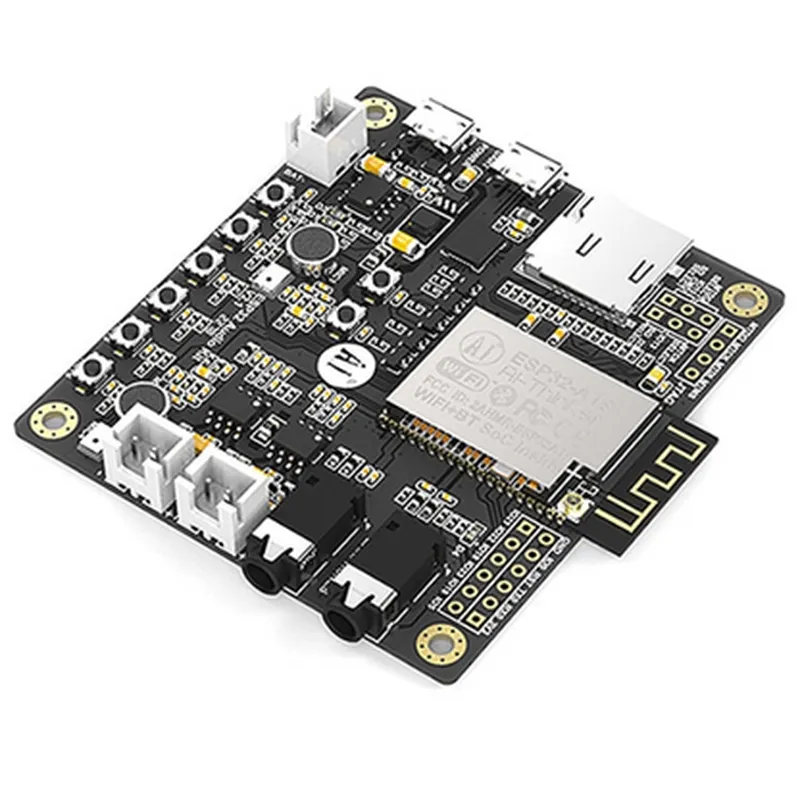
Elecrow ESP32-A1S Wi-Fi+BT Audio Development Kit
The Elecrow ESP32-A1S Wi-Fi+BT Audio Development Kit is a versatile IoT development board that integrates the ESP32-A1S microcontroller, Wi-Fi, Bluetooth, and audio capabilities, making it an ideal platform for developing a wide range of IoT projects that require wireless communication, audio processing, and microcontroller functionalities.
| The Elecrow ESP32-A1S Wi-Fi+BT Audio Development Kit is a multifunctional development board that offers a unique combination of features, including |
ESP32-A1S
Dual-mode Wi-Fi (2.4 GHz and 5 GHz), Bluetooth 5.0
The board is equipped with an audio codec and a 3.5mm audio jack, allowing for audio playback and recording capabilities.
The board provides a range of peripherals, including GPIOs, I2C, I2S, SPI, UART, and SD card interfaces, making it suitable for a wide range of applications.
| The Elecrow ESP32-A1S Wi-Fi+BT Audio Development Kit is suitable for a wide range of applications, including |
IoT projects requiring wireless communication and audio capabilities
Smart home automation systems
Wearable devices
Audio-based projects, such as voice assistants or audio streaming devices
Robotics and automation projects
Up to 240 MHz
520 KB
448 KB
Supports audio playback and recording at sample rates up to 192 kHz
2.2 V to 3.6 V
90 mm x 60 mm
25 g
The Elecrow ESP32-A1S Wi-Fi+BT Audio Development Kit is a powerful and versatile development board that offers a unique combination of wireless communication, audio capabilities, and microcontroller functionalities. Its compact size, low power consumption, and ease of use make it an ideal platform for developing a wide range of IoT projects and applications.
Elecrow ESP32-A1S Wi-Fi+BT Audio Development Kit DocumentationOverviewThe Elecrow ESP32-A1S Wi-Fi+BT Audio Development Kit is a powerful and versatile development board that combines the ESP32 microcontroller with Wi-Fi, Bluetooth, and audio capabilities. This board is ideal for IoT projects that require wireless connectivity, audio processing, and microcontroller functionality.FeaturesESP32 microcontroller with Wi-Fi and Bluetooth capabilities
Dual-mode audio codec: I2S and PCM
Supports WiFi 802.11 b/g/n/e/i and Bluetooth 4.2
Onboard audio amplifier and speaker
Multiple GPIO pins for expansion and customization
USB port for programming and debugging
Breadboard-friendly design for easy prototypingCode Examples### Example 1: Wi-Fi Audio StreamingThis example demonstrates how to use the Elecrow ESP32-A1S to stream audio from a Wi-Fi connected audio source to the onboard speaker.```c
#include <WiFi.h>
#include < ESP32_A1S_Array.h>// Wi-Fi credentials
const char ssid = "your_wifi_ssid";
const char password = "your_wifi_password";// Audio streaming URL
const char audioUrl = "http://example.com/audio_file.mp3";WiFiClient client;
ESP32_A1S_Array audio;void setup() {
Serial.begin(115200);// Connect to Wi-Fi
WiFi.begin(ssid, password);
while (WiFi.status() != WL_CONNECTED) {
delay(1000);
Serial.println("Connecting to WiFi...");
}Serial.println("Connected to WiFi");
Serial.println("Starting audio streaming...");// Initialize audio codec
audio.begin();
}void loop() {
// Connect to audio streaming URL
client.setServer(audioUrl, 80);
client.println("GET " + String(audioUrl) + " HTTP/1.0");
client.println("Host: example.com");
client.println("Connection: close");
client.println();// Read audio data and send it to the audio codec
while (client.available()) {
char c = client.read();
audio.write(c);
}delay(1000);
}
```### Example 2: Bluetooth Audio ReceiverThis example demonstrates how to use the Elecrow ESP32-A1S as a Bluetooth audio receiver, connecting to a smartphone or other Bluetooth device and playing audio through the onboard speaker.```c
#include <BluetoothA2DP.h>
#include < ESP32_A1S_Array.h>// Bluetooth device name
const char deviceName = "ESP32-A1S-Audio-Receiver";// Audio codec
ESP32_A1S_Array audio;void setup() {
Serial.begin(115200);// Initialize Bluetooth
BluetoothA2DP.begin(deviceName);// Initialize audio codec
audio.begin();
}void loop() {
// Wait for a Bluetooth connection
if (BluetoothA2DP.available()) {
// Read audio data from Bluetooth
int bytesAvailable = BluetoothA2DP.available();
uint8_t buffer[bytesAvailable];
BluetoothA2DP.read(buffer, bytesAvailable);// Send audio data to the audio codec
audio.write(buffer, bytesAvailable);
}
}
```### Example 3: IoT Voice Assistant (using Wi-Fi and Audio Capabilities)This example demonstrates how to use the Elecrow ESP32-A1S to create a simple IoT voice assistant that can connect to a cloud-based voice service, recognize voice commands, and respond with audio output.```c
#include <WiFi.h>
#include <ESP32_A1S_Array.h>
#include <VoiceService.h>// Wi-Fi credentials
const char ssid = "your_wifi_ssid";
const char password = "your_wifi_password";// Cloud-based voice service API key
const char apiKey = "your_api_key";// Voice service instance
VoiceService voiceService(apiKey);// Audio codec
ESP32_A1S_Array audio;void setup() {
Serial.begin(115200);// Connect to Wi-Fi
WiFi.begin(ssid, password);
while (WiFi.status() != WL_CONNECTED) {
delay(1000);
Serial.println("Connecting to WiFi...");
}Serial.println("Connected to WiFi");
Serial.println("Initializing voice service...");// Initialize voice service
voiceService.begin();// Initialize audio codec
audio.begin();
}void loop() {
// Record audio input from the microphone
int16_t audioBuffer[256];
int bytesRead = audio.read(audioBuffer, 256);// Send audio data to the voice service
String response = voiceService.recognize(audioBuffer, bytesRead);// Play audio response
audio.play(response);
}
```These examples demonstrate the basic functionality of the Elecrow ESP32-A1S Wi-Fi+BT Audio Development Kit. With this board, you can create a wide range of IoT projects that leverage Wi-Fi, Bluetooth, and audio capabilities.