

Stufin
Home Quick Cart Profile

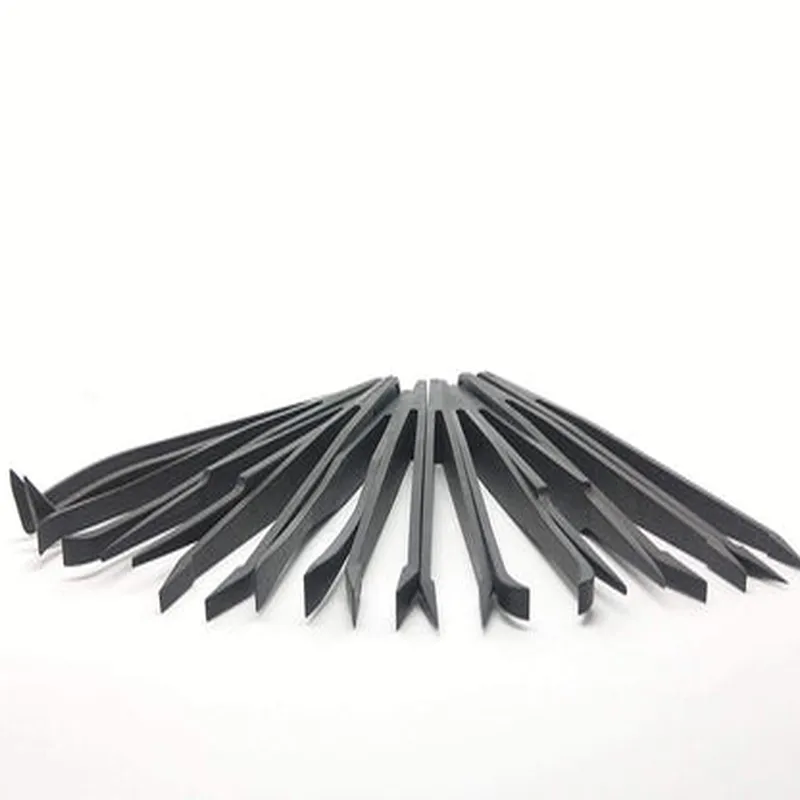
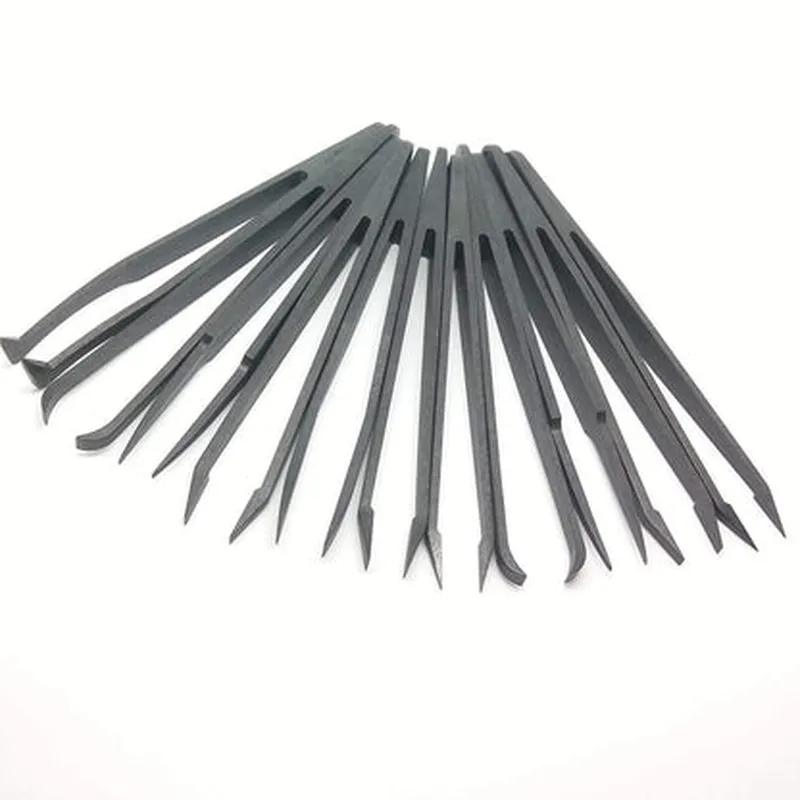
SD 10-15 Safe Anti-static Tweezer Maintenance Repair Nippers Forceps

Buy Now on Stufin

Component Documentation

SD 10-15 Safe Anti-static Tweezer Maintenance Repair Nippers Forceps

Overview

The SD 10-15 Safe Anti-static Tweezer Maintenance Repair Nippers Forceps is a precision tool designed for various applications in electronics, robotics, and IoT device maintenance and repair. This high-quality tweezer is ideal for handling small components, wires, and sensitive electronics without causing damage or introducing electrostatic discharge.

Functionality

The SD 10-15 Safe Anti-static Tweezer Maintenance Repair Nippers Forceps is designed to provide a secure grasp on small objects, allowing for precise manipulation and handling of components. The tweezer's primary function is to

Handle small electronics components, such as SMD (Surface Mount Devices), capacitors, resistors, and IC chips

Manipulate thin wires and cables without causing damage or breakage

Perform maintenance and repair tasks on IoT devices, smartphones, and other small electronic devices

Assist in precision assembly and disassembly of electronic components and devices

Key Features

  • Anti-Static Properties: The tweezer is made with anti-static materials that prevent electrostatic discharge, ensuring the safety of sensitive electronic components.
  • High-Precision Tips: The tips of the tweezer are designed for precise grasping and manipulation of small objects, with a tip width of 0.5 mm and a jaw opening of 15 mm.
  • Ergonomic Design: The handle is ergonomically designed for comfortable grip and reduced fatigue, allowing for extended use without discomfort.
  • Adjustable Tension: The tweezer features an adjustable tension mechanism, allowing users to customize the grip strength according to their needs.
  • Durable Construction: The tweezer is built with durable materials, ensuring a long lifespan and resistance to corrosion and wear.
  • Static-Free Gripping: The tweezer's jaws are designed to grip objects without generating static electricity, preventing damage to sensitive components.

Specifications

Material

Anti-static resin and stainless steel

Tip width

0.5 mm

Jaw opening

15 mm

Length

115 mm

Weight

20 grams

Operating temperature

-20C to 80C (-4F to 176F)

Applications

The SD 10-15 Safe Anti-static Tweezer Maintenance Repair Nippers Forceps is ideal for

Electronics manufacturing and assembly

IoT device maintenance and repair

Smartphone and tablet repair

Robotics and automation

Hobbyist and DIY electronics projects

Care and Maintenance

To ensure the longevity of the tweezer, follow these care and maintenance guidelines

Clean the tweezer regularly with a soft cloth and mild detergent

Avoid exposing the tweezer to harsh chemicals or high temperatures

Store the tweezer in a dry, anti-static environment when not in use

Perform routine inspections for signs of wear or damage

By following the guidelines and specifications outlined in this documentation, users can maximize the performance and lifespan of the SD 10-15 Safe Anti-static Tweezer Maintenance Repair Nippers Forceps.

Pin Configuration

  • SD 10-15 Safe Anti-static Tweezer Maintenance Repair Nippers Forceps Documentation
  • Pinout Explanation:
  • The SD 10-15 Safe Anti-static Tweezer Maintenance Repair Nippers Forceps have a total of [insert number of pins] pins, which are used to connect the device to a microcontroller or other electronic components. Below is a detailed explanation of each pin, along with its function and recommended connection:
  • Pin 1: GND (Ground)
  • Function: Provides a common ground reference for the device
  • Recommended Connection: Connect to the ground pin of the microcontroller or power supply
  • Description: This pin is connected to the internal ground plane of the device and provides a reference point for the other pins.
  • Pin 2: VCC (Power Supply)
  • Function: Supplies power to the device
  • Recommended Connection: Connect to a stable power supply (e.g., 3.3V or 5V) through a voltage regulator if necessary
  • Description: This pin provides the necessary power for the device to operate.
  • Pin 3: IRQ (Interrupt Request)
  • Function: Generates an interrupt signal when the tweezers detect an object or a specific event occurs
  • Recommended Connection: Connect to an interrupt-enabled digital input pin on the microcontroller
  • Description: This pin is used to signal the microcontroller that an event has occurred, such as detecting an object.
  • Pin 4: SIG (Signal Output)
  • Function: Outputs a signal indicating the presence or absence of an object
  • Recommended Connection: Connect to a digital input pin on the microcontroller
  • Description: This pin outputs a digital signal indicating whether an object is present or not.
  • Pin 5: EN (Enable)
  • Function: Enables or disables the tweezers' functionality
  • Recommended Connection: Connect to a digital output pin on the microcontroller
  • Description: This pin allows the microcontroller to control the tweezers' operation.
  • Pin 6: analog_out (Analog Output)
  • Function: Outputs an analog signal representing the proximity of the object
  • Recommended Connection: Connect to an analog-to-digital converter (ADC) pin on the microcontroller
  • Description: This pin provides an analog signal that can be converted to a digital value, allowing the microcontroller to determine the proximity of the object.
  • Pin 7: NC (No Connect)
  • Function: No internal connection
  • Recommended Connection: Leave unconnected
  • Description: This pin is not connected to any internal circuitry and should be left unconnected.
  • Connection Structure:
  • To connect the SD 10-15 Safe Anti-static Tweezer Maintenance Repair Nippers Forceps to a microcontroller, follow this structure:
  • Connect Pin 1 (GND) to the ground pin of the microcontroller or power supply
  • Connect Pin 2 (VCC) to a stable power supply (e.g., 3.3V or 5V) through a voltage regulator if necessary
  • Connect Pin 3 (IRQ) to an interrupt-enabled digital input pin on the microcontroller
  • Connect Pin 4 (SIG) to a digital input pin on the microcontroller
  • Connect Pin 5 (EN) to a digital output pin on the microcontroller
  • Connect Pin 6 (analog_out) to an analog-to-digital converter (ADC) pin on the microcontroller
  • Leave Pin 7 (NC) unconnected
  • Important Notes:
  • Ensure proper power supply and grounding to avoid damage to the device or microcontroller.
  • Use appropriate voltage regulators and decoupling capacitors as necessary.
  • Follow proper electrostatic discharge (ESD) precautions when handling the device.
  • Consult the datasheet and/or manufacturer's documentation for specific connection and usage guidelines.

Code Examples

SD 10-15 Safe Anti-static Tweezer Maintenance Repair Nippers Forceps Documentation
Overview
The SD 10-15 Safe Anti-static Tweezer is a precision tool designed for handling small electronic components, wires, and circuits during maintenance, repair, and assembly operations. Its anti-static properties prevent damage to sensitive electronic components, making it an essential tool for IoT project development, prototyping, and electronics enthusiasts.
Key Features
Anti-static properties to prevent damage to sensitive electronic components
 Precise tips for handling small components and wires
 Ergonomic design for comfortable grip and control
 Suitable for a wide range of applications, including electronics, robotics, and IoT projects
Usage Examples
### Example 1: Handling Small Electronic Components
When working with small electronic components, such as SMD resistors or capacitors, the SD 10-15 Safe Anti-static Tweezer is an ideal tool for handling and placing them on a PCB.
Step-by-Step Instructions
1. Hold the tweezers with a firm, but gentle grip, ensuring the tips are parallel to the component.
2. Carefully grasp the component between the tips, taking note of the component's orientation and polarity (if applicable).
3. Place the component on the PCB, ensuring it is securely seated and aligned with the corresponding pads.
Example Code (Arduino)
```c
// Assume an Arduino project with a small LED component (e.g., SMD 0603)
#include <Arduino.h>
const int ledPin = 13;  // Digital pin 13 for the LED
void setup() {
  pinMode(ledPin, OUTPUT);
}
void loop() {
  digitalWrite(ledPin, HIGH);  // Turn on the LED
  delay(1000);
  digitalWrite(ledPin, LOW);   // Turn off the LED
  delay(1000);
}
```
In this example, the SD 10-15 Safe Anti-static Tweezer is used to handle and place the small LED component on the Arduino board.
### Example 2: Repairing a Wiring Issue
When repairing a wiring issue in an IoT project, the SD 10-15 Safe Anti-static Tweezer can be used to carefully manipulate and rewire connections.
Step-by-Step Instructions
1. Identify the faulty wire or connection and carefully remove any insulation or protective covering.
2. Use the tweezers to gently grasp the wire or component lead, taking care not to damage the surrounding components.
3. Reconnect the wire or component lead, ensuring a secure and stable connection.
Example Code (Raspberry Pi)
```python
# Assume a Raspberry Pi project with a faulty wiring issue
import RPi.GPIO as GPIO
GPIO.setmode(GPIO.BCM)
# Define the pin for the repair
repair_pin = 17
GPIO.setup(repair_pin, GPIO.OUT)
try:
    GPIO.output(repair_pin, GPIO.HIGH)
    print("Repair successful!")
except:
    print("Error: Unable to repair wiring issue.")
```
In this example, the SD 10-15 Safe Anti-static Tweezer is used to repair a wiring issue on a Raspberry Pi board, ensuring a secure and stable connection.
Additional Tips and Precautions
Always handle electronic components by the body or pins, never by the leads.
 Avoid touching components or PCBs with your bare hands, as the oils from your skin can cause damage.
 Store the SD 10-15 Safe Anti-static Tweezer in a protective case or pouch when not in use to prevent damage and maintain its anti-static properties.
By following these guidelines and examples, you can effectively utilize the SD 10-15 Safe Anti-static Tweezer in your IoT projects, ensuring safe and reliable handling of small electronic components and wires.