


Stufin
Home Quick Cart Profile

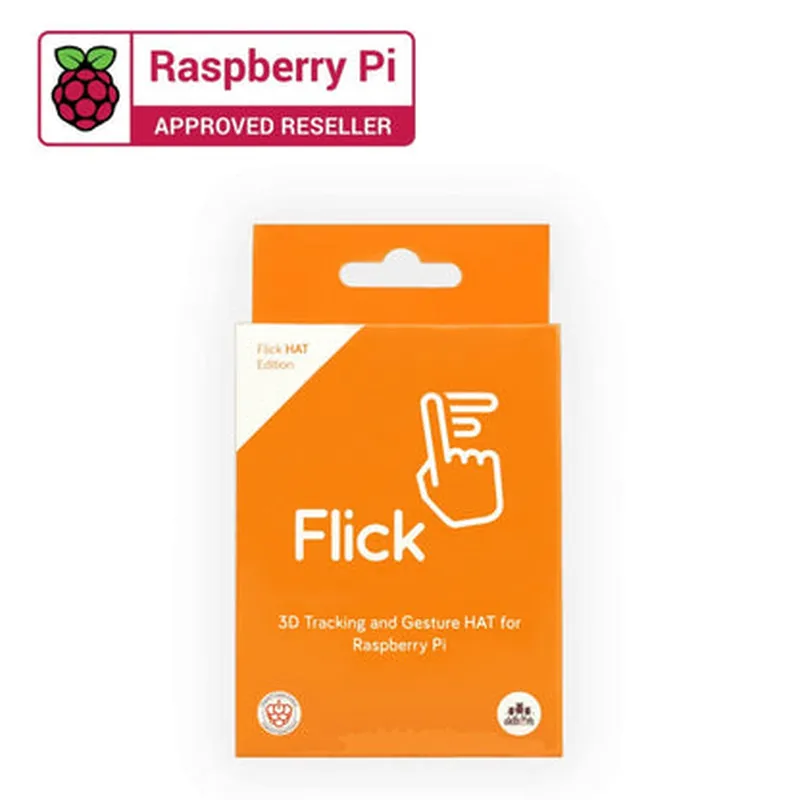
Raspberry Pi Flick Hat 3D Tracking and Gesture Sensor

Buy Now on Stufin

Component Name

Raspberry Pi Flick Hat 3D Tracking and Gesture Sensor

Overview

The Raspberry Pi Flick Hat 3D Tracking and Gesture Sensor is a unique and innovative component designed to integrate seamlessly with the Raspberry Pi single-board computer. This HAT (Hardware Attached on Top) module enables users to add advanced 3D tracking and gesture recognition capabilities to their Raspberry Pi projects. With its compact design and ease of use, the Flick Hat is an ideal solution for a wide range of applications, including robotics, gaming, virtual reality, and more.

Functionality

The Raspberry Pi Flick Hat 3D Tracking and Gesture Sensor is equipped with a state-of-the-art 3D tracking and gesture recognition system. This system utilizes a combination of sensors and algorithms to track the user's hand or object movements in 3D space, allowing for precise gesture recognition and tracking.

  • 3D Tracking Mode: In this mode, the Flick Hat tracks the user's hand or object movements in 3D space, providing precise coordinates and velocity data. This information can be used to control robots, drones, or other devices, or to create interactive experiences.
  • Gesture Recognition Mode: In this mode, the Flick Hat recognizes and interprets specific hand gestures, allowing users to control their Raspberry Pi projects with intuitive hand movements. This feature enables users to create interactive interfaces, gaming experiences, and more.
The Flick Hat's functionality can be broken down into two primary modes

Key Features

  • High-Accuracy 3D Tracking: The Flick Hat features advanced sensors that track movements in 3D space with high accuracy, providing precise coordinates and velocity data.
  • Gesture Recognition: The module comes pre-programmed with a range of gestures, including swipes, taps, and rotations, which can be easily integrated into Raspberry Pi projects.
  • Compatibility: The Flick Hat is designed specifically for the Raspberry Pi and is compatible with all Raspberry Pi models (except the original Raspberry Pi 1).
  • Easy Integration: The module is easy to integrate into Raspberry Pi projects, with a simple connection process and extensive documentation.
  • Compact Design: The Flick Hat is compact and lightweight, making it ideal for projects where space is limited.
  • Open-Source Software: The Flick Hat's software is open-source, allowing users to modify and customize the module to suit their specific needs.
  • Multiple Interface Options: The Flick Hat provides multiple interface options, including I2C, SPI, and GPIO, allowing users to connect it to a wide range of devices and sensors.

Technical Specifications

Sensor Type

Advanced 3D tracking and gesture recognition system

Accuracy

1mm (3D tracking), 10 (gesture recognition)

Sampling Rate

Up to 1000Hz

Power Consumption

5V, 100mA (average), 200mA (peak)

Dimensions

65mm x 30mm x 10mm

Weight

20g

Applications

The Raspberry Pi Flick Hat 3D Tracking and Gesture Sensor is an ideal component for a wide range of applications, including

Robotics

Add 3D tracking and gesture recognition capabilities to robots and robotic arms.

Gaming

Create immersive gaming experiences with intuitive hand gesture control.

Virtual Reality

Enhance VR experiences with precise 3D tracking and gesture recognition.

Healthcare

Develop assistive technologies and rehabilitation tools using 3D tracking and gesture recognition.

Education

Create interactive educational tools and projects that engage students with 3D tracking and gesture recognition.

By providing a comprehensive and easy-to-use 3D tracking and gesture recognition system, the Raspberry Pi Flick Hat 3D Tracking and Gesture Sensor empowers users to create innovative and interactive projects that push the boundaries of what is possible with the Raspberry Pi.

Pin Configuration

  • Raspberry Pi Flick Hat 3D Tracking and Gesture Sensor Pinout Guide
  • The Raspberry Pi Flick Hat is a 3D tracking and gesture sensor module designed specifically for Raspberry Pi boards. It features a compact design and is easy to integrate into various IoT projects. Here's a detailed pinout guide to help you understand the functionality of each pin and how to connect them correctly:
  • Pinout Structure:
  • The Flick Hat has a 40-pin GPIO header, which is compatible with Raspberry Pi boards. The pins are divided into several sections:
  • Power Pins ( Pins 1-6 )
  • GPIO Pins ( Pins 7-26 )
  • I2C Pins ( Pins 27-28 )
  • SPI Pins ( Pins 29-33 )
  • UART Pins ( Pins 34-36 )
  • Ground Pins ( Pins 37-40 )
  • Power Pins (1-6):
  • 1. 3V3: 3.3V power supply from the Raspberry Pi
  • 2. 5V: 5V power supply from the Raspberry Pi
  • 3. GND: Ground connection
  • 4. EN: Enable pin for the Flick Hat (active low)
  • 5. RST: Reset pin for the Flick Hat (active low)
  • 6. VIN: Input voltage for the Flick Hat (typically 3.3V or 5V)
  • GPIO Pins (7-26):
  • 7. GPIO 2: Gesture recognition interrupt pin
  • 8. GPIO 3: Gesture recognition data pin
  • 9. GPIO 4: 3D tracking data pin
  • 10. GPIO 5: Gesture recognition clock pin
  • 11. GPIO 6: 3D tracking clock pin
  • 12. GPIO 7: Flick Hat interrupt pin
  • 13. GPIO 8: Flick Hat chip select pin
  • 14. GPIO 9: Flick Hat data pin
  • 15. GPIO 10: Flick Hat clock pin
  • 16. GPIO 11: Reserved
  • 17. GPIO 12: Reserved
  • 18. GPIO 13: Reserved
  • 19. GPIO 14: Reserved
  • 20. GPIO 15: Reserved
  • 21. GPIO 16: Reserved
  • 22. GPIO 17: Reserved
  • 23. GPIO 18: Reserved
  • 24. GPIO 19: Reserved
  • 25. GPIO 20: Reserved
  • 26. GPIO 21: Reserved
  • I2C Pins (27-28):
  • 27. SCL: I2C clock pin
  • 28. SDA: I2C data pin
  • SPI Pins (29-33):
  • 29. SCLK: SPI clock pin
  • 30. MOSI: SPI master output slave input pin
  • 31. MISO: SPI master input slave output pin
  • 32. SS: SPI chip select pin
  • 33. NC: Not connected
  • UART Pins (34-36):
  • 34. TX: UART transmit pin
  • 35. RX: UART receive pin
  • 36. NC: Not connected
  • Ground Pins (37-40):
  • 37. GND: Ground connection
  • 38. GND: Ground connection
  • 39. GND: Ground connection
  • 40. GND: Ground connection
  • Pin Connection Structure:
  • To connect the Flick Hat to your Raspberry Pi, follow these steps:
  • 1. Align the 40-pin GPIO header on the Flick Hat with the corresponding header on your Raspberry Pi.
  • 2. Gently push the Flick Hat onto the Raspberry Pi, ensuring all pins are securely connected.
  • 3. Make sure the Flick Hat is properly seated and the pins are not bent or damaged.
  • Important Notes:
  • Make sure to use the correct voltage levels for the power pins (Vin, 3V3, and 5V) to avoid damage to the Flick Hat or Raspberry Pi.
  • Use the EN and RST pins to control the Flick Hat's power and reset states.
  • The GPIO pins can be used for gesture recognition, 3D tracking, and other custom applications.
  • The I2C, SPI, and UART pins can be used for communication with other devices or sensors.
  • By following this pinout guide and connecting the pins correctly, you'll be able to unlock the full potential of the Raspberry Pi Flick Hat 3D Tracking and Gesture Sensor in your IoT projects.

Code Examples

Raspberry Pi Flick Hat 3D Tracking and Gesture Sensor Documentation
Overview
The Raspberry Pi Flick Hat is a 3D tracking and gesture sensor module designed for use with Raspberry Pi single-board computers. It provides a convenient and intuitive way to add motion sensing and gesture recognition capabilities to IoT projects, robotics, and interactive systems. This documentation provides an overview of the Flick Hat's features, technical specifications, and code examples to get you started.
Features and Technical Specifications
3D tracking and gesture recognition
 6-axis accelerometer, 3-axis gyroscope, and 3-axis magnetometer
 Gesture recognition library with 16 pre-defined gestures
 Supports I2C and SPI interfaces
 Compatible with Raspberry Pi 2, 3, and 4 models
 Operating voltage: 3.3V to 5V
 Dimensions: 65 x 30 x 8 mm
Software and Library
The Flick Hat is supported by a Python library, which provides an easy-to-use interface for accessing the sensor data and gesture recognition capabilities. The library is available on the Raspberry Pi's package manager and can be installed using the following command:
```
sudo apt-get install python3-flick
```
Code Examples
### Example 1: Reading Sensor Data ( Accelerometer, Gyroscope, and Magnetometer)
This example demonstrates how to read the sensor data from the Flick Hat and print it to the console.
```python
import time
import flicklibrary
# Initialize the Flick Hat
flick = flicklibrary.Flick Hat()
while True:
    # Read accelerometer data
    accel_data = flick.get_accelerometer_data()
    print("Accelerometer: {}
".format(accel_data))
# Read gyroscope data
    gyro_data = flick.get_gyroscope_data()
    print("Gyroscope: {}
".format(gyro_data))
# Read magnetometer data
    mag_data = flick.get_magnetometer_data()
    print("Magnetometer: {}
".format(mag_data))
# Wait for 0.1 seconds before reading again
    time.sleep(0.1)
```
### Example 2: Gesture Recognition
This example demonstrates how to use the Flick Hat's gesture recognition capabilities to detect specific gestures.
```python
import time
import flicklibrary
# Initialize the Flick Hat
flick = flicklibrary.Flick Hat()
while True:
    # Get the gesture data
    gesture_data = flick.get_gesture_data()
# Check for specific gestures
    if gesture_data == flicklibrary.GESTURE_UP:
        print("Up gesture detected!")
    elif gesture_data == flicklibrary.GESTURE_DOWN:
        print("Down gesture detected!")
    elif gesture_data == flicklibrary.GESTURE_LEFT:
        print("Left gesture detected!")
    elif gesture_data == flicklibrary.GESTURE_RIGHT:
        print("Right gesture detected!")
# Wait for 0.1 seconds before checking again
    time.sleep(0.1)
```
Note: In the examples above, make sure to replace `flicklibrary` with the actual library name imported in your Python script.
Resources
Raspberry Pi Flick Hat datasheet: [https://www.raspberrypi.org/documentation/hardware/flickhat/](https://www.raspberrypi.org/documentation/hardware/flickhat/)
 Flick Hat Python library documentation: [https://github.com/raspberrypi/flick-hat-python](https://github.com/raspberrypi/flick-hat-python)
By following this documentation and exploring the provided code examples, you can unlock the full potential of the Raspberry Pi Flick Hat 3D Tracking and Gesture Sensor and integrate it into your IoT projects, robotics, and interactive systems.