Stufin
Home Quick Cart Profile

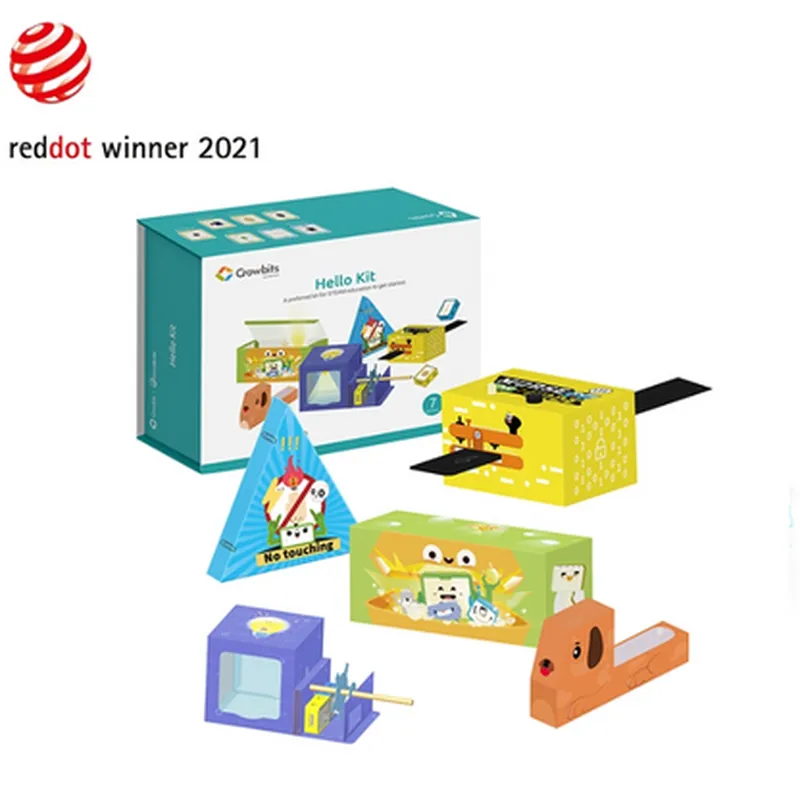
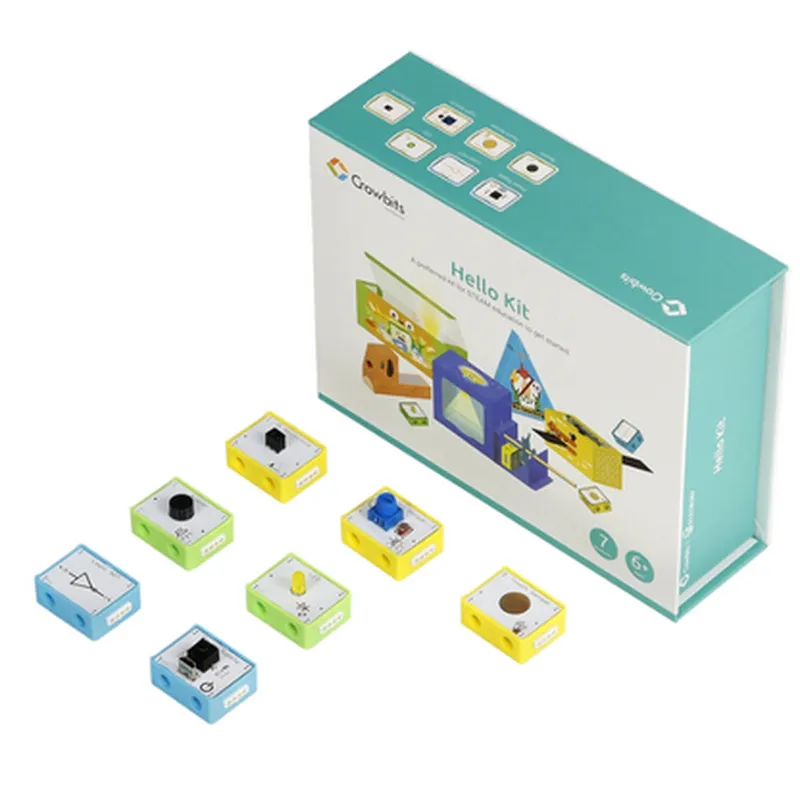
Elecrow - Crowbits Hello Kit - 7 Modules, Programming Learning Kit, STEM Project Toys

Buy Now on Stufin

The Elecrow Crowbits Hello Kit is suitable for

  • STEM Educators: The kit is designed for teachers and educators looking for a hands-on, project-based learning platform for their students.
  • Students: The kit is ideal for students (ages 10-18) interested in programming, electronics, and IoT, providing a structured learning experience.
  • Hobbyists: Informed hobbyists and makers can use the kit to explore IoT concepts, sensor integration, and project development.

Documentation and Support

  • User Manual: A detailed user manual providing an introduction to the kit, module descriptions, and project ideas.
  • Tutorials and Guides: Step-by-step tutorials and guides for each module, covering programming concepts, sensor integration, and project development.
  • Online Resources: Access to online resources, including forums, tutorials, and project repositories, providing a community-driven learning environment.
The Crowbits Hello Kit comes with comprehensive documentation, including

By providing a comprehensive and structured learning experience, the Elecrow Crowbits Hello Kit is an ideal tool for anyone looking to explore the world of IoT, programming, and electronics.

Pin Configuration

  • Elecrow Crowbits Hello Kit - 7 Modules, Programming Learning Kit, STEM Project Toys
  • Overview
  • The Elecrow Crowbits Hello Kit is a comprehensive IoT learning kit designed for beginners and enthusiasts alike. The kit consists of 7 modules, each with its unique functionality, allowing users to explore the world of IoT and programming. This documentation will provide a detailed explanation of each module's pins and how to connect them.
  • Module 1: Crowbits Main Board
  • Micro-USB Port: Used for programming and powering the board.
  • Reset Button: Resets the board to its default state.
  • Power LED: Indicates when the board is powered on.
  • GND (Ground): Provides a common ground connection for all modules.
  • VIN (Voltage Input): Supplies power to the board (3.3V or 5V).
  • 3.3V Regulator: Regulates the input voltage to 3.3V for the board's components.
  • Digital Pins (D0-D13): 14 digital input/output pins for connecting sensors, actuators, and other modules.
  • Analog Pins (A0-A5): 6 analog input pins for connecting sensors and other analog devices.
  • Module 2: Buzzer Module
  • VCC: Connects to the VIN pin on the Main Board (3.3V or 5V).
  • GND: Connects to the GND pin on the Main Board.
  • SIG (Signal): Connects to a digital pin on the Main Board to control the buzzer.
  • Module 3: LED Module
  • VCC: Connects to the VIN pin on the Main Board (3.3V or 5V).
  • GND: Connects to the GND pin on the Main Board.
  • SIG (Signal): Connects to a digital pin on the Main Board to control the LED.
  • Module 4: Light Sensor Module
  • VCC: Connects to the VIN pin on the Main Board (3.3V or 5V).
  • GND: Connects to the GND pin on the Main Board.
  • SIG (Signal): Connects to an analog pin on the Main Board to read the light sensor's value.
  • Module 5: Potentiometer Module
  • VCC: Connects to the VIN pin on the Main Board (3.3V or 5V).
  • GND: Connects to the GND pin on the Main Board.
  • SIG (Signal): Connects to an analog pin on the Main Board to read the potentiometer's value.
  • Module 6: Button Module
  • VCC: Connects to the VIN pin on the Main Board (3.3V or 5V).
  • GND: Connects to the GND pin on the Main Board.
  • SIG (Signal): Connects to a digital pin on the Main Board to read the button's state.
  • Module 7: Temperature and Humidity Sensor Module
  • VCC: Connects to the VIN pin on the Main Board (3.3V or 5V).
  • GND: Connects to the GND pin on the Main Board.
  • SCL (Clock): Connects to the SCL pin on the Main Board (I2C clock signal).
  • SDA (Data): Connects to the SDA pin on the Main Board (I2C data signal).
  • Connecting the Modules
  • 1. Connect the VCC pin of each module to the VIN pin on the Main Board.
  • 2. Connect the GND pin of each module to the GND pin on the Main Board.
  • 3. Connect the SIG pin of each module to a digital or analog pin on the Main Board, depending on the module's functionality.
  • 4. For the Temperature and Humidity Sensor Module, connect the SCL pin to the SCL pin on the Main Board, and the SDA pin to the SDA pin on the Main Board.
  • 5. Ensure all connections are secure and not loose to prevent damage to the modules or the Main Board.
  • By following these steps, you can connect the modules and start exploring the world of IoT and programming with the Elecrow Crowbits Hello Kit.

Code Examples

Elecrow Crowbits Hello Kit - 7 Modules, Programming Learning Kit, STEM Project Toys
Overview
The Elecrow Crowbits Hello Kit is a comprehensive IoT development kit designed for students, hobbyists, and professionals looking to explore the world of programming and IoT. The kit consists of 7 modules, each with a specific function, allowing users to build and program a wide range of projects. This documentation provides an overview of the kit's components, technical specifications, and code examples to get you started with using this versatile kit.
Components
The Crowbits Hello Kit includes the following 7 modules:
1. Micro:bit (based on BBC micro:bit): A compact, microcomputer with a 5x5 LED matrix, accelerometer, and Bluetooth connectivity.
2. Sensor Module: Includes temperature, humidity, and light sensors.
3.  Motor Module: Supports DC motor control with speed regulation.
4. Servo Module: Allows control of servo motors with 180-degree rotation.
5. Ultrasonic Module: Provides distance measurement using ultrasonic sensors.
6. Buzzer Module: Generates sound and tones for interactive projects.
7. LED Module: Includes 4 LEDs for visual feedback and indication.
Technical Specifications
Microcontroller: Micro:bit based on nRF51822
 Programming Language: MicroPython, JavaScript, and Blockly
 Connectivity: Bluetooth 4.0, USB
 Operating Voltage: 3.3V
 Power Consumption: 30mA (average)
Code Examples
### Example 1: Temperature and Humidity Monitoring using MicroPython
In this example, we'll use the Sensor Module to read temperature and humidity values and display them on the Micro:bit's LED matrix.
MicroPython Code:
```python
import microbit
import time
while True:
    temp = microbit.sensor.get_temperature()
    humi = microbit.sensor.get_humidity()
    microbit.display.scroll("Temp: {:.1f}C Humi: {:.1f}%".format(temp, humi))
    time.sleep(1)
```
This code reads the temperature and humidity values from the Sensor Module and displays them on the Micro:bit's LED matrix every second.
### Example 2: Motor Control using Blockly
In this example, we'll use the Motor Module to control a DC motor using Blockly programming.
Blockly Code:
Create a new Blockly project and add the following blocks:
Initialize Motor Module
 Set Motor Speed (50%)
 Wait (1 second)
 Set Motor Speed (-50%)
 Wait (1 second)
This Blockly code initializes the Motor Module, sets the motor speed to 50%, waits for 1 second, reverses the motor direction by setting the speed to -50%, and waits for another second.
Note: For Blockly code, please refer to the online Blockly editor or the Crowbits Hello Kit's documentation for more information on creating and uploading Blockly projects.
These examples demonstrate the versatility of the Crowbits Hello Kit and its potential for building innovative IoT projects. By exploring the kit's components and programming languages, you can create a wide range of projects, from simple sensors and actuators to complex automation systems.