ELECROW Crowbits Explorer Kit


ELECROW Crowbits Explorer Kit
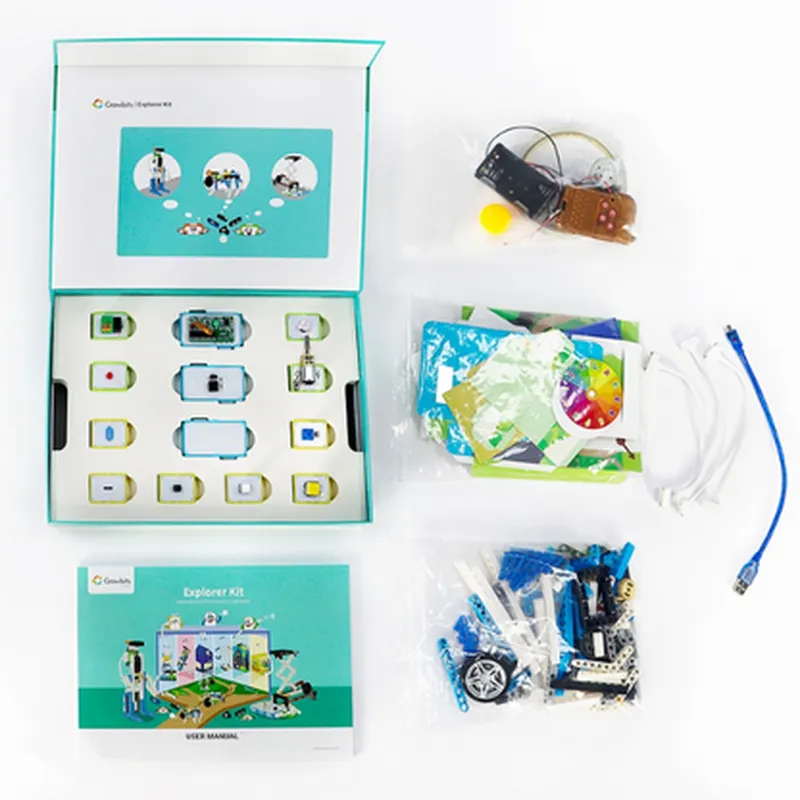
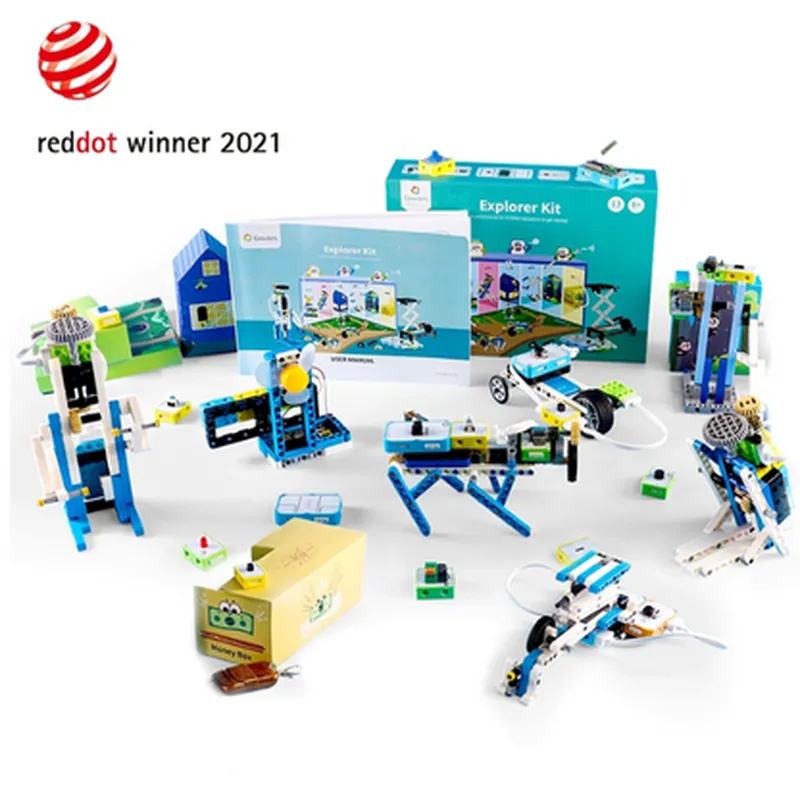
The ELECROW Crowbits Explorer Kit is a innovative, no-coding control kit designed for STEM education and interactive learning. This unique kit combines the benefits of LEGO compatibility with advanced IoT technology, making it an ideal tool for kids and adults alike to explore the world of programming, robotics, and electronics.
The Crowbits Explorer Kit allows users to create and control interactive projects without requiring any prior coding knowledge. The kit includes a range of modular components, each with its own specific function, which can be easily connected and programmed using the Crowbits app. This intuitive app provides a visual interface for users to design and control their projects, making it an excellent introduction to programming and IoT concepts.
ESP32
Wi-Fi and Bluetooth 4.2
3.3V
150mA (max)
100 x 80 x 20mm (main board)
| What's Included |
Main Board
Modular Components (sensors, motors, displays, etc.)
Crowbits App (iOS and Android)
LEGO Compatibility Adapter
Power Supply
User Manual and Tutorial Guides
Online Resources and Lesson Plans
Students (ages 8-18) interested in STEM education and interactive learning
Teachers and educators looking for innovative tools for their classrooms
Hobbyists and makers interested in IoT, robotics, and electronics
Parents seeking to introduce their children to programming and coding concepts
ELECROW Crowbits Explorer Kit DocumentationOverviewThe ELECROW Crowbits Explorer Kit is an innovative, no-coding control kit designed for STEM learning and creative experimentation. It features LEGO compatibility, allowing users to build and program their projects using a drag-and-drop interface. This kit is perfect for students, hobbyists, and professionals looking to explore the world of IoT and robotics without requiring extensive programming knowledge.Components IncludedCrowbits Main Board (with Wi-Fi and Bluetooth connectivity)
Motor Module
Sensor Module (including light, sound, and vibration sensors)
LCD Display Module
Power Module (with USB and battery connections)
LEGO-compatible building blocksNo-Coding Control InterfaceThe Crowbits Explorer Kit uses a visual programming interface, allowing users to create programs by dragging and dropping blocks rather than writing code. This interface is accessible through a web browser or mobile app.Example 1: Line Follower Robot using Crowbits and LEGOIn this example, we'll create a line follower robot using the Crowbits Explorer Kit and LEGO building blocks.Hardware ComponentsCrowbits Main Board
Motor Module (x2)
Sensor Module (with line detection sensor)
Power Module
LEGO building blocks (for robot chassis and wheels)No-Coding ProgramUsing the Crowbits visual programming interface, create a program with the following blocks:1. `When` block: Set the trigger to "Line detected" (using the line detection sensor)
2. `Then` block: Set the motor speed to 50% (for both motors)
3. `ELSE` block: Set the motor speed to -50% (for both motors)
4. `Repeat` block: Loop the program indefinitelyThis program will allow the robot to follow a line by adjusting its motor speed based on the sensor's detection of the line.Example 2: Environmental Monitoring System using Crowbits and SensorsIn this example, we'll create an environmental monitoring system using the Crowbits Explorer Kit and various sensors.Hardware ComponentsCrowbits Main Board
Sensor Module (with temperature, humidity, and light sensors)
LCD Display Module
Power ModuleNo-Coding ProgramUsing the Crowbits visual programming interface, create a program with the following blocks:1. `When` block: Set the trigger to "Temperature exceeds 25C" (using the temperature sensor)
2. `Then` block: Display the temperature reading on the LCD display
3. `When` block: Set the trigger to "Humidity exceeds 60%" (using the humidity sensor)
4. `Then` block: Display the humidity reading on the LCD display
5. `When` block: Set the trigger to "Light intensity exceeds 500 lux" (using the light sensor)
6. `Then` block: Display the light intensity reading on the LCD displayThis program will allow the system to monitor and display environmental data in real-time, making it an excellent project for STEM education and IoT exploration.Example 3: Wi-Fi Remote Control using Crowbits and Mobile AppIn this example, we'll create a Wi-Fi remote control system using the Crowbits Explorer Kit and a mobile app.Hardware ComponentsCrowbits Main Board
Motor Module
Power ModuleNo-Coding ProgramUsing the Crowbits visual programming interface, create a program with the following blocks:1. `When` block: Set the trigger to "Wi-Fi command received" (using the mobile app)
2. `Then` block: Set the motor speed to the received value (using the motor module)Mobile App ConfigurationConfigure the mobile app to send Wi-Fi commands to the Crowbits Main Board, allowing remote control of the motor module.This program will allow users to remotely control the motor module using a mobile app, making it an excellent project for IoT and robotics experimentation.ConclusionThe ELECROW Crowbits Explorer Kit is an innovative, no-coding control kit that offers endless possibilities for STEM learning and IoT exploration. With its LEGO compatibility and visual programming interface, users can bring their projects to life without requiring extensive programming knowledge. The examples provided demonstrate the kit's potential in various contexts, from line follower robots to environmental monitoring systems and Wi-Fi remote control.