24V


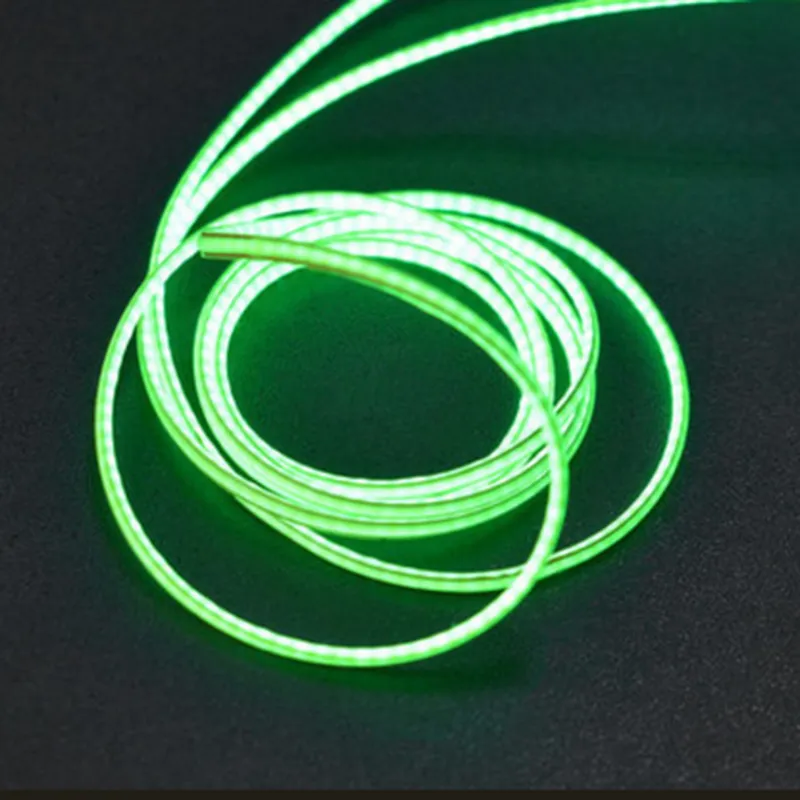
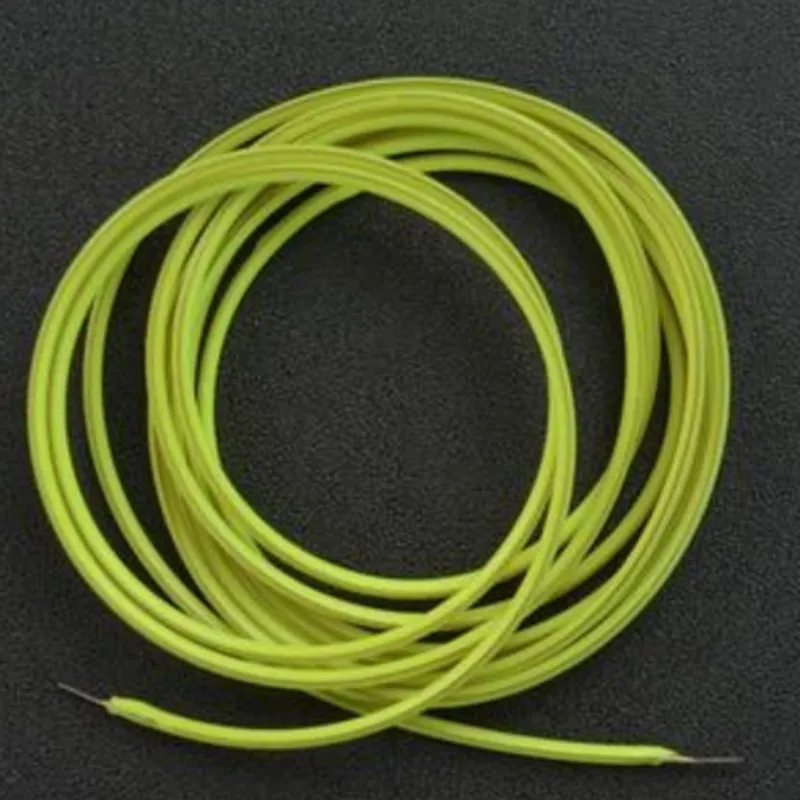
24V
1200mm (4ft)
10mm (0.39in)
2.5mm (0.10in)
Green
2500mcd
IP67
-20C to 60C (-4F to 140F)
-30C to 70C (-22F to 158F)
Applications
| The Flexible LED Filament (24V 1200mm, Green) is suitable for a wide range of IoT applications, including |
Architectural lighting
Decorative lighting
Industrial lighting
Signage and display lighting
Automotive lighting
Wearable devices
Smart home and building automation
Certifications and Compliance
| The Flexible LED Filament (24V 1200mm, Green) meets the following certifications and compliance standards |
RoHS (Restriction of Hazardous Substances)
CE (Conformit Europene)
UL (Underwriters Laboratories)
Warranty and Support
The Flexible LED Filament (24V 1200mm, Green) comes with a 2-year warranty and dedicated technical support to ensure hassle-free integration and operation.
Flexible LED Filament (24V 1200mm, Green) DocumentationOverviewThe Flexible LED Filament (24V 1200mm, Green) is a flexible, linear LED strip designed for various IoT applications. It operates at 24V and measures 1200mm in length, providing a vibrant green glow. This component is ideal for decorative lighting, ambient lighting, and task lighting in spaces where flexibility and customization are essential.Technical SpecificationsOperating Voltage: 24V
Length: 1200mm
LED Color: Green
Flexibility: Flexible PCB allows for bending and shaping
IP Rating: IP65 (dust-tight and protected against water jets)
Lumen Output: 800-1000 lumens per meterConnection and WiringThe Flexible LED Filament has a 2-pin connector at each end, allowing for easy connection to a 24V power source. Ensure proper polarity when connecting the filament to avoid damage.Code Examples### Example 1: Basic On/Off Control using ArduinoIn this example, we'll use an Arduino board to control the Flexible LED Filament.Hardware RequirementsFlexible LED Filament (24V 1200mm, Green)
Arduino Board (e.g., Arduino Uno)
24V Power Source
Breadboard and Jumper WiresSoftware RequirementsArduino IDECode
```c++
const int ledPin = 2; // Pin connected to the LED filamentvoid setup() {
pinMode(ledPin, OUTPUT);
}void loop() {
digitalWrite(ledPin, HIGH); // Turn the LED on
delay(1000);
digitalWrite(ledPin, LOW); // Turn the LED off
delay(1000);
}
```
### Example 2: Dimming Control using Raspberry Pi and PythonIn this example, we'll use a Raspberry Pi to control the brightness of the Flexible LED Filament.Hardware RequirementsFlexible LED Filament (24V 1200mm, Green)
Raspberry Pi (any model)
24V Power Source
Breadboard and Jumper Wires
External 24V-to-PWM Converter Module (e.g., DRV8825)Software RequirementsRaspbian OS
Python 3.xCode
```python
import RPi.GPIO as GPIO
import time# Set up GPIO mode
GPIO.setmode(GPIO.BCM)# Define the PWM pin
pwm_pin = 18# Set up the PWM pin as an output
GPIO.setup(pwm_pin, GPIO.OUT)# Define the PWM frequency (Hz)
pwm_freq = 100# Create a PWM object
pwm = GPIO.PWM(pwm_pin, pwm_freq)try:
while True:
# Set the duty cycle to 50% (half brightness)
pwm.start(50)
time.sleep(1)
# Set the duty cycle to 100% (full brightness)
pwm.ChangeDutyCycle(100)
time.sleep(1)
# Set the duty cycle to 0% (off)
pwm.ChangeDutyCycle(0)
time.sleep(1)
except KeyboardInterrupt:
pwm.stop()
GPIO.cleanup()
```
### Example 3: IoT Integration with ESP32 and MicroPython (Blynk App)In this example, we'll use an ESP32 board to control the Flexible LED Filament remotely using the Blynk app.Hardware RequirementsFlexible LED Filament (24V 1200mm, Green)
ESP32 Board
24V Power Source
Breadboard and Jumper Wires
Wi-Fi Antenna (for ESP32)Software RequirementsMicroPython
Blynk App (for mobile devices)Code
```python
import machine
import blynklib# Initialize the ESP32 board
esp32 = machine.ESP32()# Set up the Blynk app credentials
BLYNK_AUTH_TOKEN = "YourAuthToken"
blynk = blynklib.Blynk(BLYNK_AUTH_TOKEN)# Define the LED filament pin
led_pin = machine.Pin(2, machine.Pin.OUT)while True:
# Read the Blynk app slider value (0-100)
slider_value = blynk.get_pin_value(V1)
# Map the slider value to a PWM duty cycle (0-100%)
duty_cycle = int(slider_value / 100 100)
# Control the LED filament brightness using PWM
led_pin.value(duty_cycle)
# Update the Blynk app display
blynk.virtual_write(V0, duty_cycle)
# Wait for the next update
time.sleep(0.1)
```
Remember to replace the placeholder values (e.g., `YourAuthToken`) with your actual Blynk app credentials and hardware configurations.