720p (1280x720) at 30fps


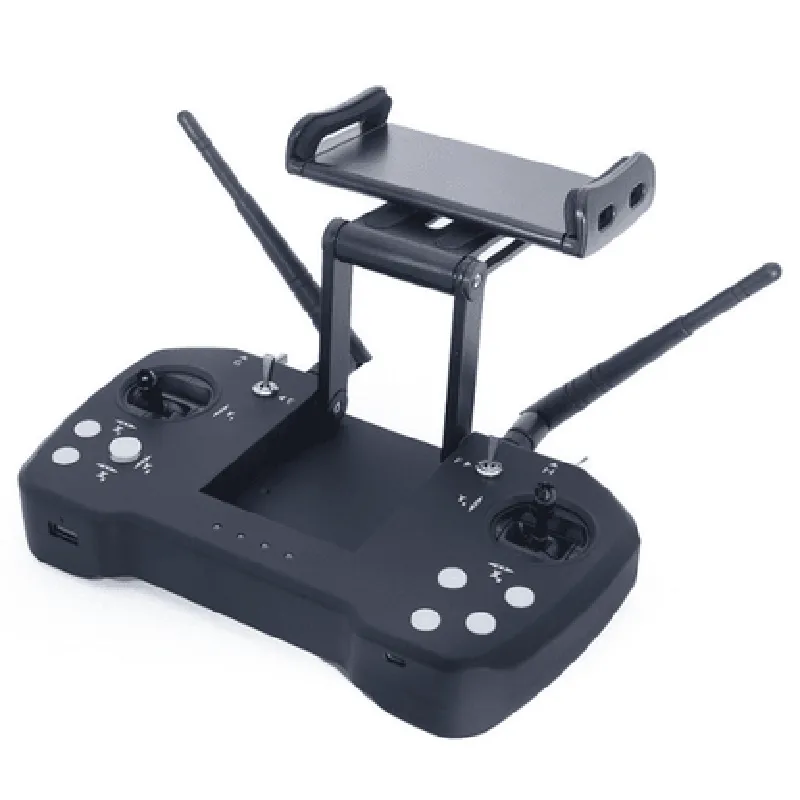
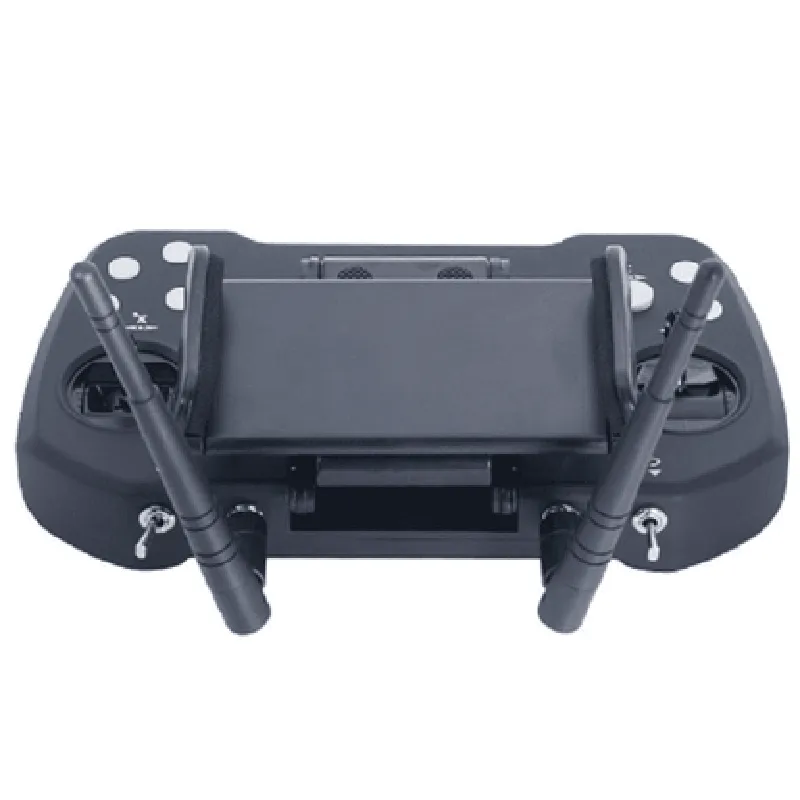
720p (1280x720) at 30fps
120 horizontal, 90 vertical
0.01 Lux (low light sensitivity)
Functionality
| The SKYDROID T12 2.4GHz 12CH Remote Control with Camera is designed to provide a comprehensive solution for remote control and surveillance applications. Its functionality can be summarized as follows |
The remote control provides precise control over the connected device, allowing for smooth and responsive operation.
The high-definition camera module captures clear video and images, making it suitable for surveillance, monitoring, and aerial photography applications.
The system transmits real-time video and telemetry data from the camera module to the remote control, providing the operator with a live feed and essential flight data.
Technical Specifications
2.4GHz
12
Up to 1.5 kilometers (0.93 miles)
720p (1280x720) at 30fps
120 horizontal, 90 vertical
0.01 Lux (low light sensitivity)
Up to 4 hours (transmitter), up to 2 hours (camera module)
-20C to 40C (-4F to 104F)
Conclusion
The SKYDROID T12 2.4GHz 12CH Remote Control with Camera is a powerful and versatile component that offers a high degree of control, precision, and surveillance capability. Its rugged design, long-range transmission, and high-definition camera make it an ideal solution for a wide range of applications, from aerial photography to surveillance and monitoring.
SKYDROID T12 2.4GHZ 12CH REMOTE CONTROL WITH CAMERAThe SKYDROID T12 is a remote control system equipped with a 2.4GHz frequency and 12 channels, designed for applications requiring wireless control and video transmission. This documentation provides a comprehensive overview of the component's features, specifications, and code examples to demonstrate its usage in various contexts.Features and Specifications:2.4GHz frequency with 12 channels for reliable wireless communication
Built-in camera for real-time video transmission
Supports multiple control modes, including joystick, toggle, and slider inputs
Operating voltage: 3.7V - 4.2V (Li-Po battery compatible)
Transmission range: up to 1 km (line of sight)Code Examples:Example 1: Basic Remote Control using ArduinoIn this example, we will demonstrate how to use the SKYDROID T12 with an Arduino board to control a robotic car.```c++
#include <SkydroidT12.h>#define JOYSTICK_X A0 // Define joystick X-axis input
#define JOYSTICK_Y A1 // Define joystick Y-axis inputSkydroidT12 remoteControl;void setup() {
Serial.begin(9600);
remoteControl.begin();
}void loop() {
int xValue = analogRead(JOYSTICK_X);
int yValue = analogRead(JOYSTICK_Y);// Map joystick values to remote control channels
int channel1 = map(xValue, 0, 1023, 0, 255);
int channel2 = map(yValue, 0, 1023, 0, 255);// Send channel values to remote control
remoteControl.setChannel(1, channel1);
remoteControl.setChannel(2, channel2);delay(50);
}
```Example 2: Video Transmission using Python and OpenCVIn this example, we will demonstrate how to use the SKYDROID T12 camera module with Python and OpenCV to capture and display real-time video.```python
import cv2# Initialize camera module
cap = cv2.VideoCapture(0)while True:
ret, frame = cap.read()
# Process and display frame
cv2.imshow('Skydroid T12 Camera', frame)
# Exit on key press
if cv2.waitKey(1) & 0xFF == ord('q'):
break# Release resources
cap.release()
cv2.destroyAllWindows()
```Example 3: Custom Control Interface using Node.js and Socket.IOIn this example, we will demonstrate how to use the SKYDROID T12 with Node.js and Socket.IO to create a custom web-based control interface.```javascript
const express = require('express');
const app = express();
const server = require('http').createServer(app);
const io = require('socket.io')(server);// Initialize SKYDROID T12 remote control
const remoteControl = require('skydroid-t12');// Handle client connections
io.on('connection', (socket) => {
console.log('Client connected');// Handle joystick input from client
socket.on('joystickInput', (data) => {
const xValue = data.x;
const yValue = data.y;// Send channel values to remote control
remoteControl.setChannel(1, xValue);
remoteControl.setChannel(2, yValue);
});
});// Serve HTML file for client interface
app.get('/', (req, res) => {
res.sendFile(__dirname + '/index.html');
});server.listen(3000, () => {
console.log('Server started on port 3000');
});
```These code examples demonstrate the versatility of the SKYDROID T12 remote control with camera, providing a solid foundation for integrating this component into various IoT projects. By leveraging the provided APIs and libraries, developers can create complex systems that combine wireless control, video transmission, and custom control interfaces.