Arduino MEGA 2560 Atmel R3 compatible Board


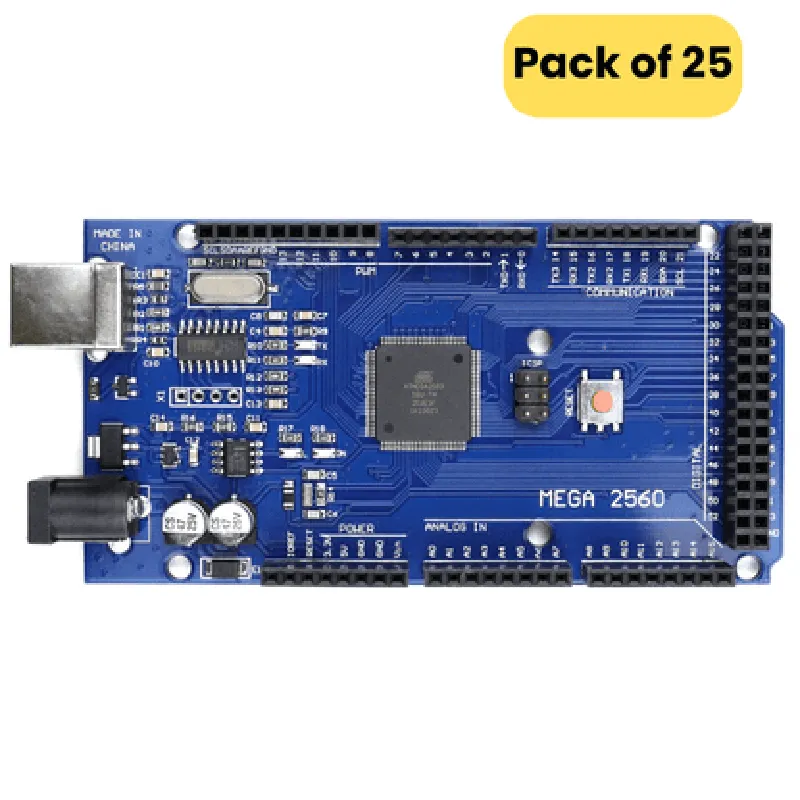
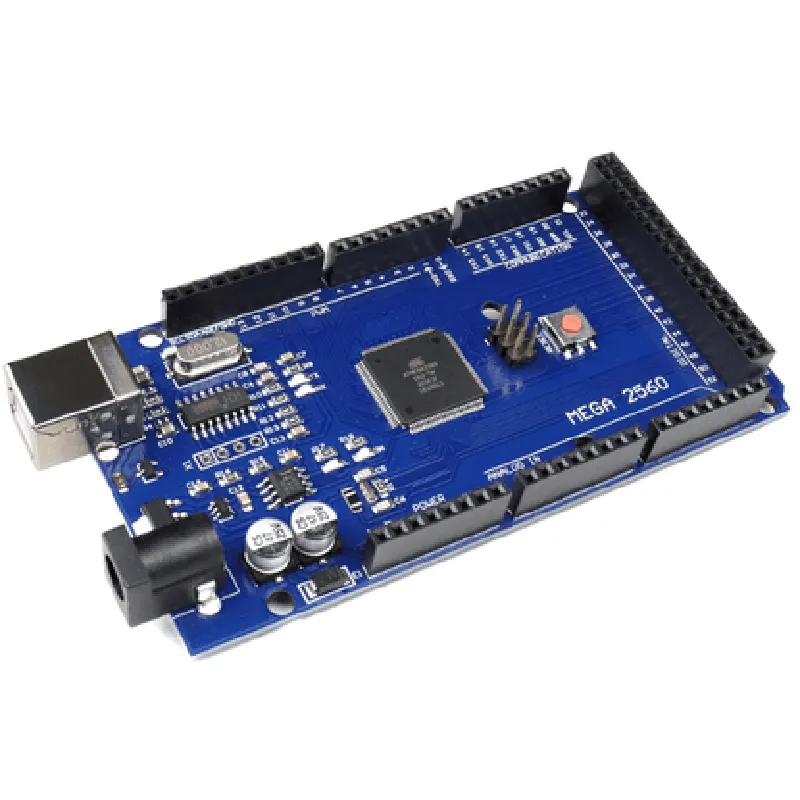
Arduino MEGA 2560 Atmel R3 compatible Board
The Arduino MEGA 2560 Atmel R3 compatible Board is a microcontroller board based on the ATmega2560 microchip. It is a popular and widely-used board in the field of electronics and IoT development. This board is compatible with the Arduino MEGA 2560 R3 board and offers the same functionality and features.
The Arduino MEGA 2560 Atmel R3 compatible Board is a microcontroller board that can be used for a wide range of applications, including robotics, automation, IoT projects, and prototyping. It can read inputs from sensors, perform calculations, and control outputs such as LEDs, motors, and displays.
8-bit AVR microcontroller with 256 KB of flash memory, 8 KB of SRAM, and 4 KB of EEPROM.
16 MHz
15 digital pins that can be used as input or output
15 digital pins that can be used as PWM outputs
12 digital pins that can be used as analog inputs
16 analog input pins that can be used to read analog signals from sensors and modules
4 serial communication interfaces (UART) for communication with other devices
1 serial peripheral interface (SPI) for communication with SPI-compatible devices
1 inter-integrated circuit (I2C) interface for communication with I2C-compatible devices
The board can be powered using an external power supply or a USB connection
1 USB interface for programming and communication with a computer
1 reset button for resetting the board
2 LED indicators for power and status indication
3 headers for connecting shields and modules
Pack of 25
The board is compatible with the Arduino MEGA 2560 R3 board and can be used with the Arduino Integrated Development Environment (IDE) for programming and development.
101.6 mm (4 inches)
53.3 mm (2.1 inches)
15 mm (0.6 inches)
50 grams (1.76 oz)
-20C to 70C (-4F to 158F)
CE (Conformit Europene)
RoHS (Restriction of Hazardous Substances)
FCC (Federal Communications Commission)
The board comes with a 1-year limited warranty against manufacturing defects.
ATmega2560 datasheet
Arduino MEGA 2560 R3 schematic
Getting started with Arduino MEGA 2560 guide
ARD-MEGA-2560-R3-25
1 pack (25 boards)
3-5 business days
Arduino MEGA 2560 Atmel R3 compatible Board DocumentationOverviewThe Arduino MEGA 2560 Atmel R3 compatible Board is a microcontroller board based on the ATmega2560 chip. It is a popular platform for building a wide range of IoT projects, from simple robots to complex automation systems. This board is compatible with the Arduino IDE and has 54 digital input/output pins, 16 analog input pins, and 4 UARTs (hardware serial ports).Technical SpecificationsMicrocontroller: ATmega2560
Operating Voltage: 5V
Input Voltage: 7-12V
Digital I/O Pins: 54
Analog Input Pins: 16
UARTs: 4
Clock Speed: 16 MHz
Flash Memory: 256 KB
SRAM: 8 KB
EEPROM: 4 KBCode Examples### Example 1: Blinking LED using Digital OutputIn this example, we will use the Arduino MEGA 2560 to blink an LED connected to digital pin 13.```cpp
const int ledPin = 13; // Choose a digital pin for the LEDvoid setup() {
pinMode(ledPin, OUTPUT); // Set the pin as an output
}void loop() {
digitalWrite(ledPin, HIGH); // Turn the LED on
delay(1000); // Wait for 1 second
digitalWrite(ledPin, LOW); // Turn the LED off
delay(1000); // Wait for 1 second
}
```### Example 2: Reading Analog Input from a SensorIn this example, we will use the Arduino MEGA 2560 to read the analog input from a potentiometer connected to analog pin A0.```cpp
const int sensorPin = A0; // Choose an analog pin for the sensor
int sensorValue = 0; // Variable to store the sensor valuevoid setup() {
Serial.begin(9600); // Initialize the serial communication
}void loop() {
sensorValue = analogRead(sensorPin); // Read the sensor value
Serial.print("Sensor value: ");
Serial.println(sensorValue); // Print the sensor value to the serial monitor
delay(100); // Wait for 100 milliseconds
}
```### Example 3: Serial Communication using UARTIn this example, we will use the Arduino MEGA 2560 to send a string to a serial terminal using UART.```cpp
void setup() {
  Serial.begin(9600);  // Initialize the serial communication
}
void loop() {
Serial.println("Hello, world!"); // Send a string to the serial terminal
delay(1000); // Wait for 1 second
}
```These examples demonstrate the basic usage of the Arduino MEGA 2560 Atmel R3 compatible Board in various contexts. The board's digital output pins can be used to control LEDs, motors, and other devices, while the analog input pins can be used to read sensor values. The UARTs can be used for serial communication with other devices or computers.