Stufin
Home Quick Cart Profile

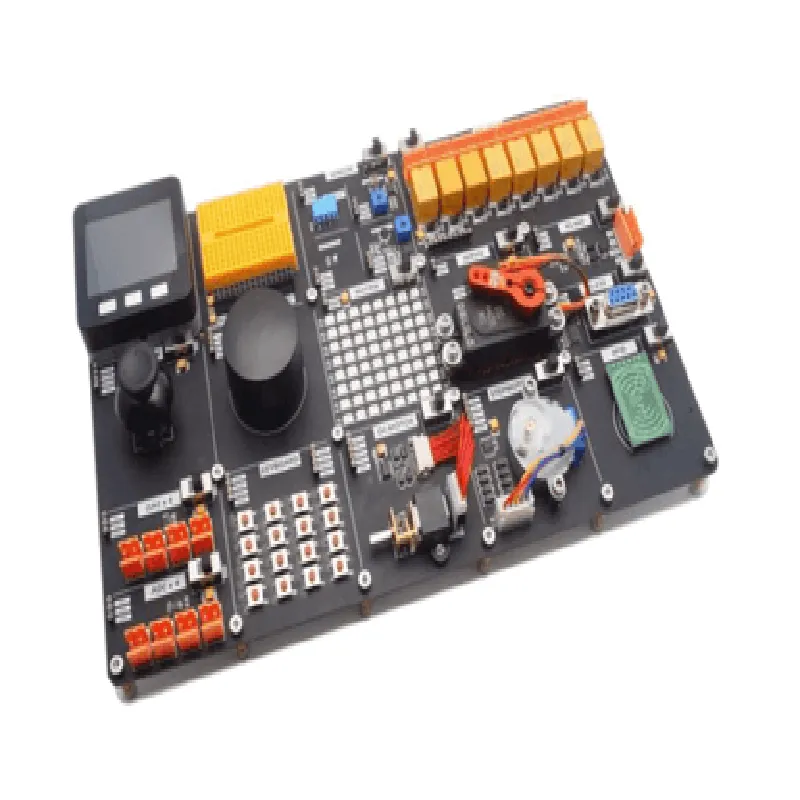
Universal IOT Experiment Kit for ESP32

Buy Now on Stufin

Pin Configuration

  • Universal IoT Experiment Kit for ESP32: Pinout Explanation
  • The Universal IoT Experiment Kit for ESP32 is a comprehensive development board designed to facilitate innovative IoT projects. The kit is built around the powerful ESP32 microcontroller, which offers a wide range of features and functionalities. In this documentation, we will delve into the pinout explanation of the Universal IoT Experiment Kit, exploring each pin's functionality and providing guidance on how to connect them.
  • Pinout Structure:
  • The Universal IoT Experiment Kit for ESP32 features a 38-pin ESP32 WROVER module, which is organized into several sections:
  • Power pins (3.3V, GND, and Vin)
  • Digital pins (D0-D23, D33-D39)
  • Analog pins (A0-A5)
  • Communication pins (UART, SPI, I2C, I2S, and SD card)
  • Special function pins (EN, RN, and DTR)
  • Pin-by-Pin Explanation:
  • Here's a detailed breakdown of each pin on the Universal IoT Experiment Kit for ESP32:
  • Power Pins:
  • 1. 3.3V (Pin 1): This pin provides a stable 3.3V power supply to the ESP32 module and other components on the board.
  • 2. GND (Pin 2): This pin serves as a common ground for the entire circuit.
  • 3. Vin (Pin 3): This pin is used to connect an external power source (e.g., a battery or a wall adapter) to the board. The on-board voltage regulator (VREG) steps down the input voltage to 3.3V.
  • Digital Pins:
  • 1. D0 (Pin 4): Digital input/output pin, also used as a UART RX pin (serial communication).
  • 2. D1 (Pin 5): Digital input/output pin, also used as a UART TX pin (serial communication).
  • 3. D2 (Pin 6): Digital input/output pin, also used as a I2C SDA pin (I2C communication).
  • 4. D3 (Pin 7): Digital input/output pin, also used as a I2C SCL pin (I2C communication).
  • 5. D4 (Pin 8): Digital input/output pin, also used as a SPI MOSI pin (SPI communication).
  • 6. D5 (Pin 9): Digital input/output pin, also used as a SPI clock pin (SPI communication).
  • 7. D6 (Pin 10): Digital input/output pin.
  • 8. D7 (Pin 11): Digital input/output pin.
  • 9. D8 (Pin 12): Digital input/output pin.
  • 10. D9 (Pin 13): Digital input/output pin.
  • 11. D10 (Pin 14): Digital input/output pin.
  • 12. D11 (Pin 15): Digital input/output pin.
  • 13. D12 (Pin 16): Digital input/output pin.
  • 14. D13 (Pin 17): Digital input/output pin, also used as an onboard LED.
  • 15. D14 (Pin 18): Digital input/output pin, also used as a SPI MISO pin (SPI communication).
  • 16. D15 (Pin 19): Digital input/output pin.
  • 17. D16 (Pin 20): Digital input/output pin.
  • 18. D17 (Pin 21): Digital input/output pin.
  • 19. D18 (Pin 22): Digital input/output pin.
  • 20. D19 (Pin 23): Digital input/output pin.
  • 21. D33 (Pin 24): Digital input/output pin.
  • 22. D34 (Pin 25): Digital input/output pin.
  • 23. D35 (Pin 26): Digital input/output pin.
  • 24. D36 (Pin 27): Digital input/output pin.
  • 25. D37 (Pin 28): Digital input/output pin.
  • 26. D38 (Pin 29): Digital input/output pin.
  • 27. D39 (Pin 30): Digital input/output pin.
  • Analog Pins:
  • 1. A0 (Pin 31): Analog input pin, capable of reading analog values between 0 and 3.3V.
  • 2. A1 (Pin 32): Analog input pin, capable of reading analog values between 0 and 3.3V.
  • 3. A2 (Pin 33): Analog input pin, capable of reading analog values between 0 and 3.3V.
  • 4. A3 (Pin 34): Analog input pin, capable of reading analog values between 0 and 3.3V.
  • 5. A4 (Pin 35): Analog input pin, capable of reading analog values between 0 and 3.3V.
  • 6. A5 (Pin 36): Analog input pin, capable of reading analog values between 0 and 3.3V.
  • Communication Pins:
  • 1. UART TX (Pin 37): UART transmission pin for serial communication.
  • 2. UART RX (Pin 38): UART reception pin for serial communication.
  • 3. SPI MOSI (Pin 39): SPI Master Out Slave In pin for SPI communication.
  • 4. SPI CLOCK (Pin 40): SPI clock pin for SPI communication.
  • 5. SPI MISO (Pin 41): SPI Master In Slave Out pin for SPI communication.
  • 6. I2C SCL (Pin 42): I2C clock pin for I2C communication.
  • 7. I2C SDA (Pin 43): I2C data pin for I2C communication.
  • 8. SD Card Detection (Pin 44): Pin used to detect the presence of an SD card.
  • Special Function Pins:
  • 1. EN (Pin 45): Enable pin for the ESP32 module, used to reset the module.
  • 2. RN (Pin 46): Reset pin for the ESP32 module.
  • 3. DTR (Pin 47): Data Terminal Ready pin, used for serial communication.
  • Connection Guidance:
  • When connecting pins to external components or peripherals, ensure that you:
  • Use the correct pinout diagram for your specific project.
  • Connect digital pins to digital peripherals (e.g., sensors, LEDs, or microcontrollers).
  • Connect analog pins to analog peripherals (e.g., potentiometers, thermistors, or photodiodes).
  • Use communication pins according to the specific protocol requirements (e.g., UART, SPI, I2C, or SD card).
  • Handle power pins with care, ensuring the correct voltage and current ratings for your project.
  • By understanding the pinout and functionality of the Universal IoT Experiment Kit for ESP32, you can unleash the full potential of this powerful development board and create innovative IoT projects.

Code Examples

Universal IoT Experiment Kit for ESP32 Documentation
Overview
The Universal IoT Experiment Kit for ESP32 is a comprehensive development board designed to facilitate IoT project development using the ESP32 microcontroller. This kit provides a range of peripherals and interfaces, enabling users to explore and implement various IoT applications.
Hardware Components
ESP32 microcontroller
 Wi-Fi and Bluetooth capabilities
 16MB of flash memory
 MicroSD card slot
 USB-to-UART bridge
 Buzzer
 RGB LED
 Temperature sensor
 Light sensor
 Joystick
 Breadboard-friendly layout
Software Features
Compatible with MicroPython and C/C++
 Supports various communication protocols (Wi-Fi, Bluetooth, HTTP, MQTT, etc.)
 Integrated development environment (IDE) support
Code Examples
### Example 1: Wi-Fi Connectivity and HTTP Request
This example demonstrates how to connect to a Wi-Fi network and send an HTTP request using the ESP32 microcontroller.
MicroPython Code:
```python
import network
import urequests
# Initialize Wi-Fi
wlan = network.WLAN(network.STA_IF)
wlan.active(True)
# Connect to Wi-Fi network
wlan.connect('your_wifi_ssid', 'your_wifi_password')
while not wlan.isconnected():
    pass
print('Connected to Wi-Fi')
# Send HTTP request
response = urequests.get('http://httpbin.org/ip')
print('Response:', response.text)
```
### Example 2: Bluetooth Low Energy (BLE) Peripherals
This example showcases how to use the ESP32 as a BLE peripheral, advertising its presence and allowing connections from a BLE central device.
C Code:
```c
#include <BLE.h>
BLEServer server;
BLEService service;
BLECharacteristic characteristic;
void setup() {
  Serial.begin(115200);
// Initialize BLE
  BLE.begin();
// Create BLE service and characteristic
  service = server->createService("180F");
  characteristic = service->createCharacteristic("2A19", BLECharacteristic::PROPERTY_NOTIFY);
// Start advertising
  server->startAdvertising();
}
void loop() {
  // Wait for BLE connections
  BLEDevice central = server->available();
  if (central) {
    Serial.println("Connected to BLE central device");
  }
  delay(50);
}
```
### Example 3: IoT Sensor Reading and Cloud Upload (using MQTT)
This example demonstrates how to read temperature sensor data, connect to an MQTT broker, and publish the sensor readings to a cloud-based IoT platform.
MicroPython Code:
```python
import machine
import ubinascii
import ujson
import umqtt.simple
# Initialize temperature sensor
temp_sensor = machine.ADC(machine.Pin(35))
# Set up MQTT client
mqtt_client = umqtt.simple.MQTTClient('your_mqtt_client_id', 'your_mqtt_broker_url')
# Connect to MQTT broker
mqtt_client.connect()
while True:
    # Read temperature sensor
    temp_reading = temp_sensor.read_u16()
    temp_celsius = (temp_reading / 4095)  3.3
# Create JSON payload
    payload = {'temperature': temp_celsius}
# Publish to MQTT topic
    mqtt_client.publish('your_mqtt_topic', ujson.dumps(payload))
# Wait for 1 minute before next reading
    machine.sleep(60000)
```
These examples demonstrate the versatility of the Universal IoT Experiment Kit for ESP32, showcasing its capabilities in Wi-Fi connectivity, BLE peripherals, and IoT sensor applications.