Stufin
Home Quick Cart Profile

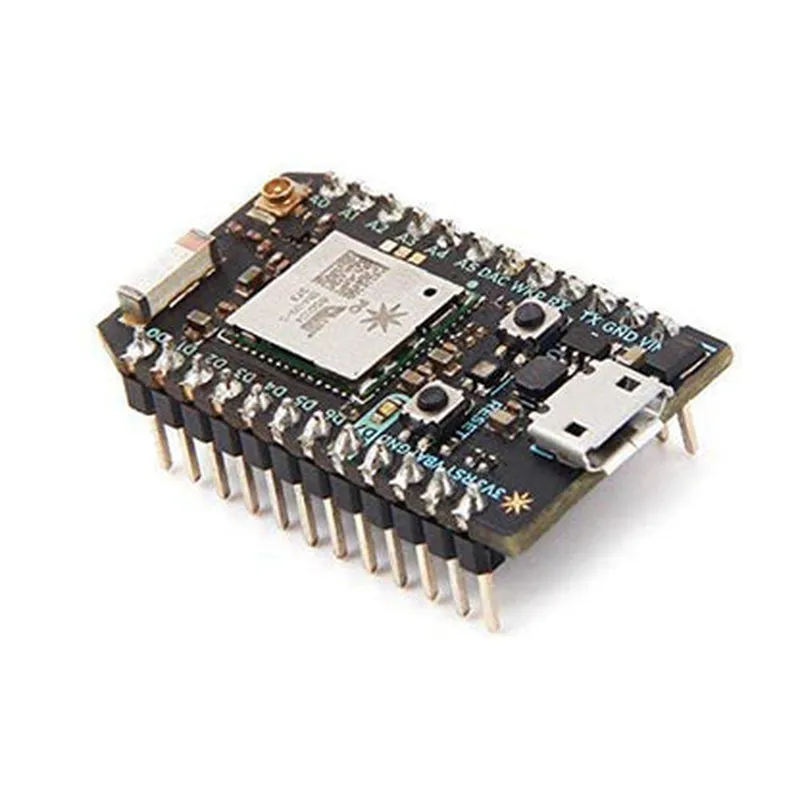
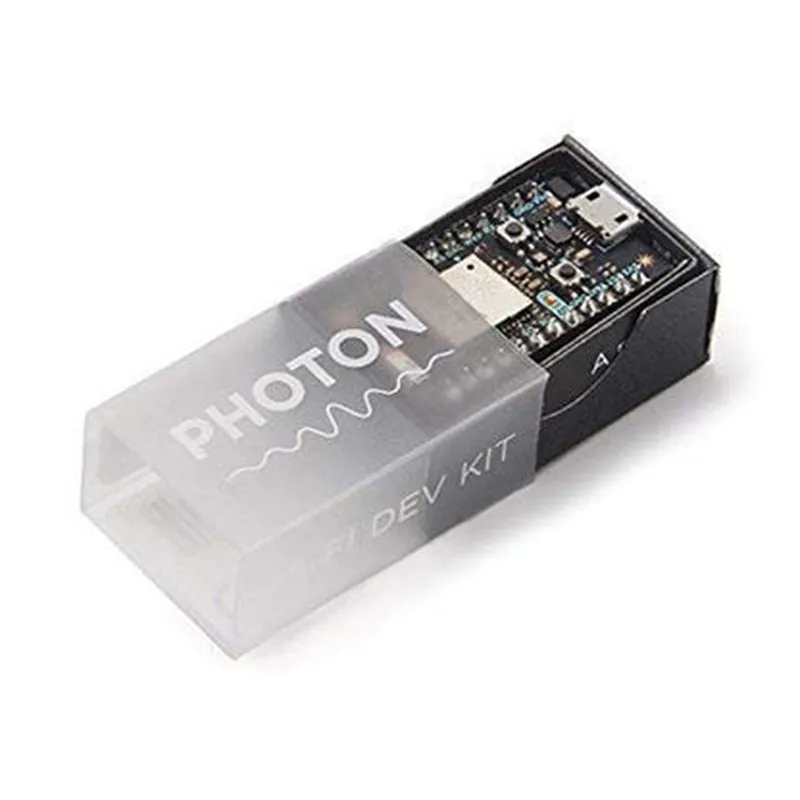
Particle Photon Development Board

Buy Now on Stufin

Microcontroller

The Photon is based on the STM32F205RGY6 ARM Cortex-M3 microcontroller, which provides a powerful and efficient processing platform.

Wi-Fi ConnectivityThe board features a Broadcom BCM43362 Wi-Fi module, which provides reliable and fast connectivity to the internet.

Memory

The Photon has 1MB of flash memory and 128KB of RAM, making it suitable for running complex applications and storing data.

Interfaces

+ USBA USB interface for programming and debugging
+ I2CTwo I2C interfaces for connecting sensors and peripherals
+ SPIOne SPI interface for connecting devices such as displays and memory chips
+ UARTTwo UART interfaces for serial communication
+ Analog and Digital Pins18 digital pins and 8 analog pins for connecting sensors and actuators

Operating System

The Photon runs Particle OS, a custom operating system designed for IoT applications. It provides a simple and intuitive API for developing connected devices.

Cloud Integration

The Photon is tightly integrated with the Particle Cloud, a cloud-based platform for managing and interacting with IoT devices. Users can use the cloud to deploy firmware, monitor device status, and receive notifications.

Security

The Photon features built-in security features, including SSL/TLS encryption and secure boot, to protect devices and data from unauthorized access.

Power Management

The board has a built-in power management system, which allows it to operate on a Li-Po battery or an external power source.

Dimensions and Packaging

Dimensions

2.1 inches x 0.8 inches (53mm x 20mm)

Weight

0.3 oz (8.5g)

Packaging

The Photon is available in a compact, breadboard-friendly package with 0.1-inch spacing between pins.

Software Development

The Particle Photon supports a range of programming languages, including

Particle Firmware

A custom C/C++-based firmware development environment

Particle Web IDE

A web-based integrated development environment for building and deploying firmware

Particle Mobile Apps

Mobile apps for Android and iOS devices to interact with Photon-based devices

Applications

The Particle Photon is suitable for a wide range of IoT applications, including

Home automation

Industrial automation

Wearables and healthcare devices

Environmental monitoring

Robotics and drones

Smart cities and infrastructure

Conclusion

The Particle Photon is a powerful and versatile development board that provides a comprehensive platform for building connected devices for the IoT. Its ease of use, affordability, and powerful features make it an ideal choice for both hobbyists and professionals.

Pin Configuration

  • Particle Photon Development Board Pinout Guide
  • The Particle Photon is a popular Wi-Fi enabled microcontroller development board, ideal for IoT projects. It's based on the STM32F205RG microcontroller and features a variety of pins for connecting sensors, actuators, and other devices. Here's a detailed explanation of each pin on the Particle Photon Development Board:
  • Digital Pins
  • 1. D0 (RX): This pin is used for serial communication (RX) and is also a digital input/output pin.
  • 2. D1 (TX): This pin is used for serial communication (TX) and is also a digital input/output pin.
  • 3. D2: Digital input/output pin.
  • 4. D3: Digital input/output pin.
  • 5. D4: Digital input/output pin.
  • 6. D5: Digital input/output pin.
  • 7. D6: Digital input/output pin.
  • 8. D7: Digital input/output pin.
  • Analog Pins
  • 1. A0: Analog input pin (0-4095 resolution).
  • 2. A1: Analog input pin (0-4095 resolution).
  • 3. A2: Analog input pin (0-4095 resolution).
  • 4. A3: Analog input pin (0-4095 resolution).
  • 5. A4: Analog input pin (0-4095 resolution).
  • 6. A5: Analog input pin (0-4095 resolution).
  • Power Pins
  • 1. VIN: Input voltage pin (accepts 3.6-6V DC).
  • 2. 3V3: 3.3V regulated output pin (max 500mA).
  • 3. GND: Ground pin.
  • Other Pins
  • 1. RST: Reset pin (active low).
  • 2. WKP: Wake-up pin (used for deep sleep wake-up).
  • 3. EN: Enable pin (active high, used for powering external devices).
  • Wi-Fi Module Pins
  • 1. WIRES: Wi-Fi module interface pins (used for Wi-Fi functionality).
  • JTAG/SWD Pins
  • 1. SWDIO: Serial Wire Debug (SWD) data input/output pin.
  • 2. SWCLK: Serial Wire Debug (SWD) clock pin.
  • LEDs
  • 1. D7 LED: Built-in LED connected to digital pin D7.
  • 2. RX LED: Built-in LED indicating Wi-Fi activity (blinks on data transmission).
  • 3. TX LED: Built-in LED indicating Wi-Fi activity (blinks on data reception).
  • Connecting Pins
  • When connecting pins on the Particle Photon, follow these guidelines:
  • Use breadboard-friendly pins and jumper wires to connect devices.
  • Use a voltage regulator or a 3.3V power source when connecting devices to the 3V3 pin.
  • Avoid connecting devices that exceed the maximum current rating (500mA) for the 3V3 pin.
  • Use a logic-level converter when connecting devices that operate at different voltage levels.
  • Be cautious when connecting pins to avoid short circuits or electrical damage.
  • By following this pinout guide, you can successfully connect devices to the Particle Photon and start building your IoT projects.

Code Examples

Particle Photon Development Board Documentation
The Particle Photon is a Wi-Fi development board that allows users to create connected devices and IoT projects with ease. This documentation provides an overview of the board's features, specifications, and code examples to get you started.
Features and Specifications
Microcontroller: Broadcom BCM43362 Wi-Fi system-on-chip
 Flash Memory: 1MB
 RAM: 128KB
 Wi-Fi: 802.11 b/g/n
 Operating System: Particle OS
 Programming Language: C/C++, Particle API
 Interfaces: Wi-Fi, USB, JTAG, UART, I2C, SPI, GPIO
 Power: USB-powered, 3.3V or 5V input
Code Examples
### Example 1: Blinking an LED using Particle API
This example demonstrates how to use the Particle Photon to control an LED connected to digital pin 2.
```c
// Import the Particle API library
#include <Particle.h>
// Define the LED pin
const int ledPin = D2;
void setup() {
  // Initialize the LED pin as an output
  pinMode(ledPin, OUTPUT);
}
void loop() {
  // Blink the LED
  digitalWrite(ledPin, HIGH);
  delay(1000);
  digitalWrite(ledPin, LOW);
  delay(1000);
}
```
### Example 2: Connecting to Wi-Fi and sending data to the cloud
This example demonstrates how to connect to a Wi-Fi network and send data to the Particle Cloud using the Particle API.
```c
// Import the Particle API library
#include <Particle.h>
// Set your Wi-Fi credentials
const char wifiSSID = "your_wifi_ssid";
const char wifiPassword = "your_wifi_password";
// Set your Particle device ID and access token
const char deviceId = "your_device_id";
const char accessToken = "your_access_token";
void setup() {
  // Connect to Wi-Fi
  WiFi.connect(wifiSSID, wifiPassword);
  while (!WiFi.ready()) {
    delay(1000);
    Serial.println("Connecting to Wi-Fi...");
  }
  Serial.println("Connected to Wi-Fi");
// Connect to the Particle Cloud
  Particle.connect();
  while (!Particle.connected()) {
    delay(1000);
    Serial.println("Connecting to Particle Cloud...");
  }
  Serial.println("Connected to Particle Cloud");
}
void loop() {
  // Send data to the Particle Cloud
  Particle.publish("temperature", "25.0", PRIVATE);
  delay(10000); // Send data every 10 seconds
}
```
### Example 3: Reading data from a sensor using I2C
This example demonstrates how to use the Particle Photon to read data from a temperature sensor (e.g., TMP102) connected via I2C.
```c
// Import the Wire library for I2C communication
#include <Wire.h>
// Define the I2C address of the TMP102 sensor
const int tmp102Address = 0x48;
void setup() {
  // Initialize the I2C interface
  Wire.begin();
}
void loop() {
  // Read temperature data from the TMP102 sensor
  Wire.beginTransmission(tmp102Address);
  Wire.write(0x00); // Read temperature register
  Wire.endTransmission();
  Wire.requestFrom(tmp102Address, 2);
  int tempData = Wire.read() << 8 | Wire.read();
// Convert temperature data to Celsius
  float temperature = tempData  0.0625;
// Print the temperature value
  Serial.print("Temperature: ");
  Serial.print(temperature);
  Serial.println(" C");
delay(1000); // Read temperature every 1 second
}
```
These examples demonstrate the versatility of the Particle Photon and its ability to connect to the internet, interact with sensors and actuators, and send data to the cloud.