Variable Resistance Flex Sensor


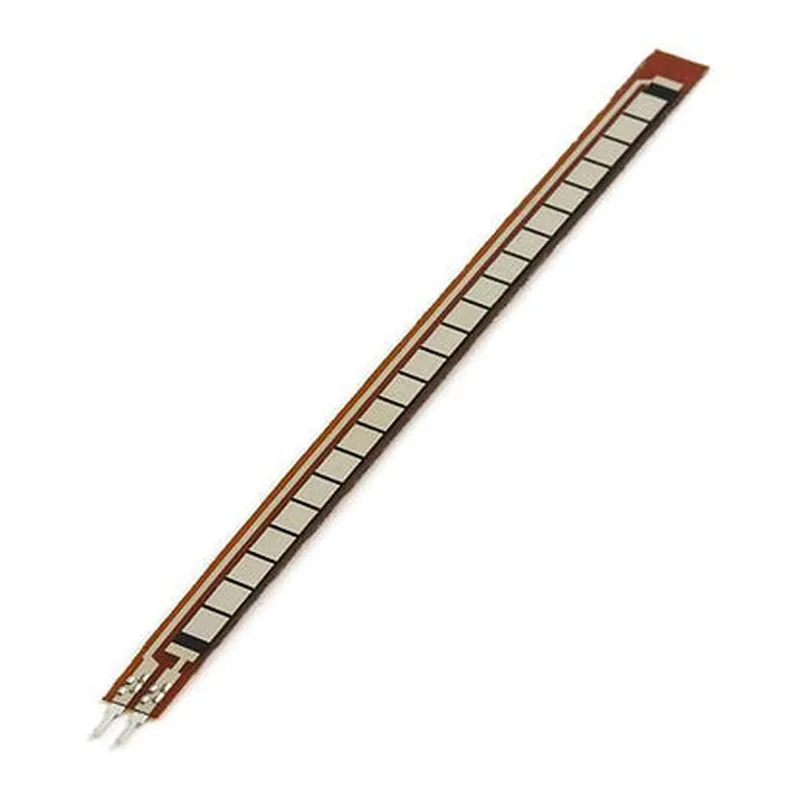

Variable Resistance Flex Sensor
4.5 inches (114 mm)
10 k to 30 k
-20C to 80C
<5mA
Analog
2-pin JST connector
Applications
| The 4.5in Flex Sensor is suitable for a wide range of IoT applications, including |
Detecting joint movement and flexibility in robotic arms and legs.
Measuring body movement and flexibility in wearable devices such as smart clothing and fitness trackers.
Monitoring patient movement and flexibility in medical devices such as rehabilitation equipment and prosthetic limbs.
Detecting movement and flexibility in industrial equipment such as robotic arms and grippers.
Overall, the 4.5in Flex Sensor is a versatile and reliable component for detecting bending and flexing movements in IoT applications.
4.5in Flex Sensor DocumentationOverviewThe 4.5in Flex Sensor is a flexible potentiometer that measures bending and flexing movements. It is a resistive sensor that changes its resistance value in response to flexing, making it an ideal component for applications such as gesture recognition, robotic arms, and wearable devices.SpecificationsLength: 4.5 inches (114mm)
Width: 0.5 inches (13mm)
Thickness: 0.02 inches (0.5mm)
Resistance range: 10k to 30k
Operating temperature: -20C to 80C
Power supply: 3.3V to 5VPinoutThe 4.5in Flex Sensor has three pins:VCC (Red wire): Power supply (3.3V to 5V)
GND (Black wire): Ground
OUT (White wire): Analog output signalCode Examples### Example 1: Reading Flex Sensor Data with ArduinoThis example demonstrates how to read the flex sensor data using an Arduino board.
```c
const int flexPin = A0; // Connect the OUT pin of the flex sensor to analog pin A0void setup() {
Serial.begin(9600);
}void loop() {
int flexValue = analogRead(flexPin);
int resistance = map(flexValue, 0, 1023, 10000, 30000); // Convert ADC value to resistance value
Serial.print("Flex sensor resistance: ");
Serial.print(resistance);
Serial.println(" ohms");
delay(50);
}
```
In this example, we connect the OUT pin of the flex sensor to analog pin A0 of the Arduino board. We then read the analog value using `analogRead()` and convert it to a resistance value using the `map()` function. Finally, we print the resistance value to the serial console.### Example 2: Using the Flex Sensor with Raspberry Pi and PythonThis example demonstrates how to read the flex sensor data using a Raspberry Pi and Python.
```python
import RPi.GPIO as GPIO
import time# Set up GPIO mode
GPIO.setmode(GPIO.BCM)# Define the flex sensor pin
flex_pin = 18# Set up the pin as an analog input
GPIO.setup(flex_pin, GPIO.IN)while True:
# Read the analog value
flex_value = GPIO.input(flex_pin)
# Convert the analog value to a resistance value
resistance = (flex_value 30000) / 1023
print("Flex sensor resistance: {:.2f} ohms".format(resistance))
time.sleep(0.05)
```
In this example, we use the RPi.GPIO library to set up the flex sensor pin as an analog input. We then read the analog value using `GPIO.input()` and convert it to a resistance value. Finally, we print the resistance value to the console.Note: These examples assume that the flex sensor is connected to a microcontroller or single-board computer with an analog-to-digital converter (ADC). The exact connection and code may vary depending on the specific hardware and software used.