Raspberry Pi Black Case for Model 3B, 3B+, and 2B (Multicomp)


Raspberry Pi Black Case for Model 3B, 3B+, and 2B (Multicomp)
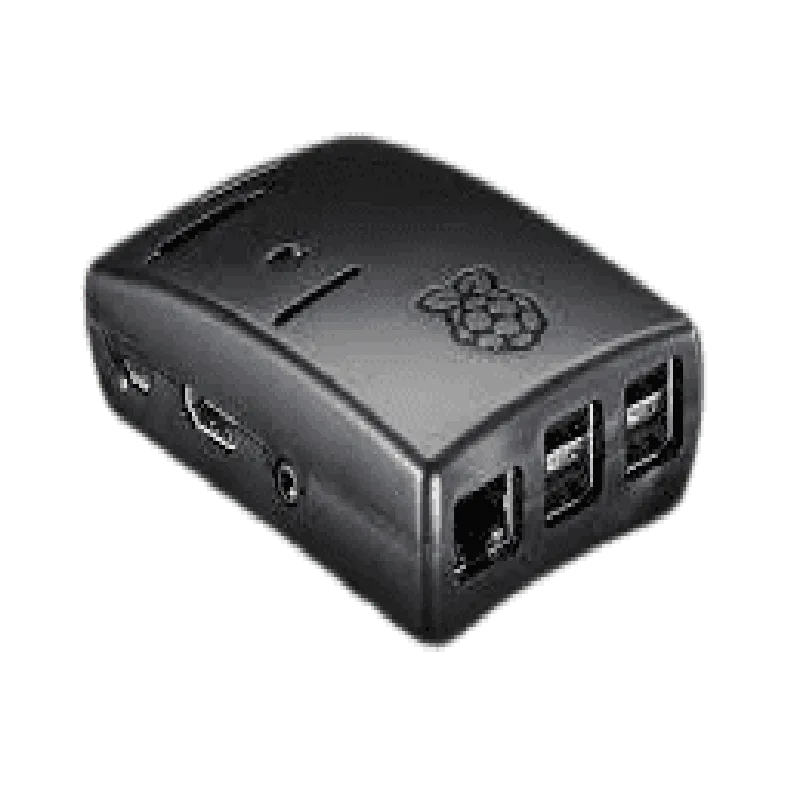
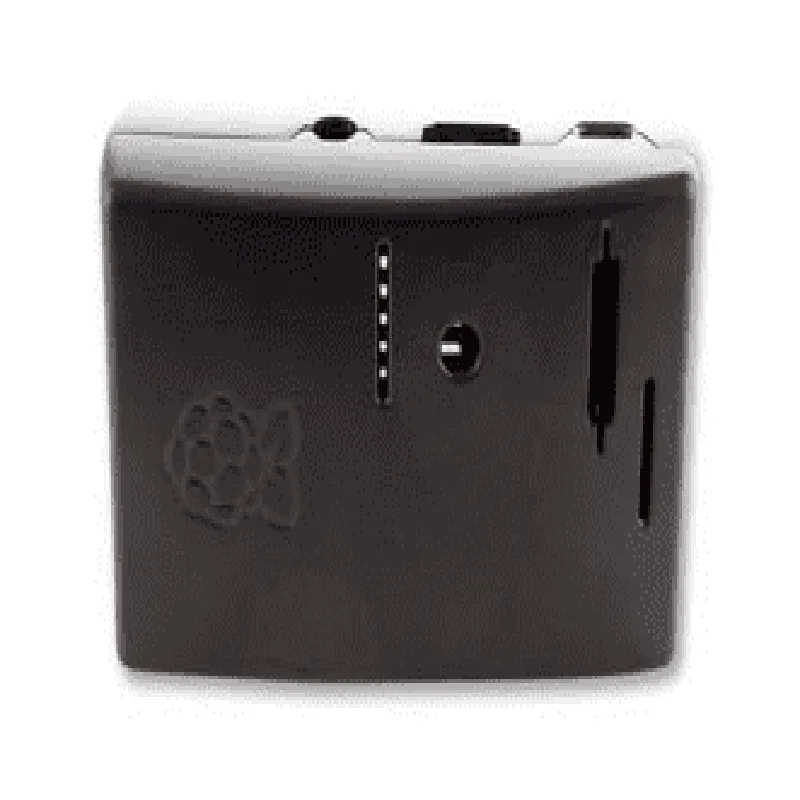
The Raspberry Pi Black Case for Model 3B, 3B+, and 2B (Multicomp) is a high-quality enclosure designed specifically for the popular Raspberry Pi single-board computers. This case provides a durable, compact, and aesthetically pleasing housing for your Raspberry Pi project, protecting it from environmental factors and enhancing its overall appearance.
The primary function of the Raspberry Pi Black Case is to securely enclose and protect the Raspberry Pi board from physical damage, dust, and other environmental elements. The case also provides easy access to all ports and connectors on the board, making it convenient to connect peripherals, sensors, and other devices.
ABS plastic
Black
92mm x 58mm x 25mm (L x W x H)
Approximately 55 grams
Raspberry Pi Models 3B, 3B+, and 2B
Strategically placed ventilation holes
Easy access to all ports and connectors on the Raspberry Pi board
CE marked
RoHS compliant
FCC compliant
| Manufacturer's warranty | 1-year limited warranty |
Provided by the manufacturer and online community resources
The case is packaged in a protective box with a clear plastic window
Includes a set of rubber feet for added stability and grip
The Raspberry Pi Black Case for Model 3B, 3B+, and 2B (Multicomp) is an excellent choice for anyone looking for a high-quality, durable, and easy-to-use enclosure for their Raspberry Pi project.
Raspberry Pi Black Case for Model 3B, 3B+, and 2B (Multicomp)OverviewThe Raspberry Pi Black Case is a compact and durable enclosure designed specifically for the Raspberry Pi Model 3B, 3B+, and 2B single-board computers. This case provides excellent protection for your Raspberry Pi board while still allowing access to all ports and features.FeaturesCompact and lightweight design
Durable black plastic construction
Compatible with Raspberry Pi Model 3B, 3B+, and 2B
Easy to assemble and disassemble
Access to all ports, including HDMI, USB, Ethernet, and GPIO
Ventilation holes for heat dissipationTechnical SpecificationsMaterial: Black plastic
Dimensions: 94mm x 60mm x 25mm (L x W x H)
Weight: approximately 60g
Compatible with Raspberry Pi Model 3B, 3B+, and 2BUsing the Raspberry Pi Black Case in Various Contexts### Example 1: Basic Setup with Raspberry Pi 3B+In this example, we will demonstrate how to set up a basic Raspberry Pi 3B+ system using the black case.Hardware RequirementsRaspberry Pi 3B+
Raspberry Pi Black Case
Power supply (5V, 2.5A)
MicroSD card (8GB or larger)
HDMI cable
Monitor or TVSoftware RequirementsRaspbian OS (or any other compatible operating system)Steps1. Insert the Raspberry Pi 3B+ board into the case, ensuring it is properly aligned and secured.
2. Connect the power supply, HDMI cable, and microSD card to the corresponding ports on the Raspberry Pi board.
3. Turn on the power supply and boot up the Raspberry Pi.
4. Install and configure the Raspbian OS (or your preferred operating system).### Example 2: IoT Project with Temperature Sensor and LCD DisplayIn this example, we will demonstrate how to use the Raspberry Pi Black Case in an IoT project that measures temperature using a DS18B20 sensor and displays the reading on an LCD display.Hardware RequirementsRaspberry Pi 3B+
Raspberry Pi Black Case
DS18B20 temperature sensor
LCD display (16x2 characters)
Breadboard and jumper wires
Power supply (5V, 2.5A)Software RequirementsRaspbian OS (or any other compatible operating system)
Python programming language
RPi.GPIO libraryCode Example (Python)
```python
import RPi.GPIO as GPIO
import time# Set up GPIO pins for LCD display
LCD_RS = 7
LCD_EN = 8
LCD_D4 = 25
LCD_D5 = 24
LCD_D6 = 23
LCD_D7 = 18# Set up GPIO pin for DS18B20 temperature sensor
TEMP_SENSOR_PIN = 4# Initialize GPIO pins
GPIO.setmode(GPIO.BCM)
GPIO.setup(LCD_RS, GPIO.OUT)
GPIO.setup(LCD_EN, GPIO.OUT)
GPIO.setup(LCD_D4, GPIO.OUT)
GPIO.setup(LCD_D5, GPIO.OUT)
GPIO.setup(LCD_D6, GPIO.OUT)
GPIO.setup(LCD_D7, GPIO.OUT)
GPIO.setup(TEMP_SENSOR_PIN, GPIO.IN)# Initialize LCD display
lcd_init()# Read temperature from DS18B20 sensor
def read_temperature():
temp_data = []
GPIO.output(TEMP_SENSOR_PIN, GPIO.HIGH)
time.sleep(0.015)
GPIO.output(TEMP_SENSOR_PIN, GPIO.LOW)
time.sleep(0.015)
temp_data = []
for i in range(9):
temp_data.append(GPIO.input(TEMP_SENSOR_PIN))
temp = 0
for i in range(8):
temp += temp_data[i] 2i
return temp# Display temperature on LCD display
while True:
temp = read_temperature()
lcd_string("Temperature: {:.1f}C".format(temp), 1)
time.sleep(1)
```
### Example 3: Home Automation with Raspberry Pi and Relay ModuleIn this example, we will demonstrate how to use the Raspberry Pi Black Case in a home automation project that controls a relay module using the Raspberry Pi's GPIO pins.Hardware RequirementsRaspberry Pi 3B+
Raspberry Pi Black Case
Relay module (5V, 4-channel)
Breadboard and jumper wires
Power supply (5V, 2.5A)Software RequirementsRaspbian OS (or any other compatible operating system)
Python programming language
RPi.GPIO libraryCode Example (Python)
```python
import RPi.GPIO as GPIO
import time# Set up GPIO pins for relay module
RELAY_PIN_1 = 17
RELAY_PIN_2 = 23
RELAY_PIN_3 = 24
RELAY_PIN_4 = 25# Initialize GPIO pins
GPIO.setmode(GPIO.BCM)
GPIO.setup(RELAY_PIN_1, GPIO.OUT)
GPIO.setup(RELAY_PIN_2, GPIO.OUT)
GPIO.setup(RELAY_PIN_3, GPIO.OUT)
GPIO.setup(RELAY_PIN_4, GPIO.OUT)# Define relay control functions
def relay_on(pin):
GPIO.output(pin, GPIO.HIGH)def relay_off(pin):
GPIO.output(pin, GPIO.LOW)# Control relay 1
while True:
relay_on(RELAY_PIN_1)
time.sleep(1)
relay_off(RELAY_PIN_1)
time.sleep(1)
```
These examples demonstrate the versatility and ease of use of the Raspberry Pi Black Case with various IoT projects and applications.