

Stufin
Home Quick Cart Profile

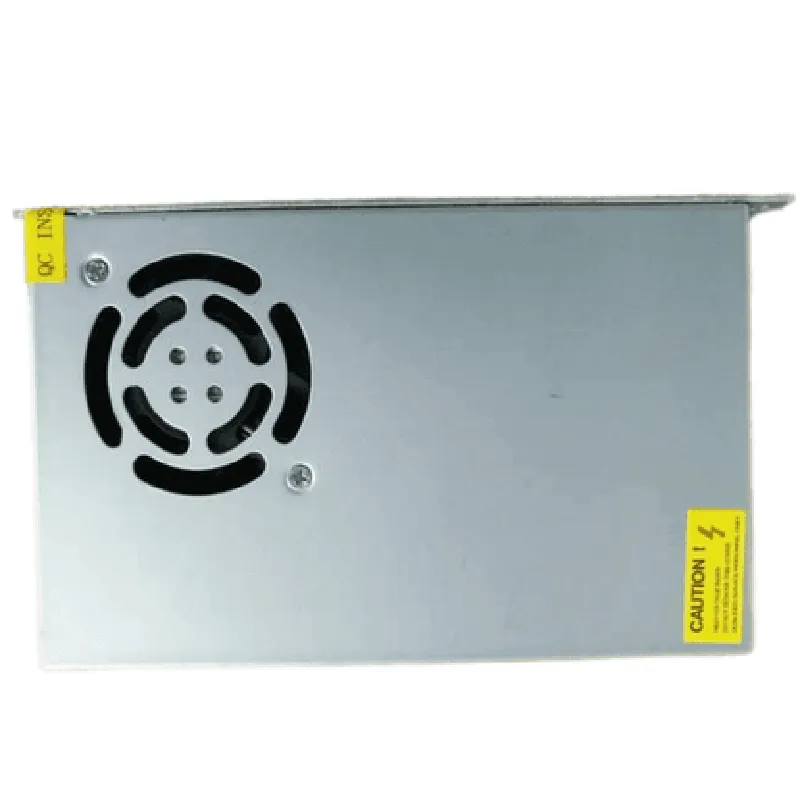
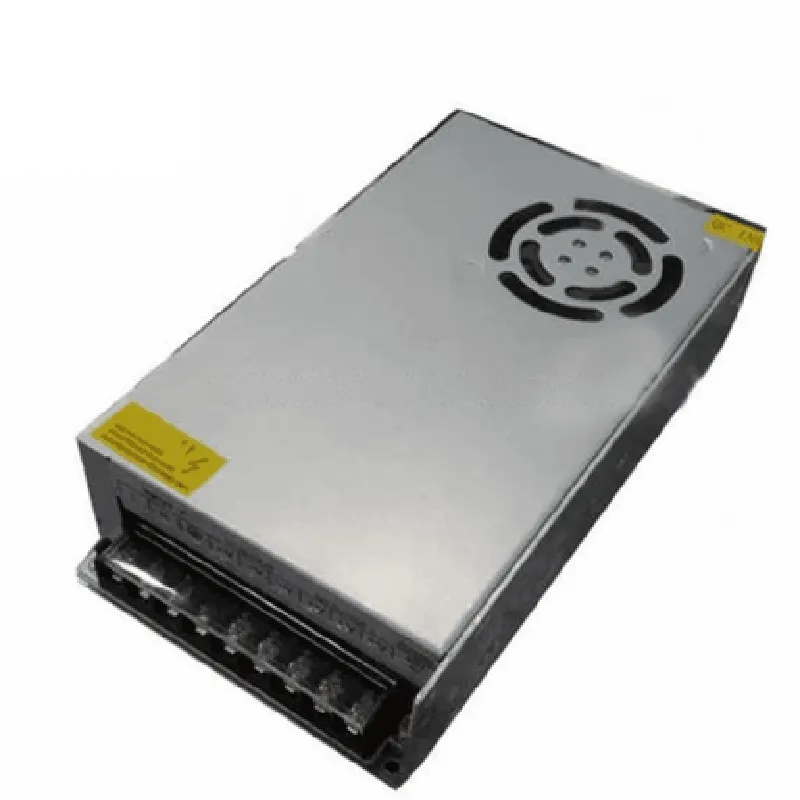
12V 15A Power Supply SMPS

Buy Now on Stufin

Component Name

12V 15A Power Supply SMPS

Overview

The 12V 15A Power Supply SMPS is a high-performance, compact, and reliable switching-mode power supply (SMPS) designed to provide a stable 12V DC output voltage with a maximum current rating of 15A. This power supply is suitable for a wide range of applications, including IoT devices, automation systems, and other power-hungry equipment.

Functionality

The primary function of the 12V 15A Power Supply SMPS is to convert AC power from a mains source to a regulated 12V DC output voltage. This is achieved through a high-frequency switching circuit that ensures high efficiency, low noise, and minimal heat generation.

Key Features

  • Input Voltage: The power supply accepts an input voltage range of 100-240V AC, making it compatible with most global mains power standards.
  • Output Voltage: The power supply provides a regulated 12V DC output voltage with a tolerance of 5%.
  • Output Current: The maximum output current is 15A, allowing the power supply to support high-power devices and systems.
  • Efficiency: The power supply boasts an high efficiency of up to 85%, reducing heat generation and minimizing energy losses.
  • Protection Features: The power supply is equipped with multiple protection features, including:
  • EMC and Safety Compliance: The power supply meets the requirements of various international electromagnetic compatibility (EMC) and safety standards, including CE, UL, and RoHS.
  • Compact Design: The power supply features a compact design, making it suitable for space-constrained applications.
  • Low Noise Operation: The power supply operates with a low noise level, reducing electromagnetic interference (EMI) and ensuring reliable system operation.
  • MTBF: The power supply has a high mean time between failures (MTBF) of up to 100,000 hours, ensuring reliable operation over an extended period.
  • Overvoltage Protection (OVP)Protects against voltage surges and spikes.
    Undervoltage Protection (UVP)Prevents damage from low input voltages.
    Short-Circuit Protection (SCP)Automatically shuts down the power supply in case of a short circuit.
    Overcurrent Protection (OCP)Limits the output current to prevent damage from excessive load.

    Connectors and Dimensions

Input Connectors

IEC C14 inlet for AC power input

Output Connectors

2.1mm DC power jack for 12V DC output

Dimensions

100 x 60 x 30 mm (L x W x H)

Operating Conditions

Operating Temperature

0C to 40C (32F to 104F)

Storage Temperature

-20C to 70C (-4F to 158F)

Humidity

20% to 80% relative humidity (non-condensing)

Certifications and Compliance

CE Marking (Conformit Europene)

UL (Underwriters Laboratories) Certification

RoHS (Restriction of Hazardous Substances) Compliance

By providing a stable and reliable 12V DC output voltage, the 12V 15A Power Supply SMPS is an ideal choice for powering IoT devices, automation systems, and other applications that require a high-quality power supply.

Pin Configuration

  • Component Documentation: 12V 15A Power Supply SMPS
  • Overview
  • The 12V 15A Power Supply SMPS is a high-performance Switch Mode Power Supply (SMPS) designed to provide a stable 12V output at a maximum current of 15A. This component is ideal for powering IoT devices, robotics, and other applications that require a reliable power source.
  • Pinout Explanation
  • The power supply has a total of 6 pins, which are explained below:
  • 1. V+ (Positive Output)
  • Pin: 1
  • Description: The positive output pin provides the 12V DC output of the power supply.
  • Connection: Connect to the positive terminal of the load (device being powered).
  • 2. V- (Negative Output)
  • Pin: 2
  • Description: The negative output pin provides the return path for the 12V DC output of the power supply.
  • Connection: Connect to the negative terminal of the load (device being powered).
  • 3. AC_IN (Live/Hot Wire)
  • Pin: 3
  • Description: The AC input pin connects to the live/hot wire of the AC power source.
  • Connection: Connect to the live/hot wire of the AC power source (e.g., wall outlet).
  • 4. AC_IN (Neutral Wire)
  • Pin: 4
  • Description: The AC input pin connects to the neutral wire of the AC power source.
  • Connection: Connect to the neutral wire of the AC power source (e.g., wall outlet).
  • 5. FG (Frame Ground)
  • Pin: 5
  • Description: The frame ground pin provides a connection to the chassis or case of the device.
  • Connection: Connect to the metal chassis or case of the device to ensure electrical safety.
  • 6. ON/OFF (Enable Pin)
  • Pin: 6
  • Description: The enable pin is used to turn the power supply on or off. A logic high (typically 3.3V or 5V) on this pin enables the power supply, while a logic low disables it.
  • Connection: Connect to a digital output of a microcontroller or a switch to control the power supply.
  • Connection Structure
  • Here's a suggested connection structure:
  • Connect the AC input wires to the AC_IN pins (3 and 4).
  • Connect the V+ and V- pins to the load (device being powered).
  • Connect the FG pin to the metal chassis or case of the device.
  • Connect the ON/OFF pin to a digital output of a microcontroller or a switch to control the power supply.
  • Important Safety Considerations
  • Ensure the power supply is installed in a well-ventilated area to prevent overheating.
  • Use appropriate electrical connectors and wiring to prevent electrical shock or fire hazards.
  • Always follow proper electrical safety guidelines when working with AC power sources.
  • By following these guidelines, you can safely and effectively use the 12V 15A Power Supply SMPS in your IoT projects and applications.

Code Examples

12V 15A Power Supply SMPS Documentation
Overview
The 12V 15A Power Supply SMPS (Switch-Mode Power Supply) is a high-performance power supply module designed to provide a stable 12V output with a maximum current of 15A. This component is ideal for use in IoT projects, robotics, and other applications that require a reliable and efficient power source.
Features
Input voltage: 100-240V AC
 Output voltage: 12V DC
 Maximum output current: 15A
 High efficiency: up to 85%
 Compact design: 86x50x30mm
 Overvoltage, undervoltage, and short-circuit protection
Pinout
The power supply module has the following pinout:
Input:
	+ L (Live/Hot): Connect to AC power source (100-240V)
	+ N (Neutral): Connect to AC power source (100-240V)
 Output:
	+ V+ (12V): Connect to devices requiring 12V power
	+ GND (Ground): Connect to devices requiring 12V power
Example 1: Using the Power Supply with an Arduino Board
In this example, we will connect the 12V 15A Power Supply SMPS to an Arduino Uno board to power a relay module, which in turn controls a DC fan.
Hardware Requirements
12V 15A Power Supply SMPS
 Arduino Uno board
 Relay module (e.g., SRD-05VDC-SL-C)
 DC fan (e.g., 12V, 0.5A)
Software Requirements
Arduino IDE
Code
```c
const int relayPin = 2; // Pin connected to relay module
void setup() {
  pinMode(relayPin, OUTPUT);
}
void loop() {
  digitalWrite(relayPin, HIGH); // Turn on the relay and DC fan
  delay(1000);
  digitalWrite(relayPin, LOW); // Turn off the relay and DC fan
  delay(1000);
}
```
Example 2: Using the Power Supply with a Raspberry Pi
In this example, we will connect the 12V 15A Power Supply SMPS to a Raspberry Pi 4 Model B to power a USB hub, which in turn powers multiple USB devices.
Hardware Requirements
12V 15A Power Supply SMPS
 Raspberry Pi 4 Model B
 USB hub (e.g., 7-port USB 3.0 hub)
 USB devices (e.g., keyboard, mouse, Wi-Fi adapter)
Software Requirements
Raspbian OS
Code
```bash
# No code required, as the Raspberry Pi will automatically detect and power the USB hub and connected devices
```
Example 3: Using the Power Supply with a DC Motor
In this example, we will connect the 12V 15A Power Supply SMPS to a DC motor (e.g., for a robotics or automation project).
Hardware Requirements
12V 15A Power Supply SMPS
 DC motor (e.g., 12V, 3A)
 Motor driver (e.g., L293D)
Software Requirements
Depends on the specific motor driver and control system used
Code
```c
// Assume the motor driver is an L293D, and the motor is connected to pins 2 and 7
const int motorForward = 2;
const int motorBackward = 7;
void setup() {
  pinMode(motorForward, OUTPUT);
  pinMode(motorBackward, OUTPUT);
}
void loop() {
  digitalWrite(motorForward, HIGH); // Run the motor forward
  delay(1000);
  digitalWrite(motorForward, LOW);
  digitalWrite(motorBackward, HIGH); // Run the motor backward
  delay(1000);
  digitalWrite(motorBackward, LOW);
}
```
Remember to always follow proper safety precautions when working with electrical components, and ensure that your project meets all relevant safety standards and regulations.