Original JHD 16x2 Character LCD Display - Blue


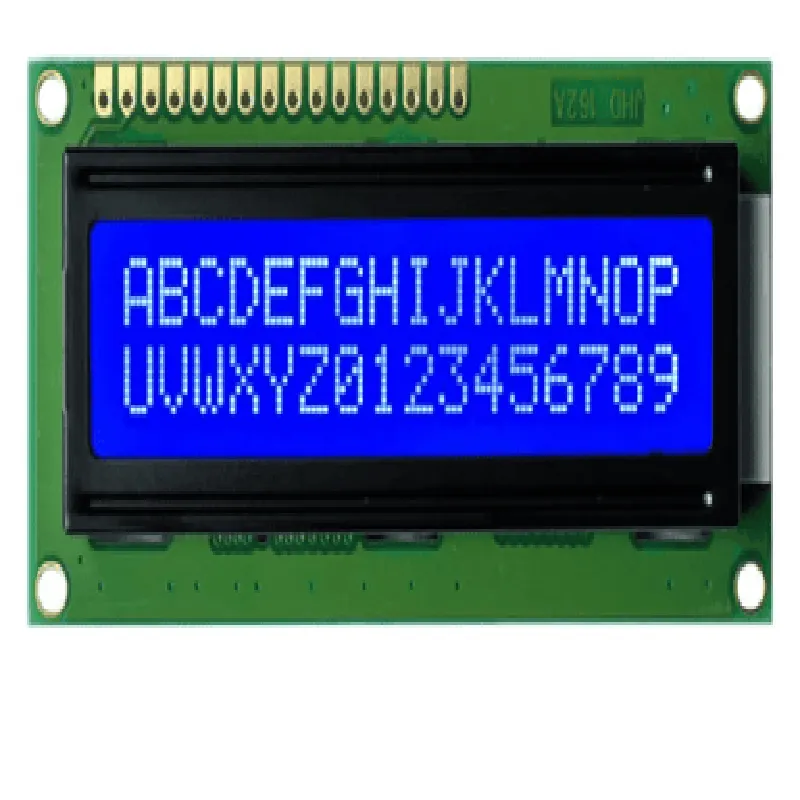
Original JHD 16x2 Character LCD Display - Blue
The Original JHD 16x2 Character LCD Display - Blue is a high-quality liquid crystal display (LCD) module designed for use in a variety of applications, including robotics, automation, and IoT projects. This display module is a popular choice among makers and professionals alike, offering a compact and reliable solution for displaying text and characters.
The JHD 16x2 LCD Display is a character-based display that can show up to 16 characters per line, with a total of 2 lines. It uses an ST7066U controller/driver, which allows for easy interface with microcontrollers and other devices. The display operates in a 5x7 dot matrix format, providing a clear and crisp display of text and characters.
| The JHD 16x2 LCD Display supports the following display modes |
Displays text and characters in a 16x2 matrix format
Allows for cursor movement and editing of displayed text
Enables blinking of the cursor or entire display
| The display accepts a range of commands for controlling the display, including |
Clears the entire display
Returns the cursor to the home position
Sets the entry mode for cursor movement and display
Controls the display on/off, cursor on/off, and blink on/off
Shifts the display left or right
Moves the cursor left or right
Generates custom characters using a 5x7 dot matrix format
| The Original JHD 16x2 Character LCD Display - Blue is suitable for a wide range of applications, including |
Robotics and automation projects
IoT devices and sensor displays
Industrial control systems
Medical devices and equipment
Consumer electronics and appliances
The Original JHD 16x2 Character LCD Display - Blue is a versatile and reliable display module ideal for a variety of applications. With its compact size, clear display, and easy interface, it is a popular choice among makers and professionals.
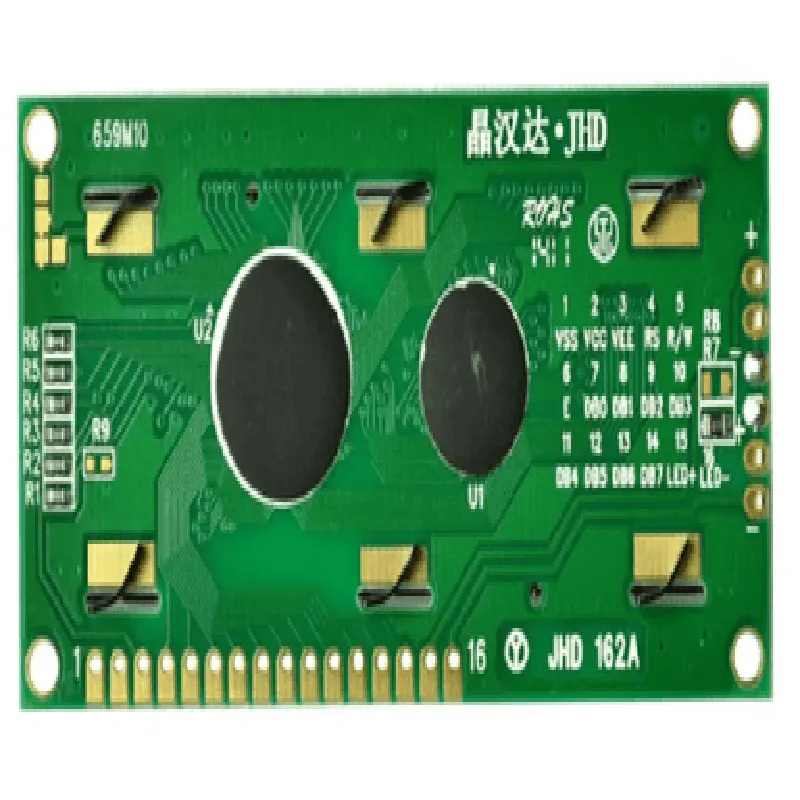
Original JHD 16x2 Character LCD Display- Blue DocumentationOverviewThe Original JHD 16x2 Character LCD Display- Blue is a widely used display module in IoT projects, featuring a 16x2 character display with a blue backlight. This module uses the ST7066U controller/driver, which is compatible with most microcontrollers and development boards.PinoutThe LCD display has a 16-pin interface, with the following pinout:| Pin | Function |
| --- | --- |
| 1 | VSS (Ground) |
| 2 | VCC (Power Supply) |
| 3 | VE (Contrast Adjustment) |
| 4 | RS (Register Select) |
| 5 | RW (Read/Write) |
| 6 | E (Enable) |
| 7-14 | DB0-DB7 (Data Bus) |
| 15 | K (Backlight Anode) |
| 16 | A (Backlight Cathode) |Communication ProtocolThe LCD display communicates with microcontrollers using a 4-bit or 8-bit data bus. In the 4-bit mode, pins DB4-DB7 are not used.Arduino ExampleHere's an example code snippet for using the Original JHD 16x2 Character LCD Display- Blue with Arduino:```cpp
#include <LiquidCrystal.h>// Initialize the LCD display
const int rs = 12, en = 11, d4 = 5, d5 = 4, d6 = 3, d7 = 2;
LiquidCrystal_I2C lcd(rs, en, d4, d5, d6, d7);void setup() {
// Initialize the LCD display
lcd.begin(16, 2);
}void loop() {
// Display a message on the LCD display
lcd.setCursor(0, 0);
lcd.print("Hello, World!");
lcd.setCursor(0, 1);
lcd.print(" IoT Project");
delay(1000);
}
```Raspberry Pi Example (Python)Here's an example code snippet for using the Original JHD 16x2 Character LCD Display- Blue with Raspberry Pi (Python):```python
import RPi.GPIO as GPIO
import time# Set up GPIO mode
GPIO.setmode(GPIO.BCM)# Define the LCD display pins
lcd_rs = 7
lcd_en = 8
lcd_d4 = 25
lcd_d5 = 24
lcd_d6 = 23
lcd_d7 = 18# Initialize the LCD display
GPIO.setup(lcd_rs, GPIO.OUT)
GPIO.setup(lcd_en, GPIO.OUT)
GPIO.setup(lcd_d4, GPIO.OUT)
GPIO.setup(lcd_d5, GPIO.OUT)
GPIO.setup(lcd_d6, GPIO.OUT)
GPIO.setup(lcd_d7, GPIO.OUT)def lcd_init():
# Initialize the LCD display
lcd_send_byte(0x33)
lcd_send_byte(0x32)
lcd_send_byte(0x28)
lcd_send_byte(0x0C)
lcd_send_byte(0x01)
lcd_send_byte(0x06)def lcd_send_byte(bits, mode):
# Send a byte to the LCD display
GPIO.output(lcd_rs, mode)
if bits & 0x10 == 0x10:
GPIO.output(lcd_d4, GPIO.HIGH)
else:
GPIO.output(lcd_d4, GPIO.LOW)
if bits & 0x20 == 0x20:
GPIO.output(lcd_d5, GPIO.HIGH)
else:
GPIO.output(lcd_d5, GPIO.LOW)
if bits & 0x40 == 0x40:
GPIO.output(lcd_d6, GPIO.HIGH)
else:
GPIO.output(lcd_d6, GPIO.LOW)
if bits & 0x80 == 0x80:
GPIO.output(lcd_d7, GPIO.HIGH)
else:
GPIO.output(lcd_d7, GPIO.LOW)
GPIO.output(lcd_en, GPIO.HIGH)
time.sleep(0.002)
GPIO.output(lcd_en, GPIO.LOW)
time.sleep(0.002)def lcd_text(message):
# Display a message on the LCD display
for char in message:
lcd_send_byte(ord(char), 1)# Initialize the LCD display
lcd_init()# Display a message on the LCD display
lcd_text("Hello, World!")
```TroubleshootingMake sure the LCD display is properly connected to the microcontroller or development board.
Adjust the contrast adjustment pin (VE) to optimize the display quality.
Ensure the backlight is powered correctly, if used.
Verify the communication protocol and pinout configuration match the microcontroller or development board used.