Stufin
Home Quick Cart Profile

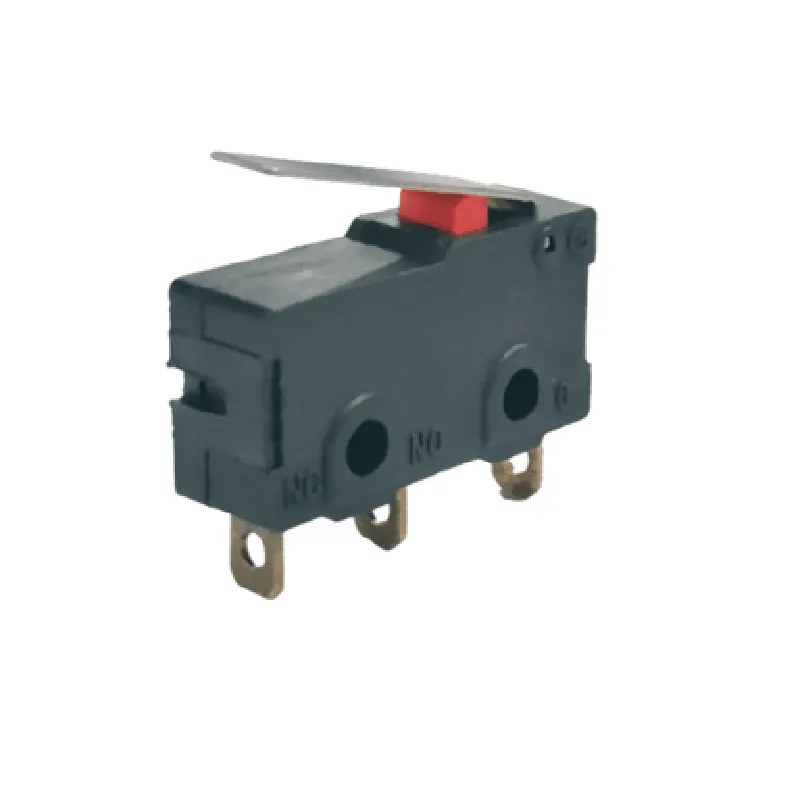
Mini limit Switch 5A 250V

Buy Now on Stufin

Component Description

Mini Limit Switch 5A 250V

Overview

The Mini Limit Switch 5A 250V is a compact, high-reliability electromechanical switch designed for use in a wide range of industrial and commercial applications. This device is ideal for detecting the physical position or movement of objects, machines, or mechanisms, and provides a reliable switching action to control electrical circuits.

Functionality

The Mini Limit Switch 5A 250V is a type of proximity switch that operates based on the principle of mechanical contact. It consists of an actuator (plunger or lever) that moves in response to physical contact or movement, triggering the switch to open or close an electrical circuit. When the actuator is pressed or moved, the switch's normally open (NO) contacts close, allowing current to flow, and when the actuator returns to its original position, the NO contacts open, interrupting the circuit.

Key Features

  • Ratings:

Maximum current

5A

Maximum voltage

250V AC/DC

  • Compact design:

Small size

25 x 12 x 10 mm (L x W x H)

Lightweight

<20 grams

  • High-reliability construction:

Durable metal housing with IP67 rating (dust and water resistant)

Long-life contacts with low contact resistance

  • Multi-directional actuation:

Can be actuated from multiple directions (e.g., top, side, or bottom)

  • Adjustable actuator:

Actuator can be adjusted to customize the switching point

  • SPDT (Single Pole Double Throw) contacts:

Normally Open (NO) and Normally Closed (NC) contacts available

  • Easy installation:

Mounting options

screw, clip, or adhesive

Simple wiring

2- or 3-wire configuration

  • Wide operating temperature range:

-20C to 80C (-4F to 176F)

Applications

  • Industrial automation: monitoring position, movement, or presence of machinery components
  • Robotics: detecting object positions, orientation, or movement
  • Medical devices: controlling medical equipment, such as ventilators or dialysis machines
  • Aerospace: monitoring aircraft systems, such as landing gear or door positions
  • Home appliances: controlling washing machines, dishwashers, or refrigerators
The Mini Limit Switch 5A 250V is suitable for various applications, including

Conclusion

The Mini Limit Switch 5A 250V is a reliable, compact, and versatile electromechanical switch designed for a wide range of industrial and commercial applications. Its high-reliability construction, adjustable actuator, and multi-directional actuation capabilities make it an ideal choice for detecting physical position or movement and controlling electrical circuits.

Pin Configuration

  • Mini Limit Switch 5A 250V Documentation
  • Overview
  • The Mini Limit Switch 5A 250V is a compact, high-reliability switch designed for various IoT applications, including industrial automation, robotics, and smart home systems. This switch features a miniature design, making it ideal for space-constrained projects. With a maximum current rating of 5A and a voltage rating of 250V, this switch is suitable for a wide range of applications.
  • Pinout Diagram
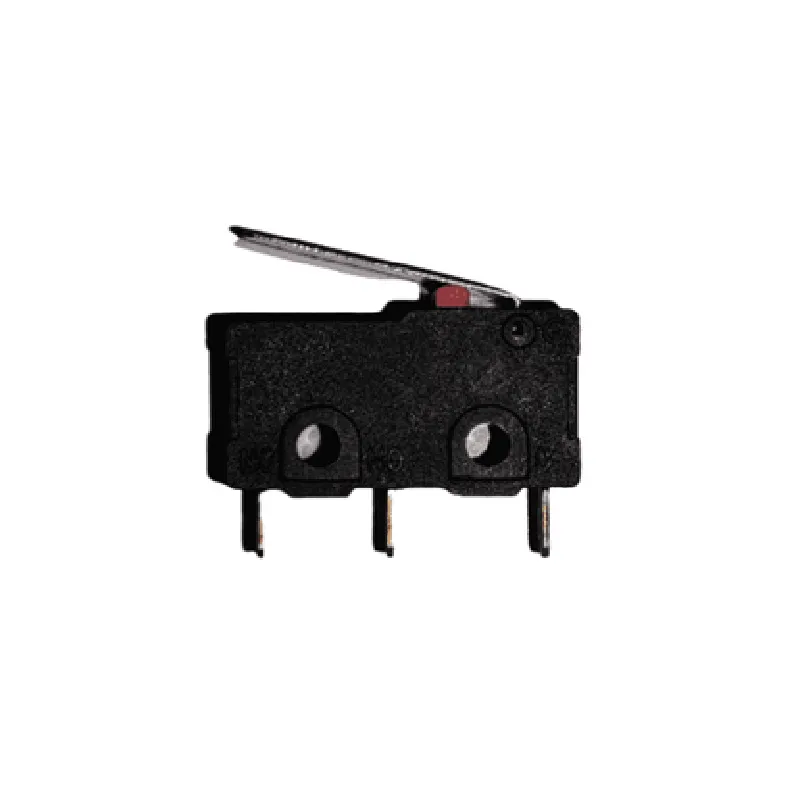
  • The Mini Limit Switch 5A 250V has three pins, labeled as follows:
  • Pinout Description
  • Here is a detailed description of each pin:
  • ### 1. NC (Normally Closed) Pin
  • Function: This pin is connected to the circuit's common terminal when the switch is in its normal (unactuated) state.
  • Description: The NC pin is normally closed, which means it is connected to the COM pin when the switch is not activated.
  • Connection: Connect the NC pin to the circuit's load or device that needs to be switched.
  • ### 2. COM (Common) Pin
  • Function: This pin is the common terminal of the switch, connected to either the NC or NO pin depending on the switch's state.
  • Description: The COM pin is the central pin of the switch, which connects to either the NC or NO pin based on the switch's actuation state.
  • Connection: Connect the COM pin to the power source or circuit's input.
  • ### 3. NO (Normally Open) Pin
  • Function: This pin is connected to the circuit's common terminal when the switch is actuated (pressed).
  • Description: The NO pin is normally open, which means it is disconnected from the COM pin when the switch is not activated.
  • Connection: Connect the NO pin to the circuit's load or device that needs to be switched.
  • Connection Structure
  • To connect the Mini Limit Switch 5A 250V, follow this structure:
  • 1. Connect the power source (Voltage) to the COM Pin.
  • 2. Connect the load or device that needs to be switched to the NC Pin (for normally closed configuration).
  • 3. Connect the load or device that needs to be switched to the NO Pin (for normally open configuration).
  • Example Circuit Diagram
  • Here is an example circuit diagram:
  • Power Source (VCC) COM Pin
  • Load/Device NC Pin (or NO Pin for normally open configuration)
  • GND Load/Device (if required)
  • Important Notes
  • Ensure the switch is properly installed and secured to prevent mechanical damage or electrical shock.
  • The maximum current rating of the switch is 5A; do not exceed this rating to avoid damage or failure.
  • The switch is designed for voltages up to 250V; do not apply voltages exceeding this rating.
  • By following this documentation, you can correctly connect and utilize the Mini Limit Switch 5A 250V in your IoT projects.

Code Examples

Mini Limit Switch 5A 250V Documentation
Overview
The Mini Limit Switch 5A 250V is a compact and versatile switch designed for use in a variety of IoT applications. It features a maximum current rating of 5A and a voltage rating of 250V, making it suitable for low-to-medium power devices. This switch has a built-in push-button mechanism, allowing it to be used as a manual trigger or as an automatic sensor in robotic, automation, and other IoT projects.
Pinout
The Mini Limit Switch 5A 250V has three terminals:
COM (Common): The common terminal is connected to the normally closed (NC) and normally open (NO) terminals.
 NC (Normally Closed): The normally closed terminal is connected to the COM terminal when the switch is not pressed.
 NO (Normally Open): The normally open terminal is connected to the COM terminal when the switch is pressed.
Code Examples
Example 1: Basic On/Off Control using Arduino
This example demonstrates how to use the Mini Limit Switch 5A 250V to control an LED connected to an Arduino board.
```c++
const int ledPin = 13;  // LED connected to digital pin 13
const int switchPin = 2; // Mini Limit Switch connected to digital pin 2
void setup() {
  pinMode(ledPin, OUTPUT);
  pinMode(switchPin, INPUT);
}
void loop() {
  int switchState = digitalRead(switchPin);
  
  if (switchState == HIGH) {
    digitalWrite(ledPin, HIGH); // Turn on the LED when the switch is pressed
  } else {
    digitalWrite(ledPin, LOW); // Turn off the LED when the switch is not pressed
  }
}
```
Example 2: Automation using Raspberry Pi
This example shows how to use the Mini Limit Switch 5A 250V to trigger a Python script on a Raspberry Pi when the switch is pressed.
```python
import RPi.GPIO as GPIO
import time
# Set up GPIO mode
GPIO.setmode(GPIO.BCM)
# Set up the Mini Limit Switch pin as an input
switch_pin = 17
GPIO.setup(switch_pin, GPIO.IN, pull_up_down=GPIO.PUD_UP)
while True:
    if GPIO.input(switch_pin) == False: # Switch is pressed
        print("Switch is pressed!")
        # Execute your Python script or code here
        time.sleep(0.5) # Debounce time
```
Example 3: IoT Application using ESP32
This example demonstrates how to use the Mini Limit Switch 5A 250V to send a notification to a webhook when the switch is pressed, using an ESP32 board.
```c++
#include <WiFi.h>
#include <HTTPClient.h>
const char ssid = "your_wifi_ssid";
const char password = "your_wifi_password";
const char webhookUrl = "https://example.com/webhook";
const int switchPin = 32; // Mini Limit Switch connected to GPIO 32
void setup() {
  Serial.begin(115200);
  WiFi.begin(ssid, password);
  while (WiFi.status() != WL_CONNECTED) {
    delay(1000);
    Serial.println("Connecting to WiFi...");
  }
  Serial.println("Connected to WiFi");
  pinMode(switchPin, INPUT);
}
void loop() {
  int switchState = digitalRead(switchPin);
  
  if (switchState == HIGH) {
    Serial.println("Switch is pressed!");
    // Send a notification to the webhook
    HTTPClient http;
    http.begin(webhookUrl);
    int responseCode = http.POST("Switch is pressed!");
    http.end();
    delay(1000);
  }
}
```
Note: In these examples, you may need to adjust the pin numbers and configurations according to your specific board and setup.