110g


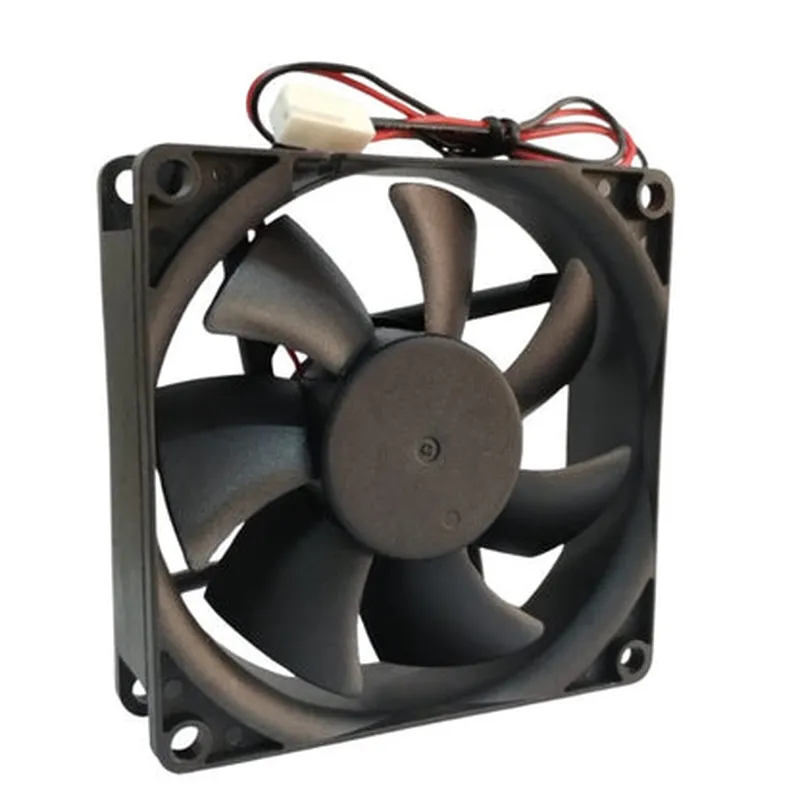
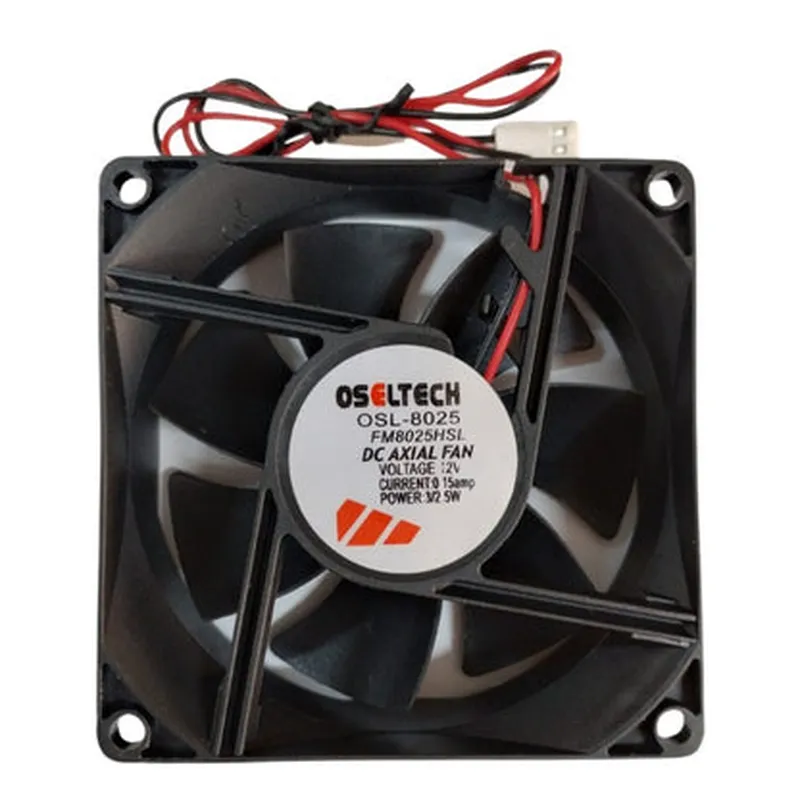
110g
Plastic and metal
71.5mm x 71.5mm
M3 x 0.5
Electrical Characteristics
3W
12V DC
0.25A
10M (minimum)
Environmental Characteristics
-20C to 70C
-40C to 80C
5% to 95% RH (non-condensing)
Applications
| The 8025 12V DC Cooling Fan is suitable for a wide range of IoT applications, including |
Networking devices (routers, switches, servers)
Industrial control systems
Medical devices
Telecommunications equipment
IoT gateways and hubs
Other electronic devices requiring reliable cooling solutions
Conclusion
The 8025 12V DC Cooling Fan is a high-performance, compact, and reliable cooling solution for various IoT applications. Its compact size, low noise level, and efficient airflow make it an ideal choice for applications where space is limited and noise needs to be minimized.
8025 12V DC Cooling Fan DocumentationIntroductionThe 8025 12V DC Cooling Fan is a high-quality, compact fan designed for various IoT applications, including embedded systems, robotics, and industrial automation. This fan is suitable for cooling small to medium-sized devices, with a compact size of 80mm x 25mm x 25mm. The fan operates on 12V DC power supply and provides a quiet and efficient cooling solution.Technical SpecificationsVoltage: 12V DC
Current: 0.2A
Speed: 2500 RPM
Airflow: 23.8 CFM
Noise Level: 25 dBA
Size: 80mm x 25mm x 25mm
Weight: 100g
Connector: 2-pin JST XH2.54mmConnecting the FanTo connect the fan, you will need a 2-pin JST XH2.54mm connector. The fan has a positive (+) and negative (-) terminal. Connect the positive terminal to the 12V DC power supply and the negative terminal to the ground (GND).Code Examples### Example 1: Basic Fan Control using ArduinoIn this example, we will control the fan ON/OFF using an Arduino board.```c++
const int fanPin = 9; // Fan connected to digital pin 9void setup() {
pinMode(fanPin, OUTPUT);
}void loop() {
digitalWrite(fanPin, HIGH); // Turn the fan ON
delay(5000); // Wait for 5 seconds
digitalWrite(fanPin, LOW); // Turn the fan OFF
delay(5000); // Wait for 5 seconds
}
```### Example 2: Fan Speed Control using Raspberry Pi (Python)In this example, we will control the fan speed using a Raspberry Pi and Python.```python
import RPi.GPIO as GPIO
import timeGPIO.setmode(GPIO.BCM)
fan_pin = 18 # Fan connected to GPIO 18
GPIO.setup(fan_pin, GPIO.OUT)try:
while True:
# Set fan speed to 50% (6V)
GPIO.PWM(fan_pin, 50).start(50)
time.sleep(5)
# Set fan speed to 100% (12V)
GPIO.PWM(fan_pin, 100).start(100)
time.sleep(5)
except KeyboardInterrupt:
GPIO.cleanup()
```### Example 3: Fan Control using ESP32 (MicroPython)In this example, we will control the fan ON/OFF using an ESP32 board and MicroPython.```python
import machine
import timefan_pin = machine.Pin(32, machine.Pin.OUT)while True:
fan_pin.value(1) # Turn the fan ON
time.sleep(5)
fan_pin.value(0) # Turn the fan OFF
time.sleep(5)
```Note: In the above examples, make sure to replace the pin numbers with the actual pins used on your board. Also, ensure that the power supply can provide enough current to the fan.TroubleshootingIf the fan does not spin, check the power supply and connections.
If the fan is noisy, check for loose screws or misaligned blades.
If the fan does not respond to speed control signals, check the PWM frequency and duty cycle.Warranty and SupportThe 8025 12V DC Cooling Fan is covered by a 1-year limited warranty. For technical support, please refer to the manufacturer's website or contact their support team.