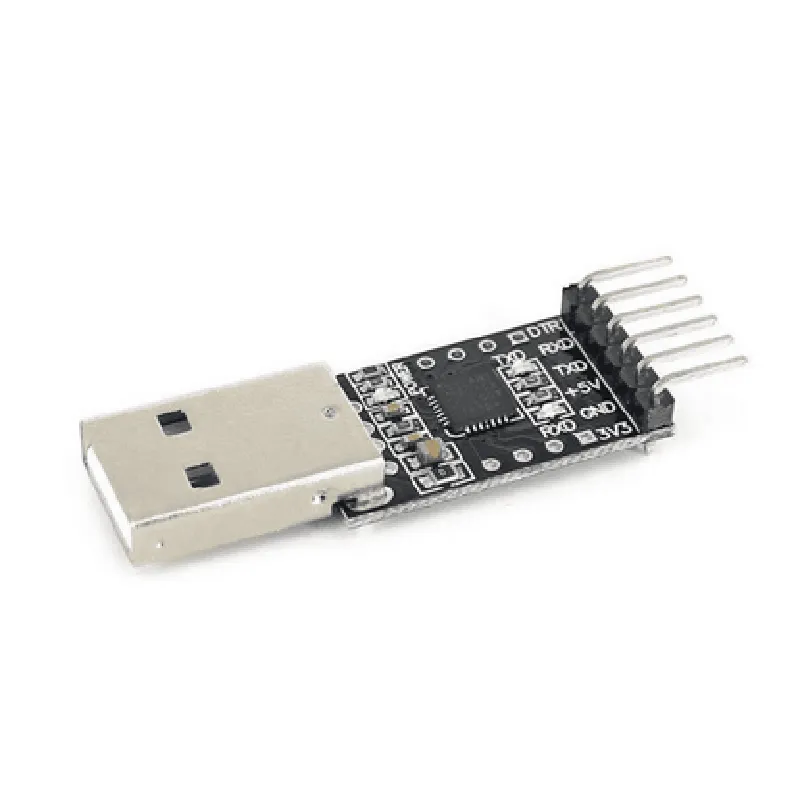
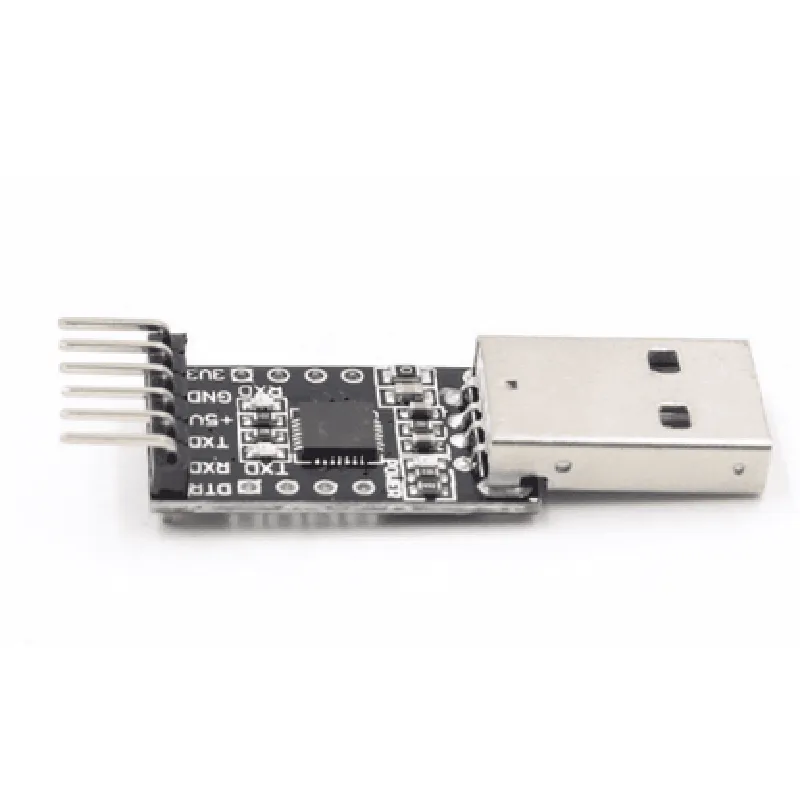
CP2102 USB to TTL Converter Documentation
The CP2102 is a highly integrated USB-to-TTL serial converter that provides a simple and cost-effective way to add USB connectivity to microcontrollers and other TTL-based serial devices. This documentation provides an overview of the CP2102's features, pinouts, and examples of how to use it in various contexts.
Converts USB signals to TTL serial signals
 Supports data transfer rates up to 921.6 kbps
 Supports USB 2.0 Full-Speed (12 Mbps) and Low-Speed (1.5 Mbps) modes
 Integrated USB interface and signal conditioning circuitry
 3.3V or 5V operation
 Available in a 5x5mm QFN28 package
The CP2102 has a 28-pin QFN package with the following pinouts:
| Pin | Function |
| --- | --- |
| 1-4 | USB Data+/-, VBUS, and GND |
| 5-6 | TX, RX |
| 7-8 | RTS, CTS |
| 9-10 | DTR, DSR |
| 11-12 | DCD, RI |
| 13-14 | VCC, GND |
| 15-28 | NC (no connection) |
### Example 1: Using CP2102 with Arduino
In this example, we'll use the CP2102 to connect an Arduino Uno to a computer via USB. We'll use the Arduino's serial communication capabilities to send and receive data.
Connect the CP2102's TX pin to the Arduino's RX pin (Pin 0)
 Connect the CP2102's RX pin to the Arduino's TX pin (Pin 1)
 Connect the CP2102's VCC pin to the Arduino's 5V pin
 Connect the CP2102's GND pin to the Arduino's GND pin
Software Code
```c++
#include <Serial.h>
void setup() {
  Serial.begin(9600); // Set serial communication at 9600 bps
}
void loop() {
  if (Serial.available() > 0) {
    char c = Serial.read();
    Serial.write(c); // Echo back the received character
  }
  delay(10);
}
```
### Example 2: Using CP2102 with Python on Raspberry Pi
In this example, we'll use the CP2102 to connect a Raspberry Pi to a TTL serial device. We'll use Python's `pyserial` library to communicate with the device.
Connect the CP2102's TX pin to the TTL serial device's RX pin
 Connect the CP2102's RX pin to the TTL serial device's TX pin
 Connect the CP2102's VCC pin to the Raspberry Pi's 3.3V pin
 Connect the CP2102's GND pin to the Raspberry Pi's GND pin
Software Code
```python
import serial
# Open the serial connection
ser = serial.Serial('/dev/ttyUSB0', 9600, timeout=1)
while True:
    # Read data from the TTL serial device
    data = ser.readline()
    print(data.decode())
# Send data to the TTL serial device
    ser.write(b'Hello from Raspberry Pi!
')
```
### Example 3: Using CP2102 with C# on Windows
In this example, we'll use the CP2102 to connect a Windows PC to a TTL serial device. We'll use C#'s `System.IO.Ports` namespace to communicate with the device.
Connect the CP2102's TX pin to the TTL serial device's RX pin
 Connect the CP2102's RX pin to the TTL serial device's TX pin
 Connect the CP2102's VCC pin to the PC's USB port
 Connect the CP2102's GND pin to the PC's USB port
Software Code
```csharp
using System;
using System.IO.Ports;
class CP2102Example {
    static void Main(string[] args) {
        // Open the serial connection
        SerialPort port = new SerialPort("COM3", 9600, Parity.None, 8, StopBits.One);
        port.Open();
while (true) {
            // Read data from the TTL serial device
            string data = port.ReadLine();
            Console.WriteLine(data);
// Send data to the TTL serial device
            port.WriteLine("Hello from Windows!");
        }
    }
}
```