ATTINY85 USB Development Board


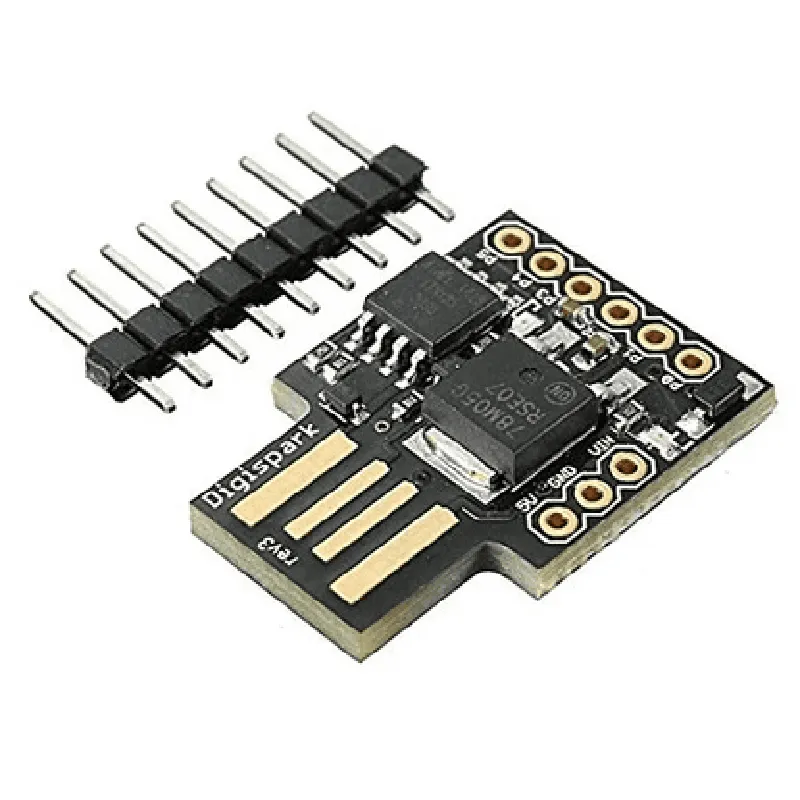
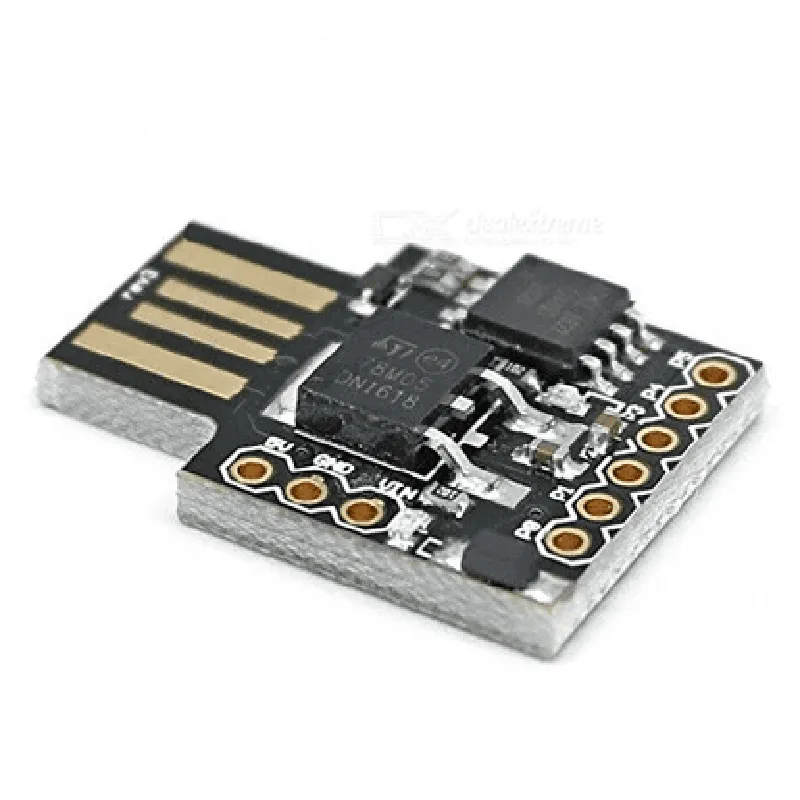
ATTINY85 USB Development Board
The ATTINY85 USB Development Board is a microcontroller development board based on the Atmel ATTINY85 microcontroller. It is a compact, low-cost, and highly versatile board designed for prototyping, development, and production of IoT projects, robots, and other embedded systems. The board provides a USB interface for easy communication with computers and other devices.
| The ATTINY85 USB Development Board is a powerful and flexible platform for developing a wide range of applications, including |
IoT projects (e.g., home automation, environmental monitoring)
Robotics and robotic arms
Wearable devices and accessories
USB peripherals and gadgets
Prototyping and proof-of-concept designs
Educational and research projects
### Microcontroller
Atmel ATTINY85 8-bit AVR microcontroller
8KB flash memory
512 bytes SRAM
512 bytes EEPROM
12-bit ADC with 4 channels
1 x 16-bit timer/counter
1 x 8-bit timer/counter
UART, SPI, and I2C interfaces
### USB Interface
USB 2.0 full-speed device interface
USB connector (Micro-B type)
On-board USB-to-UART bridge (via CP2102 chip)
Supports serial communication at baud rates up to 1 Mbps
### Power and Reset
On-board voltage regulator (3.3V or 5V output)
USB bus power or external power supply (2.7V to 5.5V)
Reset button and auto-reset circuitry
### GPIO and Expansion
6 x GPIO pins (digital I/O)
4 x Analog input pins (ADC)
1 x I2C interface (SCL and SDA pins)
1 x SPI interface (SCK, MOSI, and MISO pins)
1 x UART interface (TX and RX pins)
Expansion header with 3 x GPIO pins and 1 x GND pin
### Other Features
On-board LED indicator for power and USB activity
Compact design with a small footprint (1.6 inches x 0.7 inches)
Compatible with a wide range of development environments and programming languages (e.g., Arduino, C, Python)
-40C to +85C
-40C to +125C
5% to 95% RH (non-condensing)
1.6 inches (40 mm)
0.7 inches (18 mm)
0.2 inches (5 mm)
1 x ATTINY85 USB Development Board
1 x USB Micro-B cable
1 x Quick-start guide or datasheet
The ATTINY85 USB Development Board is suitable for a wide range of applications, including IoT projects, robotics, wearable devices, and more. Its compact size, low power consumption, and USB interface make it an ideal choice for prototyping and developing small to medium-sized projects.
ATTINY85 USB Development Board DocumentationOverviewThe ATTINY85 USB Development Board is a compact, low-cost, and versatile microcontroller board based on the ATtiny85 microcontroller. It is a popular choice for IoT projects, robotics, and wearables due to its small size, low power consumption, and USB connectivity. This documentation provides an overview of the board's features, pinouts, and code examples to get you started with using the ATTINY85 USB Development Board in various contexts.FeaturesATtiny85 microcontroller with 8 KB of flash memory, 512 bytes of SRAM, and 512 bytes of EEPROM
USB interface for programming and communication
6 I/O pins, including 2 analog inputs and 4 digital I/O pins
Voltage regulator for 5V or 3.3V operation
Small form factor (0.7 x 1.2 inches) with mounting holes for easy integrationPinouts| Pin | Function | Description |
| --- | --- | --- |
| VCC | Power | 5V or 3.3V power input |
| GND | Ground | Ground connection |
| RX | Serial Input | Serial input for programming and communication |
| TX | Serial Output | Serial output for programming and communication |
| D0 | Digital I/O | Digital input/output pin |
| D1 | Digital I/O | Digital input/output pin |
| A0 | Analog Input | Analog input pin |
| A1 | Analog Input | Analog input pin |
| RST | Reset | Reset pin for ATtiny85 microcontroller |
| UPDI | USB Interface | USB interface for programming and communication |Code Examples### Example 1: Blinking LED using USB Serial ConnectionThis example demonstrates how to use the ATTINY85 USB Development Board to blink an LED connected to digital pin D0. The code uses the USB serial connection to receive commands from a host computer.```c
#include <TinyUSB.h>const int ledPin = 0; // Digital pin D0void setup() {
pinMode(ledPin, OUTPUT); // Set D0 as an output
Serial.begin(9600); // Initialize USB serial connection
}void loop() {
if (Serial.available() > 0) {
char command = Serial.read(); // Read command from host computer
if (command == 'H') {
digitalWrite(ledPin, HIGH); // Turn on LED
} else if (command == 'L') {
digitalWrite(ledPin, LOW); // Turn off LED
}
}
delay(50); // Short delay to avoid overwhelming the serial connection
}
```### Example 2: Analog Reading and USB CommunicationThis example demonstrates how to use the ATTINY85 USB Development Board to read an analog voltage on pin A0 and send the reading to a host computer over the USB connection.```c
#include <TinyUSB.h>const int analogPin = 0; // Analog input pin A0void setup() {
Serial.begin(9600); // Initialize USB serial connection
}void loop() {
int reading = analogRead(analogPin); // Read analog voltage on A0
Serial.print("Analog reading: ");
Serial.println(reading); // Send reading to host computer
delay(100); // Short delay to avoid overwhelming the serial connection
}
```### Example 3: Simple USB Device with Custom Device ClassThis example demonstrates how to use the ATTINY85 USB Development Board as a custom USB device with a custom device class. The device responds to a specific command by toggling digital pin D1.```c
#include <TinyUSB.h>const int deviceClass = 0xFF; // Custom device class
const int commandTogglePin = 0x01; // Command to toggle digital pin D1TUSBDevice device(deviceClass); // Initialize custom USB devicevoid setup() {
pinMode(1, OUTPUT); // Set D1 as an output
device.begin(); // Initialize USB device
}void loop() {
if (device.available() > 0) {
int command = device.read(); // Read command from host computer
if (command == commandTogglePin) {
digitalWrite(1, !digitalRead(1)); // Toggle digital pin D1
}
}
delay(50); // Short delay to avoid overwhelming the USB connection
}
```These code examples demonstrate the ATTINY85 USB Development Board's capabilities and flexibility in various IoT applications. By combining the board's features with creative programming, you can create innovative and functional projects.