-20C to 85C


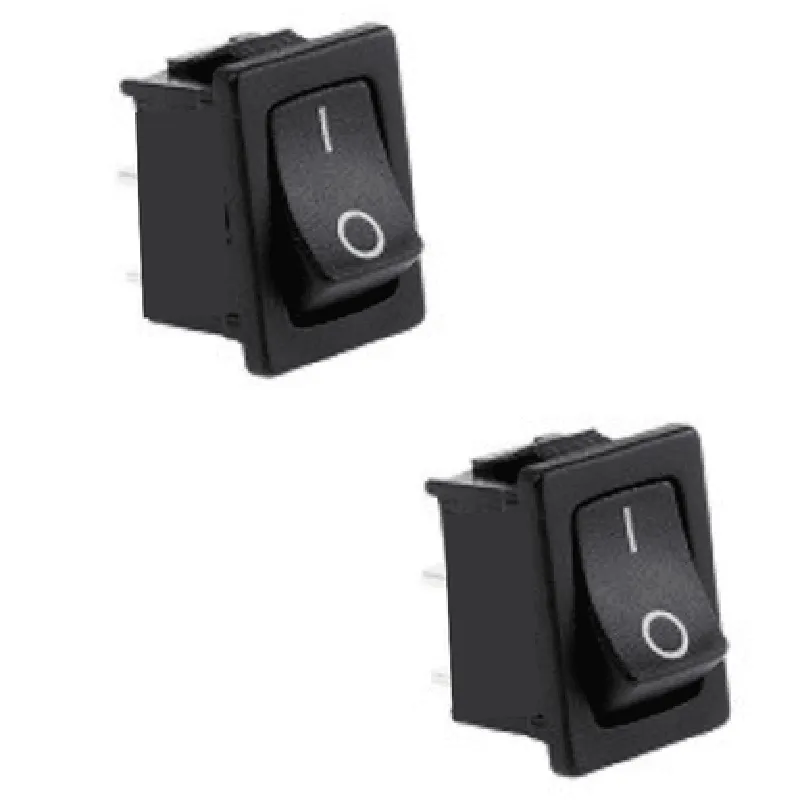
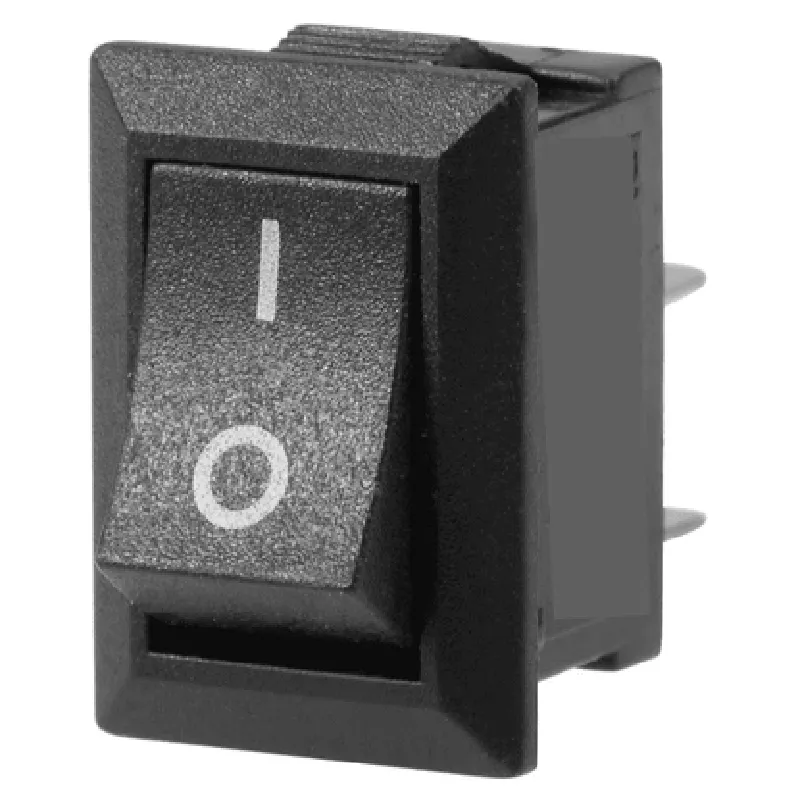
-20C to 85C
<50m
>100M
>10,000 cycles
Through-hole, 2-pin
19 x 13mm
<5g
Applications
| The 2 Pin Mini On-Off SPST Rocket Switch is suitable for a wide range of IoT applications, including |
Robotics and automation systems
IoT devices and gateways
Wearable electronics
Smart home and building automation systems
Industrial control systems
Medical devices and equipment
Overall, the 2 Pin Mini On-Off SPST Rocket Switch is a reliable, compact, and easy-to-use component that is ideal for a variety of IoT applications.
Component Documentation: 2 Pin Mini On-Off SPST Rocket Switch (19 x 13mm)OverviewThe 2 Pin Mini On-Off SPST Rocket Switch is a compact, single-pole single-throw (SPST) toggle switch designed for use in a variety of electronic projects. It features a robust and reliable design, making it suitable for applications where a simple on/off switching mechanism is required.Pinout and ParametersPin 1: Input (Connected to the power source)
Pin 2: Output (Connected to the load)
Operating voltage: 250V AC, 30V DC
Current rating: 10A
Dimensions: 19 x 13mm
Packaging: Pack of 2Example 1: Basic On/Off Switching with ArduinoIn this example, we'll demonstrate how to use the 2 Pin Mini On-Off SPST Rocket Switch with an Arduino board to control an LED.Hardware Requirements:Arduino Board (e.g., Arduino Uno)
2 Pin Mini On-Off SPST Rocket Switch
LED
220 Resistor
Breadboard and jumper wiresSoftware:```c++
const int switchPin = 2; // Connect the switch to digital pin 2
const int ledPin = 13; // Connect the LED to digital pin 13void setup() {
pinMode(switchPin, INPUT);
pinMode(ledPin, OUTPUT);
}void loop() {
int switchState = digitalRead(switchPin);
if (switchState == HIGH) {
digitalWrite(ledPin, HIGH); // Turn the LED on
} else {
digitalWrite(ledPin, LOW); // Turn the LED off
}
}
```Example 2: Controlling a DC Motor with Raspberry PiIn this example, we'll demonstrate how to use the 2 Pin Mini On-Off SPST Rocket Switch with a Raspberry Pi to control a DC motor.Hardware Requirements:Raspberry Pi (any model)
2 Pin Mini On-Off SPST Rocket Switch
DC Motor (e.g., 6V, 1A)
L293D Motor Driver IC
Breadboard and jumper wiresSoftware:```python
import RPi.GPIO as GPIO
import timeGPIO.setmode(GPIO.BCM)# Define the switch and motor control pins
switch_pin = 17
motor_forward_pin = 23
motor_backward_pin = 24GPIO.setup(switch_pin, GPIO.IN, pull_up_down=GPIO.PUD_UP)
GPIO.setup(motor_forward_pin, GPIO.OUT)
GPIO.setup(motor_backward_pin, GPIO.OUT)try:
while True:
switch_state = GPIO.input(switch_pin)
if switch_state == GPIO.HIGH:
# Turn the motor on
GPIO.output(motor_forward_pin, GPIO.HIGH)
GPIO.output(motor_backward_pin, GPIO.LOW)
else:
# Turn the motor off
GPIO.output(motor_forward_pin, GPIO.LOW)
GPIO.output(motor_backward_pin, GPIO.LOW)
time.sleep(0.1)
except KeyboardInterrupt:
GPIO.cleanup()
```Note: In both examples, ensure that the switch is properly connected to the power source and the load (LED or motor) according to the pinout and parameters specified above. Additionally, use appropriate voltage and current rating considerations when designing your project.