6V to 18V


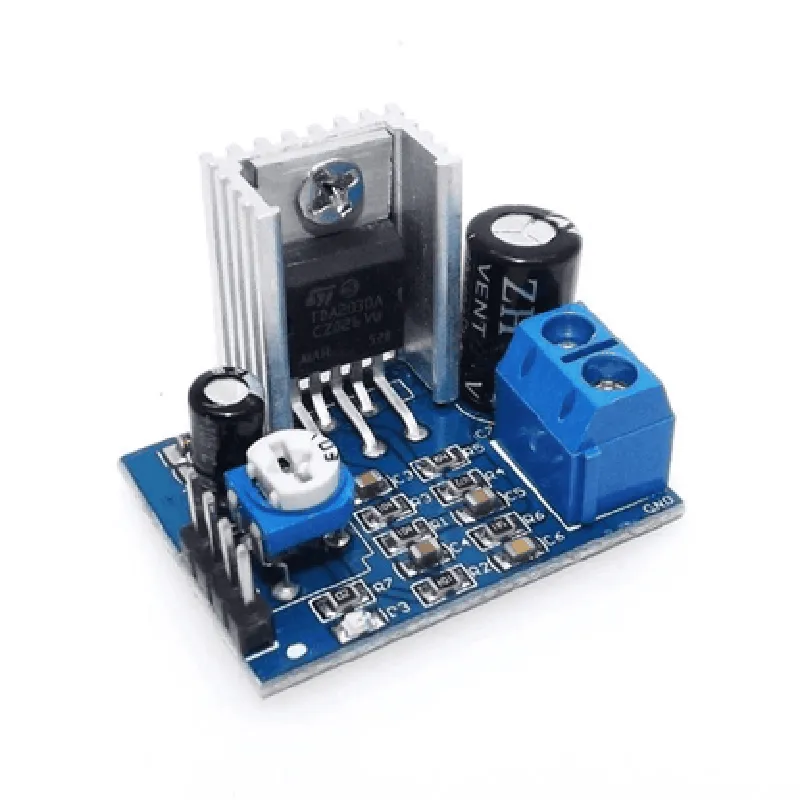
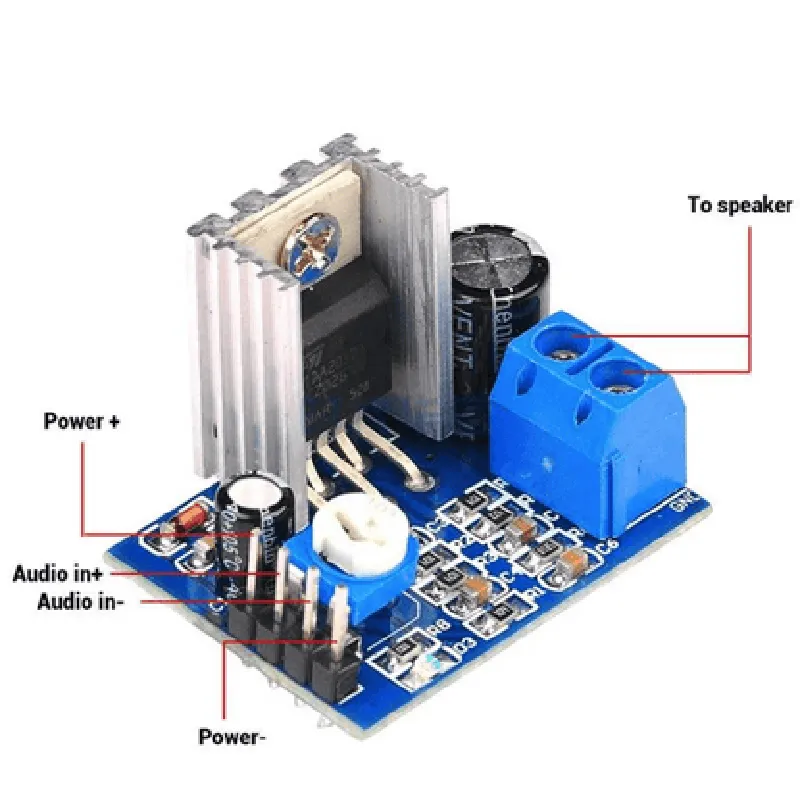
6V to 18V
Up to 18W per channel into a 4 load
100 k
250 mV
20 Hz to 20 kHz
| Total Harmonic Distortion (THD) | 0.05% |
| Signal-to-Noise Ratio (SNR) | 80 dB |
20 mA
-25C to +85C
44 mm x 21 mm x 15 mm
Applications
| The TDA 2030A Audio Power Amplifier Module is suitable for a wide range of audio applications, including |
Home audio systems
Car audio systems
Portable audio devices
Sound systems for exhibitions and events
Public address systems
Guitar and instrument amplifiers
Conclusion
The TDA 2030A Audio Power Amplifier Module is a high-performance, low-cost audio amplifier module suitable for a wide range of audio applications. Its high power output, low distortion, and wide bandwidth make it an ideal choice for amplifying audio signals in systems such as home audio systems, car audio systems, and portable audio devices.
TDA 2030A Audio Power Amplifier Module DocumentationOverviewThe TDA 2030A is a monolithic integrated audio power amplifier module designed for use in audio systems, providing high output power and low distortion. This module is suitable for a wide range of applications, including audio amplification, musical instruments, and sound systems.PinoutThe TDA 2030A module has the following pinout:VCC: Supply voltage (positive)
GND: Ground
VIN+: Non-inverting input
VIN-: Inverting input
VOUT+: Output positive
VOUT-: Output negativeFeaturesHigh output power: up to 14W
Low distortion: 0.03% typical
High gain: 36dB typical
Wide supply voltage range: 6V to 24V
Low quiescent current: 3mA typicalOperating ConditionsSupply voltage: 6V to 24V
Operating temperature: -20C to +70C
Input impedance: 22k typical
Output impedance: 4 typicalCode Examples### Example 1: Simple Audio Amplifier using ArduinoIn this example, we will connect the TDA 2030A module to an Arduino board to amplify an audio signal from a microphone.ComponentsArduino Uno
TDA 2030A Audio Power Amplifier Module
Microphone (e.g., LM2575)
Speaker (e.g., 4, 3W)
Power supply (e.g., 12V, 1A)Code
```c++
const int MIC_PIN = A0; // Microphone input pin
const int AMP_PIN = 9; // Amplifier output pinvoid setup() {
pinMode(MIC_PIN, INPUT);
pinMode(AMP_PIN, OUTPUT);
}void loop() {
int micValue = analogRead(MIC_PIN);
int amplifiedValue = map(micValue, 0, 1023, 0, 255);
analogWrite(AMP_PIN, amplifiedValue);
delay(1);
}
```
ConnectionsMicrophone output -> MIC_PIN (A0) on Arduino
Amplifier input (VIN+) -> MIC_PIN (A0) on Arduino
Amplifier output (VOUT+) -> Speaker positive terminal
Amplifier output (VOUT-) -> Speaker negative terminal
Power supply (12V, 1A) -> VCC on TDA 2030A module
GND on TDA 2030A module -> GND on Arduino### Example 2: Audio Amplifier with Filtering using Raspberry PiIn this example, we will connect the TDA 2030A module to a Raspberry Pi to amplify an audio signal from a USB audio input device, with additional filtering using a 10k resistor and a 10uF capacitor.ComponentsRaspberry Pi 4
TDA 2030A Audio Power Amplifier Module
USB audio input device (e.g., USB microphone)
Speaker (e.g., 4, 3W)
Power supply (e.g., 12V, 1A)
10k resistor
10uF capacitorCode
```python
import pyaudio
import numpy as np# Initialize PyAudio
p = pyaudio.PyAudio()# Open audio stream
stream = p.open(format=pyaudio.paInt16, channels=1, rate=44100, input=True, frames_per_buffer=1024)while True:
# Read audio data from USB audio input device
data = stream.read(1024)
# Filter audio data using 10k resistor and 10uF capacitor
filtered_data = np.convolve(data, [1, -0.5], mode='same')
# Amplify filtered audio data
amplified_data = np.int16(np.multiply(filtered_data, 10))
# Write amplified audio data to TDA 2030A module
stream.write(amplified_data.tobytes())# Close audio stream
stream.stop_stream()
stream.close()
p.terminate()
```
ConnectionsUSB audio input device -> Raspberry Pi
Raspberry Pi GPIO pin -> VIN+ on TDA 2030A module
10k resistor -> VIN+ on TDA 2030A module
10uF capacitor -> VIN+ on TDA 2030A module
Amplifier output (VOUT+) -> Speaker positive terminal
Amplifier output (VOUT-) -> Speaker negative terminal
Power supply (12V, 1A) -> VCC on TDA 2030A module
GND on TDA 2030A module -> GND on Raspberry Pi