Stufin
Home Quick Cart Profile

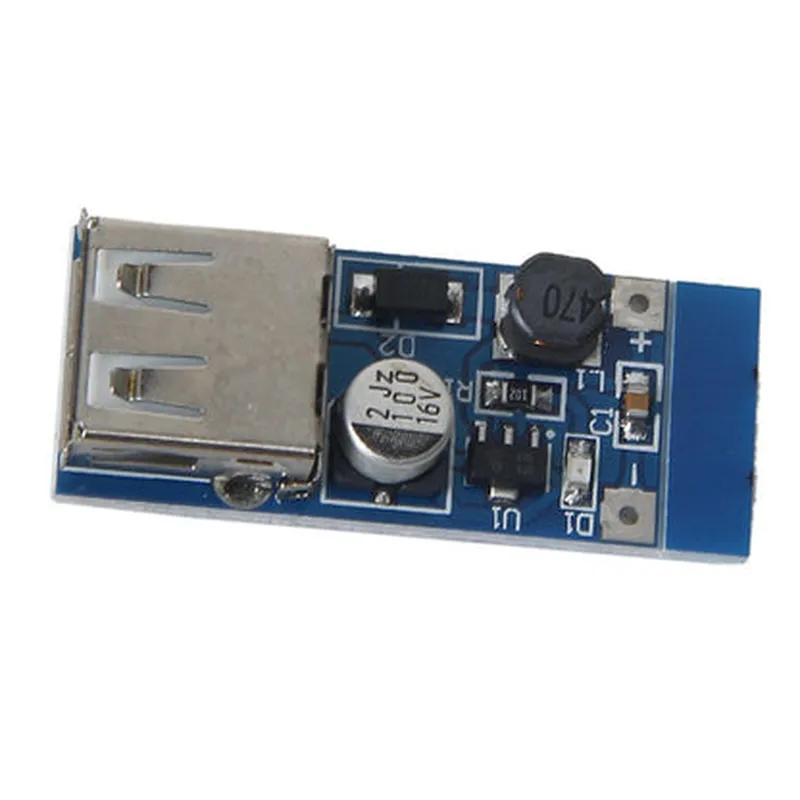
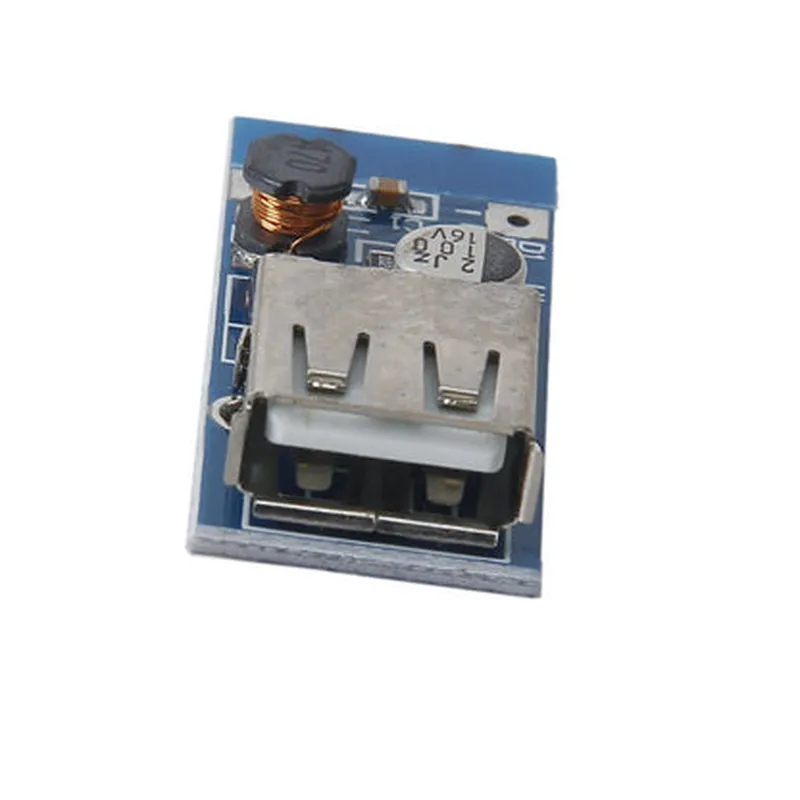
0.9V-5V to 5V DC-DC USB Step Up Power Boost Converter Module

Buy Now on Stufin

Pin Configuration

  • Component Overview
  • The 0.9V-5V to 5V DC-DC USB Step Up Power Boost Converter Module is a compact and efficient power conversion module designed to step up input voltages between 0.9V and 5V to a stable 5V output, making it ideal for powering small electronic devices, IoT projects, and USB peripherals.
  • Pin Configuration
  • The module has a total of 4 pins, labeled as follows:
  • Pin 1: VIN (Input Voltage)
  • Function: This pin is connected to the input power source, which can be a battery, solar panel, or any other voltage source between 0.9V and 5V.
  • Typical input voltage range: 0.9V to 5V
  • Recommended input voltage range: 1V to 4V for optimal performance
  • Pin 2: GND (Ground)
  • Function: This pin provides a common ground connection for the input and output circuits.
  • Connection: Connect to the negative terminal of the input power source and the ground of the output device (e.g., USB peripheral).
  • Pin 3: VOUT (Output Voltage)
  • Function: This pin provides a stable 5V output voltage, which can be used to power small electronic devices, such as USB peripherals, microcontrollers, and sensors.
  • Typical output voltage: 5V 0.1V
  • Maximum output current: 1A (dependent on input voltage and module efficiency)
  • Pin 4: EN (Enable)
  • Function: This pin is used to enable or disable the converter module. When set high (connected to VIN or a logic high signal), the module is enabled, and when set low (connected to GND or a logic low signal), the module is disabled.
  • Connection: Typically connected to VIN or a microcontroller's digital output pin to control the module's power state.
  • Connection Structure
  • To connect the pins properly, follow this structure:
  • 1. Connect the input power source (battery, solar panel, etc.) to Pin 1 (VIN) and Pin 2 (GND).
  • 2. Connect the output device (USB peripheral, microcontroller, etc.) to Pin 3 (VOUT) and Pin 2 (GND).
  • 3. Connect Pin 4 (EN) to VIN or a microcontroller's digital output pin to control the module's power state.
  • Important Notes
  • Ensure the input voltage is within the recommended range for optimal performance and module lifespan.
  • Use proper soldering techniques and avoid overheating the module during assembly.
  • Follow proper safety precautions when working with electricity and electronic components.
  • By following these guidelines, you can successfully integrate the 0.9V-5V to 5V DC-DC USB Step Up Power Boost Converter Module into your project, ensuring a stable and efficient power supply for your devices.

Code Examples

0.9V-5V to 5V DC-DC USB Step Up Power Boost Converter Module Documentation
Overview
The 0.9V-5V to 5V DC-DC USB Step Up Power Boost Converter Module is a compact and efficient power conversion module designed to step up input voltages between 0.9V and 5V to a stable 5V output, making it suitable for powering USB devices, microcontrollers, and other electronic projects. This module features a high-efficiency DC-DC conversion algorithm, low power consumption, and a compact design.
Key Features
Input voltage range: 0.9V - 5V
 Output voltage: 5V
 Output current: Up to 1A
 High-efficiency DC-DC conversion algorithm
 Low power consumption
 Compact design
Pinout
The module has the following pinout:
VIN: Input voltage (0.9V - 5V)
 GND: Ground
 VOUT: Output voltage (5V)
 EN: Enable pin (active high)
Specifications
Operating Temperature: -20C to 85C
 Storage Temperature: -40C to 125C
 Humidity: 20% to 80% RH
Code Examples
Here are a few code examples demonstrating how to use the 0.9V-5V to 5V DC-DC USB Step Up Power Boost Converter Module in various contexts:
Example 1: Basic Powering of a USB Device
In this example, we will use the module to power a USB keyboard from a 3.7V lithium-ion battery.
Arduino Code
```arduino
const int Vin = A0;  // Input voltage (3.7V)
const int GND = GND_PIN;
const int Vout = 5V_PIN;  // Output voltage (5V)
const int EN = 2;  // Enable pin
void setup() {
  pinMode(EN, OUTPUT);
  digitalWrite(EN, HIGH);  // Enable the module
}
void loop() {
  // Power the USB keyboard
  digitalWrite(Vout, HIGH);
  delay(1000);
}
```
Example 2: Powering a Microcontroller
In this example, we will use the module to power an ESP32 microcontroller from a 2.5V solar panel.
ESP32 Code
```c++
#include <WiFi.h>
#define VIN 12  // Input voltage (2.5V)
#define GND 13
#define VOUT 5  // Output voltage (5V)
#define EN 15  // Enable pin
void setup() {
  pinMode(EN, OUTPUT);
  digitalWrite(EN, HIGH);  // Enable the module
  Serial.begin(115200);
  WiFi.begin("your_ssid", "your_password");
}
void loop() {
  // Power the ESP32 microcontroller
  digitalWrite(VOUT, HIGH);
  delay(1000);
}
```
Note: In both examples, ensure that the input voltage and current ratings of the module are not exceeded, and that the output voltage and current ratings are within the specifications of the device being powered.
Cautions and Warnings
Ensure proper input voltage and current ratings to avoid damaging the module.
 Avoid overheating or overloading the module, as it may cause permanent damage.
 Follow proper soldering and assembly techniques to prevent damage to the module.
I hope this documentation and the provided code examples help you effectively use the 0.9V-5V to 5V DC-DC USB Step Up Power Boost Converter Module in your IoT projects!