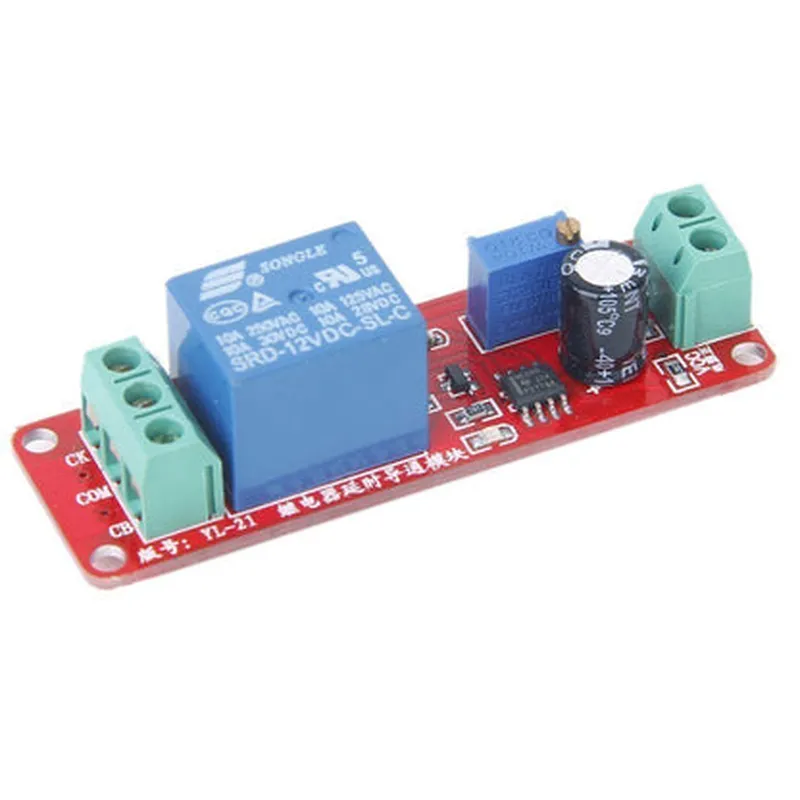
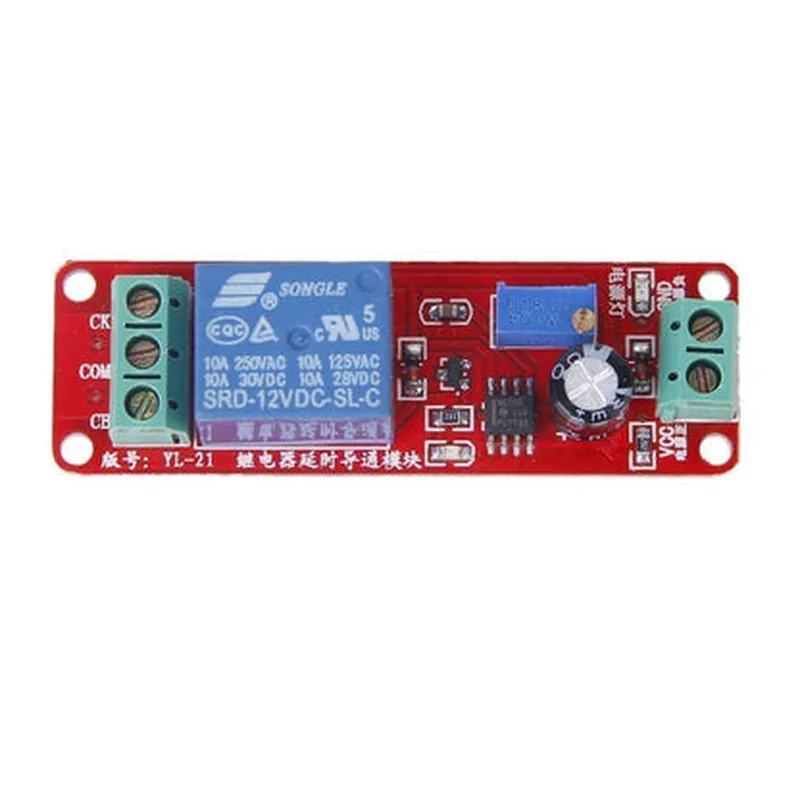
Time Delay Relay Module (0-10 seconds) Documentation
The Time Delay Relay Module is a versatile IoT component that allows users to control the switching time of a relay output. This module is particularly useful in applications where a delay is required between the input signal and the relay activation. The module features a adjustable delay time ranging from 0 to 10 seconds.
Pinouts and Specifications
InputVoltage: 5V DC
 OutputVoltage: 5V DC
 Relay Type: SPDT (Single Pole Double Throw)
 Relay Contact Rating: 10A/250V AC
 Delay Time: 0-10 seconds (adjustable via onboard potentiometer)
 Operating Temperature: -20C to 80C
### Example 1: Basic Relay Control with Delay using Arduino
In this example, we will use the Time Delay Relay Module to control a relay with a 5-second delay using an Arduino board.
Arduino Board (e.g., Arduino Uno)
 Time Delay Relay Module
 Breadboard and jumper wires
 Load device (e.g., LED, buzzer, or small motor)
Arduino IDE (version 1.8.x or higher)
Code
```c++
const int relayPin = 2;  // Pin connected to the relay module
void setup() {
  pinMode(relayPin, OUTPUT);
}
void loop() {
  digitalWrite(relayPin, HIGH);  // Trigger the relay
  delay(5000);  // Wait for 5 seconds (adjustable via potentiometer)
  digitalWrite(relayPin, LOW);  // Deactivate the relay
  delay(1000);  // Wait for 1 second
}
```
In this example, the relay is activated for 5 seconds, followed by a 1-second delay before deactivating.
### Example 2: Home Automation using ESP32 and Time Delay Relay Module
In this example, we will use the Time Delay Relay Module to control a home automation device, such as a lamp, using an ESP32 board and Wi-Fi connectivity.
ESP32 Board (e.g., ESP32 DevKitC)
 Time Delay Relay Module
 Breadboard and jumper wires
 Load device (e.g., lamp or other home automation device)
 Wi-Fi router
ESP32 Arduino Core (version 1.0.x or higher)
Code
```c++
#include <WiFi.h>
const char ssid = "your_wifi_ssid";
const char password = "your_wifi_password";
const int relayPin = 2; // Pin connected to the relay module
void setup() {
  Serial.begin(115200);
  pinMode(relayPin, OUTPUT);
  WiFi.begin(ssid, password);
  while (WiFi.status() != WL_CONNECTED) {
    delay(1000);
    Serial.println("Connecting to WiFi...");
  }
  Serial.println("Connected to WiFi");
  server.begin();
}
void loop() {
  WiFiClient client = server.available();
  if (client) {
    String request = client.readStringUntil('
');
    if (request.indexOf("/relay/on") != -1) {
      digitalWrite(relayPin, HIGH);  // Trigger the relay
      client.println("HTTP/1.1 200 OK");
      client.println("Content-Type: text/html");
      client.println();
      client.println("<h1>Relay is ON</h1>");
      delay(5000);  // Wait for 5 seconds (adjustable via potentiometer)
    } else if (request.indexOf("/relay/off") != -1) {
      digitalWrite(relayPin, LOW);  // Deactivate the relay
      client.println("HTTP/1.1 200 OK");
      client.println("Content-Type: text/html");
      client.println();
      client.println("<h1>Relay is OFF</h1>");
    }
  }
}
```
In this example, the ESP32 board is connected to a Wi-Fi network, and a web server is created to control the relay module. When the `/relay/on` URL is accessed, the relay is activated for 5 seconds, and when the `/relay/off` URL is accessed, the relay is deactivated. The delay time can be adjusted using the onboard potentiometer.