Stufin
Home Quick Cart Profile

10 Segments 4 Colors Stripe Digital Bar Graph Display


Buy Now on Stufin

Component Name

10 Segments 4 Colors Stripe Digital Bar Graph Display
Overview

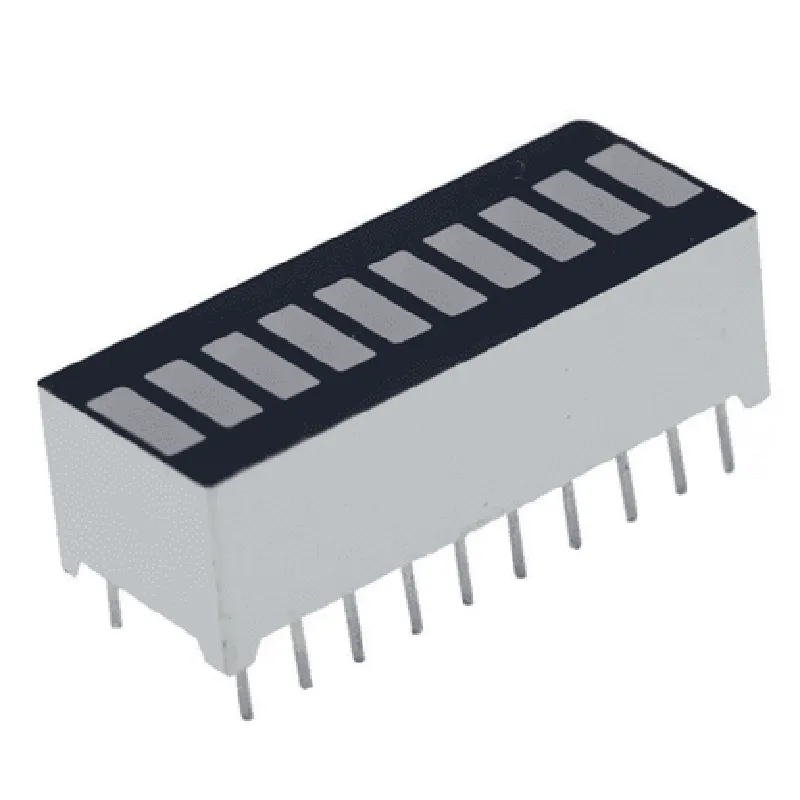
The 10 Segments 4 Colors Stripe Digital Bar Graph Display is a versatile and visually appealing display component designed for Internet of Things (IoT) applications. This component is a digital bar graph display that showcases a striped pattern with 10 segments, each capable of displaying one of four colors. The device is ideal for indicating progress, level, or quantity in various IoT applications, such as industrial automation, smart home devices, and wearable technology.
Functionality

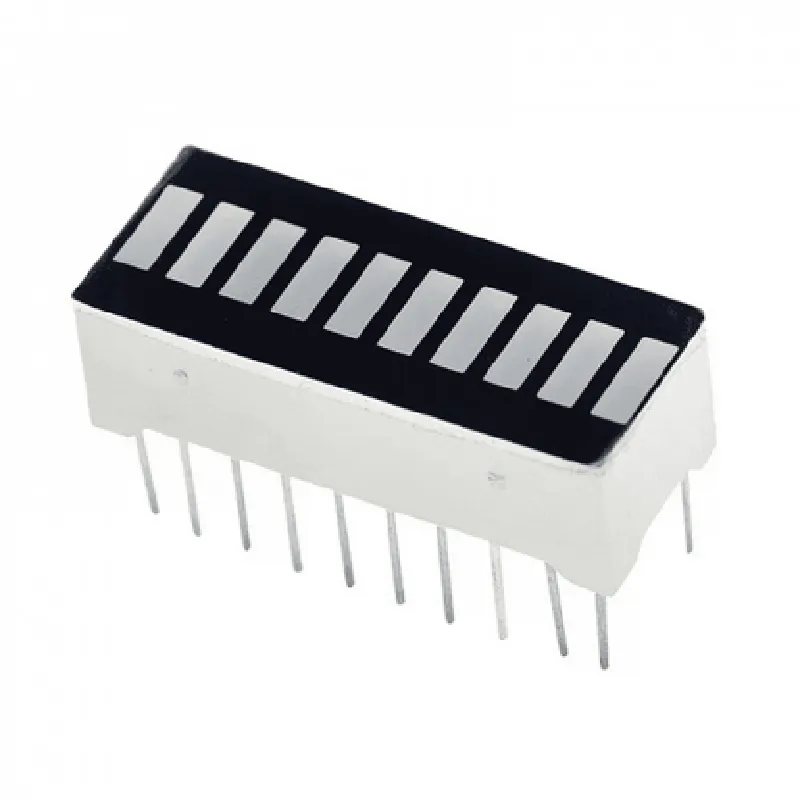
The 10 Segments 4 Colors Stripe Digital Bar Graph Display is a passive component that requires an external microcontroller or driver to operate. The display receives serial data from the microcontroller and decodes it to display the corresponding bar graph pattern. The device can display a range of information, including

Progress indicators (e.g., battery level, data transfer progress)

Level indicators (e.g., temperature, humidity, pressure)

Quantity indicators (e.g., number of items, volume of liquid)

Key Features

  • 10-Segment Display: The display consists of 10 individual segments, each capable of displaying one of four colors.
  • 4-Color Capability: Each segment can display one of four colors: red, green, blue, and yellow.
  • Stripe Pattern: The display features a striped pattern, allowing for easy visualization of progress, level, or quantity.
  • Serial Interface: The display communicates with an external microcontroller or driver via a serial interface (e.g., I2C, SPI, UART).
  • Low Power Consumption: The display is designed to consume minimal power, making it suitable for battery-powered IoT devices.
  • High Brightness: The display features high brightness LEDs, ensuring excellent visibility in various lighting conditions.
  • Compact Design: The component is designed to be compact and lightweight, making it easy to integrate into a wide range of IoT devices.

Display Type

Digital bar graph display

Number of Segments

10

Color Options

Red, green, blue, and yellow

Interface

Serial interface (I2C, SPI, UART)

Power Supply

3.3V or 5V

Current Consumption

10mA (typical)

Operating Temperature

-20C to 70C

Storage Temperature

-40C to 85C

Dimensions

40mm x 15mm x 5mm (L x W x H)

Industrial automation

display temperature, pressure, or humidity levels

Smart home devices

display energy consumption, water usage, or air quality

Wearable technology

display fitness metrics, such as heart rate or step count

Medical devices

display vital signs, such as blood pressure or oxygen saturation

Development Resources

Datasheet

Application notes

Sample code (available for popular microcontrollers)

Development kit (optional)

By providing a clear and detailed description of the 10 Segments 4 Colors Stripe Digital Bar Graph Display, developers and designers can easily integrate this versatile component into their IoT projects, enabling the creation of visually appealing and informative user interfaces.

Pin Configuration

  • 10 Segments 4 Colors Stripe Digital Bar Graph Display Documentation
  • Pin Description
  • The 10 Segments 4 Colors Stripe Digital Bar Graph Display is a versatile display module that can be used to display various types of data in a graphical format. The module has 16 pins, which are described below:
  • Pin 1: VCC
  • Function: Power supply voltage
  • Description: This pin should be connected to a 5V power supply.
  • Connection: Connect to a 5V power source (e.g., Arduino's 5V pin or a separate 5V power supply).
  • Pin 2: GND
  • Function: Ground
  • Description: This pin should be connected to the ground of the power supply.
  • Connection: Connect to the ground of the power supply (e.g., Arduino's GND pin or a separate ground connection).
  • Pin 3: DIN (Data In)
  • Function: Data input
  • Description: This pin is used to receive data from a microcontroller or other devices.
  • Connection: Connect to the data output pin of a microcontroller (e.g., Arduino's digital pin).
  • Pin 4: CLK (Clock)
  • Function: Clock signal
  • Description: This pin is used to provide a clock signal to the display module.
  • Connection: Connect to a clock output pin of a microcontroller (e.g., Arduino's digital pin).
  • Pin 5: CS (Chip Select)
  • Function: Chip select
  • Description: This pin is used to select the display module as the active device.
  • Connection: Connect to a digital output pin of a microcontroller (e.g., Arduino's digital pin).
  • Pin 6: R1 (Red 1)
  • Function: Red LED segment 1
  • Description: This pin is used to control the first red LED segment of the display.
  • Connection: Connect to a digital output pin of a microcontroller (e.g., Arduino's digital pin).
  • Pin 7: R2 (Red 2)
  • Function: Red LED segment 2
  • Description: This pin is used to control the second red LED segment of the display.
  • Connection: Connect to a digital output pin of a microcontroller (e.g., Arduino's digital pin).
  • Pin 8: G1 (Green 1)
  • Function: Green LED segment 1
  • Description: This pin is used to control the first green LED segment of the display.
  • Connection: Connect to a digital output pin of a microcontroller (e.g., Arduino's digital pin).
  • Pin 9: G2 (Green 2)
  • Function: Green LED segment 2
  • Description: This pin is used to control the second green LED segment of the display.
  • Connection: Connect to a digital output pin of a microcontroller (e.g., Arduino's digital pin).
  • Pin 10: B1 (Blue 1)
  • Function: Blue LED segment 1
  • Description: This pin is used to control the first blue LED segment of the display.
  • Connection: Connect to a digital output pin of a microcontroller (e.g., Arduino's digital pin).
  • Pin 11: B2 (Blue 2)
  • Function: Blue LED segment 2
  • Description: This pin is used to control the second blue LED segment of the display.
  • Connection: Connect to a digital output pin of a microcontroller (e.g., Arduino's digital pin).
  • Pin 12: Y1 (Yellow 1)
  • Function: Yellow LED segment 1
  • Description: This pin is used to control the first yellow LED segment of the display.
  • Connection: Connect to a digital output pin of a microcontroller (e.g., Arduino's digital pin).
  • Pin 13: Y2 (Yellow 2)
  • Function: Yellow LED segment 2
  • Description: This pin is used to control the second yellow LED segment of the display.
  • Connection: Connect to a digital output pin of a microcontroller (e.g., Arduino's digital pin).
  • Pin 14: SEG1-SEG10 (Segment Pins)
  • Function: Segment pins for the 10-segment bar graph display
  • Description: These pins are used to control the individual segments of the bar graph display.
  • Connection: Connect to digital output pins of a microcontroller (e.g., Arduino's digital pins).
  • Pin 15: NO (Not Connected)
  • Function: Not connected
  • Description: This pin is not connected to any internal component and should be left unconnected.
  • Pin 16: NO (Not Connected)
  • Function: Not connected
  • Description: This pin is not connected to any internal component and should be left unconnected.
  • Connection Structure
  • When connecting the 10 Segments 4 Colors Stripe Digital Bar Graph Display to a microcontroller (e.g., Arduino), follow this structure:
  • VCC (Pin 1) -> 5V power supply
  • GND (Pin 2) -> Ground
  • DIN (Pin 3) -> Data output pin of microcontroller
  • CLK (Pin 4) -> Clock output pin of microcontroller
  • CS (Pin 5) -> Chip select output pin of microcontroller
  • R1-R2, G1-G2, B1-B2, Y1-Y2 (Pins 6-13) -> Digital output pins of microcontroller for controlling the LED segments
  • SEG1-SEG10 (Pins 14) -> Digital output pins of microcontroller for controlling the bar graph segments
  • Note: Make sure to consult the datasheet of the microcontroller and the display module for specific connection requirements and programming guidelines.

Code Examples

Component Documentation: 10 Segments 4 Colors Stripe Digital Bar Graph Display
Overview
The 10 Segments 4 Colors Stripe Digital Bar Graph Display is a versatile IoT component that allows for the visualization of data in a graphical format. This component consists of 10 segments, each capable of displaying four different colors, making it ideal for representing complex data in an intuitive and easy-to-understand manner.
Technical Specifications
Operating Voltage: 5V
 Communication Protocol: I2C
 Address: 0x70 (default)
 Segment Count: 10
 Color Count: 4
 Package: SMD (Surface Mount Device)
Code Examples
### Example 1: Basic Usage with Arduino
In this example, we'll demonstrate how to use the 10 Segments 4 Colors Stripe Digital Bar Graph Display with an Arduino board to display a simple bar graph.
```c++
#include <Wire.h>
#define BAR_GRAPH_ADDRESS 0x70
void setup() {
  Wire.begin(); // Initialize I2C communication
}
void loop() {
  // Set the colors for each segment (Red, Green, Blue, Yellow)
  for (int i = 0; i < 10; i++) {
    Wire.beginTransmission(BAR_GRAPH_ADDRESS);
    Wire.write(0x01); // Select the first segment
    Wire.write(0x00); // Red
    Wire.write(0x01); // Green
    Wire.write(0x02); // Blue
    Wire.write(0x03); // Yellow
    Wire.endTransmission();
  }
// Set the value for each segment (0-10)
  for (int i = 0; i < 10; i++) {
    Wire.beginTransmission(BAR_GRAPH_ADDRESS);
    Wire.write(0x02); // Select the segment value register
    Wire.write(i); // Set the value (0-10)
    Wire.endTransmission();
    delay(50); // Update the display
  }
}
```
### Example 2: Using with Raspberry Pi (Python)
In this example, we'll demonstrate how to use the 10 Segments 4 Colors Stripe Digital Bar Graph Display with a Raspberry Pi (using Python) to display a real-time temperature reading.
```python
import smbus
import time
import Adafruit_DHT
# Initialize the I2C bus
bus = smbus.SMBus(1)
# Initialize the DHT11 temperature sensor
dht_sensor = Adafruit_DHT.DHT11
dht_pin = 17
# Define the bar graph address and registers
bar_graph_address = 0x70
segment_register = 0x01
value_register = 0x02
while True:
  # Read the temperature from the DHT11 sensor
  humidity, temperature = Adafruit_DHT.read_retry(dht_sensor, dht_pin)
# Map the temperature to a segment value (0-10)
  segment_value = int((temperature - 20) / 2)
# Update the bar graph display
  for i in range(10):
    bus.write_byte_data(bar_graph_address, segment_register, i)
    if i <= segment_value:
      bus.write_byte_data(bar_graph_address, value_register, 0x01)  # Green
    else:
      bus.write_byte_data(bar_graph_address, value_register, 0x00)  # Off
time.sleep(1)  # Update the display every second
```
These code examples demonstrate the basic usage of the 10 Segments 4 Colors Stripe Digital Bar Graph Display in various contexts. By following these examples, you can integrate this component into your IoT projects to create engaging and informative graphical displays.