Arduino UNO USB Host Shield Documentation
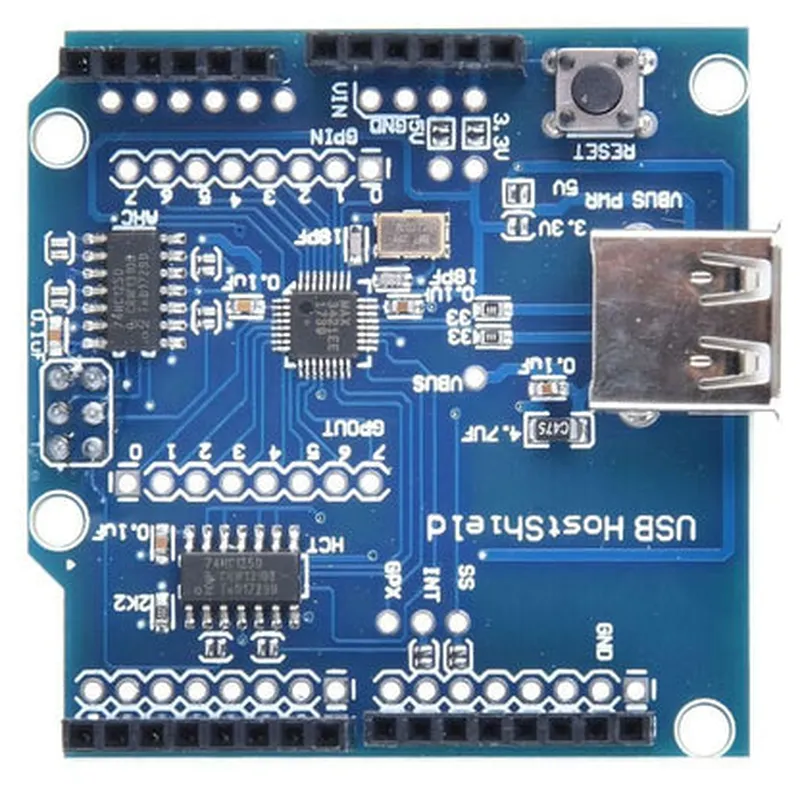
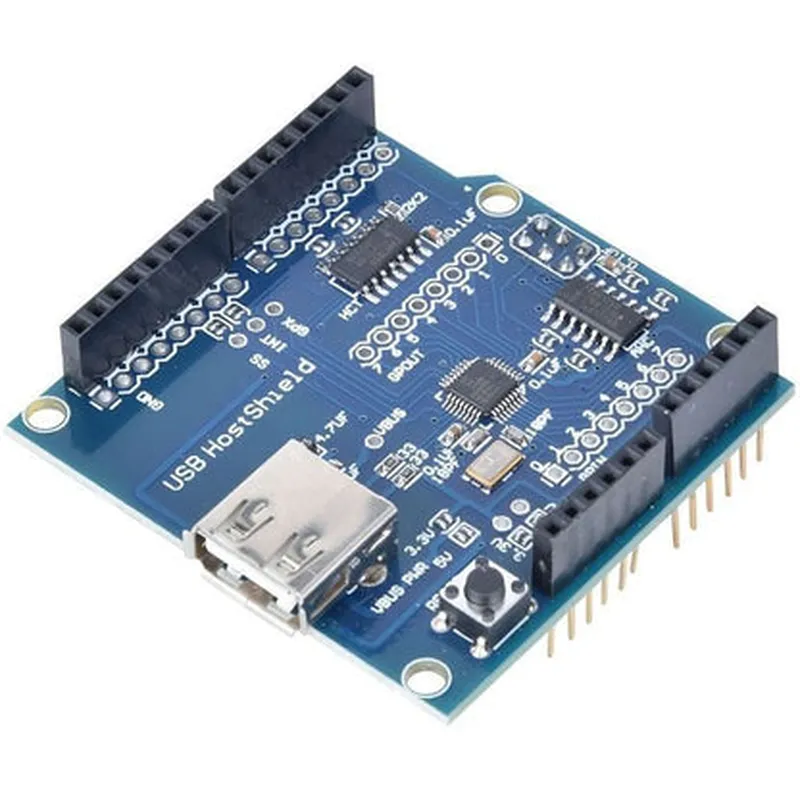
The Arduino UNO USB Host Shield is a versatile expansion board that enables Arduino UNO boards to communicate with USB devices, acting as a host. This shield utilizes the MAX3421E IC, which is a USB peripheral/host controller, allowing the Arduino UNO to control and interact with various USB devices, such as keyboards, mice,_game controllers, and even mobile devices.
MAX3421E USB peripheral/host controller IC
 USB-A connector for connecting USB devices
 IDC-6 connector for connecting to the Arduino UNO board
 Power and RESET switches
 LEDs for indicating USB device connectivity and communication
Arduino IDE (version 1.8.x or higher)
 USB Host Shield Library for Arduino (available on GitHub)
### Example 1: Reading Keyboard Input using the USB Host Shield
In this example, we will demonstrate how to use the Arduino UNO USB Host Shield to read keyboard input from a connected USB keyboard.
```c
#include <USBHost.h>
// Create a USB host instance
USBHost usb;
void setup() {
  Serial.begin(9600);
  if (usb.init()) {
    Serial.println("USB Host Shield initialized");
  } else {
    Serial.println("Failed to initialize USB Host Shield");
  }
}
void loop() {
  // Check for connected USB devices
  if (usb.getDeviceCount() > 0) {
    // Get the first connected device
    USBDevice device = usb.getDevice(0);

    // Check if the device is a keyboard
    if (device.getInterfaceClass() == 0x03) {
      Serial.println("Keyboard detected");

      // Read keyboard input
      uint8_t data[8];
      device.getReport(data, 8);

      // Print the received keyboard data
      for (int i = 0; i < 8; i++) {
        Serial.print(data[i], HEX);
        Serial.print(" ");
      }
      Serial.println();
    }
  }
  delay(50);
}
```
In this example, we initialize the USB Host Shield in the `setup()` function and check for connected USB devices in the `loop()` function. When a keyboard is detected, we read the keyboard input using the `getReport()` function and print the received data to the serial console.
### Example 2: Communicating with an Android Device using the USB Host Shield
In this example, we will demonstrate how to use the Arduino UNO USB Host Shield to communicate with an Android device, enabling the exchange of data between the two devices.
```c
#include <USBHost.h>
#include <AndroidAccessory.h>
// Create a USB host instance
USBHost usb;
// Create an Android Accessory instance
AndroidAccessory acc("Arduino", "Arduino UNO USB Host Shield", "Arduino Android Demo", "1.0");
void setup() {
  Serial.begin(9600);
  if (usb.init()) {
    Serial.println("USB Host Shield initialized");
  } else {
    Serial.println("Failed to initialize USB Host Shield");
  }

  // Initialize the Android Accessory
  acc.begin();
}
void loop() {
  // Check for connected Android devices
  if (usb.getDeviceCount() > 0) {
    // Get the first connected device
    USBDevice device = usb.getDevice(0);

    // Check if the device is an Android device
    if (device.getInterfaceClass() == 0xFF) {
      Serial.println("Android device detected");

      // Send data to the Android device
      char buf[64];
      sprintf(buf, "Hello from Arduino UNO USB Host Shield!");
      acc.write(buf, strlen(buf));

      // Read data from the Android device
      int len = acc.read(buf, 64);
      if (len > 0) {
        Serial.print("Received from Android device: ");
        Serial.println(buf);
      }
    }
  }
  delay(50);
}
```
In this example, we initialize the USB Host Shield and the Android Accessory in the `setup()` function. We then check for connected Android devices in the `loop()` function. When an Android device is detected, we send data to the device using the `write()` function and read data from the device using the `read()` function.
These examples demonstrate the capabilities of the Arduino UNO USB Host Shield and its potential applications in various IoT projects.