Arcade 2Pin Joystick switchable to 4/8 Ways


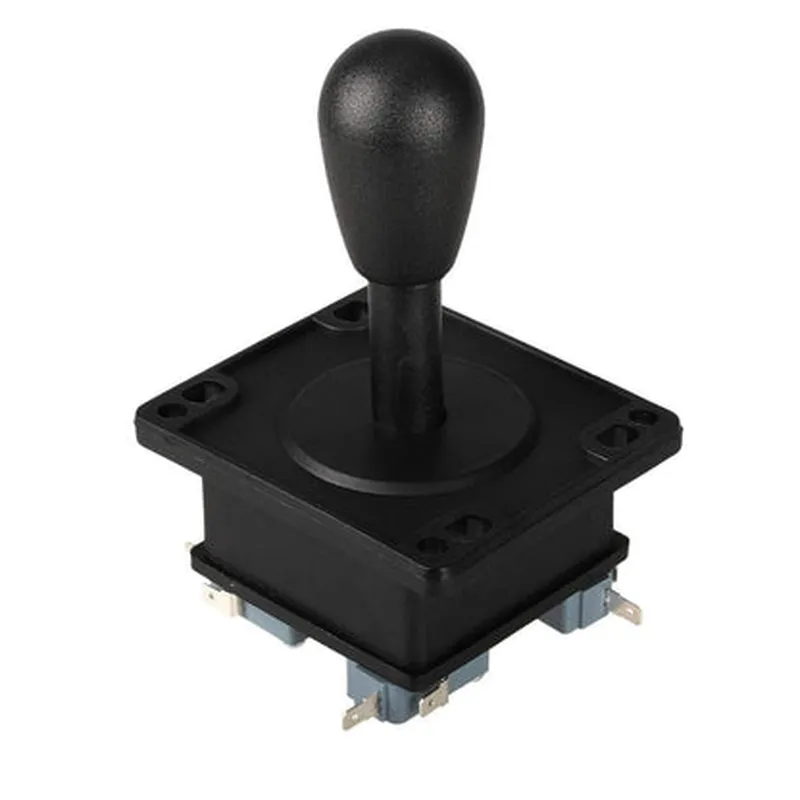
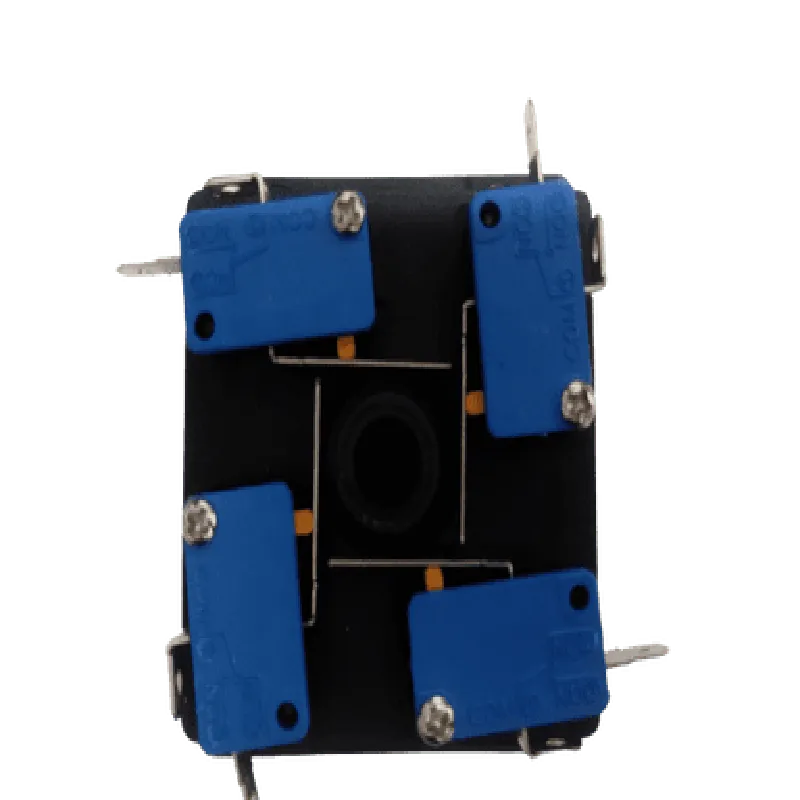
Arcade 2Pin Joystick switchable to 4/8 Ways
The Arcade 2Pin Joystick switchable to 4/8 Ways is a versatile and durable joystick module designed for various IoT applications, including gaming, robotics, and interactive systems. This component combines the classic feel of an arcade joystick with modern flexibility, allowing users to switch between 2-pin, 4-way, and 8-way configurations.
The Arcade 2Pin Joystick module serves as an input device, detecting the direction of the joystick movement and sending corresponding signals to a microcontroller or other compatible devices. The joystick's movement is converted into digital signals, which are then transmitted through the module's output pins.
| 2-pin mode | Provides a simple, binary output (e.g., up/down or left/right) through two output pins. |
| 4-way mode | Outputs digital signals for four directions (up, down, left, and right) through four output pins. |
| 8-way mode | Offers a more granular control, outputting digital signals for eight directions (up, down, left, right, and four diagonals) through eight output pins. |
3.3V to 5V
Digital
2, 4, or 8 (depending on the selected mode)
10mm
-20C to 70C
-40C to 85C
35mm x 35mm x 20mm (approximate)
| The Arcade 2Pin Joystick switchable to 4/8 Ways is suitable for a wide range of IoT applications, including |
Gaming consoles and controllers
Robotics and automation systems
Interactive kiosks and displays
Home automation systems
Prototyping and development projects
By combining versatility, durability, and ease of use, the Arcade 2Pin Joystick switchable to 4/8 Ways module is an excellent choice for IoT projects that require intuitive user input and reliable performance.
Arcade 2Pin Joystick switchable to 4/8 WaysOverviewThe Arcade 2Pin Joystick switchable to 4/8 Ways is a versatile joystick component designed for use in various IoT applications, particularly in gaming, robotics, and interactive prototypes. This joystick features a 2-pin configuration that can be switched to 4-way or 8-way modes, offering flexibility and precision in directional input.PinoutThe joystick has a total of 5 pins:VCC: Power supply pin (3.3V or 5V)
GND: Ground pin
X: Analog output pin for horizontal direction (0-1023)
Y: Analog output pin for vertical direction (0-1023)
SW: Digital output pin for push-button switch (HIGH/LOW)ModesThe joystick can operate in three modes:2-way mode: Up and Down (or Left and Right)
4-way mode: Up, Down, Left, and Right
8-way mode: Up, Down, Left, Right, and four diagonal directionsCode Examples### Example 1: Basic Joystick Reading in ArduinoThis example demonstrates how to read the joystick's analog output in Arduino:
```c
const int xPin = A0; // connect joystick X output to analog pin A0
const int yPin = A1; // connect joystick Y output to analog pin A1void setup() {
Serial.begin(9600);
}void loop() {
int xValue = analogRead(xPin);
int yValue = analogRead(yPin);Serial.print("X: ");
Serial.print(xValue);
Serial.print(" | Y: ");
Serial.println(yValue);delay(50);
}
```
In this example, the joystick's X and Y outputs are connected to analog pins A0 and A1, respectively. The `analogRead()` function is used to read the analog values, which are then printed to the serial console.### Example 2: 4-Way Mode with Debouncing in Raspberry Pi (Python)This example demonstrates how to use the joystick in 4-way mode with debouncing in Raspberry Pi using Python:
```python
import RPi.GPIO as GPIO
import timeGPIO.setmode(GPIO.BCM)joystick_x = 17 # connect joystick X output to GPIO 17
joystick_y = 23 # connect joystick Y output to GPIO 23
button_pin = 24 # connect joystick push-button switch to GPIO 24GPIO.setup(joystick_x, GPIO.IN, pull_up_down=GPIO.PUD_UP)
GPIO.setup(joystick_y, GPIO.IN, pull_up_down=GPIO.PUD_UP)
GPIO.setup(button_pin, GPIO.IN, pull_up_down=GPIO.PUD_UP)def debounce(pin):
count = 0
while count < 5:
if GPIO.input(pin) == GPIO.LOW:
count += 1
else:
count = 0
time.sleep(0.01)
return Truewhile True:
x_value = GPIO.input(joystick_x)
y_value = GPIO.input(joystick_y)
button_state = GPIO.input(button_pin)if x_value == GPIO.LOW and debounce(joystick_x):
print("Left")
elif x_value == GPIO.HIGH and debounce(joystick_x):
print("Right")if y_value == GPIO.LOW and debounce(joystick_y):
print("Up")
elif y_value == GPIO.HIGH and debounce(joystick_y):
print("Down")if button_state == GPIO.LOW and debounce(button_pin):
print("Button pressed")time.sleep(0.05)
```
In this example, the joystick's X and Y outputs are connected to GPIO pins 17 and 23, respectively, and the push-button switch is connected to GPIO pin 24. The code uses debouncing to ensure accurate readings and prints the direction or button state to the console.Note: The debouncing function is a simple example and may need to be adjusted based on the specific requirements of your project.These examples demonstrate the basic usage of the Arcade 2Pin Joystick switchable to 4/8 Ways in different contexts. By modifying the code to suit your specific needs, you can unlock the full potential of this versatile joystick component in your IoT projects.