Stufin
Home Quick Cart Profile

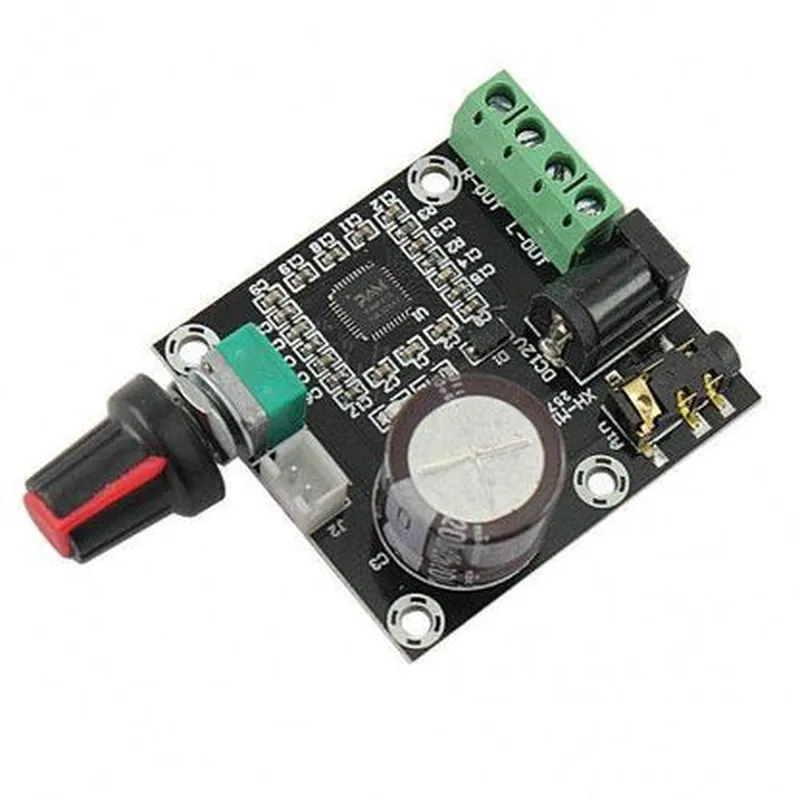
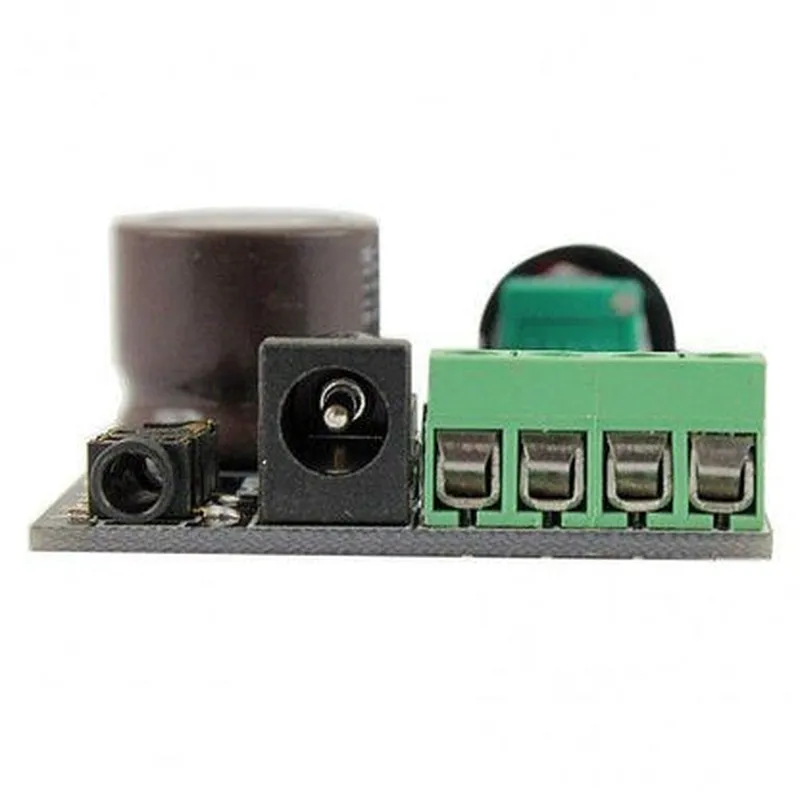
XH-M120 PAM8610 Amplifier Board

Buy Now on Stufin

VIN

Input voltage pin (4.5V to 15V)


GND

Ground pin

AIN

Audio input pin (left and right channels)

SPEAKER

Speaker output pins (left and right channels)

ENABLE

Enable pin (active high)

Applications

The XH-M120 PAM8610 Amplifier Board is suitable for a wide range of IoT applications, including

Smart speakers and audio systems

Home automation and smart home devices

Wireless audio devices and streaming systems

IoT development boards and modules

Robotics and automation systems

Conclusion

The XH-M120 PAM8610 Amplifier Board is a compact, efficient, and high-quality audio amplifier module ideal for a wide range of IoT applications. Its low power consumption, high efficiency, and built-in protection features make it an excellent choice for designers and developers looking to add audio capabilities to their IoT projects.

Pin Configuration

  • XH-M120 PAM8610 Amplifier Board Pinout Explanation and Connection Guide
  • The XH-M120 PAM8610 Amplifier Board is a compact and efficient audio amplifier module designed for various IoT applications. This documentation provides a detailed explanation of each pin on the board, along with a step-by-step connection guide.
  • Pinout:
  • The XH-M120 PAM8610 Amplifier Board has a total of 12 pins, arranged in two rows of 6 pins each. The pinout is as follows:
  • Row 1:
  • 1. VIN: Input voltage pin (DC 5V-12V). This pin supplies power to the amplifier board.
  • 2. GND: Ground pin. This pin connects to the negative terminal of the power source and provides a common ground reference.
  • 3. BCLK: I2S clock input pin. This pin is used to clock the I2S data signal.
  • 4. DIN: I2S data input pin. This pin receives the audio data signal.
  • 5. L_OUT: Left channel audio output pin. This pin provides the amplified audio signal for the left channel.
  • 6. R_OUT: Right channel audio output pin. This pin provides the amplified audio signal for the right channel.
  • Row 2:
  • 1. SDA: I2C data pin. This pin is used for I2C communication with external devices (optional).
  • 2. SCL: I2C clock pin. This pin is used to clock the I2C data signal (optional).
  • 3. shutdown: Shutdown pin (active low). This pin can be connected to a digital signal to shut down the amplifier (optional).
  • 4. mute: Mute pin (active low). This pin can be connected to a digital signal to mute the amplifier (optional).
  • 5. GAIN: Gain control pin. This pin can be connected to a potentiometer or a digital signal to adjust the amplifier gain.
  • 6. NC: No connection ( reserved for future use).
  • Connection Guide:
  • To connect the XH-M120 PAM8610 Amplifier Board, follow these steps:
  • Step 1: Power Connection
  • Connect the VIN pin to a DC power source (5V-12V) using a suitable power cable or connector.
  • Connect the GND pin to the negative terminal of the power source and a common ground reference point.
  • Step 2: Audio Input
  • Connect the BCLK pin to the I2S clock output of your audio source (e.g., microcontroller or audio codec).
  • Connect the DIN pin to the I2S data output of your audio source.
  • Step 3: Audio Output
  • Connect the L_OUT pin to the left channel audio output of your speaker or audio device.
  • Connect the R_OUT pin to the right channel audio output of your speaker or audio device.
  • Optional Connections:
  • If using I2C communication, connect the SDA pin to the I2C data pin of your I2C master device.
  • If using I2C communication, connect the SCL pin to the I2C clock pin of your I2C master device.
  • If using shutdown functionality, connect the shutdown pin to a digital signal that can be used to shut down the amplifier.
  • If using mute functionality, connect the mute pin to a digital signal that can be used to mute the amplifier.
  • If using gain control, connect the GAIN pin to a potentiometer or digital signal that can adjust the amplifier gain.
  • Note:
  • Ensure correct polarity and voltage ratings when making connections to avoid damage to the board or other components.
  • Use suitable connectors, cables, and wiring to minimize noise and interference.
  • Refer to the PAM8610 datasheet and the XH-M120 board documentation for more detailed information and specific usage guidelines.

Code Examples

XH-M120 PAM8610 Amplifier Board Documentation
Overview
The XH-M120 PAM8610 Amplifier Board is a compact, high-efficiency Class-D audio amplifier module designed for various IoT applications. It features the PAM8610 amplifier chip, which provides high-quality audio output with low distortion. This documentation provides an overview of the component, its features, and code examples to demonstrate its usage in different contexts.
Features
High-efficiency Class-D amplifier
 Maximum output power: 10W x 2 (stereo)
 Input voltage range: 4.5V to 15V
 Low standby current: <1mA
 Small form factor: 25mm x 40mm
Pinout
VCC: Power supply input (4.5V to 15V)
 GND: Ground
 IN_L: Left audio input
 IN_R: Right audio input
 OUT_L: Left audio output
 OUT_R: Right audio output
 EN: Enable pin (active high)
Code Examples
### Example 1: Simple Audio Amplification with Arduino
This example demonstrates how to use the XH-M120 PAM8610 Amplifier Board with an Arduino board to amplify an audio signal.
```c++
const int leftIn = A0;  // Left audio input pin
const int rightIn = A1; // Right audio input pin
const int enablePin = 2;  // Enable pin
void setup() {
  pinMode(enablePin, OUTPUT);
  digitalWrite(enablePin, HIGH);  // Enable the amplifier
}
void loop() {
  int leftValue = analogRead(leftIn);
  int rightValue = analogRead(rightIn);
// Amplify the audio signal
  analogWrite(IN_L, leftValue);
  analogWrite(IN_R, rightValue);
delay(1);
}
```
### Example 2: Audio Playback with Raspberry Pi
This example shows how to use the XH-M120 PAM8610 Amplifier Board with a Raspberry Pi to play an audio file.
```python
import pygame
import RPi.GPIO as GPIO
# Initialize pygame for audio playback
pygame.mixer.init()
# Set up GPIO pins
GPIO.setmode(GPIO.BCM)
GPIO.setup(18, GPIO.OUT)  # Enable pin
# Play an audio file
pygame.mixer.music.load("audio_file.mp3")
pygame.mixer.music.play()
# Amplify the audio signal
GPIO.output(18, GPIO.HIGH)  # Enable the amplifier
while pygame.mixer.music.get_busy():
  # Wait for the audio file to finish playing
  pass
GPIO.output(18, GPIO.LOW)  # Disable the amplifier
```
Note: These examples are for illustrative purposes only and may require modifications to work with specific use cases. Ensure proper connections, voltage levels, and signal amplification to avoid damage to the component or other devices.