DC 12V


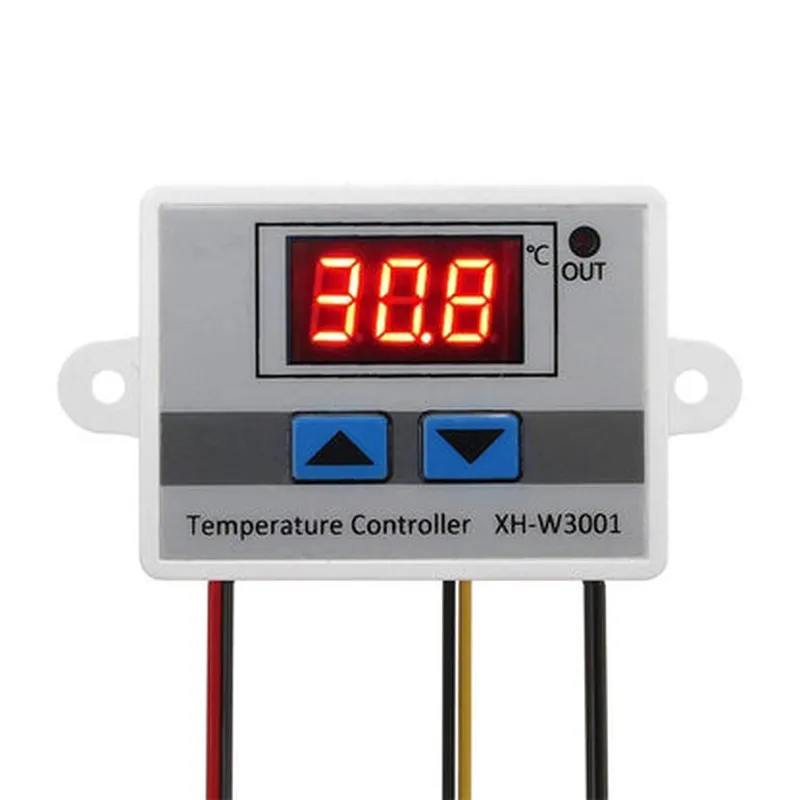
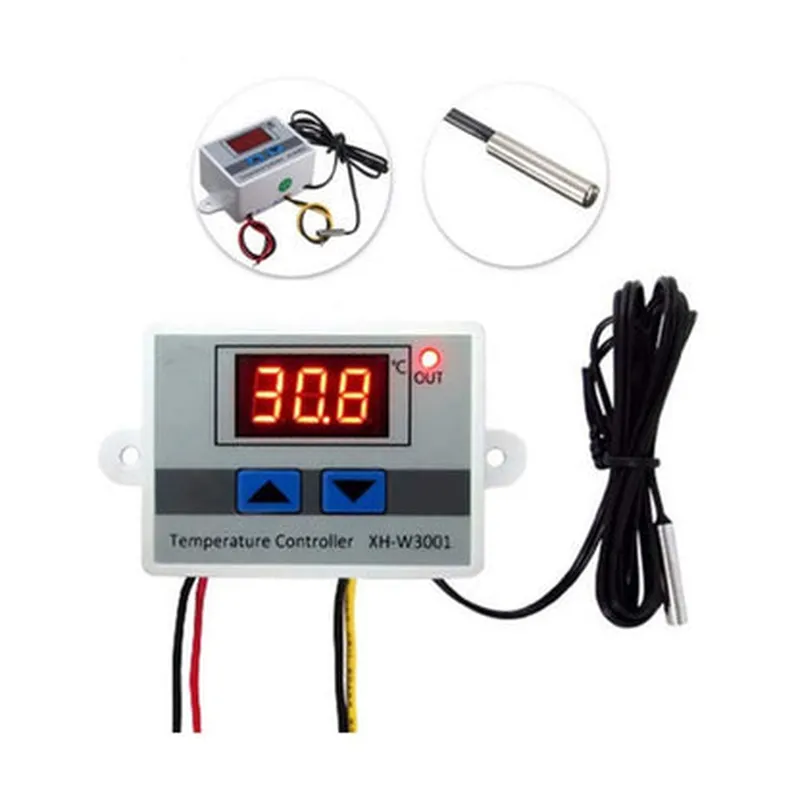
DC 12V
120W
-50C to 120C (-58F to 248F)
0.5C
0.1C
1C to 10C (1.8F to 18F)
1A @ 12VDC
1A @ 12VDC
-10C to 60C (14F to 140F)
-20C to 80C (-4F to 176F)
77 x 37 x 21mm (3.03 x 1.46 x 0.83 in)
120g (0.264 lbs)
By providing accurate temperature measurement, control, and alarm functions, the XH-W3001 DC 12V 120W digital display LED temperature controller with thermostat control switch probe is an essential component for various industrial and commercial applications.
XH-W3001 DC 12V 120W Digital Display LED Temperature Controller with Thermostat Control Switch ProbeOverviewThe XH-W3001 is a digital temperature controller designed for precise temperature control and monitoring applications. It features a 3-digit LED display, thermostat control switch probe, and a relay output for controlling external loads. This device is suitable for a wide range of applications, including industrial automation, HVAC systems, and laboratory equipment.Technical SpecificationsInput Voltage: DC 12V
Output Power: 120W
Temperature Range: -50C to 120C
Accuracy: 1C
Resolution: 0.1C
Relay Output: 1 x SPDT (10A, 250VAC)
Display: 3-digit LED display
Probe: 1 x K-type thermocouple probePinoutsVCC: DC 12V input
GND: Ground
IN+: Thermocouple probe positive input
IN-: Thermocouple probe negative input
OUT: Relay output
SET: Button for setting temperature setpoint
UP/DOWN: Buttons for adjusting temperature setpoint
buzz: Buzzer output (optional)Example 1: Basic Temperature Control with AlarmIn this example, we'll demonstrate how to use the XH-W3001 to control a relay output based on a temperature setpoint. We'll also configure the buzzer to sound an alarm when the temperature exceeds the setpoint.Code (Arduino)
```c++
const int relayPin = 2; // Relay output pin
const int buzzPin = 3; // Buzzer output pin
const int setButtonPin = 4; // Set button pin
const int upButtonPin = 5; // Up button pin
const int downButtonPin = 6; // Down button pinint temperatureSetpoint = 30; // Initial temperature setpoint (C)void setup() {
pinMode(relayPin, OUTPUT);
pinMode(buzzPin, OUTPUT);
pinMode(setButtonPin, INPUT);
pinMode(upButtonPin, INPUT);
pinMode(downButtonPin, INPUT);
}void loop() {
int temperature = readTemperature(); // Read temperature from XH-W3001
if (temperature > temperatureSetpoint) {
digitalWrite(relayPin, HIGH); // Turn on relay output
digitalWrite(buzzPin, HIGH); // Sound alarm
} else {
digitalWrite(relayPin, LOW); // Turn off relay output
digitalWrite(buzzPin, LOW); // Silence alarm
}// Adjust temperature setpoint using buttons
if (digitalRead(setButtonPin) == HIGH) {
temperatureSetpoint = readTemperature();
}
if (digitalRead(upButtonPin) == HIGH) {
temperatureSetpoint += 1;
}
if (digitalRead(downButtonPin) == HIGH) {
temperatureSetpoint -= 1;
}
}int readTemperature() {
// Read temperature from XH-W3001 using analog input or I2C interface
// (implementation depends on the specific interface used)
return analogRead(A0) 0.1; // Convert analog value to temperature (C)
}
```
Example 2: Temperature Monitoring with LCD DisplayIn this example, we'll demonstrate how to use the XH-W3001 to monitor temperature and display it on an LCD display.Code (Arduino)
```c++
#include <LiquidCrystal.h>const int lcdRS = 12; // LCD RS pin
const int lcdEN = 11; // LCD EN pin
const int lcdD4 = 5; // LCD D4 pin
const int lcdD5 = 4; // LCD D5 pin
const int lcdD6 = 3; // LCD D6 pin
const int lcdD7 = 2; // LCD D7 pinLiquidCrystal_I2C lcd(lcdRS, lcdEN, lcdD4, lcdD5, lcdD6, lcdD7);void setup() {
lcd.begin(20, 4); // Initialize LCD display
}void loop() {
int temperature = readTemperature(); // Read temperature from XH-W3001
lcd.setCursor(0, 0);
lcd.print("Temperature: ");
lcd.print(temperature);
lcd.print(" C");
delay(1000); // Update display every second
}int readTemperature() {
// Read temperature from XH-W3001 using analog input or I2C interface
// (implementation depends on the specific interface used)
return analogRead(A0) 0.1; // Convert analog value to temperature (C)
}
```
Note: The examples provided are simplified and may require additional error handling, calibration, and configuration depending on the specific application and hardware used.