Stufin
Home Quick Cart Profile

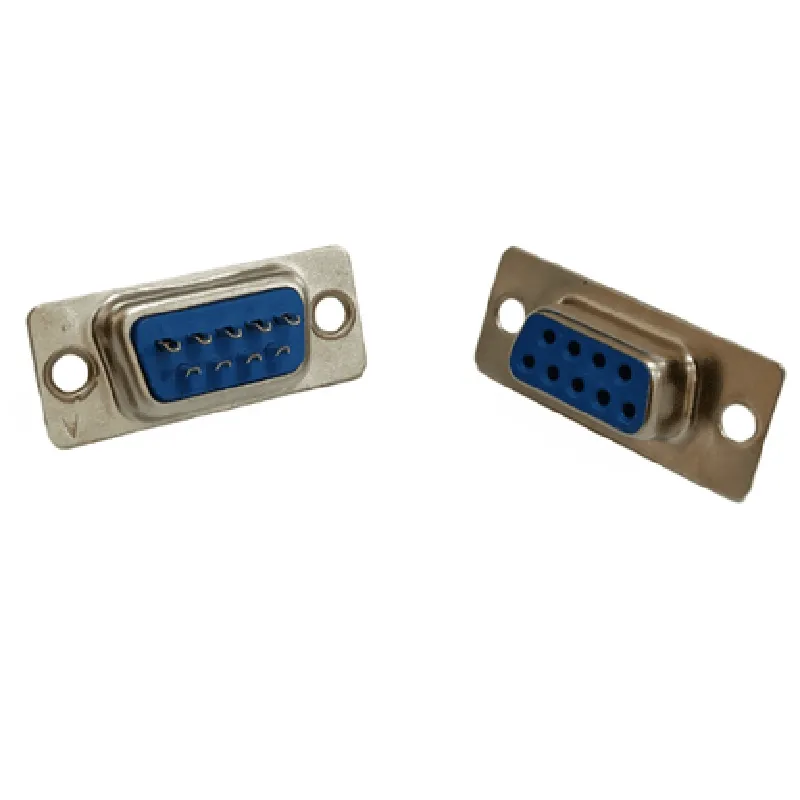
DB9 Female Straight Connector

Buy Now on Stufin

Pin Configuration

  • DB9 Female Straight Connector Documentation
  • The DB9 female straight connector is a widely used interface in the Internet of Things (IoT) and industrial automation applications. It has 9 pins and is commonly used for serial communication, particularly in RS-232 applications. Here's a detailed explanation of each pin and how to connect them:
  • Pinout Structure:
  • The DB9 female straight connector has a D-subminiature (D-sub) structure, with 9 pins arranged in two rows. The pins are numbered from 1 to 9, with the odd-numbered pins located on the top row and the even-numbered pins on the bottom row.
  • Pin Descriptions:
  • 1. Pin 1: DCD (Data Carrier Detect)
  • Connection: Input
  • Function: Indicates the presence of a carrier signal on the communication line
  • Signal: Asserted (high) when a carrier signal is detected, deasserted (low) when no carrier signal is present
  • 2. Pin 2: RX (Receive Data)
  • Connection: Input
  • Function: Receives serial data from the transmitter
  • Signal: Serial data stream
  • 3. Pin 3: TX (Transmit Data)
  • Connection: Output
  • Function: Transmits serial data to the receiver
  • Signal: Serial data stream
  • 4. Pin 4: DTR (Data Terminal Ready)
  • Connection: Output
  • Function: Indicates that the transmitter is ready to send data
  • Signal: Asserted (high) when the transmitter is ready, deasserted (low) when not ready
  • 5. Pin 5: GND (Ground)
  • Connection: Ground
  • Function: Provides a common ground reference for the communication line
  • Signal: Ground potential (0V)
  • 6. Pin 6: DSR (Data Set Ready)
  • Connection: Input
  • Function: Indicates that the receiver is ready to accept data
  • Signal: Asserted (high) when the receiver is ready, deasserted (low) when not ready
  • 7. Pin 7: RTS (Request to Send)
  • Connection: Output
  • Function: Requests permission to send data from the transmitter
  • Signal: Asserted (high) when requesting to send, deasserted (low) when not requesting
  • 8. Pin 8: CTS (Clear to Send)
  • Connection: Input
  • Function: Indicates that the receiver is ready to accept data and grants permission to send
  • Signal: Asserted (high) when clear to send, deasserted (low) when not clear to send
  • 9. Pin 9: RI (Ring Indicator)
  • Connection: Input
  • Function: Indicates the detection of an incoming ring signal (not used in most modern applications)
  • Signal: Asserted (high) when a ring signal is detected, deasserted (low) when no ring signal is present
  • Connecting the Pins:
  • When connecting the pins, ensure that the connectors are securely fastened to prevent damage or disconnection. Here's a general connection guide:
  • Connect the RX (Pin 2) and TX (Pin 3) pins to the corresponding RX and TX pins of the communication device (e.g., microcontroller or serial interface).
  • Connect the GND (Pin 5) pin to the ground reference of the communication device.
  • Connect the DCD (Pin 1), DTR (Pin 4), DSR (Pin 6), RTS (Pin 7), CTS (Pin 8), and RI (Pin 9) pins according to the specific requirements of the communication protocol and device.
  • Important Notes:
  • Ensure proper connection of the pins to avoid damage to the device or connector.
  • Use a shielded cable to connect the DB9 connector to minimize electromagnetic interference (EMI).
  • Verify the communication protocol and pinout requirements of the specific device or system before making connections.
  • By following this guide, you can properly connect and utilize the DB9 female straight connector in your IoT or industrial automation applications.

Code Examples

DB9 Female Straight Connector Documentation
Overview
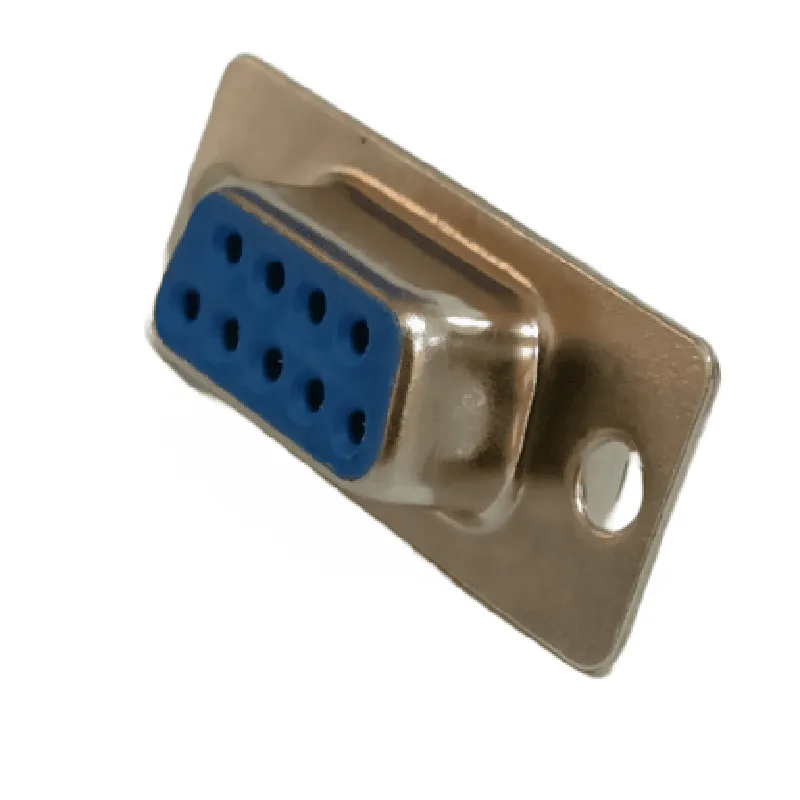
The DB9 Female Straight Connector is a type of electrical connector used to connect devices and peripherals in various applications, including industrial automation, computer systems, and networking equipment. This connector is a female version of the DB9 connector, which is a standardized 9-pin connector commonly used for serial communication interfaces such as RS-232, RS-422, and RS-485.
Technical Specifications
Connector Type: DB9 Female Straight
 Number of Pins: 9
 Pitch: 2.54mm (0.1 inch)
 Contact Material: Copper Alloy
 Insulator Material: Thermoplastic
 Operating Temperature: -40C to 105C (-40F to 221F)
 Rated Voltage: 300V AC/DC
 Rated Current: 1A per pin
Code Examples
Here are some code examples demonstrating how to use the DB9 Female Straight Connector in various contexts:
Example 1: Arduino Serial Communication with DB9 Female Straight Connector
In this example, we'll use the DB9 Female Straight Connector to connect an Arduino Uno board to a serial device, such as a GPS module, and read data from the device using the Arduino's built-in serial communication capabilities.
```c++
#include <Arduino.h>
#define RX_PIN 0  // Receive pin (pin 2 on the DB9 connector)
#define TX_PIN 1  // Transmit pin (pin 3 on the DB9 connector)
void setup() {
  Serial.begin(9600);  // Initialize serial communication at 9600 bps
}
void loop() {
  if (Serial.available() > 0) {
    char c = Serial.read();
    Serial.print(c);  // Print received character to the serial monitor
  }
}
```
Example 2: Python Serial Communication with DB9 Female Straight Connector (Using PySerial Library)
In this example, we'll use the DB9 Female Straight Connector to connect a Python script running on a computer to a serial device, such as a temperature sensor, and read data from the device using the PySerial library.
```python
import serial
# Open the serial port connected to the DB9 Female Straight Connector
ser = serial.Serial('COM3', 9600, timeout=1)  # Windows
# ser = serial.Serial('/dev/ttyUSB0', 9600, timeout=1)  # Linux/macOS
while True:
    line = ser.readline().decode('utf-8').strip()
    if line:
        print(line)  # Print received data to the console
ser.close()  # Close the serial port
```
Example 3: C++ Serial Communication with DB9 Female Straight Connector (Using Linux Serial API)
In this example, we'll use the DB9 Female Straight Connector to connect a C++ program running on a Linux system to a serial device, such as a barcode scanner, and read data from the device using the Linux serial API.
```c++
#include <fcntl.h>
#include <termios.h>
#include <unistd.h>
int main() {
    int fd = open("/dev/ttyUSB0", O_RDWR | O_NOCTTY | O_NDELAY);  // Open the serial port
    if (fd == -1) {
        perror("open");
        return 1;
    }
struct termios oldtio, newtio;
    tcgetattr(fd, &oldtio);  // Get current serial port settings
    newtio.c_cflag = B9600 | CRTSCTS | CS8 | CLOCAL | CREAD;
    newtio.c_iflag = IGNPAR;
    newtio.c_oflag = 0;
    newtio.c_lflag = 0;
    tcflush(fd, TCIFLUSH);
    tcsetattr(fd, TCSANOW, &newtio);  // Set new serial port settings
char buffer[256];
    while (true) {
        int bytes_read = read(fd, buffer, 256);
        if (bytes_read > 0) {
            write(STDOUT_FILENO, buffer, bytes_read);  // Print received data to the console
        }
    }
close(fd);  // Close the serial port
    return 0;
}
```
These code examples demonstrate how to use the DB9 Female Straight Connector in various contexts, including Arduino, Python, and C++ programming languages. The connector can be used in a wide range of applications, including industrial automation, computer systems, and networking equipment.