typical 180mA (receive mode), 230mA (transmit mode)
Supports power-down mode for reduced power consumption
- Operating Environment:


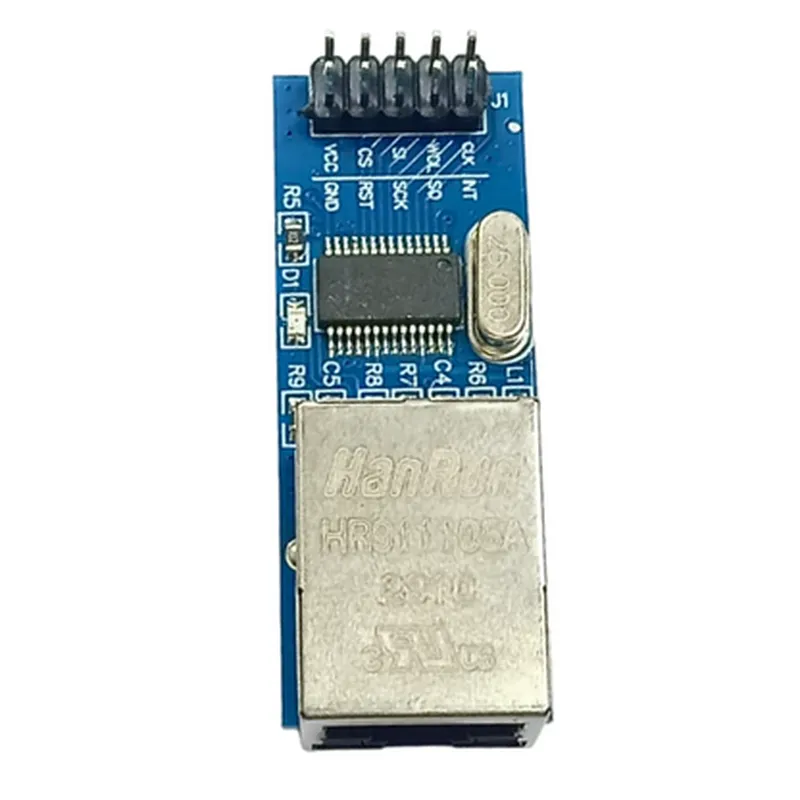
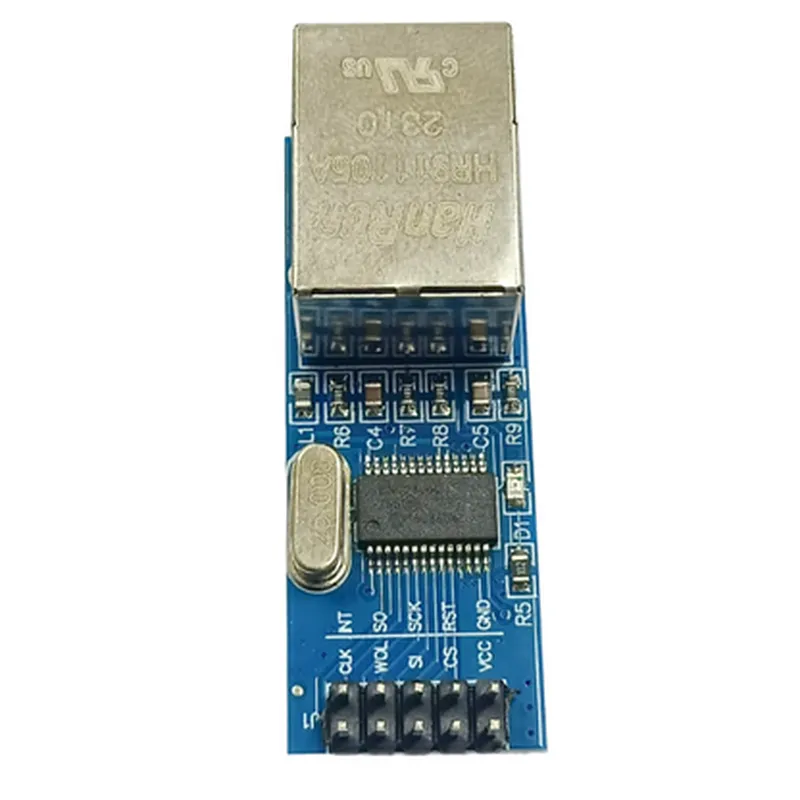
typical 180mA (receive mode), 230mA (transmit mode)
Supports power-down mode for reduced power consumption
0C to 70C
-40C to 125C
25mm x 40mm x 14mm (1.0" x 1.6" x 0.55")
RJ-45 connector for Ethernet connection
PCB-mountable with through-hole or surface-mount options
Applications
| The ENC28J60 Ethernet LAN Module is suitable for a wide range of applications, including |
IoT devices and sensors
Embedded systems and robotics
Industrial automation and control systems
Home automation and security systems
Medical devices and equipment
Documentation and Resources
ENC28J60 datasheet (Microchip)
ENC28J60 Ethernet LAN Module user manual (manufacturer's documentation)
available for various microcontrollers, including Arduino and Raspberry Pi
Revision History
| Rev 1.0 | Initial release |
| Rev 1.1 | Updated documentation and resources |
| Rev 1.2 | Corrected typographical errors |
The information provided is based on the manufacturer's documentation and is subject to change. It is recommended to consult the manufacturer's website or documentation for the most up-to-date information.
ENC28J60 Ethernet LAN Module DocumentationOverviewThe ENC28J60 is a popular Ethernet LAN module that provides a simple and cost-effective way to add Ethernet connectivity to microcontrollers and other devices. This module is based on the Microchip ENC28J60 IC, which is a 28-pin, 10/100 Base-TX Ethernet controller. It supports both half-duplex and full-duplex modes, and can operate at speeds of up to 10 Mbps.Pinouts and ConnectionsThe ENC28J60 module has the following pinouts:VCC: 3.3V power supply
GND: Ground
SCK: SPI clock input
SO: SPI data output
SI: SPI data input
CS: SPI chip select input
INT: Interrupt output
RST: Reset input
TX+: Ethernet transmit+
TX-: Ethernet transmit-
RX+: Ethernet receive+
RX-: Ethernet receive-Code Examples### Example 1: Basic Ethernet Connection using ArduinoThis example demonstrates how to use the ENC28J60 module with an Arduino board to connect to a network and send a simple HTTP request.
```c
#include <EtherCard.h>// Define the ENC28J60 pins
#define ENC_CS 5
#define ENC_CLK 6
#define ENC_MOSI 7
#define ENC_MISO 8// Initialize the Ethernet library
EtherCard eth(ENC_CS, ENC_CLK, ENC_MOSI, ENC_MISO);void setup() {
// Initialize the Ethernet module
eth.begin();// Set the IP address and subnet mask
eth.setIP("192.168.1.100");
eth.setSubnet("255.255.255.0");// Set the default gateway
eth.setGateway("192.168.1.1");
}void loop() {
// Send an HTTP request
eth.sendRequest("GET / HTTP/1.1
Host: www.example.com
");// Wait for the response
delay(1000);// Print the response
while (eth.available() > 0) {
char c = eth.read();
Serial.print(c);
}
}
```
### Example 2: UDP Communication using Raspberry Pi and PythonThis example demonstrates how to use the ENC28J60 module with a Raspberry Pi to send and receive UDP packets using Python.
```python
import socket# Define the Ethernet module's IP address and port
IP_ADDR = "192.168.1.100"
PORT = 5000# Create a UDP socket
sock = socket.socket(socket.AF_INET, socket.SOCK_DGRAM)# Bind the socket to the IP address and port
sock.bind((IP_ADDR, PORT))while True:
# Receive a UDP packet
data, addr = sock.recvfrom(1024)# Print the received data
print("Received:", data)# Send a response packet
sock.sendto("Hello from ENC28J60!", addr)
```
### Example 3: Web Server using ESP8266 and MicroPythonThis example demonstrates how to use the ENC28J60 module with an ESP8266 board running MicroPython to create a simple web server.
```python
import machine
import network# Define the Ethernet module's IP address and subnet mask
IP_ADDR = "192.168.1.100"
SUBNET_MASK = "255.255.255.0"# Initialize the Ethernet interface
eth = network.ENC28J60(machine.Pin(5), machine.Pin(6), machine.Pin(7), machine.Pin(8))# Set the IP address and subnet mask
eth.ifconfig((IP_ADDR, SUBNET_MASK, "192.168.1.1", "255.255.255.255"))# Create a web server
s = socket.socket(socket.AF_INET, socket.SOCK_STREAM)
s.bind(("0.0.0.0", 80))
s.listen(5)while True:
# Accept an incoming connection
conn, addr = s.accept()# Handle the HTTP request
request = conn.recv(1024)
conn.send("HTTP/1.1 200 OK
Hello from ENC28J60!")
conn.close()
```
These examples demonstrate the basic functionality of the ENC28J60 Ethernet LAN module and can be used as a starting point for more complex projects.