Tube Type Inductive Proximity Sensor Detection Switch NPN DC5-36V 4mm Normally Open switch LJ12A3-4-Z/BX


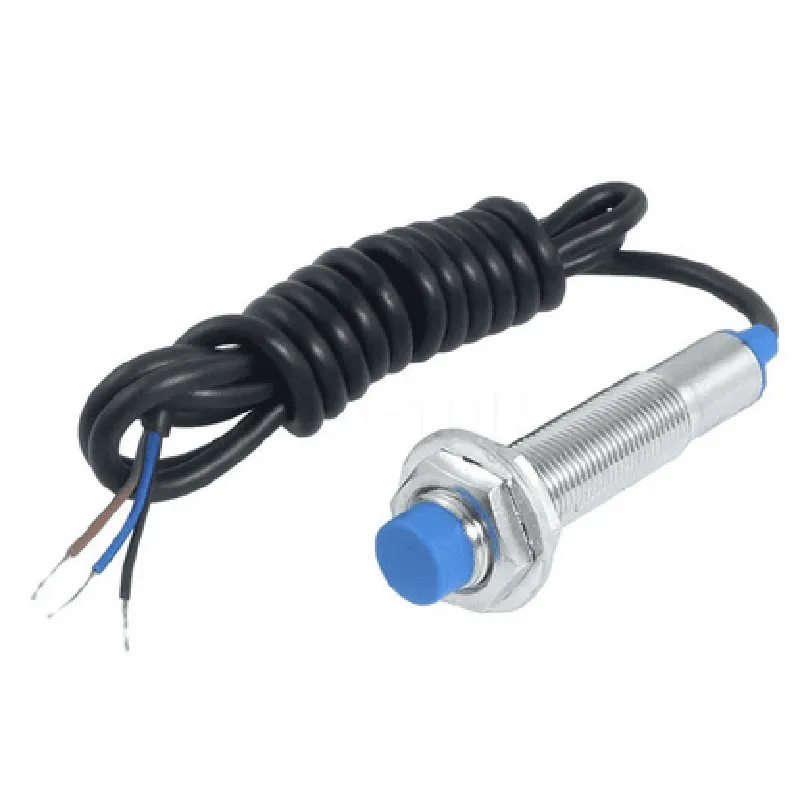
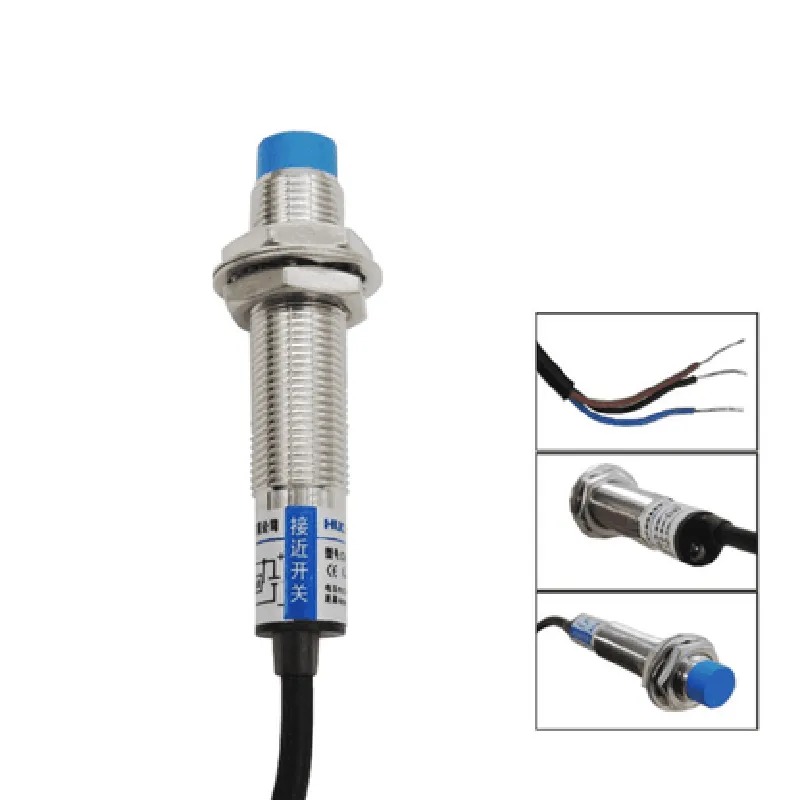
Tube Type Inductive Proximity Sensor Detection Switch NPN DC5-36V 4mm Normally Open switch LJ12A3-4-Z/BX
The LJ12A3-4-Z/BX is a tube-type inductive proximity sensor detection switch, designed to detect the presence or absence of metal objects within a specific range. This sensor is widely used in various industrial automation, robotics, and IoT applications.
The LJ12A3-4-Z/BX inductive proximity sensor operates on the principle of electromagnetic induction, where an oscillating circuit creates an electromagnetic field around the sensor's coil. When a metal object enters the detection zone, it disturbs the electromagnetic field, causing the sensor to trigger an output signal.
The sensor has a normally open (NO) switch configuration, meaning that the output is open (off) when no metal object is detected, and closes (on) when an object is present within the detection range.
DC5-36V
100mA
10ms
10kHz
4mm
-25C to 70C
-40C to 80C
35% to 85% RH
12mm x 45mm (diameter x length)
Industrial automation
Robotics
Machine tools
Conveyor systems
Material handling
IoT applications
| The LJ12A3-4-Z/BX meets the following certifications and compliances |
CE (Conformit Europene) marked
RoHS (Restriction of Hazardous Substances) compliant
REACH (Registration, Evaluation, Authorization, and Restriction of Chemicals) compliant
Please consult the manufacturer's documentation and datasheet for specific usage guidelines, safety precautions, and application notes.
Tube Type Inductive Proximity Sensor Detection Switch NPN DC5-36V 4mm Normally Open switch LJ12A3-4-Z/BXOverviewThe LJ12A3-4-Z/BX is a tube type inductive proximity sensor detection switch that operates on a DC power supply of 5-36V. It has a normally open (NO) switch output and provides a 4mm sensing distance. This sensor is widely used in industrial automation, robotics, and IoT applications for detecting metal objects.PinoutThe sensor has three pins:VCC (Red): Power supply (DC 5-36V)
GND (Black): Ground
OUT (White): Normally Open (NO) switch outputWorking PrincipleThe LJ12A3-4-Z/BX works on the principle of inductive sensing. When a metal object is brought within the sensing distance of the sensor, the electromagnetic field generated by the sensor coil is disturbed, causing the output to switch ON. The output remains ON as long as the object is within the sensing range.Code Examples### Example 1: Basic On/Off Detection with ArduinoIn this example, we will connect the LJ12A3-4-Z/BX to an Arduino board to detect the presence of a metal object.Connections:VCC (Red) to Arduino 5V
GND (Black) to Arduino GND
OUT (White) to Arduino Digital Pin 2Code:
```c++
const int sensorPin = 2; // Output pin of the sensorvoid setup() {
pinMode(sensorPin, INPUT);
Serial.begin(9600);
}void loop() {
int sensorState = digitalRead(sensorPin);
if (sensorState == HIGH) {
Serial.println("Metal object detected!");
} else {
Serial.println("No metal object detected.");
}
delay(100);
}
```### Example 2: Object Counter with Raspberry Pi (Python)In this example, we will connect the LJ12A3-4-Z/BX to a Raspberry Pi to count the number of metal objects detected.Connections:VCC (Red) to Raspberry Pi 5V
GND (Black) to Raspberry Pi GND
OUT (White) to Raspberry Pi GPIO 17Code:
```python
import RPi.GPIO as GPIO
import time# Set up GPIO mode
GPIO.setmode(GPIO.BCM)# Set up sensor pin as input
sensor_pin = 17
GPIO.setup(sensor_pin, GPIO.IN, pull_up_down=GPIO.PUD_UP)# Initialize counter
count = 0while True:
if GPIO.input(sensor_pin) == GPIO.HIGH:
print("Metal object detected!")
count += 1
print("Count:", count)
time.sleep(0.5) # Debounce time
```### Example 3: Automation Control with ESP32 (MicroPython)In this example, we will connect the LJ12A3-4-Z/BX to an ESP32 board to control a relay module based on the sensor output.Connections:VCC (Red) to ESP32 5V
GND (Black) to ESP32 GND
OUT (White) to ESP32 GPIO 32
Relay module: Connect the relay control pin to ESP32 GPIO 15Code:
```python
import machine
import time# Set up sensor pin as input
sensor_pin = machine.Pin(32, machine.Pin.IN)# Set up relay control pin as output
relay_pin = machine.Pin(15, machine.Pin.OUT)while True:
if sensor_pin.value() == 1:
print("Metal object detected!")
relay_pin.value(1) # Turn on the relay
else:
relay_pin.value(0) # Turn off the relay
time.sleep(0.5)
```
Note: In all examples, ensure that the sensor is properly connected and configured according to the datasheet and application requirements.