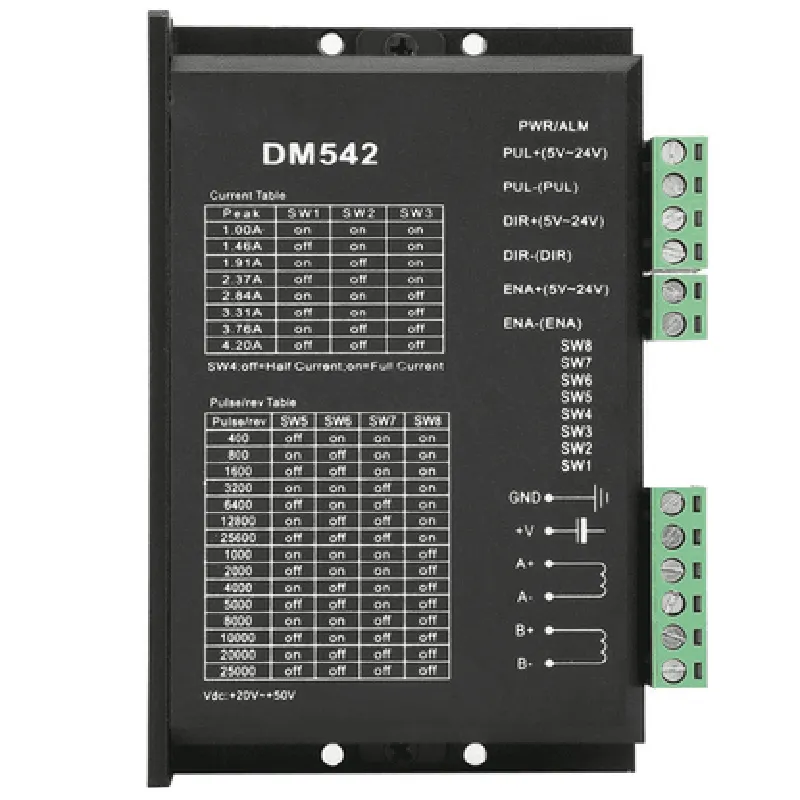
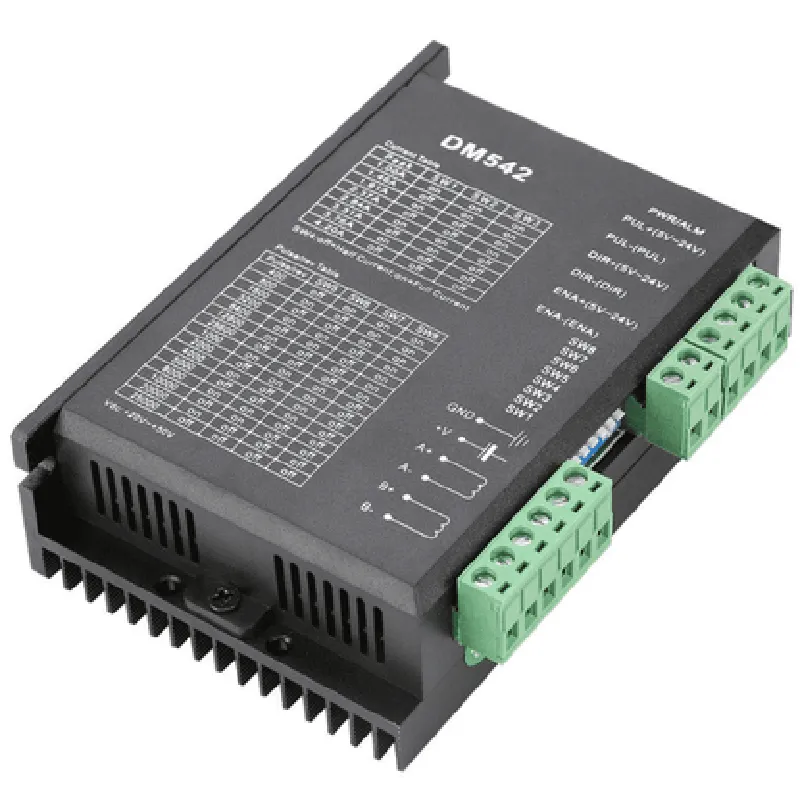
DM542 Digital Stepper Motor Driver Documentation
The DM542 Digital Stepper Motor Driver is a versatile and widely used driver for stepper motors in various applications, including CNC machines, 3D printers, and robotics. This driver provides a compact and reliable solution for controlling stepper motors with a microcontroller or PC.
Supports 2-phase and 4-phase stepper motors
 Microstep resolution up to 1/256
 High torque and high speed performance
 Optoisolator input for improved noise immunity
 Compatible with 3.3V and 5V logic levels
 Provides enable, direction, and step inputs
The DM542 driver has the following pinout:
VCC: Power supply (3.3V or 5V)
 GND: Ground
 EN: Enable input (active low)
 DIR: Direction input
 STEP: Step input
 A+, A-, B+, B-: Stepper motor connections
The following examples demonstrate how to use the DM542 driver in various contexts:
### Example 1: Basic Stepper Motor Control using Arduino
This example shows how to control a stepper motor using an Arduino board and the DM542 driver.
```c++
const int enablePin = 2;  // Enable input
const int dirPin = 3;    // Direction input
const int stepPin = 4;   // Step input
void setup() {
  pinMode(enablePin, OUTPUT);
  pinMode(dirPin, OUTPUT);
  pinMode(stepPin, OUTPUT);
}
void loop() {
  // Set direction
  digitalWrite(dirPin, HIGH);
// Enable the motor
  digitalWrite(enablePin, LOW);
// Take 1000 steps
  for (int i = 0; i < 1000; i++) {
    digitalWrite(stepPin, HIGH);
    delayMicroseconds(1000);  // 1ms pulse width
    digitalWrite(stepPin, LOW);
    delayMicroseconds(1000);  // 1ms pulse width
  }
// Disable the motor
  digitalWrite(enablePin, HIGH);
}
```
### Example 2: Stepper Motor Control using Python and Raspberry Pi
This example demonstrates how to control a stepper motor using a Raspberry Pi board and the DM542 driver.
```python
import RPi.GPIO as GPIO
import time
# Set up GPIO mode
GPIO.setmode(GPIO.BCM)
# Define GPIO pins
enable_pin = 17
dir_pin = 23
step_pin = 24
# Set up GPIO outputs
GPIO.setup(enable_pin, GPIO.OUT)
GPIO.setup(dir_pin, GPIO.OUT)
GPIO.setup(step_pin, GPIO.OUT)
try:
    while True:
        # Set direction
        GPIO.output(dir_pin, GPIO.HIGH)
# Enable the motor
        GPIO.output(enable_pin, GPIO.LOW)
# Take 1000 steps
        for i in range(1000):
            GPIO.output(step_pin, GPIO.HIGH)
            time.sleep(0.001)  # 1ms pulse width
            GPIO.output(step_pin, GPIO.LOW)
            time.sleep(0.001)  # 1ms pulse width
# Disable the motor
        GPIO.output(enable_pin, GPIO.HIGH)
except KeyboardInterrupt:
    # Clean up GPIO pins
    GPIO.cleanup()
```
### Example 3: CNC Machine Control using GRBL and Arduino
This example shows how to use the DM542 driver with GRBL firmware on an Arduino board to control a CNC machine.
const int x_step_pin = 2;  // X-axis step input
const int x_dir_pin = 3;    // X-axis direction input
const int x_enable_pin = 4; // X-axis enable input
void setup() {
  // Initialize GRBL
  grbl_init();
// Set up X-axis pins
  pinMode(x_step_pin, OUTPUT);
  pinMode(x_dir_pin, OUTPUT);
  pinMode(x_enable_pin, OUTPUT);
}
void loop() {
  // Home the X-axis
  grbl_send_string("G28.2 X");
// Move the X-axis to 10mm
  grbl_send_string("G1 X10 F100");
// Wait for the move to complete
  delay(1000);
// Disable the X-axis
  digitalWrite(x_enable_pin, HIGH);
}
```
Note: These examples are for illustrative purposes only and may require modification to suit your specific application. Make sure to consult the datasheets and documentation for the DM542 driver, microcontroller, and stepper motor for proper configuration and usage.