Goli Castor Wheel (Pack of 4)


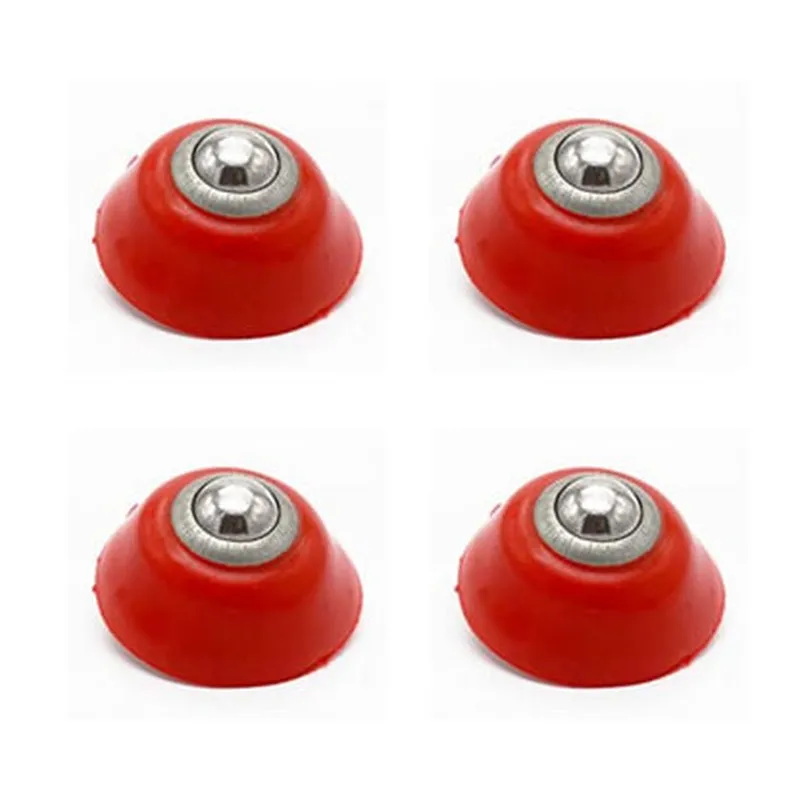
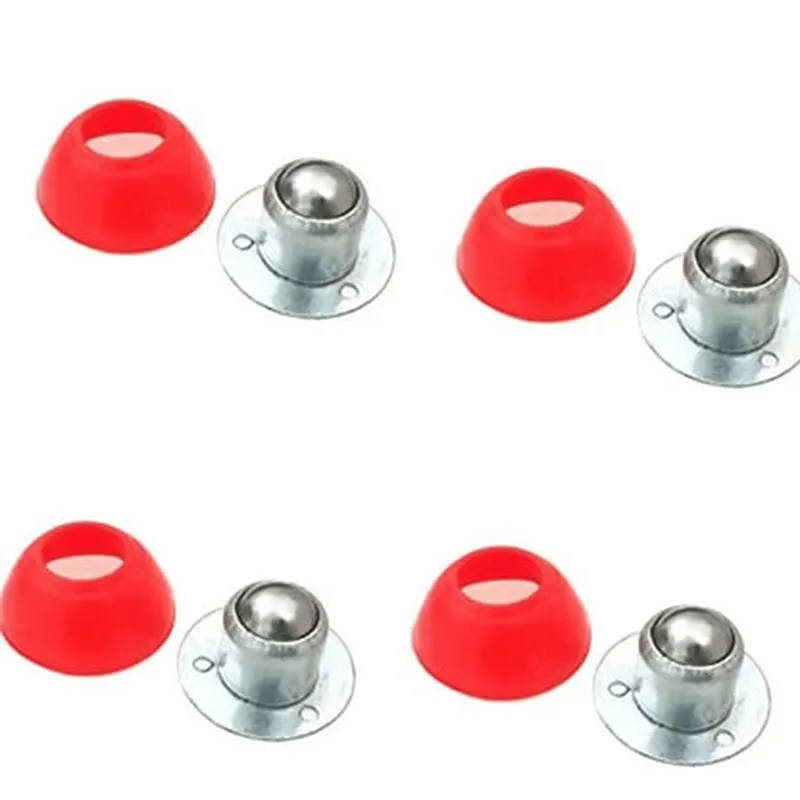
Goli Castor Wheel (Pack of 4)
The Goli Castor Wheel is a set of four Omni-directional wheels designed for IoT and robotics projects that require smooth, quiet, and consistent movement. These caster wheels are ideal for building autonomous robots, robotic platforms, and other IoT devices that need to move in multiple directions. The pack of four wheels ensures that users have a complete set for their projects, reducing the need for multiple orders or substitutions.
| Omni-directional movement | The wheels can move in any direction, including forwards, backwards, left, right, and diagonally, making them ideal for IoT projects that require flexible movement. |
The wheels are designed to reduce noise and vibration, ensuring a smooth and quiet operation that won't disturb the surrounding environment.
The casters are designed to maintain consistent movement, even on varying surfaces, ensuring that your IoT device can navigate different terrains with ease.
The wheels are constructed from high-quality plastic and rubber, ensuring durability and longevity.
30mm (1.18 inches)
10mm (0.39 inches)
Each wheel can support a maximum load of 5kg (11lbs)
The wheels come with a standard M4 screw hole for easy mounting to your IoT device or robotic platform.
The wheels can be adjusted to accommodate different surface types and terrain, ensuring smooth movement in various environments.
The wheels feature a low-friction design, reducing the effort required to move your IoT device and ensuring energy efficiency.
| The Goli Castor Wheel is suitable for a wide range of IoT projects, including |
Autonomous robots
Robotic platforms
IoT devices that require movement
Automated guided vehicles (AGVs)
Service robots
Educational robotics projects
The Goli Castor Wheel is compatible with most IoT devices and robotic platforms that require Omni-directional movement. However, users should ensure that the wheel's specifications meet their project's requirements before purchasing.
| The pack of four Goli Castor Wheels comes in a compact, protective package that includes |
4 x Goli Castor Wheels
4 x M4 screws for mounting
1 x Instruction manual
The Goli Castor Wheel comes with a 1-year warranty and dedicated technical support to ensure that users have a hassle-free experience with their IoT projects.
Goli Castor Wheel (Pack of 4) DocumentationOverviewThe Goli Castor Wheel is a pack of 4 omnidirectional wheels designed for robotic and IoT applications. Each wheel features a sturdy plastic body with a robust metal shaft, making it suitable for carrying moderate payloads. The omnidirectional design allows for smooth movement in any direction, making it ideal for robotic platforms, autonomous vehicles, and other IoT devices.Technical SpecificationsMaterial: Plastic body with metal shaft
Diameter: 60mm
Width: 20mm
Shaft diameter: 8mm
Load capacity: Up to 10kg per wheel
Operating temperature: -20C to 60CCode Examples### Example 1: Using the Goli Castor Wheel with an Arduino RobotIn this example, we'll demonstrate how to use the Goli Castor Wheel with an Arduino Uno board to create a simple robotic platform.Hardware RequirementsArduino Uno board
Goli Castor Wheel (Pack of 4)
DC motors (e.g., L298N)
Motor driver (e.g., L298N)
Power supply
Breadboard and jumper wiresCode
```c++
const int motorLeftForward = 2;
const int motorLeftBackward = 3;
const int motorRightForward = 4;
const int motorRightBackward = 5;void setup() {
pinMode(motorLeftForward, OUTPUT);
pinMode(motorLeftBackward, OUTPUT);
pinMode(motorRightForward, OUTPUT);
pinMode(motorRightBackward, OUTPUT);
}void loop() {
// Move forward
digitalWrite(motorLeftForward, HIGH);
digitalWrite(motorRightForward, HIGH);
delay(1000);// Move backward
digitalWrite(motorLeftBackward, HIGH);
digitalWrite(motorRightBackward, HIGH);
delay(1000);// Turn left
digitalWrite(motorLeftBackward, HIGH);
digitalWrite(motorRightForward, HIGH);
delay(500);// Turn right
digitalWrite(motorLeftForward, HIGH);
digitalWrite(motorRightBackward, HIGH);
delay(500);
}
```
This code example demonstrates how to control the DC motors connected to the Goli Castor Wheels using the Arduino Uno board. The motors are controlled to move the robotic platform forward, backward, left, and right.### Example 2: Using the Goli Castor Wheel with a Raspberry Pi RobotIn this example, we'll demonstrate how to use the Goli Castor Wheel with a Raspberry Pi board to create a more advanced robotic platform.Hardware RequirementsRaspberry Pi board (e.g., Raspberry Pi 4)
Goli Castor Wheel (Pack of 4)
DC motors (e.g., L298N)
Motor driver (e.g., L298N)
Power supply
Breadboard and jumper wiresCode
```python
import RPi.GPIO as GPIO
import timeGPIO.setmode(GPIO.BCM)motor_left_forward = 17
motor_left_backward = 23
motor_right_forward = 24
motor_right_backward = 25GPIO.setup(motor_left_forward, GPIO.OUT)
GPIO.setup(motor_left_backward, GPIO.OUT)
GPIO.setup(motor_right_forward, GPIO.OUT)
GPIO.setup(motor_right_backward, GPIO.OUT)while True:
# Move forward
GPIO.output(motor_left_forward, GPIO.HIGH)
GPIO.output(motor_right_forward, GPIO.HIGH)
time.sleep(1)# Move backward
GPIO.output(motor_left_backward, GPIO.HIGH)
GPIO.output(motor_right_backward, GPIO.HIGH)
time.sleep(1)# Turn left
GPIO.output(motor_left_backward, GPIO.HIGH)
GPIO.output(motor_right_forward, GPIO.HIGH)
time.sleep(0.5)# Turn right
GPIO.output(motor_left_forward, GPIO.HIGH)
GPIO.output(motor_right_backward, GPIO.HIGH)
time.sleep(0.5)
```
This code example demonstrates how to control the DC motors connected to the Goli Castor Wheels using the Raspberry Pi board. The motors are controlled to move the robotic platform forward, backward, left, and right using Python.Note: These code examples are for illustrative purposes only and may require modification to suit your specific robotic platform and IoT application.